
The Punjab Socio-Economic Registry (PSER) Portal is the official digital platform for Punjab’s province-wide household data collection initiative, designed to replace outdated welfare lists with a transparent, evidence-based system for delivering government assistance.
Here is what you will learn in this complete guide:
- What the PSER Portal is and why it matters for every Punjab resident
- Step-by-step instructions for completing your PSER registration online
- How the PMT score determines your eligibility for government programs
- Ways to check your registration status and resolve common issues
- The full list of benefits unlocked through a verified PSER profile
Key Takeaways
- One Registry, Multiple Programs: PSER registration is the single entry point for accessing the Nigehban Card, Himmat Card, Kisan Card, and other Punjab government welfare initiatives.
- PMT Score Determines Eligibility: Your Proxy Means Test score—calculated from asset, education, and housing data—directly influences which programs you qualify for.
- Self-Registration is Fully Digital: You can complete the entire application from home using the official pser.punjab.gov.pk portal without visiting any center.
- Data Accuracy is Critical: Providing incorrect information during registration can permanently affect your eligibility or delay assistance during emergencies.
- Read More: PSER Punjab gov pk Registration Online | PSER Check Eligibility
- Read More: 9999 Web Portal | 9999 Online Check 10000 (PM Ramzan Package)
- Read More: Maryam Nawaz Eidi Scheme (Get PKR 5000/-) | Apply Online
- Read More: Maryam Nawaz 10000 Ramzan Package [Apply Online]
PSER Portal | PSER Registration (Benefits & How to Apply Online)
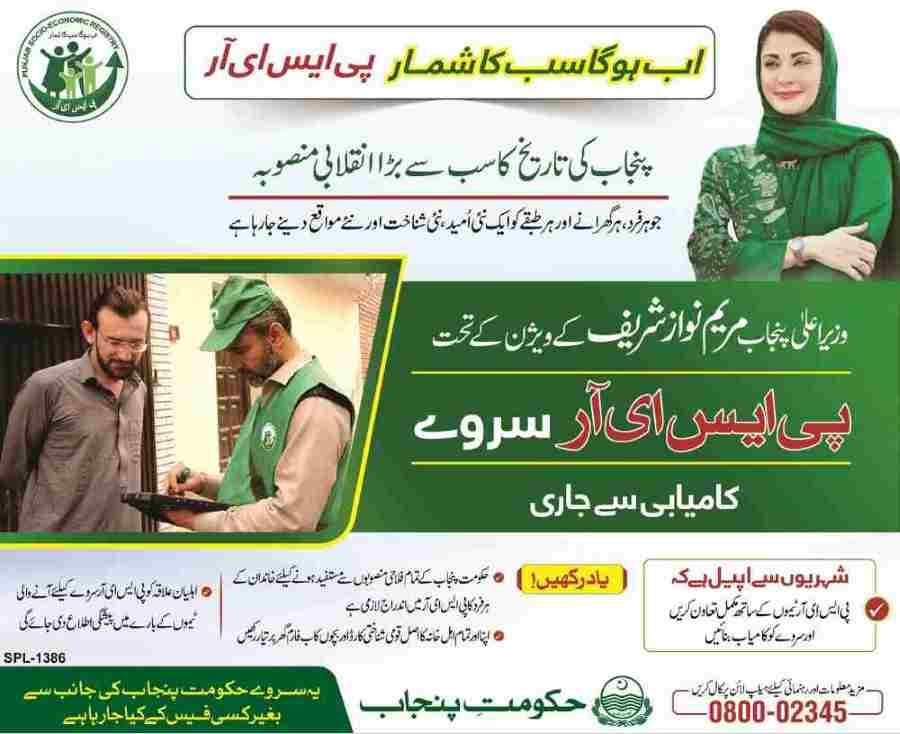
Table Of Contents
What is the Punjab Socio-Economic Registry (PSER) Portal and Why Was It Launched?
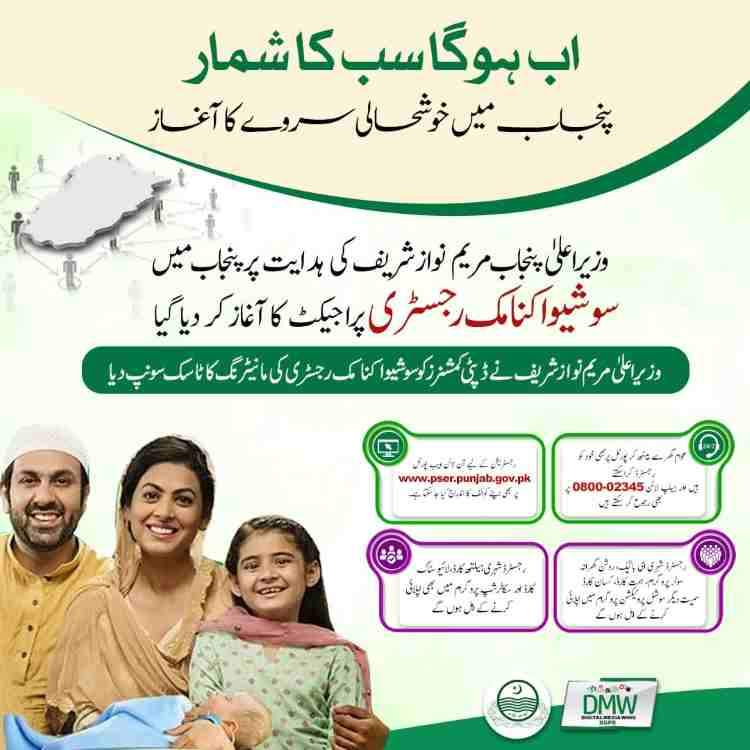
The PSER Portal is the government’s response to fragmented, unreliable welfare lists that previously caused exclusion of deserving families and duplication of benefits. Launched under the Punjab Social Protection Authority (PSPA), the portal collects verified socio-economic data from every household in Punjab to create a single source of truth for all social protection programs.
Why PSER was created:
- To eliminate political interference in beneficiary selection
- To provide a unified database accessible to all government departments
- To enable real-time disaster response using pre‑verified household data
- To ensure that public funds reach only those who genuinely need them
The core problem it solves:
Before PSER, different departments maintained separate lists for food subsidies, health coverage, educational scholarships, and cash transfers. These lists often contradicted each other, and a family could be deemed eligible for one program but excluded from another without any logical basis. PSER harmonizes all eligibility criteria, so a household’s socio-economic profile determines access consistently across all government schemes.
Leadership vision:
As stated by the Project Director, PSER is not merely a survey—it is the foundation for a smarter, more responsive governance system. By integrating digital tools, field verification, and multi‑layer checks, the registry introduces unprecedented transparency in how public resources are allocated.
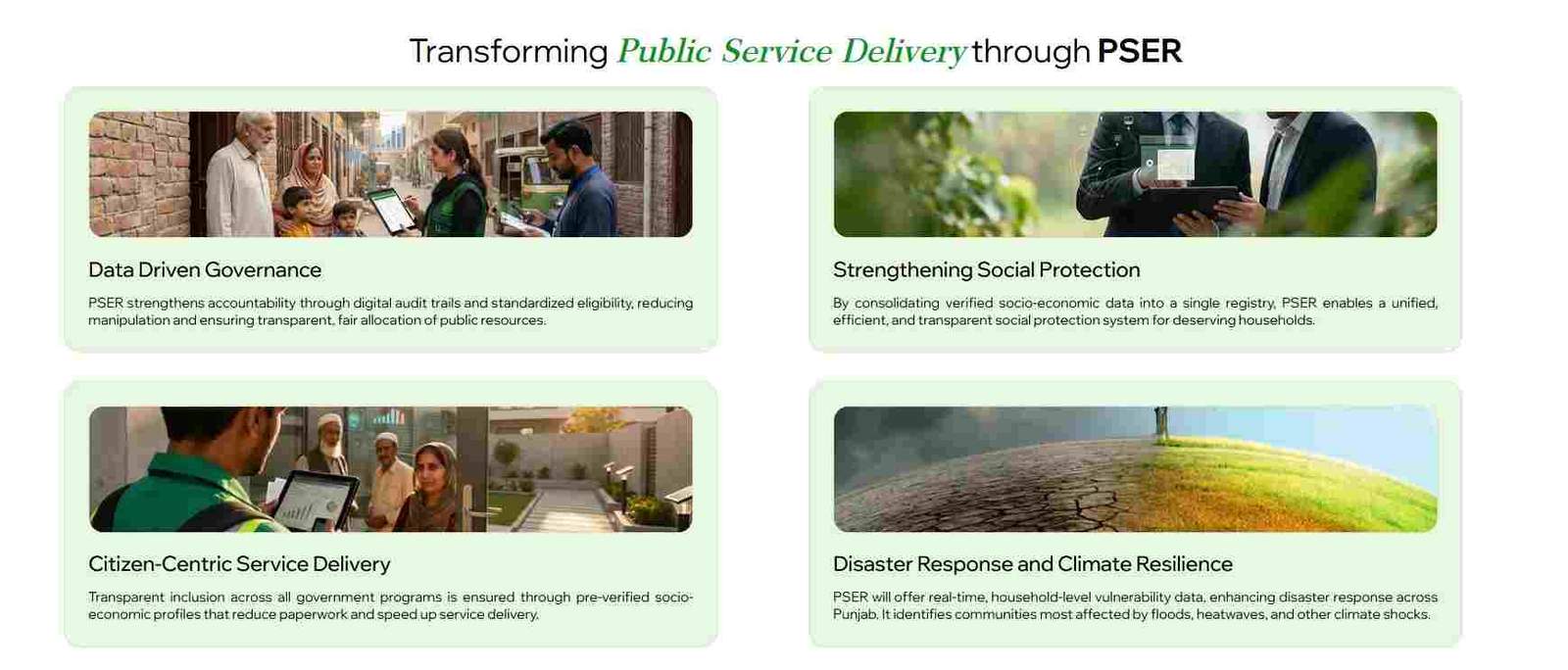
How Does the PSER Portal Transform Public Service Delivery in Punjab?
The PSER Portal fundamentally changes how the government identifies, targets, and serves citizens. Instead of relying on outdated assumptions or incomplete records, departments now base decisions on a continuously updated, verified dataset that covers every district, tehsil, and union council in Punjab.
What is the concept of Data-Driven Governance through PSER?
Data‑driven governance means moving from guesswork to evidence. With PSER, government planners can:
- View poverty distribution at the household level, not just district averages
- Identify clusters of extreme vulnerability for targeted intervention
- Track the impact of social programs over time using the same registry
- Prevent fraud by cross‑checking applications against asset declarations
How Does PSER Strengthen Social Protection Programs?
PSER strengthens social protection by serving as the foundational layer for all welfare schemes. Key improvements include:
- Unified eligibility: A single PMT score determines qualification for multiple programs, reducing confusion.
- Reduced duplication: Families cannot receive benefits from two different schemes that serve the same purpose.
- Faster enrollment: New programs can be launched immediately using existing PSER data instead of starting from scratch.
- Better budgeting: The government knows exactly how many households fall into each poverty bracket, enabling accurate fund allocation.
In What Ways is PSER a Citizen-Centric Service Delivery Model?
Citizen‑centric service delivery places the individual’s convenience at the center. PSER achieves this by:
- Eliminating the need to submit the same documents to multiple departments
- Allowing self‑registration from home, saving time and travel costs
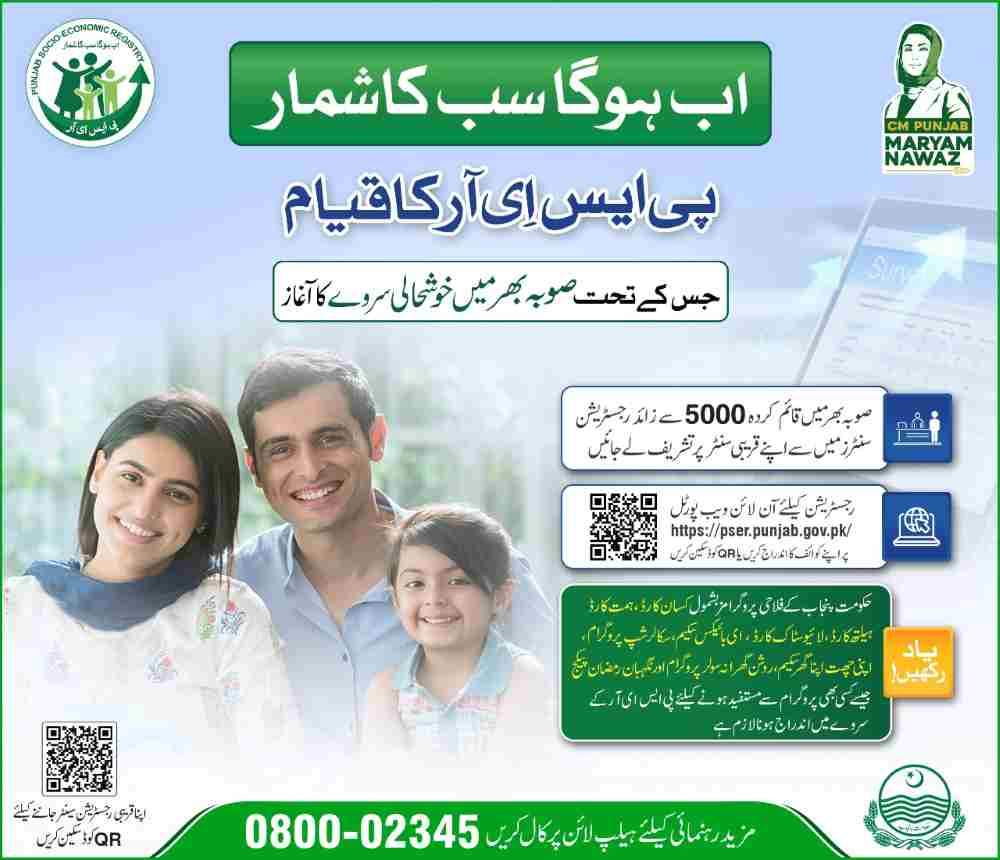
- Providing 5,000+ registration centers for those without internet access
- Offering a toll‑free helpline (0800‑02345) for complaints and guidance
How Does PSER Enhance Disaster Response and Climate Resilience?
PSER transforms emergency management by making vulnerability data available before a disaster strikes. For floods, heatwaves, or earthquakes, authorities can instantly:
- Identify households living in high‑risk zones
- Locate families with disabled or chronically ill members who need priority evacuation
- Pre‑position relief supplies in areas with the highest concentration of vulnerable households
- Distribute compensation swiftly using verified bank account information
What is the Step-by-Step Process for PSER Online Registration?
PSER online registration is a self‑guided process divided into logical sections. The following steps walk you through each part of the application on the official portal.
How to Access the PSER Registration Portal: www.pser.punjab.gov.pk?
- Open your web browser and type pser.punjab.gov.pk exactly in the address bar.
- Look for the official Punjab government logo and the “PSER” branding.
- Click on “New Application” to begin.
- Read the declaration carefully—it is a legal affirmation that the information you provide is truthful.
What is the Declaration and Acknowledgment Step?
Before entering any data, the portal requires you to acknowledge that false information may lead to legal action or permanent disqualification from government programs. This step ensures that every applicant understands the responsibility of providing accurate details.
How to Provide the Head of Family and CNIC Information?
The first data section asks for:
- Name of the head of family (the person responsible for the household)
- CNIC number of the head of family
- The system validates the CNIC against NADRA records immediately
Important: The head of family should be the same person who will later apply for benefits on behalf of all household members.
How to Enter Basic Information (Gender, Date of Birth)?
After CNIC validation, you enter:
- Gender of each household member
- Date of birth (as per NADRA record)
- Relationship to the head of family
This information helps the government understand family composition and identify dependents.
How to Fill the Health Status Section (Disability & Chronic Disease)?
The health status section captures any permanent disability or long‑term illness. Options include:
- Disability type: upper limb, lower limb, mental, speech, hearing, visual
- Chronic disease: diabetes, heart disease, kidney failure, etc.
This data is critical for programs like the Himmat Card, which provides monthly stipends to persons with disabilities.
How to Complete the Education Status Section?
Education status is recorded using:
- Whether the person can read a simple sentence in any language
- Highest degree completed (primary, middle, matric, intermediate, bachelor, etc.)
- If never attended school, the reason (economic constraints, lack of facility, etc.)
Education levels influence the PMT score—higher education generally indicates higher earning potential.
How to Enter Employment Status and Income Details?
Employment section captures:
- Last month’s total income
- Main source of income (salary, business, agriculture, daily wage, etc.)
- Nature of employment (permanent, temporary, seasonal, self‑employed)
- Average monthly cash income in Pakistani rupees
Tip: Be honest about irregular income—averaging it out gives a more accurate picture.
How to Provide Bank Account Information?
You will be asked:
- Do you have a bank account? (Yes/No)
- If yes: bank name and account number
Having a bank account is not mandatory for registration, but it facilitates direct cash transfers if you qualify for future programs.
How to Add Contact Numbers?
Enter two mobile numbers with their respective network operators (Jazz, Zong, Ufone, Telenor). These numbers will be used for:
- Application status updates via SMS
- Verification calls
- Emergency communication during disasters
How to Fill Current and Permanent Address?
The address section requires:
- Province (Punjab, Sindh, etc.)
- District
- Tehsil
- Union Council
- City/Village name
- Urban/Rural status
- Complete address (street, house number, landmark)
If the current address differs from the permanent address, both must be provided separately.
How to Provide Asset Information (Dwelling, Utilities, Livestock, Land, Transport)?
Asset information is the most detailed section because it heavily influences the PMT score. Each subsection collects specific data points.
How to Report Dwelling Unit Ownership and Construction Material?
- Ownership status: owned, rented, rent‑free, encroached
- Wall material: baked brick, unbaked brick, mud, wood, etc.
- Roof material: concrete, iron sheets, thatch, etc.
- Residential condition: good, repairable, dilapidated
How to Report Number of Members and Cooking Fuel Type?
- Total number of family members living in the dwelling
- Fuel used for cooking: natural gas, LPG, wood, kerosene, etc.
How to Report Toilet Facility and Drinking Water Source?
- Toilet type: flush connected to sewer, flush connected to septic tank, pit latrine, open defecation
- Drinking water source: tap water (inside dwelling), tap water (outside), hand pump, well, tanker, etc.
How to Report Electricity Connection and Livestock?
- Electricity connection: own meter, shared meter, illegal connection, no connection
- Livestock owned: cows, buffaloes, goats, sheep, chickens, etc. (with counts)
How to Report Agricultural Land and Transport Items?
- Agricultural land ownership: yes/no; if yes, total acreage
- Transport items: motorcycles, cars, tractors, rickshaws, etc. (type and number)
How to Fill the Agricultural Information Section?
If you own agricultural land, additional questions appear:
- Type of cultivation: own cultivator, contract cultivator, shared cultivator
- Size of cultivated land (in acres or kanals)
- Crops grown (if applicable)
How to Answer the Miscellaneous Questions?
The final section asks four critical questions:
- Does any family member receive financial help from the government?
- Has the family experienced the death of a child in the previous year?
- Does the family have access to mobile or internet?
- Was the family affected by any natural disaster in the previous five years?
These questions help identify families facing specific vulnerabilities that may not be captured by asset data alone.
What is the Final Step After Completing the PSER Application?
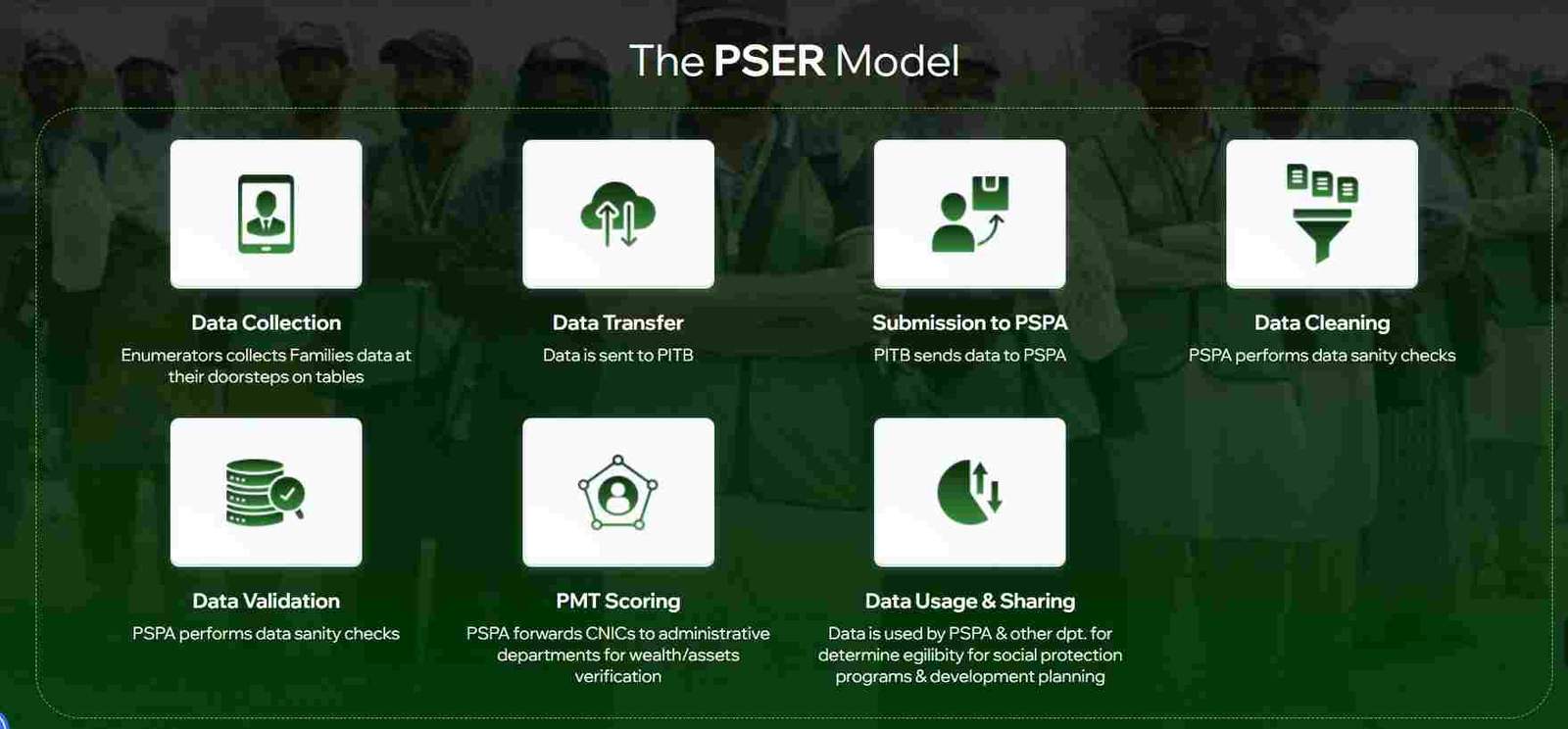
After submitting the application, you receive a confirmation message with a unique tracking number. The application then moves into the verification pipeline:
- Data cleaning – automatic checks for missing or inconsistent information
- Data validation – field visits or telephonic verification for a sample of households
- PMT scoring – calculation of the poverty score using the asset and demographic data
- Data sharing – verified data is made available to departments for program enrollment
Read More: Shahbaz Sharif Ramzan Package (Registration PKR 13000)
What Documents Are Required for PSER Registration?
PSER registration does not require uploading physical documents during online submission. However, the information you provide must match official records.
Is the CNIC the Only Mandatory Document for PSER?
Yes, the CNIC of the head of family is the only mandatory document for online registration. The portal uses the CNIC number to:
- Verify identity against NADRA database
- Link all household members to a single profile
- Prevent duplicate registrations
What Supporting Documents Might Be Required at Verification Centers?
During field verification or if you visit a registration center, you may be asked to show:
- CNICs of all adult family members
- Utility bills (electricity, gas, water) as proof of residence
- Property documents for owned dwellings
- Vehicle registration books
- Disability certificates (for Himmat Card eligibility)
What Documents are Needed for Overseas Pakistanis Applying for PSER?
Overseas Pakistanis can apply using:
- Valid Pakistani CNIC or NICOP
- Proof of family relationship to household members in Punjab
- Overseas address and contact details
What is the PMT Score in PSER and How is it Calculated?
The Proxy Means Test (PMT) score is a statistical estimate of a household’s economic well‑being, calculated from easily observable characteristics instead of direct income data. It is the primary filter for determining eligibility for social protection programs.
What Factors Influence the PSER PMT Score Calculation?
The PMT model assigns weights to multiple indicators, including:
- Housing quality: wall and roof materials, number of rooms
- Asset ownership: agricultural land, livestock, vehicles
- Education: highest level completed by household members
- Employment: nature of employment and income level
- Utilities: type of water source, toilet facility, cooking fuel
- Household composition: number of dependents, presence of elderly or disabled members
Is a Lower PMT Score Better for PSER Program Eligibility?
Yes, a lower PMT score indicates greater poverty and vulnerability. Programs like the Nigehban Card and Himmat Card typically set a threshold score—households with scores below that threshold are eligible. A higher score suggests better economic status and may exclude the household from means‑tested assistance.
How Does Asset Information in PSER Affect the PMT Score?
Assets are strong predictors of wealth and therefore carry significant weight:
- Negative impact on eligibility: ownership of a car, large agricultural land, multiple livestock, or a fully concrete house
- Positive impact on eligibility: lack of assets, living in a katcha house, no vehicle ownership, renting rather than owning
How to Check PSER Registration Status and Verify Your Application?
After submission, you can track your application through two primary channels.
How to Check PSER Registration Status on the Official Portal?
- Visit pser.punjab.gov.pk
- Click on “Check Status”
- Enter the head of family’s CNIC number
- Enter the mobile number used during registration
- View current status: “Submitted,” “Under Verification,” “Verified,” or “Rejected”
How to Use the 8171 Portal to Check PSER Registration Form Status?
The 8171 web portal (originally for BISP) now integrates PSER data for certain programs. To check:
- Visit the official 8171 web portal
- Enter your CNIC
- If your PSER data is linked, you will see eligibility information for affiliated programs
What Does a “Pending” or “Under Verification” Status Mean?
A pending status simply means your application is in the queue for processing. The timeline varies based on:
- Volume of applications in your district
- Completeness and accuracy of the data provided
- Whether your household was selected for physical verification
Most applications are processed within 30–45 days, though peak periods may cause delays.
What Happens After the PSER Survey is Completed and Verified?
Once verified, your data is:
- Stored in the central PSER database
- Assigned a permanent PMT score
- Made available to departments like the Punjab Social Protection Authority, Agriculture Department, and others for program enrollment
- Updated automatically if you later provide revised information
What Are the Key Benefits of Completing PSER Registration?
Completing PSER registration opens doors to a wide range of government programs that were previously inaccessible to many families.
Does PSER Registration Guarantee a Monthly Stipend?
No, PSER itself does not provide a monthly stipend. It is a registration system that determines your eligibility for programs that do offer stipends, such as the Benazir Income Support Programme (BISP) or provincial cash transfer schemes. Without a PSER profile, you cannot be considered for these programs.
Can I Register for the Nigehban Card Through PSER?
Yes, the Nigehban Card—which provides subsidized food and cash assistance during Ramzan and other times—is directly linked to PSER. Your PSER profile determines whether you qualify, and the card is issued based on your verified data.
Will I Get the Himmat Card Through PSER?
Absolutely. The Himmat Card program for persons with disabilities uses PSER’s health status data to identify eligible individuals. Once your disability is recorded during registration, the system automatically flags you for Himmat Card enrollment.
Can I Apply for the Kisan Card via the PSER Database?
The Kisan Card, which provides agricultural inputs and subsidies to small farmers, relies on PSER’s agricultural land and livestock data. If you own agricultural land and it is correctly recorded in your PSER profile, you become eligible for Kisan Card benefits.
What Other Government Programs Use PSER for Eligibility?
Beyond the major cards, PSER data is used for:
- Educational scholarships and fee reimbursements
- Health insurance coverage under provincial health schemes
- Housing assistance programs
- Interest‑free loan schemes for small businesses
- Solar panel and clean energy subsidies
- Livestock support programs
What to Do If You Face Problems with PSER Registration?
Encountering issues during registration is common. The following solutions cover the most frequent problems.
What is the PSER Helpline Number for Complaints and Support?
The official PSER helpline is 0800‑02345 (toll‑free). Support is available in Urdu and English. You can call for:
- Assistance with the online registration process
- Status inquiries
- Complaint registration regarding field staff or registration centers
- Correction of data errors
What Should I Do If My CNIC is Rejected by the PSER Portal?
CNIC rejection typically occurs due to:
- Mismatch between the name in your application and NADRA records
- Duplicate registration already existing in the system
- Technical issues with the portal
Solution: Verify your NADRA details, ensure you are using the same name as on the CNIC, and try again after 24 hours. If the problem persists, call the helpline or visit a registration center.
How Can I Correct an Error in My PSER Form After Submission?
Errors can be corrected through:
- Online update feature: If the portal allows edits, log in and modify the relevant section
- Registration center visit: Bring your CNIC and supporting documents to any PSER center for manual correction
- Helpline request: Some corrections can be initiated by calling 0800‑02345
How to Reset My PSER Portal Password?
If the portal requires a login:
- Click “Forgot Password”
- Enter your registered CNIC and mobile number
- Receive an OTP via SMS
- Set a new password
How to Find the Nearest PSER Registration Center?
More than 5,000 registration centers are operational across Punjab. To find the nearest:
- Call the helpline and provide your district and tehsil
- Visit the official portal and look for “Center Locator” (if available)
- Ask at your local union council office
Who is Eligible to Apply for PSER Registration in Punjab?
PSER registration is open to all residents of Punjab, with few exceptions.
Is PSER Registration Mandatory for All Residents of Punjab?
While not legally mandatory, registration is effectively required to access any government welfare or development program. Families that remain unregistered will be excluded from future assistance.
Can a Single Family Member Register the Entire Household?
Yes, the head of the family or any adult member can register the entire household. All members should be listed under the same head to ensure the family is treated as a single unit for PMT calculation.
Can Government Employees Apply for the PSER Survey?
Government employees are included in the survey for statistical completeness, but their higher income and asset profile will likely place them above the eligibility threshold for most welfare programs. However, they can still register for data accuracy.
Can Overseas Pakistanis Apply for PSER?
Overseas Pakistanis can apply if they have family members residing in Punjab. The application should be submitted by the head of the family in Punjab, with the overseas member included as part of the household. The overseas member’s CNIC or NICOP is required.
Is PSER Different from BISP (Benazir Income Support Programme)?
PSER and BISP serve different but complementary roles in Pakistan’s social protection landscape.
PSER is a provincial registry managed by the Punjab Social Protection Authority. It collects detailed socio‑economic data specifically for Punjab’s households and is used to target provincial programs.
BISP is a federal unconditional cash transfer program that operates nationwide. BISP maintains its own National Socio‑Economic Registry (NSER), though PSER data is increasingly being shared with BISP to improve targeting in Punjab.
How they work together:
- PSER data can help BISP identify new beneficiaries in Punjab
- BISP’s NSER data can be used to cross‑verify PSER applications
- The 8171 portal now reflects both BISP and PSER eligibility for some programs
What is the Role of the Punjab Social Protection Authority (PSPA) in PSER?
The PSPA is the lead agency responsible for:
- Overseeing the PSER survey and portal
- Performing data cleaning and validation
- Calculating PMT scores
- Sharing verified data with other departments
- Managing social protection programs like the Himmat Card and Nigehban Card
What is the Last Date for PSER Online Registration?
PSER is an ongoing initiative with no fixed end date for the base survey. However, specific programs—like the Ramzan Nigehban Card or annual cash transfers—often have enrollment deadlines tied to the PSER database.
To ensure inclusion in upcoming schemes:
- Register as early as possible
- Check the official portal for announcements about program‑specific deadlines
- Do not wait for a “last date” that may result in missing out on immediate assistance
Disclaimer
The information in this guide is based on official PSER documentation and public announcements. Program details, eligibility criteria, and deadlines are subject to change by the Government of Punjab. Always refer to the official PSER portal or helpline for the most current information.
Frequently Asked Questions (FAQs)
1. What is the PSER Portal?
The PSER Portal is the official online platform for the Punjab Socio-Economic Registry, a government initiative to collect household data for social protection programs.
2. How can I register for the PSER program online?
Visit pser.punjab.gov.pk, click “New Application,” and fill out the multi‑section form with details about your family, assets, and socio‑economic status.
3. Who is eligible for PSER registration?
All residents of Punjab, including families, individuals, and overseas Pakistanis with a valid CNIC or NICOP, can register.
4. What are the benefits of being registered in the Punjab Socio-Economic Registry?
Registration makes you eligible for the Nigehban Card, Himmat Card, Kisan Card, educational scholarships, health coverage, and other provincial welfare programs.
5. Which documents are required for the PSER application?
The CNIC of the head of family is the primary document. Supporting documents may be requested during verification.
6. How do I check my PSER registration status?
Use the “Check Status” feature on pser.punjab.gov.pk or call the helpline 0800‑02345.
7. What is a PMT score in PSER?
The Proxy Means Test score is a poverty score calculated from your household data that determines eligibility for means‑tested programs.

Add a Comment