
The Punjab Socio-Economic Registry (PSER) is the official digital database of the Government of Punjab used to identify and enroll deserving families for provincial welfare programs, while the 8171 web portal is a separate national system operated by the Benazir Income Support Programme (BISP) for federal cash transfer eligibility verification.
In this comprehensive guide, you will learn:
- The exact difference between PSER and 8171 systems
- Step-by-step online registration process for PSER
- How to check your PSER status using CNIC
- Complete eligibility criteria for Himmat Card, Kisan Card, and other schemes
- Solutions for common registration problems and status errors
Key Takeaways
- PSER Registration Is Mandatory: All Punjab residents seeking provincial welfare benefits like the Himmat Card, Kisan Card, or Ramzan Relief must complete PSER registration through the official portal.
- PSER vs. 8171 Distinction: PSER is for Punjab provincial programs accessed via pser.punjab.gov.pk, while 8171 is the national BISP eligibility check system. One does not replace the other.
- Deadline Awareness: Ramzan Relief and other seasonal programs have strict deadlines; registration must be completed before cut-off dates to qualify.
- Free Registration: PSER registration and 8171 status checks are completely free; anyone demanding payment is committing fraud.
- PMT Score Determines Eligibility: Your Proxy Means Test (PMT) score calculated from PSER data determines which programs you qualify for; lower scores receive priority.
- Read More: PSER Registration Benefits | PSER Survey (Apply Online)
- Read More: PSER Portal | PSER Registration (Benefits & How to Apply Online)
- Read More: PSER Punjab gov pk Registration Online | PSER Check Eligibility
- Read More: 9999 Web Portal | 9999 Online Check 10000 (PM Ramzan Package)
PSER Registration Form 8171 Check Online | PSER Login
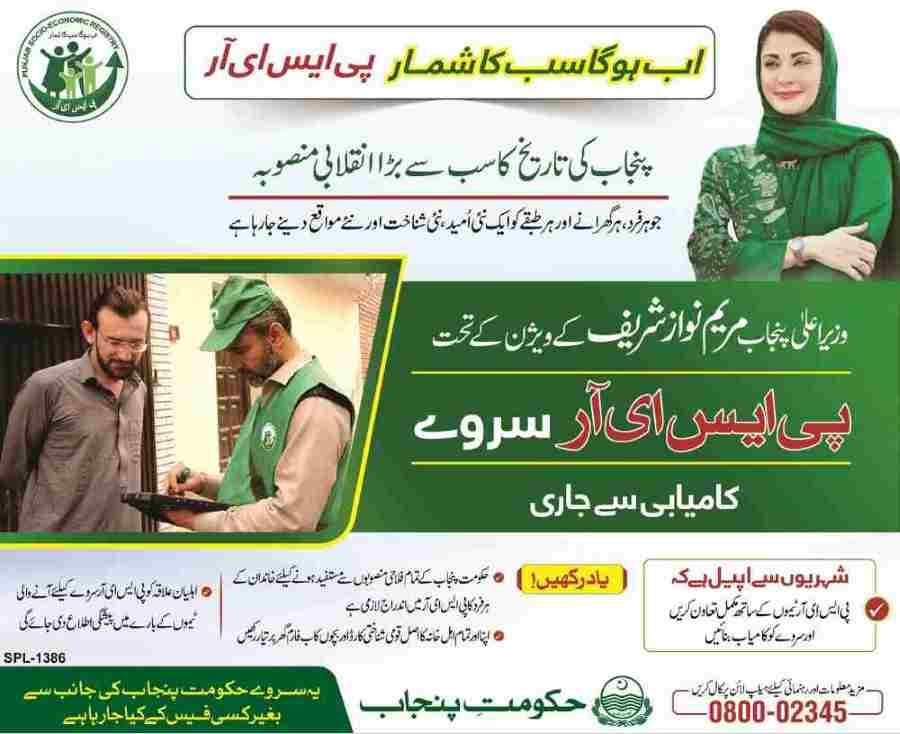
Table Of Contents
Introduction to PSER and the 8171 Web Portal: Clarifying the Confusion
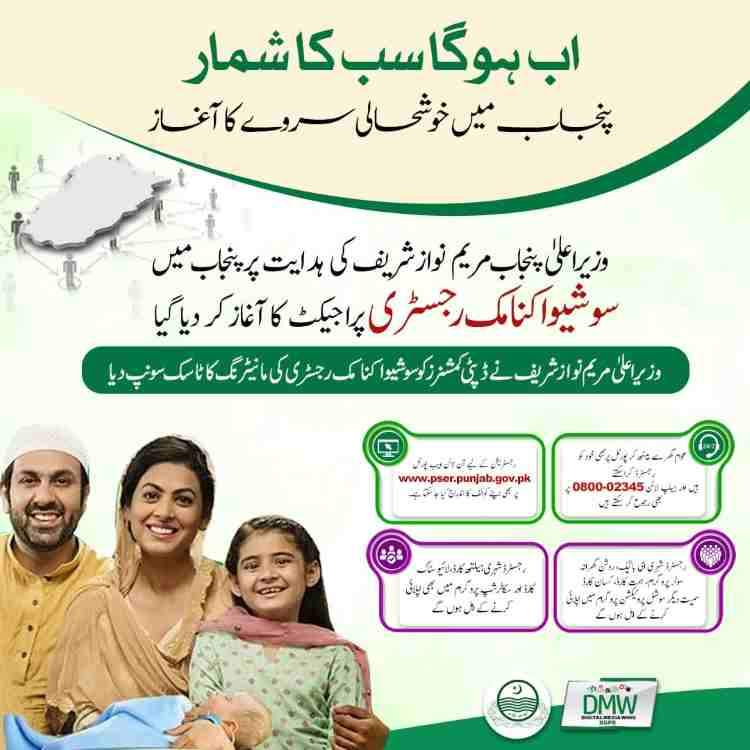
The Punjab Socio-Economic Registry (PSER) and the 8171 web portal serve distinct purposes within Pakistan’s social protection framework. PSER is the Punjab-specific digital database that collects household socio-economic data to determine eligibility for provincial welfare schemes, while 8171 is the national Benazir Income Support Programme (BISP) portal used to verify eligibility for federal cash transfers like Kafaalat.
Many citizens confuse these two systems because both use CNIC-based verification and serve low-income families. Understanding the difference is essential: PSER registration opens doors to Himmat Card, Kisan Card, Roshan Gharana Solar Scheme, and Ramzan Relief packages, whereas 8171 access provides federal quarterly payments of Rs. 13,500 under BISP Kafaalat.
This guide serves as your complete handbook for navigating both systems. Whether you are a farmer seeking Kisan Card subsidies, a person with disability applying for Himmat Card, or a widow needing Bewa Sahara Card support, accurate PSER registration is your first and most critical step. The 8171 portal, meanwhile, remains your tool for monitoring federal assistance.
What is the Punjab Socio-Economic Registry (PSER)?
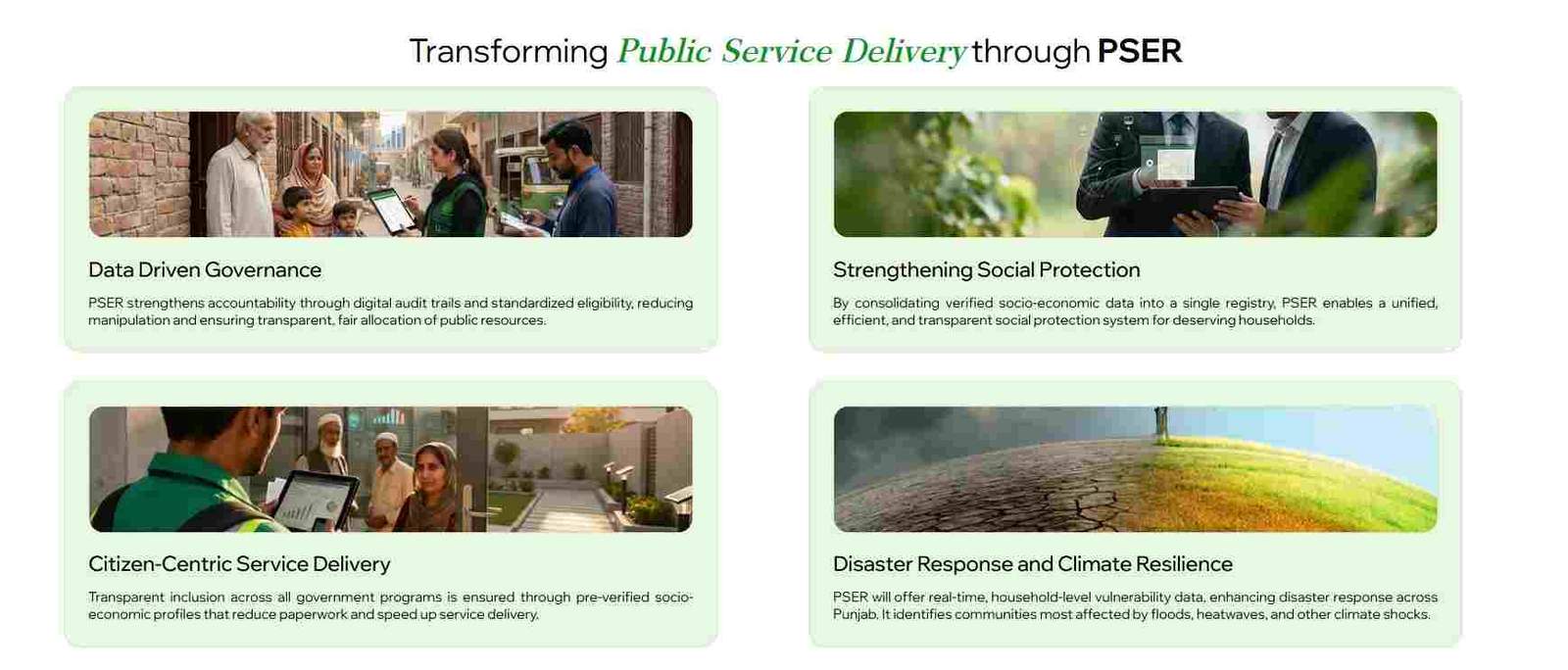
The Punjab Socio-Economic Registry (PSER) is a comprehensive province-wide household database created by the Government of Punjab to collect accurate socio-economic data of every family. It serves as the foundation for evidence-based policymaking and fair distribution of public resources across Punjab’s 36 districts.
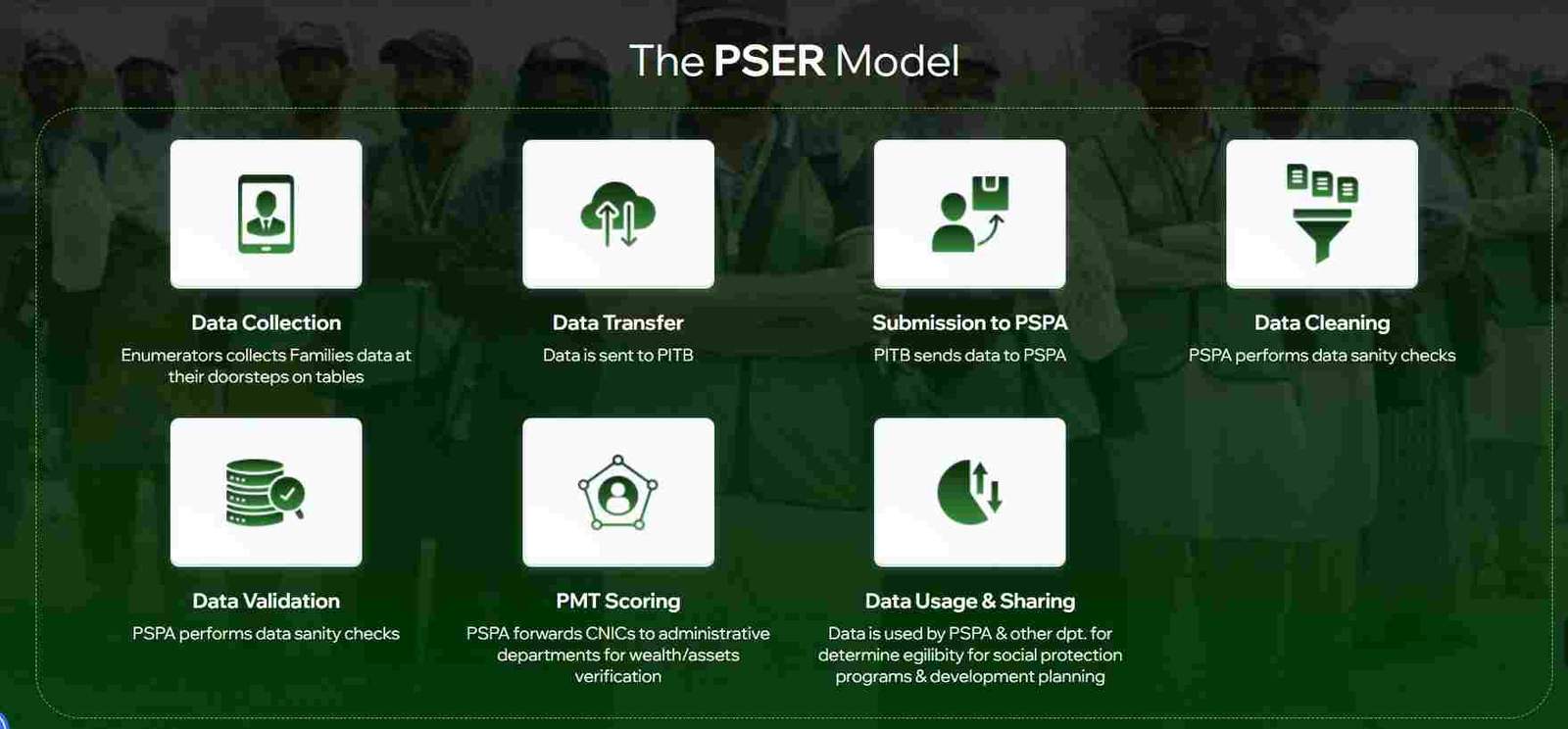
PSER replaces assumption-based targeting with verified digital records. The Punjab Social Protection Authority (PSPA) manages the registry, using Proxy Means Test (PMT) scoring to categorize households by poverty level. Data is collected through both door-to-door surveys by trained enumerators and an online self-registration portal accessible to all Punjab residents.
How the PSER Data Collection Process Works: Digital vs. Physical Surveys
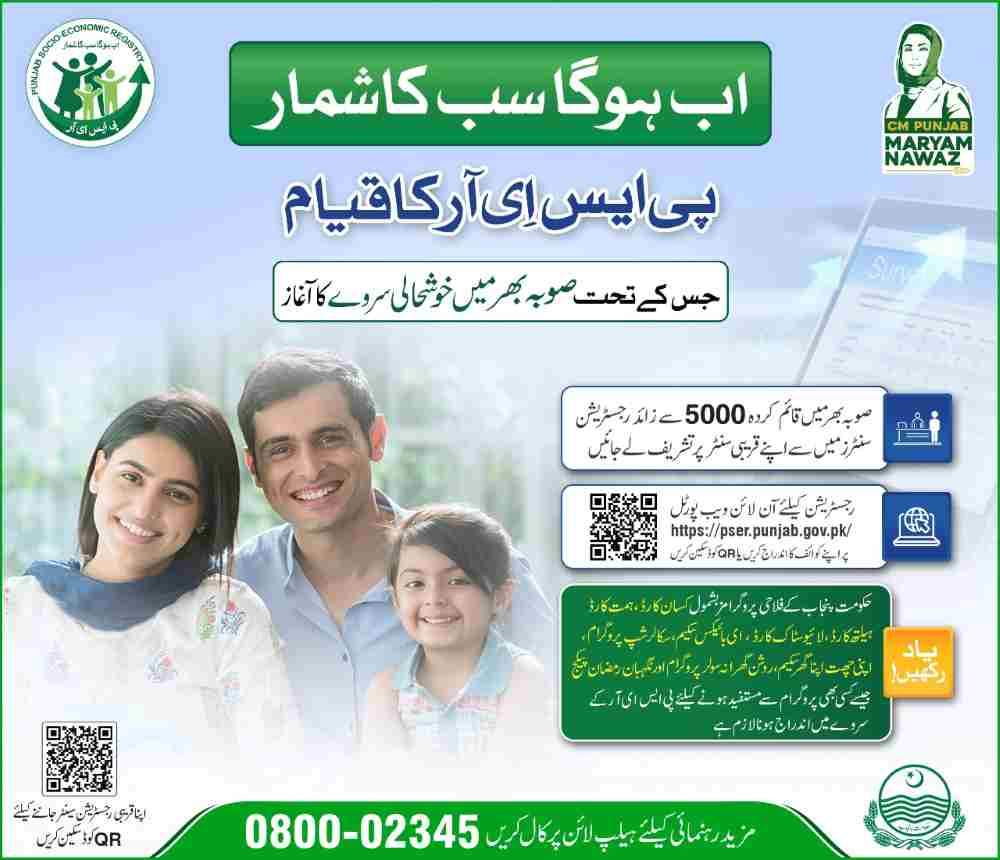
The PSER data collection operates through two parallel channels to ensure complete coverage across urban and rural areas.
Digital Self-Registration
Citizens can complete PSER registration online by visiting the official portal. The process requires:
- Head of family CNIC
- Mobile number registered on the same CNIC
- OTP verification for account creation
- Detailed household survey covering income, assets, education, health status, and family composition
Physical Door-to-Door Surveys
Trained PSER enumerators, carrying official identification and digital tablets, visit households across Punjab. The survey takes approximately 20-30 minutes and covers:
- Family size and composition
- Housing type and condition
- Utility access (electricity, gas, water)
- Income sources and monthly earnings
- Assets including livestock, vehicles, and agricultural land
- Disability and health conditions
Integration with NADRA
All PSER data undergoes verification through NADRA systems. CNIC numbers are cross-checked for validity, family trees are confirmed, and death or birth records are validated to prevent fraud and duplication.
Key Government Programs Linked to PSER Registration
PSER serves as the gateway to multiple provincial welfare programs. Once registered and verified, families become eligible for assessment across these initiatives without reapplying for each scheme.
Himmat Card (Disability Assistance)
- Monthly financial stipend for persons with disabilities (PWDs)
- Requires disability certificate from government hospital
- Priority given to those classified as “not fit to work”
- PMT score must not exceed 45 for eligibility
Kisan Card (Agriculture Subsidies)
- Interest-free loans for farmers
- Subsidized fertilizers and seeds
- Requires agricultural land ownership verification
- PSER data on landholding determines subsidy amounts
Roshan Gharana Solar Scheme
- Free or subsidized solar systems for households consuming 100-500 electricity units
- Verification through PSER data and electricity bills
- Priority for low-PMT-score households
Ramzan Nigehban Package
- Rs. 10,000 cash assistance and free ration bags
- Distribution through 8070 SMS verification system
- Only families with verified PSER data qualify
Punjab Widow Support Card
- Monthly grants for female-headed households
- Educational stipends for children
- PSER identification of widows through NADRA cross-check
Honhaar Scholarship Program
- Merit-based scholarships for talented students
- Uses PSER data to verify household financial need
- Students from low-PMT-score families receive priority
Read More: Maryam Nawaz Eidi Scheme (Get PKR 5000/-) | Apply Online
The 8171 Web Portal: A National System for Federal Support
The 8171 web portal is the official online gateway for the Benazir Income Support Programme (BISP). It operates as a nationwide system, extending beyond Punjab to cover all Pakistani provinces. The portal enables citizens to check their eligibility and payment status for federal programs using their CNIC number.
Unlike PSER, the 8171 portal functions strictly as a verification tool, not a registration platform. New registrations for BISP must be completed through physical NSER surveys at BISP Tehsil offices, not through the online portal.
Understanding the Benizir Income Support Programme (BISP) Ecosystem
BISP operates multiple programs under its mandate, all accessible through the 8171 system for status verification.
Benazir Kafaalat Program
- Quarterly cash transfers of Rs. 13,500 to eligible women
- Payments issued in the name of the female head of household
- Biometric verification required at payment collection points
- PMT score threshold set at 32 for eligibility
Benazir Taleemi Wazaif
- Conditional cash transfers for children of BISP beneficiaries
- Stipends tied to school attendance (70% required)
- Separate amounts for primary, secondary, and higher secondary levels
- Payments released quarterly through partner banks
Benazir Nashonuma Program
- Nutrition support for pregnant and lactating women
- Available to families with children under two years
- Includes cash transfers and nutritional supplements
- Registration at designated Nashonuma centers
The 8171 SMS Service: How to Check Your Status Via Mobile
The 8171 SMS service provides immediate eligibility and payment information without requiring internet access. This method works on all mobile networks across Pakistan.
To check your status:
- Open your phone’s messaging application
- Type your 13-digit CNIC number without dashes or spaces
- Send the message to 8171
- Wait 2-5 minutes for an automated response
The SMS reply will indicate one of several statuses:
- Eligible with payment details and distribution center
- Under verification with processing timeline
- Not eligible with reason code
- Survey required with instructions for NSER registration
PSER Online Registration: A Step-by-Step Guide
The PSER online registration process enables Punjab residents to complete their household survey from home using a computer or smartphone. Registration is free, takes approximately 20 minutes, and requires basic household information.
How to Access the Official PSER Portal and Create a New Account
Creating a PSER account is the first step toward registration. The portal is accessible through any modern web browser.
Step 1: Navigate to the Official Portal
Open your browser and go to the official PSER Punjab government website. Look for the domain ending in .gov.pk to ensure authenticity.
Step 2: Initiate New Registration
Click the “New Registration” or “New Application” button on the homepage. This will direct you to the account creation page.
Step 3: Enter Head of Family CNIC
Input the 13-digit CNIC number of the household head without dashes. The system will verify this against NADRA records.
Step 4: Provide Mobile Number
Enter a mobile phone number registered on the same CNIC. The number must be active to receive OTP verification.
Step 5: Set Password
Create a strong password combining letters, numbers, and special characters. Confirm the password in the designated field.
Step 6: Verify with OTP
An OTP (One-Time Password) will be sent to your mobile number. Enter this code to activate your account.
Step 7: Login to Dashboard
Use your CNIC and newly created password to log into the PSER portal dashboard.
What Information is Required to Complete the PSER Registration Form?
The PSER registration form collects comprehensive household data across multiple categories. Accurate information is essential for proper PMT scoring.
Demographic Data
- Full names, CNIC numbers, and dates of birth for all family members
- Relationship to head of family (spouse, child, parent, etc.)
- Marital status and gender for each member
- B-Form numbers for children under 18
Residential Information
- Current address (house number, street, mohalla, union council)
- Type of housing (owned, rented, rent-free)
- Number of rooms and condition of walls and roof
- Access to electricity, gas, and drinking water
Socio-Economic Data
- Monthly household income from all sources
- Employment status of each adult (salaried, self-employed, laborer, unemployed)
- Education levels and school enrollment status of children
- Source of livelihood (agriculture, business, government service, private sector)
Asset Declaration
- Agricultural land ownership and size (kanals/acres)
- Livestock ownership (cows, buffaloes, goats, chickens)
- Vehicles owned (motorcycles, cars, tractors)
- Household assets (refrigerator, washing machine, television)
Health Status
- Chronic illnesses affecting family members
- Disability status with type and severity
- Regular medical expenses
- Access to healthcare facilities
How to Fill the PSER Registration Form 8171 Correctly: Tips to Avoid Mistakes
Errors in the PSER registration form can delay verification or result in incorrect PMT scoring. Following these guidelines ensures accurate processing.
Double-Check CNIC Numbers
- Verify every family member’s CNIC number matches NADRA records
- Use CNIC without dashes in number fields
- Confirm that children under 18 have valid B-Forms
Be Accurate with Income
- Report all income sources including salary, business profit, remittances, and pensions
- Calculate monthly income rather than yearly estimates
- Include income from family members living abroad
- Do not inflate or understate figures; both affect scoring accuracy
Declare All Assets Honestly
- List all agricultural land regardless of size
- Include livestock even if only a few animals
- Vehicle ownership affects PMT score; report accurately
- Asset data is cross-checked with other government departments
Complete All Sections
- Do not skip health status questions
- Answer disability questions even if condition is mild
- Fill education status for every family member
- Complete housing condition questions thoroughly
Use the Save Function
- If unable to complete the form in one session, use the save button
- Partial data is stored securely for up to 30 days
- Return to complete before the deadline for your target program
Where Can I Find a PSER Registration Center Near Me for Physical Assistance?
Citizens without internet access or those needing in-person assistance can complete PSER registration at designated centers across Punjab.
Assistant Commissioner Offices
- Located at tehsil headquarters in every district
- Staff available to assist with form completion
- Document verification on-site
- Operating hours: Monday through Saturday, 8 AM to 4 PM
Union Council Offices
- Rural and urban union council buildings
- Local staff familiar with community needs
- Often shorter wait times than district offices
- May offer bi-weekly PSER registration camps
E-Khidmat Markaz
- Digital service centers in major cities
- One-stop facility for multiple government services
- PSER registration desk with trained staff
- Biometric verification available
Designated Schools and Community Centers
- Temporary registration camps announced through local administration
- Often established before major relief programs
- Schedules published in union council offices
- Mobile teams may visit remote villages
How to Check Your PSER Registration Status Online
After completing PSER registration, monitoring your application status helps you understand when you become eligible for programs. Status updates appear on the PSER portal dashboard.
Step-by-Step Guide to PSER Login and Status Verification
Checking your PSER status requires logging into your account and navigating to the application dashboard.
Step 1: Access the PSER Portal
Open your browser and go to the official PSER website.
Step 2: Login to Your Account
Enter your head of family CNIC and the password created during registration.
Step 3: Navigate to Dashboard
After login, the dashboard displays your application summary. Look for the status field, which shows one of several labels.
Step 4: Interpret Status Message
The status indicates where your application stands in the verification process:
- Submitted: Data received; initial processing underway
- Under Verification: NADRA and field teams cross-checking information
- Approved/Verified: Registration complete; eligible for scheme applications
- Incomplete: Missing information; log in to complete
- Action Required: Data mismatch detected; visit registration center
Step 5: Program-Specific Checks
For programs like Himmat Card, you may need to check status through the DPMIS Punjab portal using the same CNIC.
Why is My CNIC Not Showing in the PSER Database?
Several factors can cause a CNIC to appear missing from the PSER database. Understanding these helps resolve the issue efficiently.
Data Processing Lag
- PSER data undergoes multi-stage verification before appearing in the database
- Processing typically takes 7-15 days after submission
- Complex cases with asset declarations may take up to 30 days
- Status may remain “Under Verification” during this period
Name or CNIC Mismatch
- The name on your CNIC must exactly match the name entered in the survey
- Spelling variations or missing portions cause mismatches
- CNIC numbers with transposed digits fail verification
- Children’s B-Forms must match family tree data in NADRA
Incomplete Registration
- Starting but not submitting the survey leaves data incomplete
- Login to check for pending questions or missing sections
- Some applicants miss the final confirmation step
- No confirmation SMS indicates incomplete submission
Duplicate Entries
- Households surveyed both online and in-person may create duplicate records
- System merges duplicates, causing temporary disappearance
- Merged records show under one head of family CNIC
- Family members may appear under the correct head after merging
Head of Family Discrepancy
- NADRA records designate a specific head of family for each household
- If a different person registered as head, the household appears under that CNIC
- Verify with other family members who may have completed registration
- Contact PSER helpline to resolve head-of-family conflicts
How to Update Your Mobile Number or Correct Information in PSER
Changes in household circumstances require updating PSER records to maintain accurate eligibility assessment.
Online Update Method
- Log into your PSER account
- Navigate to the profile or application section
- Look for “Edit Profile” or “Update Information”
- Modify the relevant fields (mobile number, income, family composition)
- Save changes and confirm through OTP if required
- Updated data enters the verification queue
Document Submission for Corrections
- Name corrections require supporting documents (CNIC copy, NADRA certificate)
- Adding new family members requires B-Forms or CNICs
- Address changes require utility bills or rent agreements
- Upload scanned documents through the portal when prompted
In-Person Updates
- Visit nearest PSER Registration Center if online update is unavailable
- Bring original CNIC and supporting documents
- Staff can unlock frozen profiles and enter corrections
- Receive confirmation slip after update completion
Mobile Number Importance
- PSER sends all SMS notifications to registered mobile number
- Ramzan Relief and other program alerts use this number
- Payment collection SMS for schemes like Nigehban Card rely on correct number
- Failure to update number causes missed notifications and delayed benefits
PSER Login: Managing Your Account and Password
The PSER login system provides ongoing access to your household profile for updates and status monitoring. Managing your account credentials ensures uninterrupted access.
How to Reset Your PSER Login Password: A Step-by-Step Guide
Forgotten passwords are common and can be reset through the portal’s automated system.
Step 1: Access the Login Page
Navigate to the PSER portal and click on the “Login” button.
Step 2: Select ‘Forgot Password’
Below the login fields, find and click the “Forgot Password” link.
Step 3: Verify Your CNIC
Enter the head of family CNIC number. The system checks this against registered accounts.
Step 4: Answer Security Question
Respond to the security question you set during registration. This adds protection against unauthorized access.
Step 5: Receive OTP
An OTP is sent to your registered mobile number. Enter the code in the verification field.
Step 6: Create New Password
Set a new password following the strength requirements. Confirm the password and submit.
Step 7: Login with New Credentials
Use your CNIC and new password to access your account.
How to Create a New Account on the PSER Login Page
New users who have never registered before must create an account before completing the household survey.
Prerequisites
- Valid CNIC for head of family
- Active mobile number registered on that CNIC
- Basic family information available
Account Creation Process
- Visit the official PSER portal
- Click “New Application” or “Sign Up”
- Enter head of family CNIC
- Input mobile number and email (if available)
- Create and confirm password
- Enter OTP received via SMS
- Account created; proceed to survey
Account Types
- Single household account per family
- Only head of family CNIC creates account
- Other family members do not need separate accounts
- Multiple households at same address require separate registrations
A Deep Dive into PSER Program Eligibility: Himmat, Kisan & Honhaar
Understanding eligibility criteria for specific programs helps families assess which benefits they may qualify for after PSER registration. Each program has distinct requirements beyond PSER verification.
What are the eligibility criteria for PSER 2024-25?
PSER eligibility for benefits combines the survey data with program-specific thresholds. The government uses a scoring system to prioritize the most deserving households.
PMT Score Requirements
- PMT (Proxy Means Test) scores range from 0 to 100
- Lower scores indicate higher poverty levels
- Different programs have different cut-off scores
- Himmat Card: PMT score must not exceed 45
- Ramzan Relief: Typically below 30-35
- BISP Kafaalat: Score below 32
Asset Limits
- No ownership of luxury vehicles
- No multiple commercial properties
- Limited agricultural land holdings
- Electricity consumption within defined range
Household Composition
- Widows and female-headed households receive priority
- Households with persons with disabilities prioritized
- Families with multiple children given preference
- Elderly-only households considered vulnerable
Income Thresholds
- Monthly household income generally below Rs. 50,000 for most programs
- Some schemes have lower thresholds
- Regular income verification through PSER updates
Himmat Card PSER Check: How to Verify Status and Check Eligibility
The Himmat Card provides monthly financial assistance to persons with disabilities in Punjab. Verification requires both PSER registration and specific disability documentation.
Himmat Card Eligibility Criteria
- Valid CNIC with disability status indicated (or separate disability certificate)
- Classification as “not fit to work” by certified medical board
- PMT score not exceeding 45
- Permanent residence in Punjab
- Not receiving similar disability benefits from other programs
Disability Categories Covered
- Physical disabilities (upper limb, lower limb)
- Visual impairment
- Hearing impairment
- Intellectual disabilities
- Multiple disabilities
How to Check Himmat Card Status
- Complete PSER registration with accurate disability information
- Log into the DPMIS Punjab portal
- Enter CNIC number
- View eligibility and payment status
- If eligible, card distribution details appear
Required Documents for Himmat Card
- CNIC with disability block (or separate NADRA-issued disability certificate)
- Medical certificate from government hospital
- PSER registration confirmation
- Recent photograph
Kisan Card PSER Registration: A Guide for Farmers
The Kisan Card program supports Punjab farmers with subsidized agricultural inputs and interest-free loans. Registration requires PSER completion and land ownership verification.
Kisan Card Eligibility
- Farmer with agricultural land in Punjab
- Land ownership verified through Land Record Management System (LRMS)
- Valid CNIC and PSER registration
- Landholding size within program limits
Benefits Under Kisan Card
- Interest-free loans for crop cultivation
- Subsidized fertilizers and high-quality seeds
- Discounted agricultural machinery rental
- Crop insurance coverage
Registration Process
- Complete PSER registration with accurate agricultural details
- Declare land ownership in the asset section
- Visit designated Kisan Card center with land documents
- Biometric verification at center
- Card issued within 14-21 days
Land Documentation Required
- Fard (land ownership document)
- CNIC matching land record name
- PSER registration number
- Recent photographs of cultivated land
How to Check Your Honhaar Scholarship Status via PSER
The Honhaar Scholarship program uses PSER data to verify financial need for high-achieving students. The process integrates scholarship applications with PSER records.
Scholarship Eligibility
- Student enrolled in recognized educational institution
- Minimum academic percentage (varies by level)
- Family PMT score below program threshold
- PSER registration completed
Application Process
- Student applies through scholarship portal
- System checks PSER data for financial need verification
- Families not in PSER database receive registration link
- Scholarship committee reviews combined application and PSER data
- Approved students receive payment through bank account
Status Checking
- Log into scholarship portal with student CNIC
- View status: pending, under review, approved, or rejected
- Approved status shows payment schedule
- Rejected status includes reason (often PSER data mismatch)
How to Check Your PSER Application and Eligibility via 8171
Many PSER registrants also need to check their BISP eligibility through the 8171 system. Understanding the relationship between the two helps families access both provincial and federal benefits.
Is 8171 the official code for PSER registration?
No, 8171 is not the official code for PSER registration. It is the shortcode for the Benazir Income Support Programme (BISP), a federal system. PSER has its own separate registration process and status checking mechanisms.
However, PSER registrants can use the 8171 web portal to check their BISP PMT score, which is a critical factor for eligibility in many PSER-linked programs. The PMT score calculated through BISP data influences provincial program prioritization.
How to Check PSER Eligibility Through the 8171 Web Portal (for Punjab Residents)
While 8171 primarily serves BISP, Punjab residents can use it to understand their poverty status, which complements PSER data.
Step-by-Step Process
- Visit the 8171 BISP web portal
- Enter your 13-digit CNIC number without dashes
- Type the captcha code displayed on screen
- Click the “Submit” or “Check Status” button
- View eligibility status and PMT score
What the Results Mean for PSER
- Eligible for BISP: Your PMT score is low, making you priority for PSER programs
- PMT score displayed: Shows your exact poverty ranking
- Not eligible: Your score may be above BISP threshold but still qualify for certain PSER schemes
- Survey required: NSER update needed for both BISP and PSER
8171 Check Online CNIC Login: A Unified Approach
The 8171 check online CNIC login process is used by citizens across Pakistan to monitor federal social protection status. While not a PSER tool, successful BISP eligibility strongly correlates with PSER program prioritization.
Information Available Through 8171
- Current BISP eligibility status
- Payment history and upcoming payment dates
- Payment collection center location
- Taleemi Wazaif status for children
Why 8171 Status Matters for PSER Applicants
- Both systems use PMT scores from NSER/PSER data
- BISP eligibility indicates recognized poverty status
- Many PSER programs cross-reference BISP records
- Widows and PWDs often qualify for both programs
Troubleshooting Common PSER and 8171 Issues
Technical and data-related issues can delay PSER registration or 8171 status checks. Understanding common problems and their solutions helps resolve them quickly.
Why is my CNIC not showing in the PSER database?
Beyond the reasons previously discussed, several additional factors can cause CNIC absence from the PSER database.
Family Tree Issues in NADRA
- NADRA family tree must correctly show all family members
- If the head of family is deceased but CNIC not blocked, system may show errors
- Newly married women may appear under paternal family unless updated
- Children without B-Forms cannot be added to household records
Address Mismatch
- CNIC address must fall within Punjab province boundaries
- Recently moved families may have outdated address on CNIC
- Verify address at NADRA if experiencing persistent issues
- Temporary residents without address change may need to register in home district
Survey Team Errors
- Enumerators may have entered data incorrectly
- Spelling mistakes in names cause mismatch
- Incorrect head of family selection affects household linkage
- Request resurvey if errors are suspected
What happens if I provide wrong information in the PSER survey?
Providing false or inaccurate information carries serious consequences beyond simple disqualification.
Immediate Consequences
- Application rejection upon discovery
- Removal from all PSER-linked program consideration
- Permanent record of fraudulent attempt
- Family members may also face review
Legal Ramifications
- Deliberate fraud can lead to legal action
- Recovery of any funds received under false pretenses
- CNIC blacklisting from all government programs
- Potential fines or other penalties as determined by authorities
Accidental Errors
- Honest mistakes can be corrected through update process
- Visit registration center with correct documents
- Submit correction request with supporting evidence
- No penalty for good-faith corrections
How to Contact PSER Helpline for Registration Issues
PSER provides multiple channels for assistance with registration and status issues.
PSER Helpline Number
- Call 0800-02345 for general inquiries and complaints
- Available 24/7 for urgent issues
- Operators speak Urdu and English
- Have CNIC ready when calling
Email Support
- Official email address available on PSER portal
- Response within 2-3 business days
- Include CNIC, issue description, and screenshots
- Reference previous correspondence for faster resolution
In-Person Grievance Cells
- Located at Assistant Commissioner offices
- Dedicated staff for PSER complaints
- Bring CNIC and any supporting documents
- Receive written acknowledgment of complaint
E-Khidmat Markaz Assistance
- Staff can check status and file complaints
- Biometric verification available
- Printouts of status and application available
- Operating hours: Monday-Saturday, 8 AM to 4 PM
The Role of NADRA and the National Socio-Economic Registry (NSER)
Understanding the relationship between NADRA, NSER, and PSER clarifies how data flows between federal and provincial systems.
What is the difference between PSER and NSER?
The National Socio-Economic Registry (NSER) and Punjab Socio-Economic Registry (PSER) serve different levels of government with distinct purposes.
NSER (National Socio-Economic Registry)
- Managed by BISP with federal government oversight
- Covers all provinces of Pakistan
- Used primarily for federal programs including Benazir Kafaalat
- Data collected through periodic national surveys
- PMT scores determine federal cash transfer eligibility
PSER (Punjab Socio-Economic Registry)
- Managed by Punjab government through PSPA
- Covers only Punjab province
- Used for provincial schemes like Himmat Card and Kisan Card
- Ongoing registration with both online and door-to-door collection
- Deeper data including agricultural assets and disability details
Key Distinctions
- NSER data feeds into federal payment systems
- PSER data feeds into Punjab-specific schemes
- Both systems share data where applicable
- Households should maintain records in both where possible
How NADRA Verification Impacts Your PSER and 8171 Status
NADRA serves as the central identity verification authority for both systems. Its records directly affect PSER and 8171 outcomes.
CNIC Validation
- Systems instantly validate CNIC numbers against NADRA database
- Expired CNICs are flagged and may block eligibility
- New CNICs may take time to appear in integrated systems
- CNIC block (deceased, invalid) prevents all registration
Family Tree Verification
- NADRA family trees determine household composition
- Missing family members in NADRA records cannot be added
- Unregistered births must obtain B-Forms first
- Deaths must be reported to NADRA for record updates
Biometric Authentication
- Payment collection requires fingerprint verification
- Biometric mismatches freeze benefits until resolved
- Update biometrics at NADRA centers if mismatches persist
- Elderly or disabled individuals may have alternative verification
Frequently Asked Questions (FAQs)
What is the PSER registration portal and how do I access it?
The PSER registration portal is the official website of the Punjab Socio-Economic Registry at pser.punjab.gov.pk. You access it through any web browser, create an account with your CNIC and mobile number, complete OTP verification, and then fill out the household survey. Registration is free and open to all Punjab residents.
What documents are required for PSER registration?
Required documents include the original CNIC of the head of family and all adult members, B-Forms for children under 18, and a recent electricity or gas bill for address verification. Farmers should have land ownership documents, and persons with disabilities need their disability certificate from a government hospital.
How can I check my PSER registration status online?
You can check your PSER status by logging into your account on the official PSER portal. After login, your dashboard displays your current status as Submitted, Under Verification, Approved/Verified, Incomplete, or Action Required. For program-specific status like Himmat Card, use the DPMIS Punjab portal with your CNIC.
Is PSER registration only for Punjab residents?
Yes, PSER registration is specifically for permanent residents of Punjab province. The registry is designed to identify and support households within Punjab for provincial welfare programs. Citizens of other provinces should use their respective provincial systems or the federal BISP/NSER system.
Can I register for PSER if I already receive BISP Kafaalat?
Yes, you can and should register for PSER even if you already receive BISP Kafaalat. In fact, being a BISP beneficiary often strengthens your PSER application as it confirms your low PMT score status. PSER registration allows you to access additional provincial benefits beyond federal BISP support.
What is the PSER helpline number for registration issues?
The official PSER helpline number is 0800-02345. This toll-free number is available for inquiries about registration, status checks, and complaints. You can also visit your nearest E-Khidmat Markaz or Assistant Commissioner office for in-person assistance with PSER registration issues.
How long does it take to get verified after PSER registration?
PSER verification typically takes 7 to 15 days after submission for simple cases. Complex applications involving agricultural land or multiple assets may take up to 30 days. During this period, your status will show “Under Verification” on the portal. You will receive an SMS notification once verification is complete.
Disclaimer
The information provided in this guide is for educational and informational purposes only. Government policies, program details, and registration procedures may change without prior notice. Always verify current information through official government channels including the PSER portal and BISP helpline.

Add a Comment