
A National Identity Card for Overseas Pakistanis (NICOP) is the official identity document issued by NADRA to Pakistani citizens living abroad, enabling visa-free entry to Pakistan and serving as legal proof of citizenship. Whether you reside in the UK, USA, UAE, or anywhere else in the world, this comprehensive guide walks you through every aspect of applying for NICOP online, tracking your application, understanding fees, and managing renewals or modifications from overseas.
What you will learn in this guide:
- The exact definition of NICOP and who qualifies to apply
- Step-by-step instructions for online application via Pak ID
- Complete fee breakdown for all processing tiers and zones
- Document requirements for fresh applications, renewals, and child registration
- How to track your NICOP status using tracking ID or SMS
- Solutions for common issues including rejections and delays
Key Takeaways
- NICOP is mandatory for overseas Pakistanis: Every Pakistani citizen residing abroad, including dual nationals in 22 countries, must hold a valid NICOP for legal identity and visa-free travel to Pakistan.
- Online application is the only method: NADRA processes NICOP applications exclusively through the Pak Identity website and mobile app, eliminating the need to visit Pakistani consulates for most cases.
- Processing timelines vary by fee tier: Executive processing delivers your card in 9 days, Urgent in 23 days, and Normal in 31 days, with fees ranging from $20 to $75 depending on your country zone.
- Tracking is accessible 24/7: Your 15-digit Tracking ID provides real-time updates through the Pak ID app, NADRA portal, or SMS, ensuring complete visibility from submission to delivery.
- Biometric verification can be done digitally: The Pak ID mobile app allows fingerprint capture remotely, though some cases may require attestation forms or embassy visits for verification.
- Read More: Pakistan Origin Card (POC): How To Apply, Fee, & Tracking
- Read More: Family Registration Certificate (FRC): How to Apply Online
- Read More: NADRA Office Timing And Working Days (All Pakistan)
Pakistan Origin Card (POC): How To Apply, Fee, & Tracking
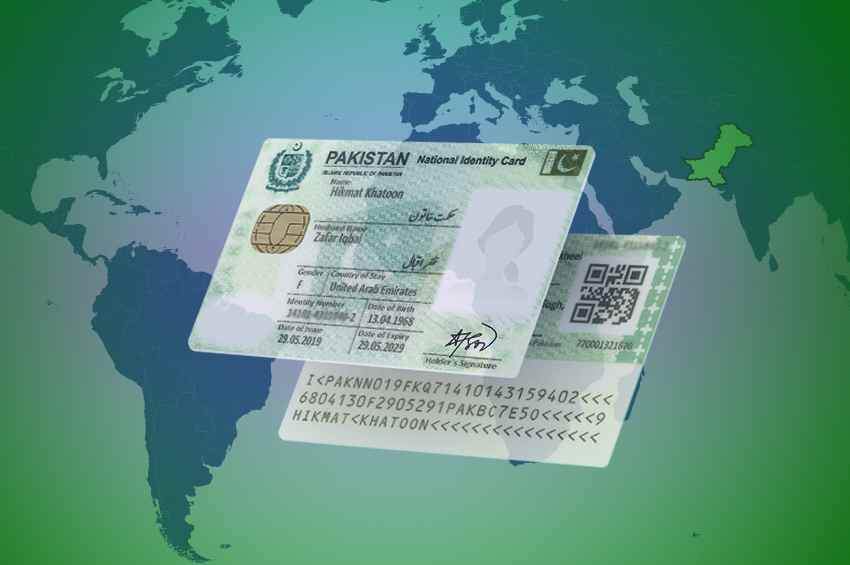
Table Of Contents
What is a NICOP and Why Do You Need One?
What does NICOP stand for and what is its official definition?
NICOP stands for National Identity Card for Overseas Pakistanis, issued by the National Database and Registration Authority (NADRA) under the NADRA Ordinance, 2000. This card constitutes legal proof of the holder’s identity, citizenship, and official status as a Pakistani national while residing abroad. It serves as a valid document for all purposes where proof of Pakistani citizenship is required under relevant laws and regulations.
The NICOP is distinct from other Pakistani identity documents because it specifically addresses the needs of citizens living outside Pakistan’s borders. The legal framework governing NICOP ensures that overseas Pakistanis maintain their connection to the country while complying with international residency requirements.
Who is eligible to apply for a NICOP?
Eligibility for NICOP extends to several categories of Pakistani citizens residing outside the country. Pakistani citizens living abroad, whether temporarily or permanently, qualify for NICOP application. This includes individuals who are emigrants or intending emigrants with foreign employment agreements.
Immigrants holding residence visas, permits, or equivalent status from foreign countries are also eligible for NICOP. Dependents of emigrants, including spouses and children, can apply under the family sponsorship provisions. The card accommodates Pakistani citizens who have acquired foreign nationality in countries with which Pakistan maintains dual-nationality arrangements.
Can dual nationals apply for a NICOP online?
Yes, dual nationals can apply for NICOP online without any restrictions. Pakistan maintains dual-nationality arrangements with 22 countries, making NICOP accessible to citizens of these nations who hold Pakistani origin.
List of Dual National Countries Eligible for NICOP
| Region | Countries |
|---|---|
| Europe | United Kingdom, Germany, France, Italy, Belgium, Netherlands (Holland), Sweden, Switzerland, Denmark, Norway, Luxembourg, Ireland, Iceland |
| North America | United States of America, Canada |
| Middle East | Bahrain, Jordan, Syria |
| Asia Pacific | Australia, New Zealand |
| Africa | Egypt |
Children of Pakistani parents born in Germany who acquire German nationality by birth remain eligible for NICOP. Individuals who previously renounced their Pakistani nationality can apply after obtaining a resumption certificate (Form Y) from the IMPASS directorate.
NICOP vs. CNIC vs. POC: What is the difference?
Understanding the distinction between these three identity documents is crucial for overseas Pakistanis.
Comparison of Pakistani Identity Documents
| Feature | NICOP | CNIC | POC |
|---|---|---|---|
| Holder Status | Pakistani citizen abroad | Pakistani citizen in Pakistan | Foreign national of Pakistani origin |
| Voting Rights | Yes | Yes | No |
| Visa-Free Entry to Pakistan | Yes | No (requires visa) | Yes |
| Issuing Authority | NADRA | NADRA | NADRA |
| Validity Period | 10 years | 10 years | 5-7 years |
| Dual Nationality Allowed | Yes (with listed countries) | No | Not applicable |
The NICOP is specifically designed for overseas Pakistani citizens, while the CNIC serves residents living inside Pakistan. POC holders are not Pakistani citizens but enjoy certain benefits such as visa-free entry and property ownership rights.
Why is the NICOP called the “Overseas Pakistani Card”?
The term “Overseas Pakistani Card” accurately describes the NICOP’s primary function and target audience. This card enables overseas Pakistanis to maintain their legal identity and citizenship rights while living abroad. Holders can enter Pakistan without obtaining a visa, as they continue to enjoy all rights and privileges available to Pakistani citizens.
The NICOP facilitates essential activities for overseas Pakistanis, including buying and selling property in Pakistan, opening and maintaining bank accounts, applying for government services remotely, proving Pakistani citizenship to foreign authorities, and registering as voters for Pakistani elections.
Pre-Application: Essential Requirements and Eligibility
What documents are required for a new NICOP application?
The document requirements for a new NICOP application vary based on your specific circumstances, but the core documentation remains consistent. All applicants must prepare their documents in digital format before starting the online application process.
Essential Documents for NICOP Application
| Document Type | Specifications | Notes |
|---|---|---|
| Pakistani Passport | Valid passport copy (bio-data page) | Both valid and recently expired passports accepted |
| Foreign Passport | Copy of bio-data page | Required for dual nationals only |
| Proof of Residence Abroad | Residence visa, work permit, or residency card | Must show current immigration status |
| Photograph | 35x45mm, white background, 600 DPI minimum | Taken within last 6 months |
| Existing NICOP/CNIC | Front and back copy | Required for renewal or modification |
| Birth Certificate/CRC | Child Registration Certificate | Required for minor applicants |
Additional documents may include marriage certificates for name changes, divorce decrees for marital status updates, and affidavits for lost cards.
How to apply for a child’s first NICOP online (newborn or minor)?
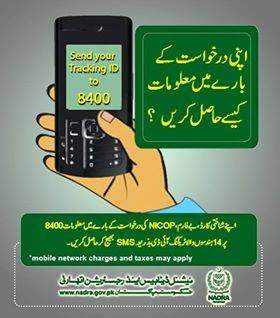
Parents can apply for their child’s first NICOP online through the Pak ID system, regardless of where the child was born. The process requires specific documentation to establish the child’s Pakistani citizenship through parental lineage.
Required Documents for Minor NICOP Application
- Child’s Birth Certificate (CRC/B-Form) issued by Pakistani union council or foreign birth certificate
- Both parents’ CNIC or NICOP cards
- Parents’ Pakistani passports
- Child’s passport (if available)
- Recent photograph meeting NADRA specifications
For children born abroad to Pakistani parents, the foreign birth certificate must be uploaded along with parents’ identity documents. The system verifies the family tree linkage through NADRA’s database.
Special Validity Rules for Minors
| Age Group | Validity Period |
|---|---|
| Below 14 years | Valid until age 18 or 10 years, whichever comes first |
| Above 14 years | Standard 10 years validity |
Parents should note that minors above 14 receive adult NICOP cards with 10-year validity, while those below 14 receive cards that expire when they turn 18.
What are the exact photo specifications for a NICOP online application?
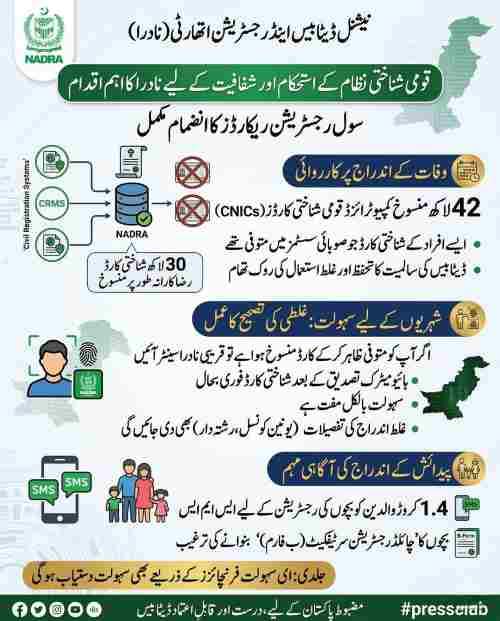
The photograph is one of the most common reasons for application rejection, making adherence to NADRA’s strict specifications essential. The photo must meet ISO/IEC biometric standards for facial recognition systems.
NICOP Photograph Technical Specifications
- Dimensions: Exactly 35mm in width and 45mm in height
- Resolution: Minimum 600 DPI (dots per inch)
- File Format: JPEG or JPG only
- Background: Plain white or off-white with no shadows, patterns, or gradients
- Facial Expression: Neutral expression with mouth closed
- Eyes: Both eyes open and clearly visible, looking directly at camera
- Head Position: Centered, facing forward, showing full face from crown to chin
- Headwear: No hats or caps; religious headgear allowed if face fully visible
- Glasses: Not permitted unless medically necessary (medical certificate may be required)
- Age of Photo: Must be taken within the last 6 months
- Lighting: Even illumination with no shadows on face or background
The photograph must show the subject alone with no other objects or people visible. Selfies are not acceptable as they rarely meet the angle and lighting requirements.
How do I upload fingerprints for NICOP using the Pak ID mobile app?
Biometric verification is a critical component of the NICOP application process. The Pak ID mobile app offers two methods for fingerprint submission, with the digital method being the preferred option.
Method 1: In-App Biometric Capture
The Pak ID app uses the smartphone’s fingerprint sensor or camera to capture biometric data. For successful capture, ensure your device has a working fingerprint sensor, clean the sensor before each scan, rest your hand on a solid, stable surface, follow the on-screen positioning guides precisely, and apply gentle, even pressure when placing fingers.
Method 2: Fingerprint Form Upload
If the app fails to capture fingerprints after 5-10 attempts, NADRA provides an alternative method. Download the fingerprint verifier form from the NADRA website, print the form on good quality paper, visit a local police station, bank manager, or notary public for attestation, scan the completed form at 600 DPI resolution in color, and upload the scanned file through the Pak ID portal.
Tips for Biometric Success
- Ensure fingers are clean and dry before scanning
- Avoid lotions or oils on hands
- Try different fingers if primary fingers fail
- Capture in well-lit indoor environments
- Hold the position steady for the entire capture duration
How to Apply for NICOP Online: A Step-by-Step Guide
How can I apply for NICOP online from the UK, USA, or UAE?
The NICOP online application process follows identical steps regardless of your country of residence, though fee amounts differ based on your zone classification.
Step 1: Access the Pak Identity Platform
Navigate to the official Pak Identity website at id.nadra.gov.pk or download the Pak ID Mobile App from the Apple App Store or Google Play Store. The mobile app offers additional biometric capture features not available on the web version.
Step 2: Create Your Account
Register by providing your full legal name, email address, active mobile phone number (international numbers accepted), overseas residential address, and existing CNIC or NICOP number (if applicable). Account verification requires clicking a confirmation link sent to your email.
How do I recover my Pak-Identity account password?
If you forget your password, click the “Forgot Password” link on the login page. Enter your registered email address, and the system will send a password reset link. Follow the instructions to create a new password. For persistent issues, contact NADRA support through the Pak ID helpdesk.
How do I choose the right application type on Pak ID?

Selecting the correct application category prevents processing delays and ensures proper fee calculation.
NICOP Application Categories Explained
| Category | When to Select | Required Documentation |
|---|---|---|
| New/Fresh | First-time applicants without previous NICOP | Pakistani passport, proof of residence abroad |
| Renewal | Existing NICOP expired or expiring within 180 days | Old NICOP, updated passport, current proof of residence |
| Reprint | Lost, stolen, or damaged card | Police report (if stolen), affidavit for lost card |
| Modification | Changes to name, address, or marital status | Supporting documents (marriage certificate, court order) |
| Modification in Non-Printable Fields | Update marital status, qualification, profession only | No document upload required |
How do I fill out the NICOP online application form correctly?
The application form requires careful attention to detail to match existing NADRA records. Enter your full name exactly as it appears on your Pakistani passport, including any family or tribal names. The date of birth must match your birth certificate and passport documentation.
Form Sections and Critical Information
- Personal Information: Name, gender, date of birth, place of birth, religion
- Relative Details: Father’s name, mother’s name, spouse’s name (if applicable)
- Family Tree Linkage: Connection to existing family member in NADRA database
- Contact Information: Email, phone number, overseas mailing address
- Permanent Address: Family address in Pakistan
- Present Address: Current overseas residence
- Card Delivery Address: Confirm where the physical card should be sent
Double-check all spellings and numbers before proceeding, as errors may require costly modification applications later.
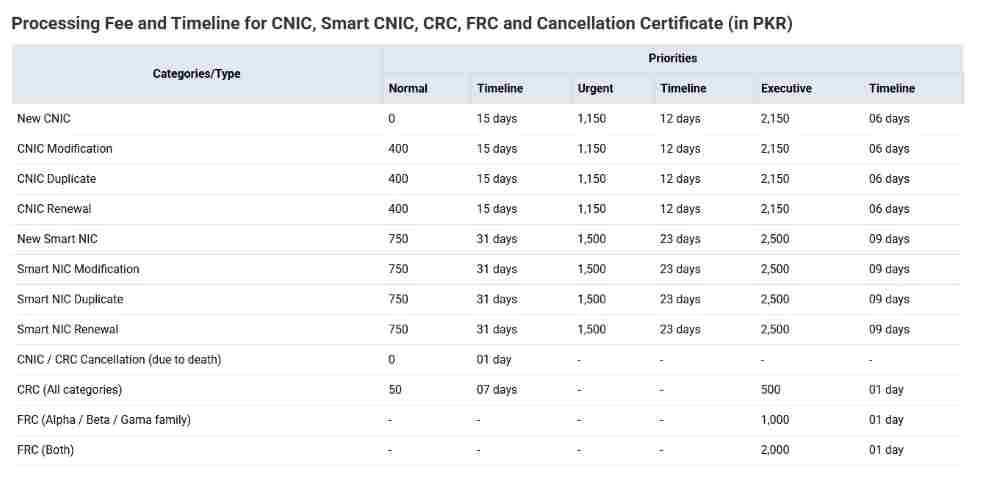
How much is the online fee for NICOP renewal and new applications?
NICOP fees are structured by processing speed and geographic zone. NADRA divides the world into two zones for fee calculation purposes.
Complete NICOP Fee Structure
| Zone | Countries Included | Service Type | Fee (USD) | Processing Time |
|---|---|---|---|---|
| Zone A | USA, Canada, Europe (UK, Germany, France, Italy, etc.), Australia, New Zealand | Normal | $39 | 31 days |
| Zone A | USA, Canada, Europe, Australia, New Zealand | Urgent | $57 | 23 days |
| Zone A | USA, Canada, Europe, Australia, New Zealand | Executive | $75 | 9 days |
| Zone B | Middle East (UAE, Saudi Arabia, Qatar, etc.), Africa, Asia (except Australia/NZ) | Normal | $20 | 31 days |
| Zone B | Middle East, Africa, Asia | Urgent | $30 | 23 days |
| Zone B | Middle East, Africa, Asia | Executive | $40 | 9 days |
UAE-Specific Fees (when applying through Embassy)
| Service Type | Fee (AED) | Processing Time |
|---|---|---|
| Normal | 75 AED | 31 days |
| Urgent | 110 AED | 23 days |
| Executive | 150 AED | 9 days |
Can I pay the NICOP fee using a local Pakistani bank card or JazzCash?
Yes, NADRA offers multiple payment options to accommodate overseas Pakistanis. International credit and debit cards (Visa, MasterCard, American Express) are accepted for USD payments. For applicants with Pakistani bank accounts, local cards can process PKR conversions.
Payment Methods Available
- International Credit/Debit Cards: Processed in USD at current exchange rates
- JazzCash and Easypaisa: Mobile wallet payments accepted for PKR transactions
- Local Pakistani Bank Cards: Direct debit from Pakistani accounts
- Embassy Payments: Some countries allow cash payments at Pakistani missions
Important: The processing timeline (Normal/Urgent/Executive) begins only after successful fee payment. Save the payment receipt or transaction ID for your records.
Do I need an attester for my online NICOP form?
Most online NICOP applications no longer require manual attestation due to digital verification systems. The Pak ID app enables biometric verification through blood relatives, eliminating the need for paper forms.
Digital Attestation Process
When applying through the Pak ID app, a blood relative (father, mother, brother, or sister) with a valid CNIC or NICOP can verify your application by scanning their fingerprints on their own smartphone. The system validates the relationship through NADRA’s family tree database.
Manual Attestation Scenarios
If digital verification is impossible, you must print the application form and obtain attestation from authorized individuals:
- Government officers in Grade 16 or above
- Commissioned officers in the armed forces
- Lambardars or village headmen (for rural areas)
- Notary public (for documents executed abroad)
- Pakistani embassy/consulate officials
The attested form must be scanned at 600 DPI and uploaded to your application.
Post-Application: Tracking, Delivery, and Timeline
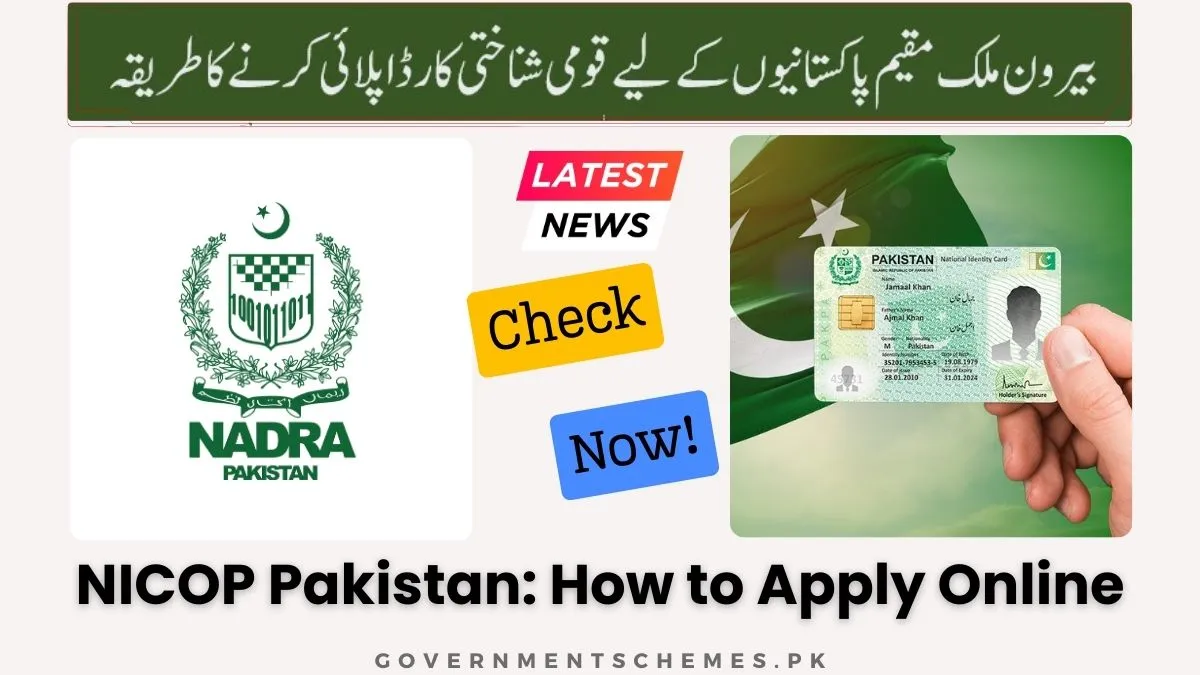
How do I track my NICOP application status using a tracking ID?
Every NICOP application receives a unique 15-digit Tracking ID upon successful submission. This number serves as your key to monitoring application progress through multiple channels.
Three Methods for NICOP Tracking
| Method | Platform | Steps |
|---|---|---|
| Online Portal | Pak Identity Website | Log in to your account, navigate to “Track Application” section, view current status |
| NADRA Tracking | NADRA Official Website | Enter 15-digit Tracking ID on tracking portal, check processing stage |
| SMS Tracking | Mobile Phone | Send Tracking ID to 8000, receive status update via SMS |
What do NICOP tracking status messages mean?
Understanding tracking status codes helps you anticipate next steps and delivery timelines.
NICOP Tracking Status Definitions
| Status Message | Meaning | Expected Action |
|---|---|---|
| Submitted | Application received, pending initial review | Wait 24-48 hours |
| Under Process | NADRA officer reviewing documents | No action required |
| Biometric Pending | Fingerprint verification required | Complete app biometrics or upload form |
| Approved | Card printing initiated | Card will be dispatched within 3-5 days |
| Dispatched | Card sent to courier service | Track courier separately |
| Delivered | Card received at overseas address | Verify receipt |
How long does it take for a NICOP to be delivered?
Delivery timelines combine NADRA’s processing time with international courier shipping. The total duration from submission to receipt depends on your selected service tier.
Complete Timeline Breakdown
- Executive Service: 9 days processing + 3-7 days shipping = 12-16 days total
- Urgent Service: 23 days processing + 3-7 days shipping = 26-30 days total
- Normal Service: 31 days processing + 3-7 days shipping = 34-38 days total
Shipping times vary by country and courier efficiency. Major cities typically receive cards faster than remote areas.
How does NADRA deliver the NICOP to my overseas address?
NADRA partners with international courier services to ensure secure delivery of NICOP cards worldwide. The courier service varies by destination country and is selected based on reliability and tracking capabilities.
Delivery Process Flow
- Card printed at NADRA headquarters in Islamabad
- Packaged in tamper-evident envelope
- Handed to international courier partner
- Tracking number provided to applicant
- Courier attempts delivery at provided address
- Signature required upon receipt
What happens if I miss the courier delivery?
If you are not home when delivery is attempted, the courier service typically leaves a notification card with instructions for re-delivery or pickup. Most services make up to three delivery attempts before holding the package at a local depot for pickup.
Managing Your NICOP: Renewals, Modifications, and Cancellations
How can I renew an expired NICOP from overseas?
Renewing an expired NICOP follows the same process as a new application, with the “Renewal” category selected. The system retrieves your existing data, reducing form-filling requirements.
NICOP Renewal Process
| Step | Action | Details |
|---|---|---|
| 1 | Log in to Pak ID | Use existing account or create new one |
| 2 | Select “Renewal” | Choose from application type menu |
| 3 | Verify personal information | Update any changed details |
| 4 | Upload current documents | Passport, proof of residence, old NICOP copy |
| 5 | Pay renewal fee | Based on your zone and service tier |
| 6 | Complete biometrics | Via app or fingerprint form |
The renewed card maintains the same NICOP number but receives a new expiry date 10 years from issuance.
How do I change my marital status or address on my NICOP online?
Modifications fall into two categories: printable fields that appear on the physical card and non-printable fields stored only in the database.
Modification in Printable Fields
Changes to name, address, or parentage require a full modification application with supporting documents:
- Marriage certificate for name changes after marriage
- Divorce decree for reverting to maiden name
- Court order for legal name changes
- Utility bills or tenancy agreements for address updates
The fee matches new NICOP rates based on your zone and service selection.
Modification in Non-Printable Fields
Updates to marital status, educational qualifications, or profession can be made without issuing a new physical card. These changes appear only in NADRA’s database.
Non-Printable Field Modification Fees
| Method | Fee | Processing Time |
|---|---|---|
| NADRA Registration Centre | PKR 100 | 2 days |
| Pak ID Mobile App | USD 5 | 2 days |
How do I apply for a reprint if my NICOP is lost or damaged?
Lost or damaged cards require a reprint application with additional documentation to prevent fraud. Select “Reprint” from the application categories.
Required Documents for Reprint
- For Lost Cards: Affidavit or police report explaining circumstances of loss
- For Damaged Cards: Photograph showing damaged card
- For Stolen Cards: Police report with incident details
- Identification: Any available copy of the lost card or passport
International applicants can email the affidavit and fee receipt to dup.op@nadra.gov.pk for processing.
How do I cancel my NICOP?
NICOP cancellation becomes necessary upon the cardholder’s death or surrender of Pakistani nationality. The process differs based on the circumstances.
Cancellation Scenarios
| Reason | Fee | Processing Time | Required Documents |
|---|---|---|---|
| Death of Holder | Free | 1 day | Death certificate, original NICOP |
| Nationality Surrender | $15 | 2 days | Renunciation certificate, Form Y |
| Divorce (for POC) | $25 | 2 days | Divorce decree |
Troubleshooting and Rejections
What should I do if my NICOP application is rejected?
Application rejection can be frustrating, but understanding the reasons and rectification process helps resolve issues quickly. NADRA communicates rejection reasons via email to the address provided during application.
Common Rejection Reasons and Solutions
| Rejection Reason | Solution |
|---|---|
| Blurry or non-compliant photograph | Retake photo meeting specifications exactly |
| Unreadable document scans | Rescan documents at 600 DPI, ensure even lighting |
| Fingerprints not matching | Visit embassy for manual verification |
| Family tree linkage broken | Provide parents’ CNIC/NICOP numbers |
| “DUP” mark (multiple identities) | Apply for DUP clearance through dup.op@nadra.gov.pk |
| Expired supporting documents | Update passport or residence permit first |
How do I clear a “DUP” mark on my record?
A “DUP” mark indicates NADRA has detected multiple identity cards with different numbers for the same individual. This often happens when people obtain cards under slightly different names or dates of birth.
DUP Clearance Process
| Scenario | Fee | Procedure |
|---|---|---|
| Similar particulars (minor spelling differences) | $10 (Zone A/B) | Submit explanation and supporting documents |
| Different particulars (major discrepancies) | $250 (Zone A), $120 (Zone B) | Provide comprehensive evidence of identity |
| Inland applicants (in Pakistan) | PKR 1,000-10,000 | Visit NADRA registration center |
Submit clearance requests through email at dup.op@nadra.gov.pk with all supporting documentation attached.
Why does my application show “Marked for Verification”?
This status indicates your application requires additional scrutiny before processing can continue. Common triggers include applications where the previous card expired more than one year ago, name changes requiring legal documentation, age discrepancies between documents, or complex family tree relationships.
Resolution Steps for Verification Holds
- Check email for specific instructions from NADRA
- Prepare requested documents in digital format
- Respond to verification queries within 7 days
- Consider visiting Pakistani embassy if biometrics required
How do I contact NADRA customer support from abroad?
NADRA maintains multiple contact channels for overseas Pakistanis requiring assistance.
NADRA Support Channels
- International Helpline: +92 51 111 786 100 (24/7 support)
- Email for Technical Issues: info.pakid@nadra.gov.pk
- Email for Duplicate Cards: dup.op@nadra.gov.pk
- Complaint Portal: NADRA Centralized Complaint Management System (NCCMS)
- Social Media: NADRA official Facebook and Twitter accounts
When contacting support, always provide your Tracking ID, full name, and CNIC/NICOP number for faster assistance.
Advanced Topics and Special Scenarios
Is a physical interview required for an online NICOP application?
Physical interviews are not required for most applicants due to NADRA’s robust digital verification systems. However, certain circumstances may necessitate in-person appearance.
When Physical Presence May Be Required
- First-time applicants over age 18 with no existing family linkage
- Cases involving age modification beyond normal parameters
- Multiple identity clearance requiring personal explanation
- Biometric verification failures after multiple attempts
- Complex dual nationality situations
If required, applicants can visit the nearest Pakistani embassy or consulate, or complete the process when visiting Pakistan at any NADRA registration center.
What is the “Executive” processing time for NICOP?
Executive service represents NADRA’s fastest processing tier, designed for urgent travel needs or time-sensitive requirements. This premium service prioritizes applications throughout the entire workflow.
Executive Service Features
| Feature | Benefit |
|---|---|
| Processing Time | 9 days guaranteed |
| Priority Queue | Applications processed ahead of normal/urgent |
| Dedicated Processing | Specialized team handles executive cases |
| Premium Fee | Higher cost reflects expedited service |
| Tracking Priority | Enhanced status updates |
Executive service costs $75 for Zone A countries and $40 for Zone B countries.
Can I travel to Pakistan if my NICOP has expired?
No, an expired NICOP is not a valid travel document for entry into Pakistan. The NICOP’s validity is verified by immigration authorities at all ports of entry.
Options for Travel with Expired NICOP
| Scenario | Solution |
|---|---|
| Urgent travel required | Apply for Executive processing (9 days) |
| Travel within 2-3 weeks | Apply for Urgent processing (23 days) |
| No immediate travel | Apply for Normal processing (31 days) |
| Need to travel immediately | Obtain visa in foreign passport (if eligible) |
Dual nationals may travel on their foreign passport with a Pakistani visa while waiting for NICOP renewal.
How do I update my parent’s information on my NICOP?
Parental information updates require a modification application with supporting documentation. This situation often arises when parents’ names were incorrectly recorded at birth or after legal name changes.
Required Documentation for Parental Updates
- Parents’ valid CNIC or NICOP cards
- Parent’s passport (if applicable)
- Marriage certificate (if parents’ names changed after marriage)
- Birth certificate showing correct parent names
- Court order for legal name changes
The modification fee matches new NICOP rates based on your zone and selected service tier.
How do I apply for a NICOP if I have renounced Pakistani citizenship?
Individuals who previously renounced Pakistani citizenship can reapply for NICOP after obtaining a resumption certificate. The process requires approval from the Directorate General of Immigration & Passports (IMPASS).
Citizenship Resumption Process
| Step | Action | Timeline |
|---|---|---|
| 1 | Apply for resumption certificate (Form Y) | 2-4 weeks |
| 2 | Receive approval from IMPASS | Variable |
| 3 | Submit NICOP application with Form Y | Standard processing |
| 4 | Include renunciation documents | As required |
Conclusion
The NICOP represents far more than a simple identity card—it is your legal connection to Pakistan while building a life abroad. NADRA’s digital transformation through the Pak Identity platform has eliminated the need for costly trips to Pakistan or lengthy embassy visits, placing the entire process at your fingertips.
Keeping your NICOP valid ensures uninterrupted access to property transactions, banking services, and most importantly, the ability to return home whenever you wish without visa complications. The investment of time in understanding requirements and submitting accurate documentation pays dividends through smooth processing and timely delivery.
Whether you need a first-time NICOP for your newborn born overseas, renewal of an expiring card, or modification after marriage, the online system handles your needs efficiently. Bookmark this guide, save your Tracking ID, and maintain your connection to Pakistan with confidence.
Disclaimer
This guide provides comprehensive information about NICOP application processes based on publicly available NADRA guidelines. Requirements, fees, and processing times are subject to change by government authorities. Always verify current information through official NADRA channels before submitting applications.
Frequently Asked Questions
1. How can I apply for NICOP online from the UK or USA?
You can apply for NICOP online from any country by visiting the Pak Identity website at id.nadra.gov.pk or downloading the Pak ID mobile app. Create an account, select “New Overseas NICOP” or “Renewal,” complete the application form, upload required documents (passport, proof of residence, photograph), pay the fee online, and submit. The process is identical for all countries, though fees vary by zone.
2. What documents are required for a new NICOP application?
Required documents include a valid Pakistani passport (or foreign passport for dual nationals), proof of residence abroad (visa, residence permit, or work permit), recent passport-size photograph meeting NADRA specifications, and existing CNIC/NICOP if applicable. For children, additional documents include birth certificate and parents’ CNIC/NICOP cards.
3. How much is the online fee for NICOP renewal?
NICOP renewal fees depend on your country zone and selected processing speed. For Zone A (USA, Europe, Australia), fees are $39 (Normal/31 days), $57 (Urgent/23 days), or $75 (Executive/9 days). For Zone B (Middle East, Africa), fees are $20 (Normal/31 days), $30 (Urgent/23 days), or $40 (Executive/9 days). UAE applicants can also pay in Dirhams at the embassy: AED 75 (Normal), AED 110 (Urgent), or AED 150 (Executive).
4. How do I track my NICOP application status using a tracking ID?
Use your 15-digit Tracking ID through three methods: log in to your Pak Identity account and check “Track Application,” visit the NADRA tracking portal and enter your ID, or send the Tracking ID via SMS to 8000. Status updates show submission, processing, approval, dispatch, and delivery stages.
5. What is the difference between CNIC and NICOP?
CNIC is issued to Pakistani citizens residing permanently in Pakistan, while NICOP is issued to Pakistani citizens living abroad. NICOP holders enjoy visa-free entry to Pakistan and can maintain dual nationality with approved countries, whereas CNIC holders require visas for international travel. Both cards serve as legal proof of identity and citizenship.
6. How long does it take for a NICOP to be delivered?
Total delivery time combines processing and international shipping: Executive service (9 days processing + 3-7 days shipping = 12-16 days), Urgent service (23 days + 3-7 days = 26-30 days), and Normal service (31 days + 3-7 days = 34-38 days). Timelines begin after successful fee payment.
7. Can I apply for my child’s first NICOP online?
Yes, parents can apply for children’s NICOP online through the Pak ID system. Required documents include the child’s birth certificate (CRC/B-Form), both parents’ CNIC/NICOP cards, parents’ passports, and the child’s photograph. Children below 14 receive cards valid until age 18 or 10 years, whichever comes first.
8. What should I do if my NICOP application is rejected?
Check your email for rejection reason from NADRA. Common issues include photo non-compliance, unclear documents, or fingerprint mismatches. Rectify the problem (retake photo, rescan documents, complete biometrics again) and submit a new application. For “DUP” marks (multiple identities), email dup.op@nadra.gov.pk with supporting documents for clearance.
9. How do I change my marital status on my NICOP online?
Marital status updates fall under “Modification in Non-Printable Fields” and can be completed through the Pak ID mobile app for USD 5 with 2-day processing. No physical card is issued. If you need the updated status printed on your card, select full “Modification” and upload marriage certificate or divorce decree as supporting documentation.
10. Is a physical interview required for an online NICOP application?
Physical interviews are not required for most applicants due to digital verification systems. However, cases involving age modifications, multiple identity clearance, failed biometrics, or complex dual nationality situations may require in-person attendance at a Pakistani embassy or NADRA registration center.

Add a Comment