
The Benazir Income Support Programme (BISP) has launched the BISP SIM Wallet, a digital account linked to a beneficiary’s CNIC and a dedicated SIM card, which replaces physical cash payments with direct, biometric-secured transfers. This shift to a digital ecosystem ensures that the full quarterly stipend reaches eligible women without deductions, delays, or dependence on middlemen.
In this definitive guide, you will learn the following:
- What the BISP SIM Wallet is and why it is mandatory for future payments.
- Step-by-step registration and activation process for the new SIM.
- Eligibility criteria and required documents, including SIM ownership rules.
- How to check your balance, withdraw money, and troubleshoot common issues.
- Official security protocols to avoid fraud and scams.
Key Takeaways
- Mandatory SIM Ownership: Your mobile SIM must be biometrically registered in your own name. Using another person’s SIM will block payments.
- Free Registration Process: The SIM, wallet activation, and all related services are completely free. Any demand for payment is a scam.
- Biometric Verification is Crucial: Payment access requires thumb verification. Ensure your fingerprints are updated with NADRA to avoid failures.
- Rs. 13,500 Full Payment: The digital wallet guarantees you receive the entire quarterly installment without any illegal deductions.
- Official Channel Only: Trust only SMS from 8171 and official BISP offices. Ignore messages from private numbers or unofficial websites.
- Read More: BISP 8171 Eligibility Check (CNIC Check by SMS) | March
- Read More: BISP 13500 Payment Status Check | BISP New Payment [March]
- Read More: BISP 8171 Online Check Balance | February
BISP 8171 Digital Wallet & New SIM System
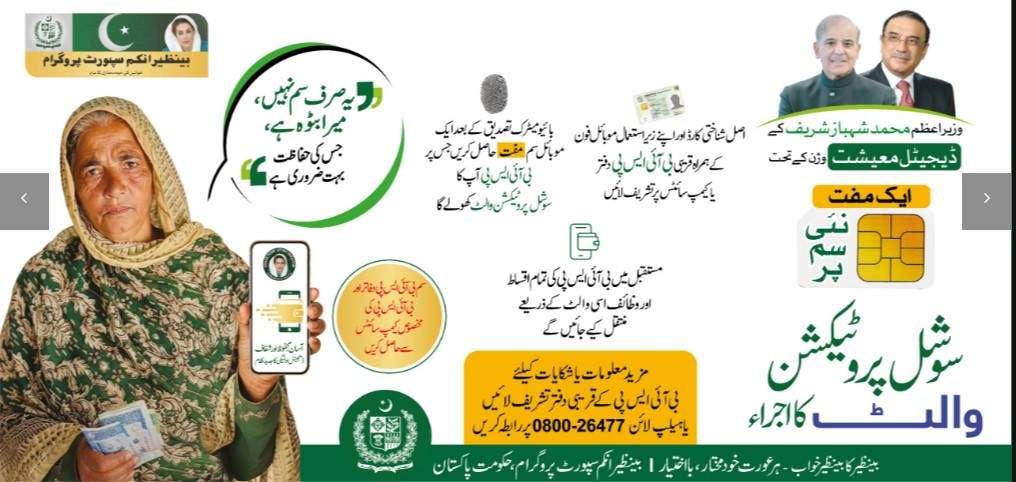
Table Of Contents
What is the BISP SIM Wallet Registration and Why Was It Launched?
BISP SIM Wallet registration is the official process for enrolling in the new digital payment system, creating a secure, CNIC-linked Social Protection Wallet. This wallet is a digital account that allows the government to deposit the quarterly stipend directly into the beneficiary’s control.
The primary reason for this launch is to eradicate systemic issues of the past.
- Eliminating Deductions: Previously, women faced illegal deductions by agents at cash camps.
- Reducing Travel Burden: Beneficiaries no longer need to travel to distant campsites.
- Ensuring Transparency: Every transaction is recorded and tracked in real-time.
- Financial Inclusion: This initiative brings unbanked populations into the formal financial sector.
- Women Empowerment: It gives women direct and dignified access to their funds through familiar mobile technology.
How Does the New BISP 8171 SIM Update Differ from the Old Payment System?
The core difference lies in the payment mechanism. The old system disbursed cash through POS agents at campsites, while the new system transfers funds directly into a digital wallet.
Here is a direct comparison of the two systems:
| Feature | Old Payment System (Cash Camps) | New BISP 8171 SIM Wallet System |
|---|---|---|
| Payment Method | Physical cash handed out at campsites | Direct deposit into CNIC-linked digital wallet |
| Access Point | Designated cash center on specific dates | Biometric ATMs, bank branches, retail agents, 24/7 |
| Role of Middlemen | High; agents often deducted illegal fees | Eliminated; funds go straight to the beneficiary |
| Travel Requirement | Mandatory travel to a specific campsite | Optional; withdraw from nearby locations |
| Transaction Record | Often manual, prone to errors | Fully digital, real-time SMS alerts from 8171 |
What Are the Key Benefits of the BISP Social Protection Wallet?
The primary benefit is the guarantee of receiving the full payment amount, currently Rs. 13,500, without a single rupee deducted. This financial autonomy is coupled with several key advantages.
- Full Payment Guarantee: No illegal deductions by agents or middlemen.
- 24/7 Access to Funds: Money is available anytime, not just on specific payment days.
- Enhanced Security: Withdrawals require biometric verification, protecting against theft.
- Real-Time Transparency: Instant SMS alerts from 8171 for all deposits and withdrawals.
- Reduced Costs: Saves money and time previously spent on traveling to cash centers.
- Dignified Experience: Empowers women by giving them direct financial control.
What is the Role of the BISP Chairperson in This Digital Transformation?
The BISP Chairperson plays a pivotal leadership role in overseeing the successful rollout and public communication of the SIM Wallet initiative. The current leadership is focused on ensuring the transition is smooth for the 9.3 million+ beneficiaries.
- Policy Implementation: Directing the policy framework for the digital wallet.
- Public Awareness: Launching campaigns to educate beneficiaries about the new system.
- Oversight: Monitoring the biometric verification process and resolving grievances.
- Stakeholder Meetings: Coordinating with NADRA, banks, and mobile networks to ensure seamless integration.
Eligibility and Prerequisites for BISP SIM Wallet Registration
Who Is Eligible for the New BISP SIM Registration?
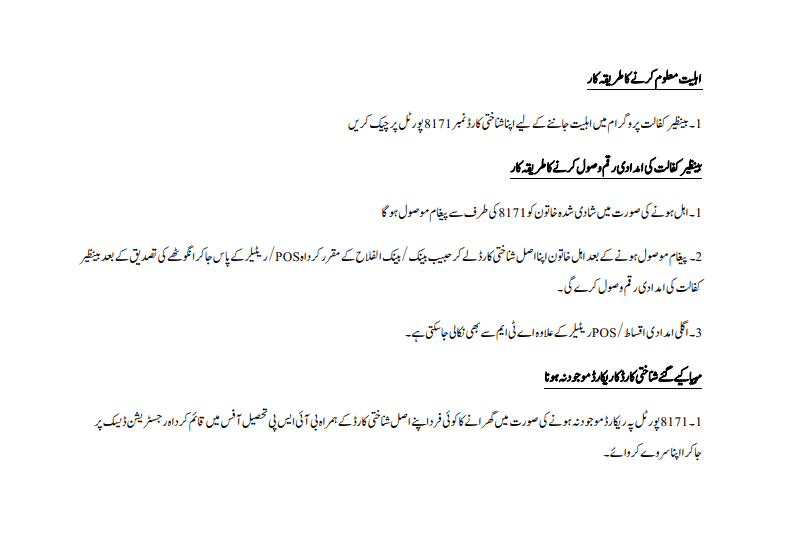
Active BISP Kafaalat beneficiaries with a valid CNIC and an updated NSER (National Socio-Economic Registry) survey are eligible for the new SIM registration. Eligibility is determined by the government’s poverty score.
To confirm your eligibility, you must meet these criteria:
- Active Beneficiary: You must already be receiving payments under the BISP Kafaalat program.
- Valid CNIC: Your Computerized National Identity Card must be valid and not expired.
- Updated NSER Survey: Your household data must be up-to-date in the NSER system.
- Poverty Score: Your PMT score must be below the eligible threshold (usually below 32).
- No Government Employment: Beneficiaries or their spouses cannot be government employees.
Is It Mandatory to Have a SIM in My Own Name for BISP Payments?

Yes, it is 100% mandatory. The mobile SIM used for the BISP wallet must be biometrically registered on the beneficiary’s own CNIC. This is a non-negotiable security requirement.
Here is why your own SIM is required:
- Biometric Matching: The system links your CNIC, SIM, and thumbprint. If the SIM is in someone else’s name, the biometric data will not match, and the wallet cannot be activated.
- Security Protocol: It prevents others from accessing your money, ensuring only you can authorize transactions.
- Payment Verification: It allows BISP to send payment confirmations and alerts directly to you.
- How to Check: You can check how many SIMs are registered on your CNIC by dialing
*336#from your mobile phone or visiting your network provider’s franchise.
What Documents Are Required for the BISP Digital Wallet Registration?
The required documents for registration are simple and minimal, designed to facilitate easy access for all beneficiaries. You must bring original documents to the BISP center.
Required documents include:
- Original CNIC: Your valid, original Computerized National Identity Card.
- Registered Mobile SIM: The active SIM card that is in your own name, already inserted in your phone.
- Mobile Phone: Your personal mobile phone to receive instant OTPs and confirmation messages during the process.
- Children’s B-Form (Optional): If you are also enrolling children for Taleemi Wazaif, bring their B-Forms.
What is the NSER Dynamic Survey and Why Do I Need It for Wallet Activation?
The NSER Dynamic Survey is a nationwide effort by BISP to collect and update the socio-economic data of all families in Pakistan. It is the foundational database that determines your eligibility and PMT score.
You need this updated survey for wallet activation for several reasons.
- Eligibility Verification: Your current household status (income, assets, family size) must be on record to confirm you still qualify for the stipend.
- Data Accuracy: It ensures that your CNIC, address, and family composition are correctly linked to your new digital wallet.
- How to Update: If you haven’t been surveyed recently, you must visit your nearest BISP Tehsil Office to complete the Dynamic Survey before you can register for the SIM wallet.
Step-by-Step: BISP SIM Wallet Registration & Activation Process
How Can I Register for the BISP SIM Wallet Online or Via SMS?
While you cannot complete the entire process fully online, the first step of eligibility checking is done via SMS or the web portal. Physical biometric verification at an official center is mandatory for security.
Here is how to start the process:
- Step 1: Send CNIC to 8171: Compose an SMS with your CNIC number (without dashes) and send it to 8171.
- Step 2: Interpret the Response: You will receive an SMS back.
- “Eligible”: You are cleared for registration. Proceed to a BISP center.
- “Pending”: Your data is being processed or requires updating via the NSER survey.
- “Not Eligible”: You do not currently meet the criteria.
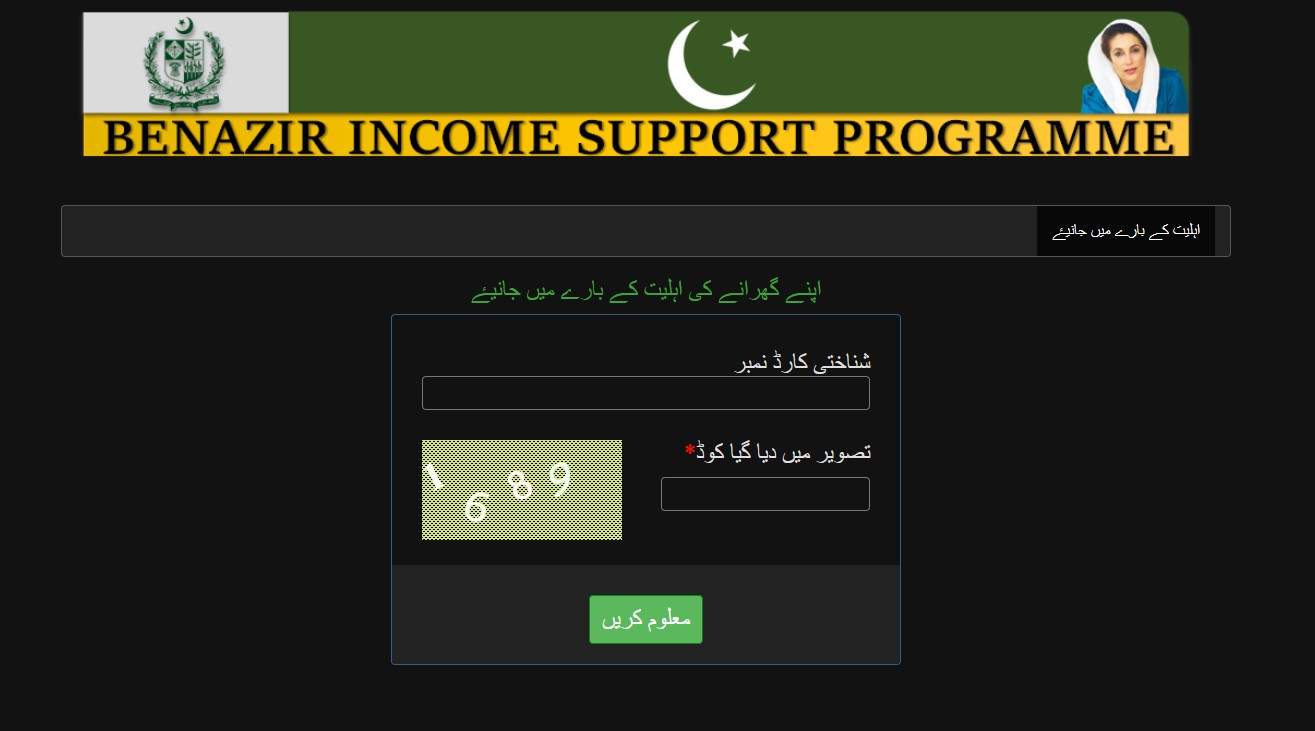
- Step 3: Visit 8171 Web Portal: You can also check your status by visiting the official 8171 web portal and entering your CNIC.
- Step 4: Proceed to Center: Take the eligibility SMS and your original CNIC to the nearest BISP office.
Where and How to Visit a BISP Center for Biometric Verification?
You must visit an official BISP designated center for mandatory biometric verification. This in-person step is crucial to link your identity to the digital wallet securely.
The process at the center is straightforward.
- Locate Your Center: Find your nearest BISP Tehsil Office, Union Council desk, or mobile camp site. This information is available on the 8171 web portal or by calling the helpline.
- Token and Queue: Upon arrival, get a token and wait for your turn at the designated registration counter.
- Document Submission: Present your original CNIC and your mobile phone (with your registered SIM) to the BISP representative.
- Biometric Scan: The representative will scan your right thumb (or all ten fingers if required) on a biometric verification device.
- System Check: The system will instantly verify your fingerprints against NADRA’s database and check that your SIM is registered on the same CNIC.
What is the BISP Free SIM Distribution Process?
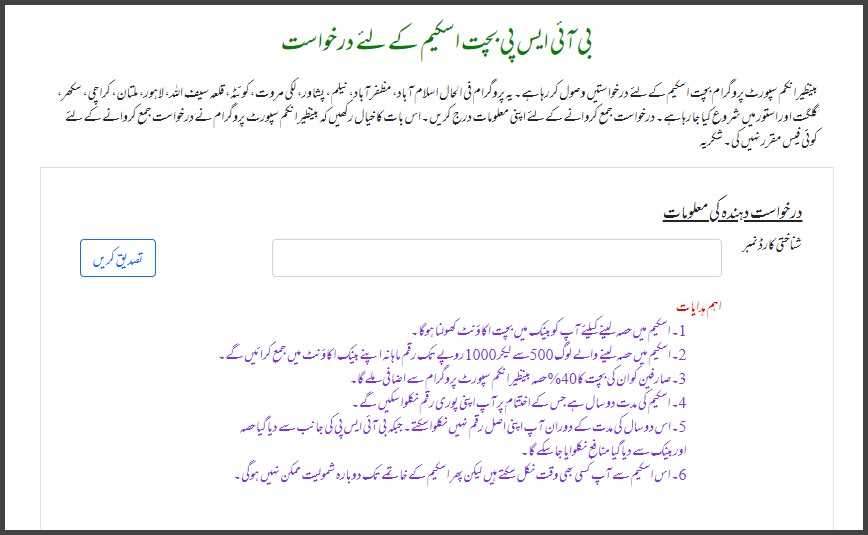
The government is distributing millions of free SIMs to beneficiaries who currently do not own a mobile SIM registered in their own name. This ensures no woman is left out of the digital system due to lack of a personal SIM.
If you are eligible for a free SIM, the process is as follows:
- Eligibility Check: The BISP representative at the center will first check your CNIC to see if you already have a SIM in your name. If not, you are flagged for the free SIM scheme.
- Biometric Verification: Your thumbprints are taken for both BISP registration and for the mobile network operator’s (like Jazz, Telenor, Zong) records.
- Instant Issuance: A new, pre-activated SIM card is issued to you on the spot, already linked to your CNIC and the BISP wallet system.
- Wallet Linking: The representative will ensure the new SIM is immediately mapped to your new BISP Social Protection Wallet before you leave the center.
How to Link My CNIC with JazzCash or Easypaisa for BISP Payments?
Linking your BISP wallet to existing mobile banking apps like JazzCash or Easypaisa is a separate but recommended step for easier management. The BISP wallet itself is created first; then you can link it to these apps for convenience.
Here is how to link your account:
- For JazzCash Users:
- Download the JazzCash app or dial
*786#. - Select “Create Account” or “Link Bank Account”.
- Enter your CNIC number.
- Complete biometric verification via the app or by visiting a JazzCash agent.
- Your BISP wallet balance will appear within the JazzCash interface once linked.
- Download the JazzCash app or dial
- For Easypaisa Users:
- Open the Easypaisa app or dial
*786#. - Navigate to “Add Money” or “Bank Account”.
- Select “Link BISP Account” if the option is available, or link your CNIC.
- Verify your identity with your thumbprint.
- You can then transfer funds from your BISP wallet to your Easypaisa account or use it directly for payments.
- Open the Easypaisa app or dial
- For Non-Smartphone Users: You can still access your funds by visiting any authorized retail agent of these services and using your fingerprint to withdraw cash.
How to Activate My BISP Card Through My Mobile Phone?
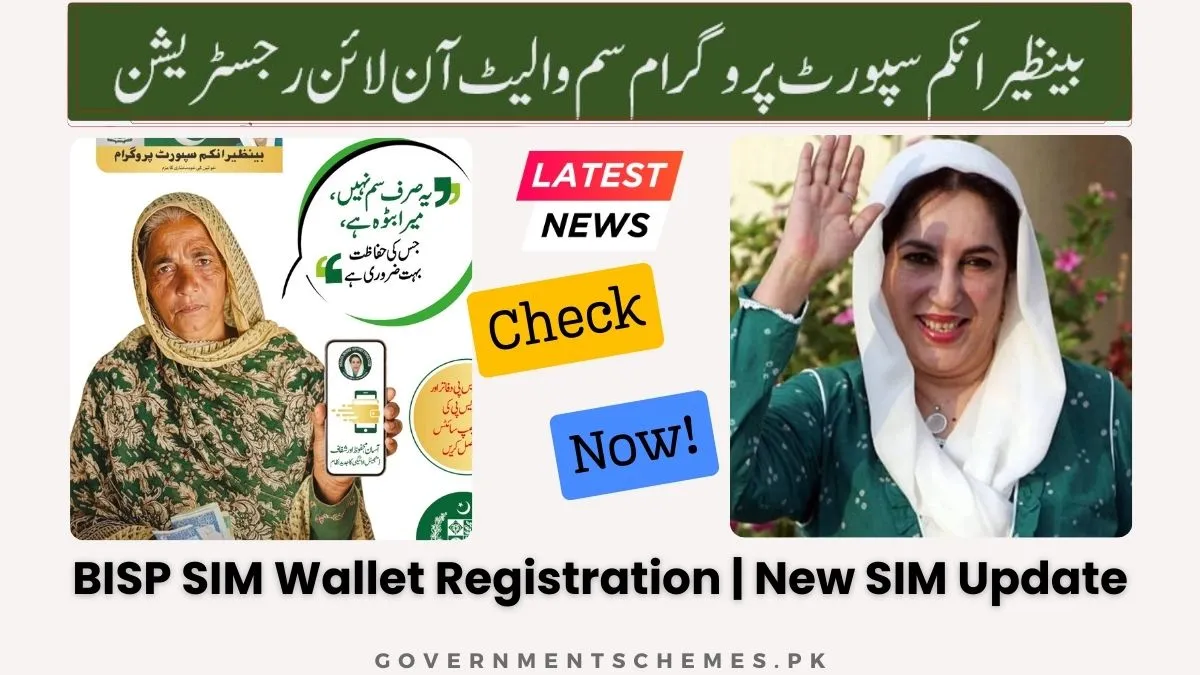
It is important to clarify that there is no physical “BISP card” in this new system. The “card” is your digital wallet. The activation is triggered by the successful biometric verification at the BISP center.
The activation timeline is as follows:
- Step 1: Successful Registration: You complete biometric verification at the center, and the SIM (whether existing or new) is successfully mapped to your CNIC.
- Step 2: System Processing: The BISP central system processes this confirmation and activates your Social Protection Wallet.
- Step 3: Confirmation SMS: You will receive a final confirmation SMS from 8171. This message explicitly states that your “BISP Digital Wallet” has been activated and is ready to receive payments.
- No Further Action: You do not need to dial any codes or visit any website to “activate” it. If you haven’t received the SMS within 24 hours, return to the BISP center for a status check.
How Many Days Does It Take to Activate the BISP Digital Wallet?
Activation is often instant or completed within the same working day after successful biometric verification. In most cases, you will receive the confirmation SMS within a few hours of leaving the BISP center.
However, timelines can vary based on a few factors.
- Instant Activation: If the system is online and all data matches perfectly, the wallet is activated immediately.
- Same-Day Activation: In most urban centers, activation occurs by the end of the business day.
- District-Wise Rollout: In newly covered districts, there might be a slight delay of 1-2 days as the backend systems synchronize.
- What to Do: If you do not receive a confirmation SMS within 48 hours, return to the BISP center where you registered. Do not register again, as this can create duplicate records. Ask them to check the “wallet activation status” in their system.
Managing Your BISP SIM Wallet: Payments, Balance, and Withdrawals
How Will I Receive My BISP Payment (Rs. 13,500) in the Digital Wallet?
BISP payments are transferred automatically by the government’s central system directly into your active and verified digital wallet. You do not need to apply or visit a center to receive each payment.
Here is how the payment cycle works:
- Automatic Transfer: Once your wallet is active, BISP will automatically credit your quarterly stipend (e.g., Rs. 13,500) to your digital account on the scheduled payment date.
- Payment Schedule: Payments are typically made in quarterly installments.
- Instant Notification: As soon as the money is deposited, you will receive an SMS from 8171 confirming the credit. The message will state the amount and your new balance.
- No Action Needed: The money sits safely in your digital wallet until you decide to withdraw or use it.
How Can I Check My BISP SIM Wallet Balance Online by CNIC?
You can check your balance using several convenient methods, ensuring you always know how much money is available in your wallet. All methods are designed to be accessible, even without a smartphone.
Here are the official balance check methods:
- Method 1: SMS to 8171
- Compose a new SMS.
- Type your CNIC number (without dashes or spaces).
- Send it to 8171.
- You will receive an immediate reply with your current wallet balance.
- Method 2: 8171 Web Portal
- Visit the official 8171 web portal from any browser on your phone or computer.
- Enter your 13-digit CNIC number in the designated field.
- Complete the captcha verification.
- Your payment history and current balance will be displayed.
- Method 3: Mobile App (JazzCash/Easypaisa)
- Open the app you have linked to your BISP wallet.
- The main dashboard usually displays your total balance, which includes your BISP funds.
- Navigate to the “Wallet” or “Account” section to see a detailed breakdown.
- Method 4: USSD Code
- Dial the USSD code provided by your bank or mobile wallet operator (e.g., for some wallets, you can dial a code like
*786#and follow the prompts).
- Dial the USSD code provided by your bank or mobile wallet operator (e.g., for some wallets, you can dial a code like
How to Withdraw Money from My BISP SIM Wallet?
Withdrawing money from your digital wallet is a flexible process, giving you multiple secure options to access your cash. You are no longer tied to a single location or date.
Choose the withdrawal method that is most convenient for you.
- Option A: Authorized Retail Agents (JazzCash/Easypaisa Shops)
- Visit a shop displaying the JazzCash or Easypaisa logo.
- Inform the agent you want to withdraw cash from your BISP wallet.
- Provide your CNIC and place your thumb on their biometric device.
- Once verified, the agent will hand you the cash.
- Option B: Biometric ATMs
- Locate an ATM from a partner bank (such as HBL, Bank Alfalah, or UBL) that supports biometric transactions.
- Select the “Biometric” option on the screen.
- Place your thumb on the scanner. Your CNIC will be read automatically.
- Enter the amount you wish to withdraw and collect your cash.
- Option C: Bank Branch Over-the-Counter
- Visit any branch of a partner bank.
- Fill out a simple withdrawal slip.
- Present your CNIC and complete biometric verification at the counter.
- The teller will disburse your cash.
- Option D: Mobile App Transfer
- Use the JazzCash or Easypaisa app to transfer money from your BISP wallet to a family member’s account or to pay for bills and mobile credit directly.
Can I Use My BISP Wallet for Everyday Purchases and Transfers?
Yes, once your BISP funds are deposited, the wallet functions exactly like a standard mobile account or prepaid card. You have full control over how you use the money.
Here are the ways you can utilize your wallet beyond just withdrawing cash.
- Bill Payments: Pay your electricity, gas, or water bills directly from the wallet using the linked mobile app.
- Mobile Load: Purchase prepaid mobile packages or credit for yourself or family members.
- Merchant Payments: At shops that accept JazzCash or Easypaisa, you can pay for groceries or other items by scanning a QR code or providing your phone number and verifying with your fingerprint.
- Money Transfers: You can send money to other JazzCash, Easypaisa, or bank accounts. This is useful for supporting family members or making payments without handling physical cash.
- Future Features: BISP is exploring features like “wallet-to-wallet” transfers specifically for family members, making it even easier to manage household finances.
Troubleshooting and Common Issues
Why Am I Not Receiving the 8171 Confirmation SMS?
There are several common reasons why you might not receive an SMS from 8171, ranging from network issues to data mismatches. The most frequent cause is a SIM that is not properly registered in your name.
Troubleshoot the issue by checking these points:
- SIM Ownership: Confirm your SIM is biometrically verified and registered on your own CNIC by dialing
*336#. - Network Connectivity: You may be in an area with low network coverage. Try moving to a different location or restarting your phone.
- Inbox Full: Your phone’s message inbox might be full. Delete old messages to free up space.
- CNIC Expiry: Your CNIC might be expired. Check the expiry date on your card and visit NADRA for renewal if necessary.
- Data Mismatch: There might be a minor spelling or numerical error in your name or CNIC between NADRA and BISP records. This requires a visit to the BISP office to update.
What Should I Do If My BISP SIM Is Blocked or Deactivated?
If your SIM is blocked, you must visit a BISP Tehsil office for reverification; you cannot unblock it online. SIMs are typically blocked for security reasons to prevent unauthorized access.
Common reasons for blocking include:
- Inactivity: Not using the SIM for an extended period.
- Security Flag: The system detected unusual activity and blocked the SIM to protect your funds.
- Network Issue: A technical error on the mobile network operator’s side.
- Unblocking Process:
- Go to your nearest BISP Tehsil Office with your original CNIC.
- Inform them that your SIM is blocked.
- The representative will verify your identity through biometrics.
- They will coordinate with the mobile network operator to lift the block, which usually happens within 24-48 hours.
How Do I Fix the “Invalid CNIC” or “CNIC Mismatch” Error in BISP 8171?
The “Invalid CNIC” or “CNIC Mismatch” error indicates a discrepancy between the CNIC number registered with BISP and the one on your SIM or NADRA record. This is a critical error that must be resolved at a physical office.
Follow these steps to resolve the issue:
- Step 1: Verify CNIC with NADRA: Ensure your CNIC is valid and not expired. If it is expired, get it renewed first.
- Step 2: Check SIM Registration: Confirm the SIM you are using is registered on the exact same CNIC number. Use
*336#to verify. - Step 3: Visit BISP Tehsil Office:
- Go to your nearest BISP center with your original CNIC.
- Request a “CNIC data update” or “record rectification.”
- The BISP staff will pull up your record and compare it with your CNIC.
- They will make the necessary corrections in the BISP database.
- After the update, your SIM and wallet should link correctly, and the error will disappear.
What If My Biometric Verification Fails (Fingerprints Not Recognized)?
Biometric failure is a common issue, particularly for elderly women whose fingerprints may have faded due to age or manual labor. Do not panic; there is a clear procedure to follow.
Here is the action plan if your thumbprint is not recognized:
- Visit NADRA First: Go to your nearest NADRA registration center. Explain that your biometrics are failing for BISP. They will use a special device to scan your fingerprints and update them in the central database. This is a free service.
- Obtain a Slip: NADRA will provide you with a slip or receipt confirming your biometrics have been updated.
- Return to BISP Center: Go back to the BISP Tehsil office with your CNIC and the NADRA slip.
- Re-attempt Verification: The BISP representative will attempt biometric verification again. The updated data should now match.
- Alternative Methods: In some cases, if fingerprints are permanently unreadable, BISP may have alternative verification protocols, such as iris scanning, being rolled out in phases.
How Do I Update My Mobile Number in the BISP Database?
You cannot update your mobile number online due to strict security protocols designed to prevent fraud. You must complete this process in person at an official BISP center.
The procedure for updating your number is as follows:
- Step 1: Get the New SIM: Ensure the new mobile number you want to register is on a SIM that is biometrically verified and in your own name.
- Step 2: Visit BISP Tehsil Office: Go to your nearest BISP center. Bring your original CNIC and the mobile phone with the new SIM inserted.
- Step 3: Request Number Update: Inform the representative that you need to update your registered mobile number in the BISP system.
- Step 4: Biometric Verification: The representative will verify your identity using your thumbprint.
- Step 5: Confirmation: They will update the database. You will receive a confirmation SMS on your new number from 8171 within a short period.
Can I Change My Mobile Network Provider?
Yes, you can change your network provider (e.g., from Jazz to Telenor), but you must follow the proper procedure to avoid disrupting your payments. The new SIM must be registered on your CNIC.
Here is the correct way to change your network:
- Step 1: Port Your Number (Keep Same Number): You can use the MNP (Mobile Number Portability) service to switch to a new network while keeping your existing phone number. The new SIM will have the same number and will automatically work with your BISP wallet after activation.
- Step 2: Get a Brand New Number: If you get a completely new number from a different network, you must treat this as a “mobile number update.” Follow the steps in the previous FAQ to update your new number at the BISP center. Your wallet will then be relinked to the new number.
- The Risk: If you change your number without updating BISP, you will not receive payment alerts, and the system may flag your account as inactive, potentially delaying future payments.
What Happens If I Lose My Phone or SIM Card?
Losing your phone or SIM card requires immediate action to protect your funds and restore access to your BISP wallet. Your money is safe because it requires biometrics to withdraw, but securing your line is the priority.
Follow these steps immediately:
- Step 1: Block the SIM: Immediately contact your mobile network operator’s customer service helpline. Provide them with your CNIC and ask them to block the lost SIM card. This prevents anyone from using that number.
- Step 2: Get a Duplicate SIM: Visit your network provider’s franchise with your original CNIC. Request a duplicate SIM with the same phone number. This process requires biometric verification and is usually quick.
- Step 3: Insert the New SIM: Once you receive the duplicate SIM, insert it into your new or old phone. The number is the same, so your BISP wallet will continue to function normally.
- Step 4: Report to BISP (Optional): While not mandatory for a duplicate SIM, you can inform the BISP helpline about the incident for their records. Your wallet funds remain secure as withdrawals require your fingerprint, not just the SIM.
Security, Fraud Prevention, and Official Channels
How to Identify Fake BISP Registration Messages and Scams?
Scammers often target BISP beneficiaries with fake messages and websites. Knowing how to identify official communication is your first line of defense. The golden rule is that BISP only communicates through the short code 8171.
Here are clear signs of a scam:
- Sender Number: Any message regarding registration, payments, or updates from a number other than 8171 is fake. BISP does not use 10-digit mobile numbers for official alerts.
- Requests for Money: BISP never asks for fees, processing charges, or “advance payments” to register or activate your wallet. The process is 100% free.
- Requests for OTP or PIN: BISP will never ask for your One-Time Password, wallet PIN, or online banking password via SMS or phone call.
- Fake Websites: Scammers create websites that look like the official 8171 portal. Always double-check the URL. The official website address ends with
.gov.pk. - Too Good to Be True: Messages promising extra money or immediate disbursement for a small fee are always scams.
Is There a Fee for BISP SIM Registration or Wallet Activation?
No. The BISP SIM registration, wallet activation, and all associated services are completely free of charge. This is a government-sponsored initiative, and no private individual or entity is authorized to collect money for it.
What you need to know about fees:
- Free SIM Card: If you are eligible for a new SIM, it is provided free by the government in partnership with mobile networks.
- Free Registration: The biometric verification and account setup at BISP centers cost nothing.
- Free Helpline: Calling the official BISP helpline at 0800-26477 is a free call.
- Reporting Fraud: If anyone—a neighbor, an agent, or a caller—asks for money to “fast-track” your registration or “unblock” your wallet, they are a fraudster. Report them immediately to the BISP helpline.
How to Report a Complaint or Get Help for BISP Wallet Issues?
If you encounter any issues with your SIM wallet, payments, or suspect fraud, you have several official channels to seek help. Using the correct channel ensures your complaint is addressed quickly.
Here are the official support channels:
- BISP Helpline: Call 0800-26477 from any phone. This is the primary contact number for all queries and complaints. Operators are trained to assist with digital wallet issues.
- Official Website: Visit www.bisp.gov.pk. The website contains official announcements, contact information, and links to the 8171 portal.
- In-Person Visit: For complex issues like biometric failure or CNIC mismatches, visiting your BISP Tehsil Office is the most effective solution. Take your original CNIC with you.
- 8171 SMS Service: You can still send your CNIC to 8171 for basic balance inquiries and eligibility checks.
Advanced Information and Future Updates
What Are the Phase-Wise District Coverage for the Digital Wallet SIM?
The BISP digital wallet is being rolled out in phases across Pakistan to ensure a smooth and managed transition. The first phase covered major urban centers, with subsequent phases expanding to more districts.
While the rollout is continuous, the general coverage has been as follows:
- Phase 1 Districts (Pilot & Initial Rollout):
- Included major cities: Karachi, Lahore, Islamabad, Peshawar, Quetta, Gilgit, Muzaffarabad.
- Focused on high-population urban centers and all provincial capitals.
- Phase 2 Districts (Expansion):
- Expanding to all districts within provinces like Punjab and Sindh.
- Covering major towns and rural areas with high beneficiary density.
- Phase 3 (National Coverage):
- The final phase aims to cover all remaining districts across the country, including remote and far-flung areas.
- How to Check: You do not need to know your “phase.” Simply visit your nearest BISP Tehsil office. If your district is live, they will process your registration. If not, they will inform you of the expected timeline.
How Does the BISP Wallet Integrate with the Taleemi Wazaif (Education Stipends)?
The BISP wallet is designed to be a single, unified account for all BISP benefits, including the Taleemi Wazaif (education stipends) for children. This integration simplifies the process for mothers.
Here is how the integration works:
- Single Wallet, Multiple Credits: The education stipends for your eligible children are automatically added to your primary BISP SIM Wallet. You do not get a separate wallet for education.
- Separate Tracking: While the funds are in one place, the system tracks them separately. When you check your balance, you may see a total amount, but the transaction history will show separate credits: “Kafaalat Qist” and “Taleemi Wazaif.”
- Withdrawal: You can withdraw the total combined amount in one transaction. There is no need to keep education funds separate.
What is the BISP Dynamic Registry and How Does It Relate to the Wallet?
The BISP Dynamic Registry is the updated system used to register new beneficiaries and continuously update the data of existing ones. It is the gateway for entering the BISP program, and having updated data here is a prerequisite for the digital wallet.
The relationship is simple:
- Dynamic Registry = Data Source: The Dynamic Registry collects and stores your up-to-date household information, CNIC details, and PMT score.
- Digital Wallet = Payment Tool: The wallet is the payment mechanism.
- The Link: For your wallet to be activated, your data in the Dynamic Registry must be verified and accurate. If your data is old or missing (e.g., you have new children, or your marital status changed), you must first update it through the Dynamic Registry at a BISP center. Once the registry is updated, the system allows the wallet to be created.
What Are the Latest Updates for the BISP 8171 Portal?
The official 8171 web portal is continuously being upgraded to provide better service to beneficiaries. Recent and upcoming updates focus on user-friendliness and detailed information access.
Key updates to the portal include:
- Mobile-Friendly Design: The portal is now fully optimized for viewing on mobile phones, making it easier to check your status on the go.
- Detailed Payment History: Beneficiaries can now view a complete history of all payments made to their digital wallet, not just the most recent one.
- Complaint Tracking: You can submit a complaint online and receive a tracking ID to follow its progress.
- Simplified Urdu Interface: Efforts have been made to simplify the interface and provide more information in Urdu for better accessibility.
- Center Locator: An integrated map feature helps you find the nearest BISP Tehsil office, ATM, or payment agent.
Conclusion
- Summary: The BISP SIM Wallet is now the exclusive and secure method for receiving your quarterly stipend. It guarantees full payment, eliminates middlemen, and puts you in complete control of your finances.
- Final Checklist: To ensure uninterrupted payments, verify that your CNIC is valid, your mobile SIM is in your own name, and your biometrics are updated with NADRA.
- Empowerment: This system is designed to empower you with dignity, security, and the convenience of accessing your money anytime, anywhere.
- Call to Action: Take the first step today. Send your CNIC to 8171 to check your eligibility, and if eligible, visit your nearest BISP Tehsil office to complete your SIM Wallet registration.
Disclaimer: This guide is for informational purposes based on publicly announced policies of the Benazir Income Support Programme (BISP). Processes and details are subject to change by the government. Always verify critical information through official BISP channels: the 8171 SMS service, the official website (bisp.gov.pk), or the helpline (0800-26477).
Frequently Asked Questions (FAQs)
How can I register for the BISP SIM Wallet?
You can register by first checking your eligibility via SMS to 8171. If eligible, visit your nearest BISP Tehsil office or designated camp site with your original CNIC and a mobile SIM that is registered in your own name. Complete the mandatory biometric verification at the center to activate your wallet.
Is it mandatory to have a SIM in my own name for BISP?
Yes, it is absolutely mandatory. The BISP digital wallet system links your CNIC, your SIM, and your biometric data. If the SIM is not in your name, the verification will fail, and you will not be able to register or receive payments.
How do I check my BISP SIM Wallet balance?
You can check your balance by sending your CNIC number via SMS to 8171. You can also check it on the official 8171 web portal by entering your CNIC, or through any linked mobile app like JazzCash or Easypaisa.
What should I do if my BISP SIM is blocked?
If your SIM is blocked, you must visit your nearest BISP Tehsil office with your original CNIC. The staff will verify your identity through biometrics and coordinate with the mobile network operator to have the block removed.
Can I receive BISP payments through JazzCash or EasyPaisa?
Yes, you can link your BISP digital wallet to your JazzCash or Easypaisa account. Once linked, you can view your balance, transfer funds, and make payments directly through these apps, in addition to withdrawing cash from agents and ATMs.
How do I update my mobile number in the BISP database?
You must visit a BISP Tehsil office in person to update your mobile number. Bring your original CNIC and the mobile phone with the new, CNIC-registered SIM. The representative will verify your identity and update your number in the system.
Why am I not receiving the 8171 confirmation SMS?
Common reasons include the SIM not being registered in your name, network issues, a full SMS inbox on your phone, or an expired CNIC. Verify your SIM ownership by dialing *336# and check your CNIC’s validity.

Add a Comment