
Is your mobile phone about to be blocked by PTA? Every day, thousands of Pakistanis discover their phones have been rendered useless on local networks simply because they skipped one critical step: the PTA mobile registration online check. The Pakistan Telecommunication Authority’s Device Identification, Registration and Blocking System (DIRBS) now actively blocks non-compliant devices, and if you haven’t verified your phone’s status, you might be just days away from losing connectivity. This comprehensive guide walks you through every method of checking PTA approval, understanding your device status, paying applicable taxes, and ensuring your phone remains permanently connected to Jazz, Zong, Telenor, and Ufone networks.
Key Takeaways
- Three Verification Methods Exist: You can check your mobile’s PTA status via SMS to 8484, through the official DIRBS website, or using the DVS mobile app—all free and instant.
- Status Messages Have Specific Meanings: “Compliant” means fully approved, “Valid (Non-Compliant)” gives you a 60-day window to pay taxes, and “Non-Compliant” indicates a fake or duplicated IMEI.
- Registration Deadlines Are Strict: Local users have 60 days from first SIM insertion to register permanently, while overseas Pakistanis and foreign visitors qualify for a free 120-day temporary registration.
- PSID Payments Expire in 7 Days: Once you generate a Payment Slip ID for tax payment, you must pay within seven days; otherwise, the application deletes automatically and you must restart the process.
- Dual-SIM and eSIM Require Both IMEIs: For phones with two SIM slots or eSIM support, you must register every IMEI number individually to avoid partial blocking where only one slot works.
- Read More: PTA IMEI Check App | Device Verification System – PTA
- Read More: Solar Tubewell Subsidy In Pakistan (Tubewell+Biogas Plants)
- Read More: Prime Minister Solar Panel Scheme (Solar Tubewell Scheme)
PTA Mobile Registration Online Check | PTA Approved Check [DVS PTA]
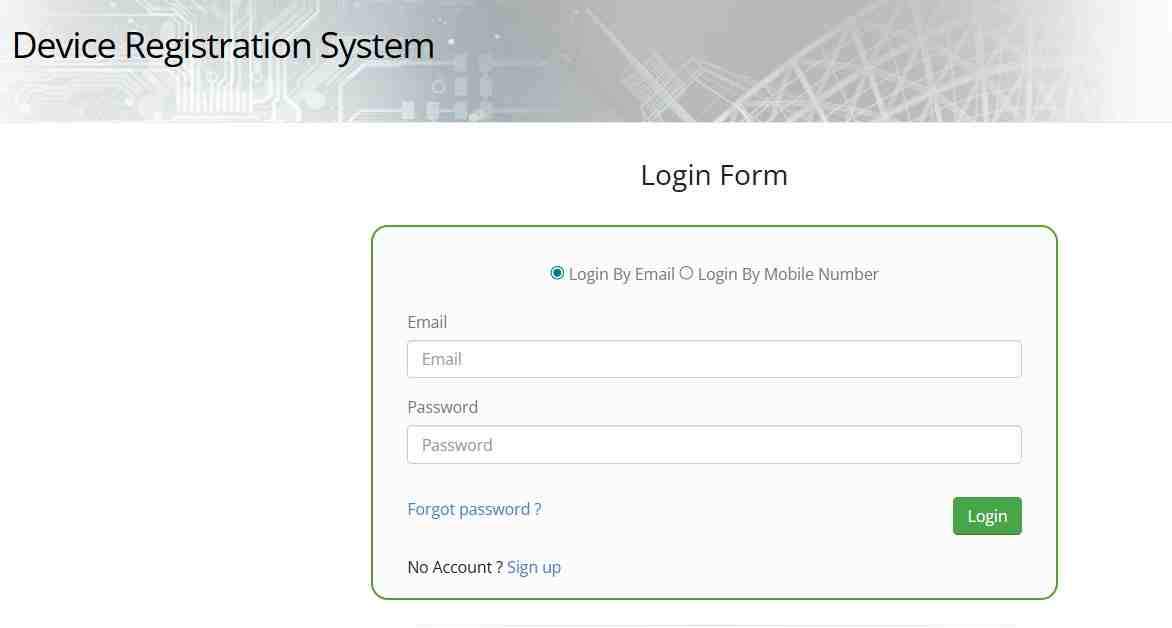
Table Of Contents
What Is PTA Mobile Registration and Why Is It Mandatory?
PTA mobile registration is the official process of recording your device’s unique International Mobile Equipment Identity (IMEI) number in Pakistan’s central telecom database. When you insert a local SIM card into any phone, the mobile networks immediately check this database to determine whether your device is authorized to operate in the country. If your IMEI isn’t registered as compliant, the system eventually blocks your phone from accessing any Pakistani mobile network.
Why does the Pakistan Telecommunication Authority block mobile phones?
The Pakistan Telecommunication Authority blocks unregistered mobile phones primarily to protect national security and ensure fair revenue collection. Every mobile device operating in Pakistan must meet safety standards and be traceable for law enforcement purposes. Additionally, the government collects substantial customs duties and taxes on legally imported phones. When people use unregistered devices smuggled into the country or tamper with IMEI numbers, the national exchequer loses billions of rupees annually. The blocking mechanism forces compliance with both security regulations and tax laws, creating a level playing field for legitimate importers and local manufacturers.
What exactly is the DIRBS system and how does it work?
DIRBS stands for Device Identification, Registration and Blocking System, an automated platform developed by PTA to track every mobile device active on Pakistani networks. The system maintains a centralized database of all IMEI numbers that have been properly registered and taxes paid. When you insert a SIM card, your mobile network operator queries the DIRBS database in real-time. If your IMEI appears as “Compliant,” your service continues normally. If your IMEI shows as “Non-Compliant” or “Blocked,” the system instructs the network to deny service. DIRBS operates continuously, scanning for unregistered devices and automatically adding them to blocking lists after specific timeframes expire.
How many phones have been blocked by PTA to date?
The scale of PTA’s enforcement is staggering. Since DIRBS became fully operational, authorities have blocked over 100 million mobile devices that failed to meet compliance requirements. This massive number includes smuggled phones, devices with tampered IMEI numbers, and phones whose temporary registration periods expired without tax payment. The blockages represent billions of rupees in potential tax revenue that the government is now recovering through increased compliance rates. For individual users, these statistics highlight the serious risk of assuming your phone will remain functional without proper registration.
What is the legal difference between PTA Approval and FBR Tax payment?
Understanding this distinction prevents costly confusion. PTA approval refers to technical compliance—ensuring your device meets network standards and isn’t stolen or cloned. However, paying Federal Board of Revenue (FBR) taxes is a separate financial requirement. When you bring a phone from abroad, you must pay customs duties and sales tax to the FBR. Only after these taxes are paid does PTA grant full “Compliant” status. Many users mistakenly believe their phones are fully approved when they’ve only completed one requirement. Always verify both aspects by checking your IMEI status through official channels.
How does the “whitelist” system control network access?
Think of the whitelist as the master access list for all Pakistani mobile networks. When DIRBS determines your device is compliant, it adds your IMEI to this whitelist. Every time your phone connects to Jazz, Zong, Telenor, or Ufone, the network checks the whitelist. If your IMEI isn’t present, the network rejects the connection attempt. This system operates automatically and simultaneously across all carriers, meaning a blocked phone cannot simply switch to another network. The whitelist updates in real-time, so once you complete registration and pay taxes, your access restores within hours across all networks.
Are tablets, iPads, and smartwatches required to be registered?
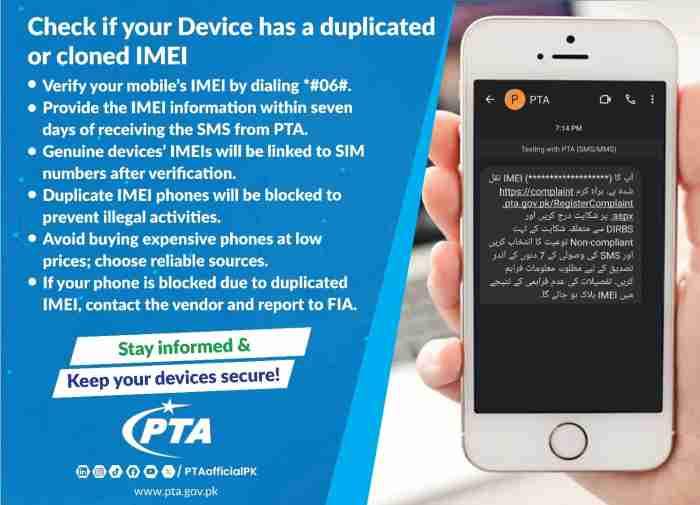
Yes, any device that accepts a Pakistani SIM card must be registered, regardless of form factor. Tablets with cellular capabilities, iPads with SIM slots, and smartwatches with independent mobile connectivity all contain IMEI numbers that require PTA compliance. Even portable WiFi devices and cellular routers must be registered. The only exemptions apply to devices that exclusively use WiFi and never connect to mobile networks. If your tablet or smartwatch ever inserts a SIM card or uses an eSIM profile from a Pakistani carrier, it must pass through the same registration process as a smartphone.
Does PTA approval apply to eSIMs or only physical SIM cards?
eSIM technology receives identical treatment to physical SIM cards under PTA regulations. Every eSIM-enabled device has a unique IMEI number, and that IMEI must appear as “Compliant” in the DIRBS database before any eSIM profile activates on Pakistani networks. This catches many users off guard who assume eSIMs operate outside traditional regulations. Whether you use a physical SIM or download an eSIM profile from Jazz or Zong, the network checks the same IMEI database. Failure to register your eSIM IMEI results in the same blocking consequences as physical SIM cards.
What is the penalty for using a non-compliant device in Pakistan?
The primary penalty is complete loss of mobile service. Once DIRBS identifies your device as non-compliant and the grace period expires, all Pakistani mobile networks simultaneously block your phone. You cannot make calls, send SMS messages, or use mobile data with any local carrier. WiFi functionality remains unaffected, so your phone works like a mini-tablet at home or in cafes, but becomes useless for on-the-go communication. Additionally, if authorities determine you knowingly used a device with tampered IMEI, you may face legal consequences including fines or confiscation of the device.
How to Perform a PTA Mobile Registration Online Check
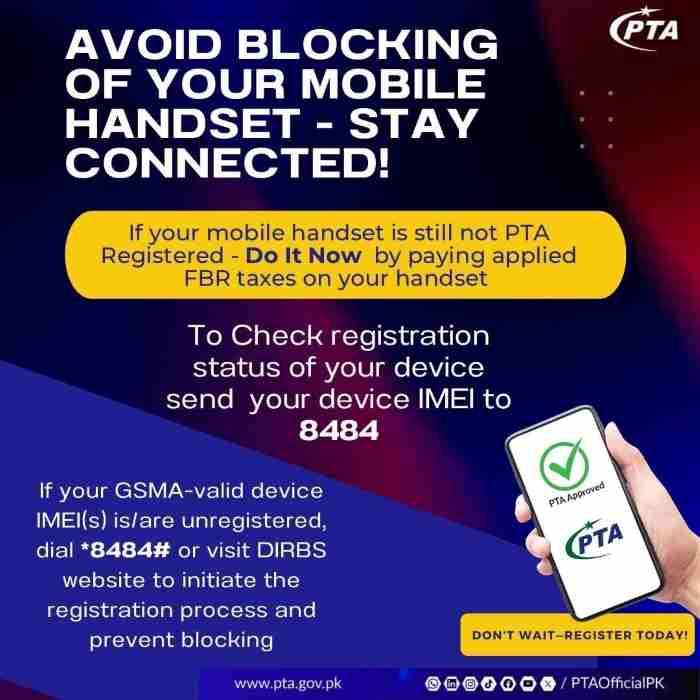
Performing a PTA mobile registration online check is surprisingly simple and takes less than two minutes using any of three official methods. Each method returns the same authoritative result from the DIRBS database, so you can choose whichever is most convenient for your situation.
What is the fastest way to check PTA approval status?
The absolute fastest method is dialing a USSD code, but you need your IMEI first. For the quickest complete check, sending an SMS to 8484 takes about 30 seconds from start to finish. You’ll have your result within one minute after sending the message. The DVS mobile app provides the most user-friendly experience with instant results after scanning or entering your IMEI, though you must download and install the app first. The web portal at dirbs.pta.gov.pk works well if you’re already on a computer or prefer using a browser.
Method 1: How to check PTA approval via SMS to 8484?
SMS verification remains the most accessible method for everyone with any mobile phone. You don’t need smartphone capabilities, internet access, or even a credit balance to perform this check.
What is the correct format to write the IMEI in the SMS?
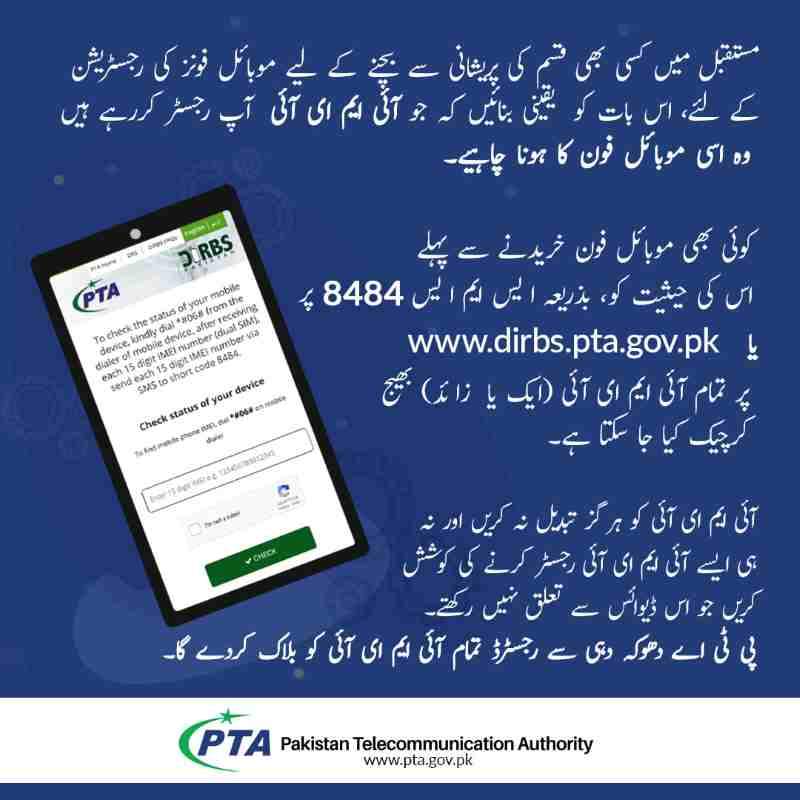
Open your messaging app and create a new message. Type your 15-digit IMEI number exactly as displayed when you dial *#06#. Do not add any spaces, dashes, words, or additional characters. The message should contain nothing except the 15 digits. Send this message to the short code 8484. Within seconds to a few minutes, you’ll receive a reply from PTA containing your device’s current status in the DIRBS system.
How long does it take to get a reply from 8484?
Response times typically range from 30 seconds to five minutes during normal business hours. Occasionally during high-traffic periods or system maintenance, responses may take up to two hours. If you haven’t received any reply after two hours, resend the message once. Repeatedly sending the same IMEI won’t speed up the process and may trigger spam filters. Save the reply message for your records, as it contains the official status determination you may need for reference.
Will 8484 work if I am currently outside Pakistan?
The 8484 short code only works when sent from within Pakistan using a Pakistani mobile number. If you’re overseas preparing to travel to Pakistan, you cannot use SMS verification until you arrive and insert a local SIM card. However, you can still check your device’s status using the web portal at dirbs.pta.gov.pk from anywhere in the world with internet access. Simply enter your IMEI number on the website and receive the same information without needing a Pakistani SIM card.
Method 2: How to use the PTA DVS Online Web Portal for IMEI check?
The Device Verification System web portal provides a straightforward browser-based verification option accessible from any device with internet connectivity.
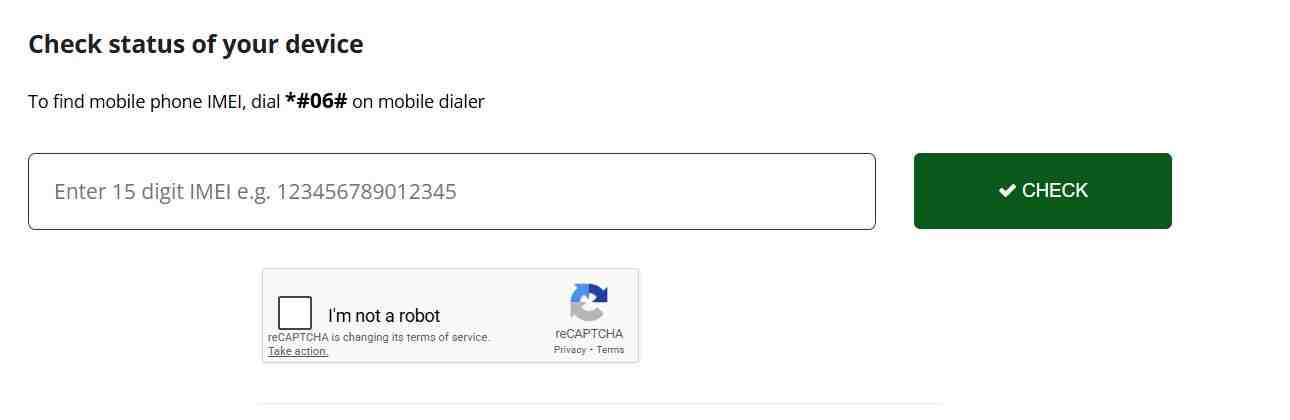
Step-by-step guide to using dirbs.pta.gov.pk.
Open your preferred web browser and navigate to the official DIRBS website. You’ll see a simple interface with a single input field labeled for your IMEI number. Enter your complete 15-digit IMEI exactly as obtained from your device. Complete the captcha verification to prove you’re a human user. Click the submit button and wait approximately five to ten seconds while the system queries the database. Your result displays clearly on screen, showing your device’s current compliance status and any additional relevant information.
Why does the website ask for a captcha and how to solve it?
The captcha exists to prevent automated bots from repeatedly querying the DIRBS database, which could overload the system or enable malicious data scraping. Simply type the characters you see in the image into the provided text box. If the characters are difficult to read, click the refresh icon to generate a new, potentially clearer captcha. The system needs this verification for every query, so be prepared to complete it each time you check a different IMEI.
Method 3: How to use the official PTA DVS Mobile App?
The PTA Device Verification System mobile app brings the full power of DIRBS checking to your smartphone with added convenience features.
Is the PTA DVS app safe to download and use?
Absolutely. The app is published by the Pakistan Telecommunication Authority, the official government regulator. You can find it on both the Google Play Store for Android devices and the Apple App Store for iPhones. Look for the app named “DVS – Pakistan” with the PTA official logo. Download and installation follow the same process as any trusted app. The app requests camera access only for scanning IMEI barcodes and does not access personal data beyond what’s necessary for verification.
How to use the built-in IMEI scanner feature?
The DVS app includes a clever feature that eliminates typing errors. Open the app and select the option to scan IMEI. Position your phone’s camera over the IMEI barcode typically printed on your phone’s original box or sometimes visible behind the SIM tray on newer models. The app automatically reads the barcode, extracts the 15-digit IMEI, and submits it for verification. Results appear instantly on your screen. You can also manually enter IMEI numbers for devices without scannable barcodes or when checking multiple phones.
Understanding Your PTA Status: Compliant, Valid, Non-Compliant, or Blocked
The status message you receive contains critical information about your device’s legal standing in Pakistan. Each term has a specific meaning that determines what actions you must take.
I checked my IMEI and it says “Compliant.” What does that mean?
Congratulations, your device is fully legal and approved for use on all Pakistani mobile networks. “Compliant” status confirms that your IMEI number is genuine, all required taxes have been paid, and PTA has registered the device in your name or with proper documentation. You can continue using your phone indefinitely without any further action. This status applies to phones purchased from authorized Pakistani dealers, phones properly imported with tax payment, and locally manufactured devices that passed through legal channels. No additional steps are required from you.
My status shows “Valid (Non-Compliant).” Is my phone approved or not?
This status indicates your device sits in a temporary grace period. “Valid” means your IMEI number itself is genuine and recognized by the GSMA database—it’s not fake, cloned, or tampered with. However, “Non-Compliant” means no taxes have been paid on this device, so it’s not fully approved. You have a specific window to pay the required taxes before the system automatically blocks your phone. This status commonly appears when you bring a personally used phone from abroad and insert a Pakistani SIM for the first time.
Clarifying the difference between “Compliant” and “Valid” statuses using official definitions.
The distinction matters greatly for your next steps. “Compliant” is the final, permanent approval status. “Valid (Non-Compliant)” is a temporary, conditional status that will expire. Think of “Valid” as a warning light on your dashboard—it tells you something genuine exists but requires your attention to avoid future problems. Your phone works perfectly now, but the clock is ticking toward a deadline. You must initiate the registration process and pay applicable taxes to transform “Valid” into “Compliant” before time runs out.
What does “Non-Compliant” status mean for my IMEI?
This status carries a more serious implication. “Non-Compliant” typically indicates your IMEI number fails basic validation checks. The number might be incorrectly entered, doesn’t follow standard IMEI formatting, or has been identified as counterfeit. In many cases, this status appears on phones with tampered IMEIs where someone attempted to bypass registration requirements through illegal patching.
How to identify if your IMEI is fake, cloned, or duplicated.
Several red flags suggest IMEI tampering. If your phone shows the same IMEI number in both SIM slots, that’s suspicious because dual-SIM devices always have two unique IMEIs. If your phone displays an IMEI belonging to a completely different brand—like a Samsung showing a Nokia IMEI when checked—that’s definitive proof of patching. You can also check online databases that reveal the original manufacturer associated with any IMEI prefix. If the manufacturer doesn’t match your phone brand, your device has been illegally modified and faces immediate blocking risk.
What happens if my phone status is “Blocked”?
A “Blocked” status means your device has been added to the nationwide blacklist and cannot connect to any Pakistani mobile network. Attempting to insert any SIM card results in “No Service” or “Emergency Calls Only” messages. Blocking occurs automatically when a “Valid (Non-Compliant)” device exceeds its grace period without tax payment, when a stolen phone is reported, or when PTA detects IMEI tampering during enforcement sweeps. Recovery from blocking requires proving legitimate ownership and paying all outstanding taxes plus potential penalties.
Why is my PTA-approved phone showing “No Service” or “Not Registered on Network”?
This frustrating situation can occur even with a “Compliant” phone for several reasons. Your device might have been recently approved and the network whitelist hasn’t updated yet—wait up to 24 hours. Alternatively, your phone might have network compatibility issues if imported from a region with different frequency bands. Some users discover their “approved” phone was actually patched with a stolen IMEI that got blocked when the original owner reported it. Always verify your status directly through PTA channels rather than trusting seller assurances or visual indicators on your phone.
The 60-Day Rule and the 120-Day Facility for Overseas Pakistanis
Time limits form the backbone of PTA’s enforcement system. Understanding these deadlines prevents unexpected service interruptions that leave you scrambling for solutions.
How many days can I use a non-PTA phone in Pakistan legally?
Local residents have exactly 60 days from the moment they first insert a Pakistani SIM card into an unregistered device. This 60-day window allows time to gather funds for tax payment or decide whether to keep the phone permanently. During these 60 days, your phone functions normally on all networks. On day 61, if taxes remain unpaid, DIRBS automatically adds your IMEI to the block list and your service ceases. There are no extensions, warnings, or second chances after this deadline passes.
When does the 60-day countdown actually start?
The countdown begins the instant your phone successfully registers on any Pakistani mobile network. This typically happens when you insert a SIM card and see signal bars for the first time. Even if you immediately remove the SIM, the system has recorded that connection event. The 60 days continue counting regardless of whether you keep the SIM inserted. Some users mistakenly believe removing the SIM resets the clock, but DIRBS tracks the first activation date permanently and blocks precisely 60 days later regardless of subsequent SIM usage patterns.
Can I reset the 60-day timer by changing my SIM or leaving the country?
No, absolutely not. The 60-day timer ties to the device’s IMEI, not to any specific SIM card or network. Changing from Jazz to Zong makes no difference because all networks share the same DIRBS database. Leaving Pakistan for several months and returning also fails to reset the clock—the system remembers the original activation date permanently. Once your 60 days expire, your phone blocks forever unless you pay taxes and register properly. The only way to obtain a new 60-day window is to use a different, unregistered phone that hasn’t previously activated on Pakistani networks.
What is the 120-day tax-free registration for Overseas Pakistanis?
The Pakistan Telecommunication Authority recognizes that overseas Pakistanis and foreign visitors need connectivity during temporary stays without paying full import duties. The 120-day facility provides exactly that—completely free, temporary registration for personal devices used during visits. This service launched to facilitate tourism, business travel, and family visits while maintaining the integrity of the permanent registration system.
How to apply for the 120-day facility on the DIRBS DRS portal?
Visit dirbs.pta.gov.pk/drs and select the option for Temporary Registration for Overseas Pakistanis/Foreign Nationals. You’ll need to create a simple account using your passport number or CNIC. Enter your planned travel dates, though the system is flexible if your stay extends slightly beyond estimates. Provide your device details including both IMEI numbers for dual-SIM phones. Submit the application, and within minutes you’ll receive confirmation that your device is temporarily registered for 120 days from your arrival date.
What documents (passport, arrival date) are required for temporary registration?
You’ll need your valid passport containing your current entry stamp or visa showing arrival in Pakistan. Overseas Pakistanis can use their NICOP or valid passport. The system asks for your expected arrival date or actual date if you’ve already entered the country. While the facility is designed for pre-arrival application, you can also apply after landing in Pakistan. Keep your travel documents handy as the system may verify your immigration status with the Federal Investigation Agency’s database.
Can a foreign tourist also apply for the 120-day exemption?
Yes, absolutely. The 120-day facility extends equally to all foreign nationals visiting Pakistan for tourism, business, or any other legitimate purpose. You don’t need to be of Pakistani origin to qualify. Simply follow the same application process using your passport details and travel information. This makes Pakistan significantly more welcoming to international visitors who would otherwise face expensive tax bills for short stays.
What happens after the 120-day period expires?
Your phone automatically stops working on Pakistani networks the day after your 120-day temporary registration expires. You’ll see “No Service” or similar messages, though WiFi continues functioning. If you’re still in Pakistan, you have two options: leave the country with your phone, which will work again once you’re outside Pakistan on foreign networks, or convert to permanent registration by paying all applicable taxes through the standard PSID process. You cannot apply for another 120-day period on the same device; the facility is available once per visit.
Can I use the 120-day facility for more than one phone per visit?
Yes, the temporary registration covers multiple devices for the same traveler. You can register your smartphone, tablet, and even a portable WiFi device all under your 120-day exemption. Each device requires its own application with its specific IMEI numbers. The 120-day clock runs simultaneously for all registered devices based on your arrival date. If you bring multiple phones, register each one promptly to ensure all remain compliant throughout your stay.
How to Find Your 15-Digit IMEI Number (Without Fail)
Before you can check any status or complete any registration, you must locate your device’s unique 15-digit IMEI number. This number serves as your phone’s digital fingerprint and appears in multiple locations.
What is the universal code to display IMEI on any phone?
Open your phone’s dialer as if you’re about to make a call. Type *#06# and wait—do not press the call button. Within one second, your screen automatically displays the IMEI number or numbers associated with your device. This universal code works on every mobile phone regardless of brand, model, or operating system. For dual-SIM phones, you’ll see two IMEI numbers clearly labeled. For iPhones with eSIM support, you may see additional IMEI numbers for the eSIM functionality. Write down every number displayed.
Where to find IMEI in phone settings (iOS and Android)?
If you prefer navigating through menus, every phone stores IMEI information in settings. On iPhones, go to Settings > General > About and scroll down until you see IMEI information. On Android phones, the path varies slightly but typically follows Settings > About Phone > Status > IMEI Information. Samsung users can find it under Settings > About Phone > Status Information. These settings menus also display additional details like serial numbers and software versions that may prove useful for support inquiries.
Where is the IMEI printed on the phone box or under the battery?
Every original phone box includes a sticker or printed label displaying the device’s IMEI numbers alongside other barcodes. This provides a reliable reference point if your phone becomes inaccessible. For older phones with removable batteries, the IMEI often appears printed directly on the phone’s interior beneath the battery compartment. Current phones with sealed backs lack this interior printing, so the box label becomes your only physical backup. Take a photo of this label and store it safely for future reference.
How do I find both IMEI numbers on a Dual-SIM phone?
Dual-SIM phones require special attention because they contain two distinct IMEI numbers—one for each SIM slot. Dialing *#06# displays both numbers simultaneously, typically labeled as IMEI 1 and IMEI 2 or with corresponding slot indicators. You must record both numbers because each requires separate registration. If you register only one IMEI, the other SIM slot will eventually stop working, leaving you with a partially functional phone. This dual registration requirement applies equally to phones with one physical SIM and one eSIM, as eSIMs also have unique IMEI identifiers.
What is an IMEI and why is it 15 digits long?
IMEI stands for International Mobile Equipment Identity, a globally unique number assigned to every mobile device during manufacturing. The 15-digit structure follows international standards: the first eight digits identify the device model and manufacturer (Type Allocation Code), the next six digits provide the unique serial number, and the final digit serves as a check digit for validation purposes. This numbering system ensures no two devices worldwide share the same IMEI, making each phone uniquely traceable across international networks.
How to Register Your Mobile with PTA and Pay the Tax Online
Once you’ve confirmed your device requires registration and you’ve decided to keep it permanently in Pakistan, follow this systematic process to achieve full “Compliant” status.
How do I register my mobile with PTA for free? (Is it possible?)
Registration itself carries no fee—the government doesn’t charge simply for entering your information into the database. The costs come from customs duties, sales tax, and regulatory fees imposed by FBR based on your phone’s value. So yes, you can complete the application steps for free, but unless you qualify for the 120-day visitor exemption, you will eventually need to pay the calculated taxes. Think of registration as the administrative process and tax payment as the financial requirement—both necessary for full compliance.
How to register a mobile via USSD code *8484#?
The USSD method provides the simplest registration path for users comfortable with basic phone menus. Dial *8484# from any Pakistani mobile number and follow the on-screen prompts. You’ll be asked to provide your CNIC number and the IMEI of your device. The system checks your information against NADRA records for verification. After successful submission, you’ll receive an SMS containing your Payment Slip ID and instructions for completing the tax payment. This method works best for individuals registering a single device without complicated paperwork.
Step 1: How to obtain your IMEI and check compliance.
Before starting any registration, collect all IMEI numbers for your device using the methods described earlier. Perform a compliance check through SMS, web portal, or app to confirm your current status. If your status shows as “Valid (Non-Compliant),” you’re ready to proceed with registration. If it shows “Compliant” already, stop—your device is already fully registered. If it shows “Non-Compliant” or “Blocked,” you may need to address underlying IMEI issues before registration can proceed.
Step 2: How to create a login on the DIRBS portal.
Visit dirbs.pta.gov.pk and locate the registration or sign-up option. You’ll need to provide your CNIC number for Pakistani citizens or passport number for foreigners. The system sends a verification code to your mobile number for confirmation. Create a password and security questions for future access. This login becomes your permanent dashboard for managing all registered devices, checking status updates, and generating PSIDs for tax payments.
Step 3: How to generate a Payment Slip ID (PSID) for PTA tax.
After logging into your DIRBS account, select the option to register a new device. Enter your phone’s complete details including brand, model, and all IMEI numbers. The system calculates applicable taxes based on current FBR valuation tables and your device’s specifications. Upon submission, you receive a unique Payment Slip ID (PSID) consisting of a numerical code. This PSID links specifically to your registration application and contains the exact tax amount due.
How to check my PTA tax amount online using the PSID?
With your PSID in hand, you can verify the tax amount through multiple channels. The DIRBS portal displays the amount when you view your application details. Many banks offer PSID inquiry services through their websites and mobile apps, allowing you to confirm the amount before payment. Third-party tax calculator websites also provide estimates, but always rely on the amount associated with your official PSID rather than estimates or screenshots from other sources.
Step 4: How to pay PTA tax through JazzCash, Easypaisa, or ATM.
Modern payment methods make tax payment convenient from anywhere. Open your JazzCash or Easypaisa app and locate the government payment or tax payment section. Select “PSID Payment” and enter your 14-digit PSID number. The app displays the amount due for confirmation. Complete the payment using your mobile account balance or linked bank account. Alternatively, visit any ATM, select the government payment option, enter your PSID, and insert cash or use your debit card for immediate payment. Bank branches also accept PSID payments over the counter for those preferring in-person transactions.
Can I pay my PTA tax through mobile banking apps?
Yes, virtually all Pakistani banks now support PSID payments through their mobile banking applications. Log into your HBL, Meezan, UBL, Allied Bank, or any other major bank’s app. Navigate to payments or government transactions and select the PSID payment option. Enter your PSID number, verify the amount, and authorize payment using your app’s security method. The transaction processes immediately, and your bank provides a receipt confirming successful payment. Save this receipt digitally as proof of payment.
How to pay PTA tax at an ATM machine?
Visit any ATM belonging to banks that accept government payments. Insert your card and enter your PIN. From the main menu, select “Government Payments” or “Tax Payments.” Choose “PSID Payment” from the available options. Enter your 14-digit PSID number carefully, as incorrect entries may delay processing. The ATM screen displays the amount due for confirmation. After confirming, the machine processes your payment and issues a receipt. Keep this receipt until your device status updates to “Compliant.”
Step 5: How to confirm final registration after payment.
Payment processing typically completes within minutes to a few hours. Log back into your DIRBS account and check the status of your application. Once the system matches your payment with your PSID, your device status automatically updates to “Compliant.” You can also perform a fresh IMEI check via SMS or web portal to verify the updated status. If 24 hours pass without status change, contact PTA support with your PSID and payment receipt for assistance. After confirmation, insert your SIM card and enjoy uninterrupted service.
PTA Tax Calculation: How Much Does It Cost to Register an iPhone, Samsung, or Xiaomi?
Tax amounts vary dramatically based on your device’s value, age, and whether you register using a passport or CNIC.
How is PTA tax calculated for new vs. used phones?
The FBR maintains valuation tables that assign taxable values to every phone model based on international market prices. New phones typically fall into higher valuation brackets because they’re assessed at near-retail prices. Used phones may qualify for depreciation allowances if you can prove purchase date and provide original receipts. However, the system often defaults to standard valuations unless you specifically request depreciation consideration with supporting documentation. Generally, expect to pay between 30% to 50% of your phone’s value in combined duties and taxes.
What is the PTA tax estimate for iPhone 16, iPhone 15, and Samsung S24?
Tax amounts fluctuate with exchange rates and government policy changes, but recent patterns provide useful estimates. High-end flagship phones like iPhone 16 Pro Max typically incur taxes exceeding 100,000 rupees. iPhone 15 Pro models range between 80,000 to 95,000 rupees depending on storage capacity. Samsung S24 Ultra falls in a similar range around 85,000 to 100,000 rupees. Mid-range devices like Samsung A series or iPhone standard models incur proportionally lower taxes. Always generate an official PSID for your specific device rather than relying on estimates, as taxes change frequently.
Is the PTA tax the same for a phone brought in luggage vs. imported commercially?
Significant differences exist between personal importation and commercial shipment. Phones accompanying you in luggage qualify for personal use allowances and may receive more favorable tax treatment. Commercially imported phones face additional regulatory duties, sales tax, and income tax components that substantially increase total costs. Additionally, commercial shipments must clear customs through formal channels with licensed clearing agents, adding complexity and expense. For single phones for personal use, always declare them upon arrival and pay applicable duties through the PTA registration process rather than attempting commercial channels.
How can I use a PTA tax calculator to estimate fees before buying?
Several Pakistani tech websites offer PTA tax calculator tools that provide rough estimates based on current rates. These calculators ask for your phone model, estimated purchase price, and whether you’re registering via CNIC or passport. While useful for budgeting, treat calculator results as approximations only. Tax rates change, valuation tables update, and individual circumstances affect final amounts. The only binding figure comes from your official PSID generated through DIRBS. Use calculators for planning, but wait for the PSID before making final financial commitments.
Who is exempt from paying PTA mobile taxes?
Limited exemptions apply to specific categories. Diplomats accredited to Pakistan and posted in foreign embassies qualify for complete tax exemption on personal devices with proper documentation. Returning overseas Pakistanis bringing used personal phones may receive partial concessions if they can prove the phone was purchased and used abroad for an extended period before arrival. Foreign tourists using the 120-day temporary registration pay no taxes during their visit. All other users must pay applicable taxes, with no exceptions based on nationality, profession, or purpose of stay beyond the temporary facility.
Buying a Used Phone? How to Verify PTA Approval Before You Pay
The used phone market carries significant risks of purchasing devices with hidden compliance issues. Following these verification steps protects your investment.
How to verify a second-hand phone before buying on OLX or Daraz?
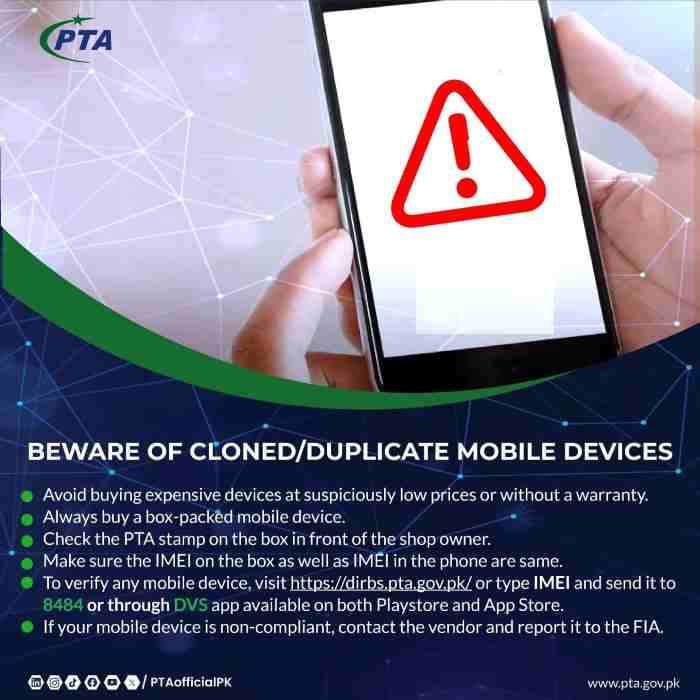
Never rely on seller claims or screenshots of status checks. Insist on checking the phone’s IMEI yourself in person before any payment. Dial *#06# on the actual device and write down the displayed numbers. Immediately send an SMS to 8484 with that IMEI and wait for the response. The reply reveals the true status regardless of what the seller told you. If the seller hesitates or makes excuses about why you can’t check, walk away immediately—legitimate sellers expect and welcome this verification.
Why you must check the IMEI on the phone itself, not the box.
Unscrupulous sellers sometimes show you a box with a legitimate IMEI while handing over a different phone. The box might display a “Compliant” IMEI, but the actual device could be patched, blocked, or completely different. Always verify the IMEI through the phone’s own dialer code or settings menu. Compare this number to the box if available, and always perform the live SMS check from the phone itself. This simple step prevents the most common and expensive scam in the Pakistani used phone market.
The “Dual IMEI” Scam: Why you must check both SIM slots.
In the dual IMEI scam, fraudsters register one legitimate IMEI and duplicate it across multiple phones they sell. Each buyer checks their phone and sees “Compliant” because that IMEI is genuinely registered. However, when multiple phones with identical IMEIs attempt to connect simultaneously, DIRBS detects the duplication and blocks all devices sharing that number. You discover you’ve bought a blocked phone only after the scammer is long gone. Protect yourself by checking both IMEI numbers on dual-SIM phones and ensuring they’re different from each other and unique to your device.
What to do if the seller provides a “PTA Approval Receipt” or PSID?
Receipts and PSID numbers can be genuine or forged. If the seller claims taxes are already paid, ask for the original PSID number and verify it through official channels. Log into the DIRBS portal and check that PSID status. Confirm that the PSID was paid and that the IMEI linked to that payment matches your phone’s IMEI. Even a genuine paid PSID becomes worthless if it was generated for a different device. Never accept screenshots or photos of receipts—insist on verification you can perform yourself.
Downloadable checklist for buying a used PTA-approved phone.
Before purchasing any used phone, complete this verification checklist:
- Dial *#06# and record all displayed IMEI numbers
- Send each IMEI via SMS to 8484 and wait for official responses
- Verify both IMEIs return “Compliant” status (not “Valid” or “Non-Compliant”)
- Check that both IMEI numbers are different from each other
- Test both SIM slots with active SIM cards before payment
- Confirm the phone’s physical condition matches the IMEI status
- Request original purchase receipt if available
- Only complete payment after all checks pass
Grey Market Traps: What are JV, CPID, and Patched Phones?
The grey market offers tempting discounts but carries severe risks. Understanding these terms helps you avoid expensive mistakes.
What is a “JV” or “Joint Venture” phone, and is it legal?
“JV phone” is market slang for devices originally locked to specific carriers abroad that have been unlocked through unofficial methods. Sellers claim these phones work in Pakistan after “joint venture” modifications. In reality, most JV phones use temporary software unlocks that fail after system updates, or they’ve had IMEIs patched with numbers from cheap local phones. JV phones are not legal, have no guarantee of continued functionality, and frequently get blocked during PTA enforcement sweeps. Avoid them entirely regardless of attractive prices.
What is CPID in mobile phones? How does it fake PTA approval?
CPID refers to “Custom Patch ID” technology used to modify a phone’s internal memory and replace its original IMEI with a different number. Scammers take expensive phones like iPhones or Samsung flagships and overwrite their IMEIs using numbers extracted from cheap, tax-paid feature phones. When you check the IMEI, it appears “Compliant” because the cheap phone’s taxes were legitimately paid. However, your expensive phone now carries a fake identity. PTA’s systems increasingly detect these mismatches by checking the IMEI against manufacturer databases, resulting in mass blocking of CPID devices.
The danger of IMEI duplication and permanent blocking with CPID.
When multiple CPID phones carry the same cloned IMEI, the original cheap phone’s owner may report issues or PTA detects the duplication during routine scans. At that moment, every device sharing that IMEI gets permanently blocked. You lose your phone entirely with no recourse because the IMEI isn’t legally yours. Additionally, banking apps and secure services may detect IMEI inconsistencies and block access to protect against fraud. CPID phones often cannot use JazzCash, Easypaisa, or mobile banking apps.
What does “Patched” or “Rooted” mean for PTA approval?
“Patched” refers to phones whose operating systems have been modified to hide IMEI tampering or simulate compliance. “Rooted” describes Android phones with administrative access that allows deep system modifications. While not all rooted phones are patched, patching requires root access. These modifications break the phone’s security model and often prevent critical updates. PTA actively works with manufacturers to identify patched devices through software checks that detect unauthorized modifications.
Why banking apps (JazzCash, HBL) won’t work on Patched phones.
Pakistani banks implement sophisticated security measures that detect device tampering. When your phone has modified system files or an altered IMEI, banking apps recognize these as security risks and refuse to run. You’ll see messages about “rooted device” or “security violation” and cannot access your accounts. This affects all financial apps, government services, and increasingly, social media platforms that implement anti-fraud protections. The savings from buying a patched phone disappear when you cannot use essential digital services.
How to identify if a phone is CPID patched using the 8484 response.
The SMS response to 8484 provides clues. If your expensive iPhone returns a status showing a manufacturer like Nokia or an unknown brand, that’s definitive proof of patching. Even without brand mismatch, if the response seems generic or doesn’t match your phone’s expected origin, be suspicious. Cross-check by visiting manufacturer websites that offer IMEI lookup services—Samsung and Apple both provide official tools to verify IMEI authenticity against their databases. If the manufacturer says your IMEI belongs to a different model, your phone is patched.
Is it safe to buy a non-PTA phone and get it approved later?
Buying a genuine, unmodified non-PTA phone and paying proper taxes through official channels is completely safe and legal. The risk comes from buying devices that have already been tampered with or carry fraudulent IMEIs. If you buy a phone with its original, untampered IMEI, you can complete the standard registration process and achieve full compliance. The key distinction is between genuine devices needing tax payment versus modified devices with compromised identities. Always verify IMEI authenticity before purchase.
What If My Phone Is Blocked? Recovery and Unblocking Options
Discovering your phone is blocked creates panic, but recovery options exist depending on why the blocking occurred.
My phone is blocked by PTA. How do I unblock it?
First, determine why your phone was blocked by checking your IMEI through official channels and noting the specific blocking reason. If blocking resulted from non-payment of taxes after the 60-day window, you can still pay the taxes plus any late penalties through the standard PSID process. Once payment clears, the system automatically unblocks your device. If blocking occurred due to IMEI duplication or tampering, recovery requires proving legitimate ownership through original purchase receipts, travel documents, and potentially manufacturer verification. Contact PTA directly for tampering-related blocks.
Can I unblock my phone by paying the tax after the deadline?
Yes, you can still pay taxes even after your phone is blocked, though you may face additional penalties. Log into DIRBS, generate a fresh PSID for your device, and complete payment through any available channel. After payment processes, your phone should unblock within 24 hours. The key requirement is that your IMEI must be genuine and not tampered with. If your phone was blocked for IMEI fraud rather than non-payment, paying taxes won’t help because the IMEI itself is invalid.
How long does it take to unblock an IMEI after tax payment?
Most devices unblock within three hours of successful tax payment, though some take up to 24 hours depending on bank processing times and DIRBS system updates. You’ll know the process is complete when a fresh IMEI check returns “Compliant” status. Until then, your phone may remain blocked even though you’ve paid. If 24 hours pass without change, contact PTA support with your PSID and payment receipt. Do not repeatedly reapply or generate new PSIDs—this complicates the process and may delay resolution.
My phone is blocked but I am traveling abroad. Will it work there?
Blocked phones work perfectly outside Pakistan because the block only applies to Pakistani networks. If you’re traveling abroad, insert a local SIM card from that country and your phone functions normally for calls, data, and all services. The block reactivates immediately upon returning to Pakistan and inserting a local SIM. Some travelers use this as a temporary solution, keeping their phone for international trips while accepting it won’t work at home. For permanent residents, however, paying taxes remains the only complete solution.
Can I use a blocked phone on Wi-Fi only?
Absolutely. A blocked phone becomes essentially a WiFi-only tablet. All features that don’t require cellular connectivity continue working perfectly—browsing the internet over WiFi, using messaging apps like WhatsApp and Facebook Messenger on WiFi, playing games, taking photos, and accessing all installed applications. Only calls, SMS, and mobile data through Pakistani SIM cards are affected. Some users keep blocked phones as secondary devices for entertainment and WiFi-based communication while purchasing new compliant phones for primary mobile service.
What is the “Pairing” process and can it unblock my phone?
“Pairing” refers to an older PTA policy where blocked devices could be paired with a specific SIM card for continued use. This facility existed during the initial DIRBS rollout but has been discontinued. Current regulations offer no pairing option—devices are either fully compliant or completely blocked. If someone offers to “pair” your phone for a fee, they’re attempting fraud. The only legal path to restored service is full tax payment and registration through official channels.
How to track my PTA registration application status.
Log into your DIRBS account at dirbs.pta.gov.pk and navigate to your applications or registered devices section. Every submitted application shows its current status, from “Pending” through “Payment Required” to “Completed” or “Compliant.” For applications submitted via USSD, you’ll receive SMS updates at each stage. Save your application reference numbers when you receive them—these allow tracking even without logging into the portal. If you lose tracking information, contact PTA support with your CNIC and device IMEI for assistance.
Frequently Asked Questions – PTA Mobile Registration
Can I register two phones on the same CNIC?
Yes, you can register multiple devices on a single CNIC without limitation. Each phone requires its own registration application and tax payment. The system tracks all devices associated with your identity but imposes no maximum on personal-use phones. Commercial importers face different regulations, but individuals may register as many personally used devices as needed.
How do I register a mobile for a child or family member?
Registration uses the CNIC of the person who will use the phone, even if you’re paying the taxes. If registering for a child without their own CNIC, use the child’s B-Form number which serves as their identity in NADRA’s database. The process remains identical—enter the B-Form number where CNIC is requested, and complete registration using that identifier. The phone then associates with that individual rather than your CNIC.
My IMEI is showing “Non-Compliant” even though I bought it in Pakistan. Why?
This situation suggests your phone may have been tampered with before purchase, or you’ve encountered a counterfeit device. Some unethical retailers sell phones with fake IMEIs, smuggled devices presented as local, or phones that were never properly registered despite being sold in Pakistan. Contact the seller immediately for explanation and refund. If the seller is unresponsive, file a complaint with PTA and provide your purchase details. Unfortunately, you may need to pursue legal remedies or accept the phone as unusable on Pakistani networks.
What is the difference between “GSMA Valid” and “Compliant”?
“GSMA Valid” confirms your IMEI number is properly formatted and recognized by the international GSMA database as belonging to a legitimate manufacturer. This means your IMEI isn’t fake or randomly generated. However, “GSMA Valid” devices remain “Non-Compliant” until taxes are paid. “Compliant” means your device passes both the GSMA validation AND has cleared all Pakistani tax requirements. Think of GSMA Valid as technical authenticity, while Compliant adds financial and regulatory approval.
Is there a way to bypass PTA registration legally?
No legal bypass exists for permanent residents. The 120-day temporary facility provides legal relief for visitors, but residents must complete full registration. Any service claiming to “bypass” PTA permanently through software tricks or unofficial channels is either scamming you or offering illegal IMEI tampering that will eventually fail and may result in permanent blocking. Accept the legal requirements as the cost of using modern mobile services in Pakistan.
Can I pay PTA tax in installments?
No, the system requires full payment at once through your PSID. The PSID generates for a specific amount that must be paid in full within seven days. Partial payments are not accepted and will not result in registration. You must arrange the full tax amount before initiating the payment process.
How do I get a duplicate PTA approval certificate?
Log into your DIRBS account and navigate to your registered devices. Each compliant device displays an option to view or download an official compliance certificate. This PDF document serves as proof of registration for future reference, resale purposes, or customs verification. Save these certificates digitally for each device you own.
What is the role of FIA’s IBMS in mobile registration?
The Federal Investigation Agency’s Immigration and Border Management System integrates with PTA’s DIRBS to verify traveler identities and track devices entering Pakistan. When you arrive at airports, IBMS records your entry and can flag devices for customs verification. This integration helps enforce the 120-day temporary registration rules and prevents abuse of the visitor exemption. The systems share data to ensure individuals don’t exceed allowed temporary registration periods.
The Future of Mobile Compliance in Pakistan
Regulations continue evolving to address new challenges and technologies in the mobile ecosystem.
How has local manufacturing affected PTA approval rates?
Local manufacturing has dramatically simplified approval for domestically produced phones. Devices assembled in Pakistan by authorized manufacturers receive automatic compliance status at the point of sale, with taxes included in the purchase price. Consumers buying local brands like Inovi, QMobile, or Samsung’s locally assembled models never need to worry about separate PTA registration. This local production ecosystem reduces smuggling incentives and makes compliance the default rather than an afterthought.
Will PTA taxes ever be reduced?
Tax rates depend on broader government fiscal policy beyond PTA’s control. While industry advocates regularly petition for reduced rates to encourage compliance and reduce smuggling, tax levels reflect the government’s revenue needs. However, the government has shown willingness to adjust rates when they prove counterproductive. If tax rates encourage widespread smuggling and IMEI tampering, causing revenue losses, adjustments become more likely. Monitor official FBR announcements for any rate changes.
How does 5G rollout affect device compliance checks?
As Pakistan expands 5G coverage, compliance systems are evolving to handle new device types and use cases. 5G devices contain more complex IMEI structures and must work across multiple frequency bands. The DIRBS system continuously updates to recognize these new devices and verify their compliance status. When 5G launches commercially, all 5G devices will require the same registration process as current phones, with no special exemptions or simplified procedures.
PTA Mobile Registration at a Glance
| Verification Method | How to Use | Response Time | Best For |
|---|---|---|---|
| SMS to 8484 | Send IMEI number to 8484 | 1-5 minutes | Quick checks, basic phones |
| Web Portal | Visit dirbs.pta.gov.pk | Instant | Detailed status, multiple devices |
| DVS Mobile App | Download from app stores | Instant | On-the-go verification, scanning |
| Device Status | Meaning | Required Action |
|---|---|---|
| Compliant | Fully approved, taxes paid | None – enjoy your phone |
| Valid (Non-Compliant) | Genuine IMEI, taxes pending | Pay taxes within 60 days |
| Non-Compliant | IMEI issues detected | Contact seller, verify authenticity |
| Blocked | Service suspended | Pay taxes or prove ownership |

Add a Comment