
A vehicle registration check in Islamabad using a CNIC is the official process of retrieving all motor vehicles registered under a specific Computerized National Identity Card through the Excise and Taxation Department’s digital database.
What you are going to learn from this guide:
- All five official methods to perform a CNIC-based vehicle registration check in Islamabad
- Step-by-step tutorials for the MTMIS portal, City Islamabad app, and SMS 8521 service
- How to verify smart card status, token tax payments, and biometric transfers
- Troubleshooting solutions when vehicles do not appear under your CNIC
- Legal limits on how many vehicles can be registered on a single CNIC
Key Takeaways
- CNIC-Based Search Displays All Vehicles: Unlike registration number searches that show single vehicle details, a CNIC query returns every car, motorcycle, and commercial vehicle registered under that identity.
- Multiple Verification Channels Exist: Islamabad offers five distinct methods for vehicle verification by CNIC: web portal, mobile app, SMS service, physical police center, and the Pak ID biometric app.
- Biometric Verification Is Now Required: Vehicle ownership transfers and registration checks by CNIC now mandate biometric authentication through NADRA’s Pak ID app, eliminating embassy visits for overseas owners.
- Read More: Online Vehicle Verification In Punjab (Check By CNIC)
- Read More: Excise and Taxation Punjab Online Verification – Smart Card Status Check
- Read More: Bike Registration Check By CNIC Punjab – Official Portal
Vehicle Registration Check Islamabad (Check By CNIC)
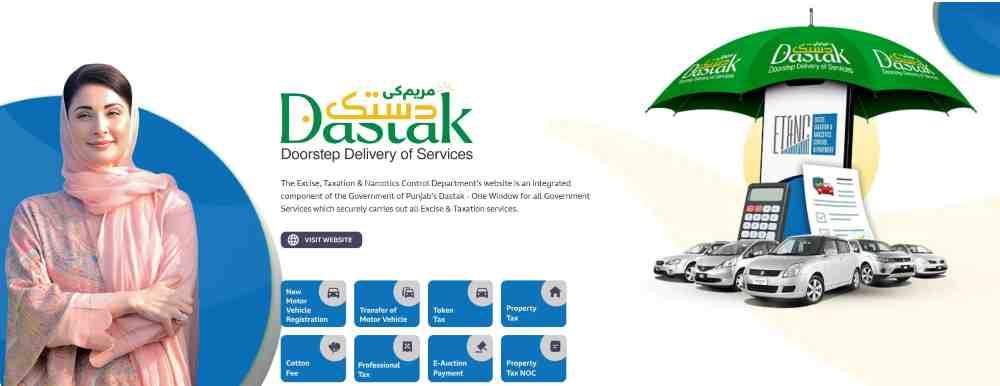
Table Of Contents
Understanding the Excise and Taxation System for Vehicle Registration in Islamabad
The Excise and Taxation Department Islamabad operates as the central authority managing all motor vehicle registrations within the Islamabad Capital Territory (ICT). This government entity maintains a comprehensive digital database that links every registered vehicle to the owner’s CNIC, enabling seamless verification and tax collection.
What is the Excise and Taxation Department Islamabad and what role does it play in vehicle registration?
The Excise and Taxation Department Islamabad is the government body responsible for registering new vehicles, transferring ownership, collecting annual token tax, issuing smart cards and number plates, and enforcing motor vehicle laws within the capital territory. The department also manages biometric verification for sellers and purchasers during vehicle transfers and maintains records of all registered vehicles, including cars, motorcycles, commercial vehicles, and government-owned transport.
Key functions of the department relevant to CNIC-based checks:
- Vehicle new registration and ownership transfer processing
- Smart card issuance and digital record maintenance
- Token tax collection and revenue management
- Biometric verification of sellers and purchasers
- Enforcement actions against illegal vehicles and fake registrations
How the Motor Transport Management Information System (MTMIS) Islamabad works for vehicle verification
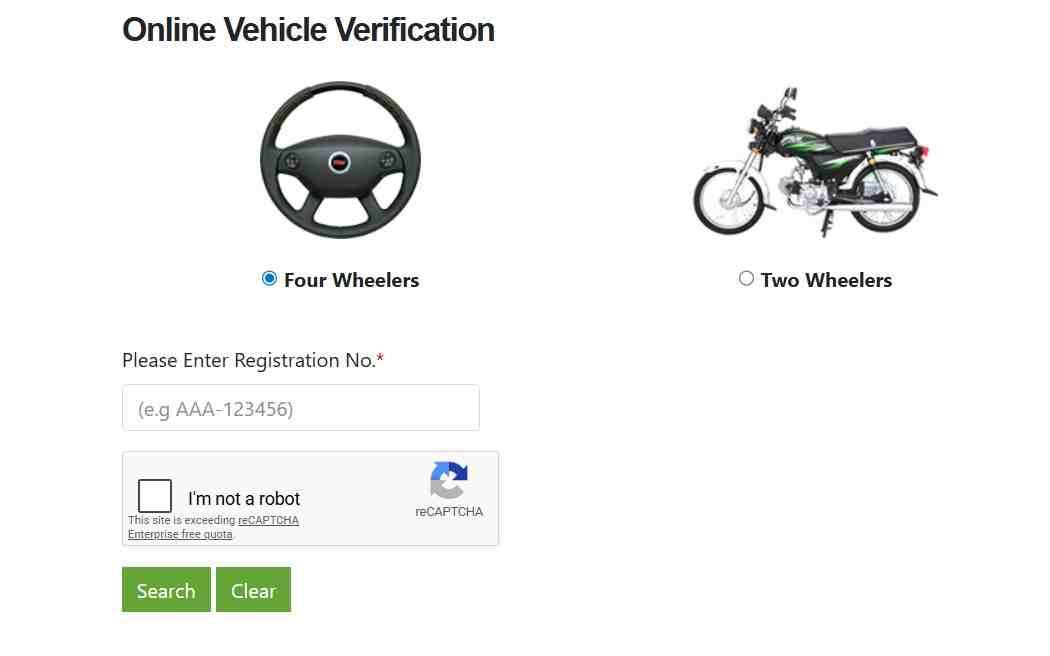
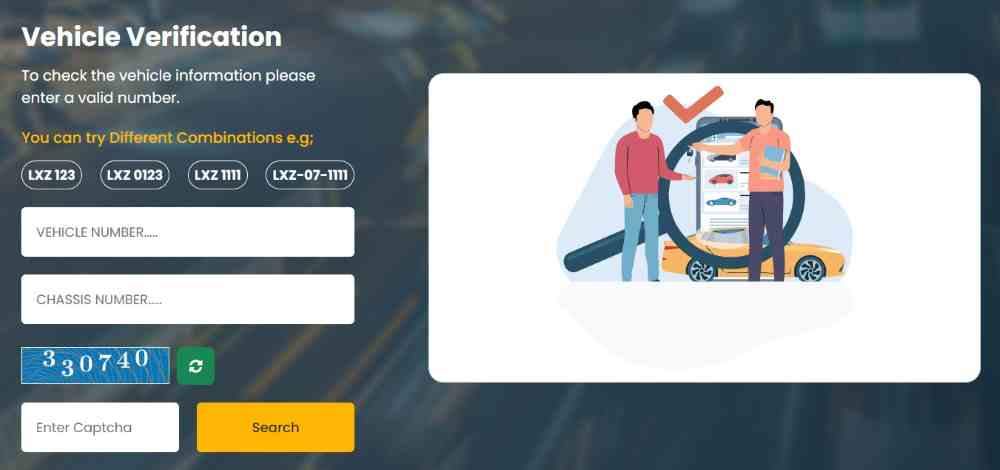
The Motor Transport Management Information System (MTMIS) Islamabad is the digital backbone of vehicle verification in the capital. This online portal connects directly to the Excise and Taxation Department’s central database, allowing citizens to retrieve real-time vehicle information using either a registration number or, where permitted, a CNIC.
The MTMIS system displays comprehensive vehicle data including the registered owner’s name, father’s name, complete address, vehicle make and model, year of manufacture, engine and chassis numbers, fuel type, registration date, token tax payment status, smart card status, and biometric verification status. The system also shows the number of previous owners and any remarks such as “Duplicate Smart Card” or “Duplicate Book” that may indicate irregularities. All verification requests through MTMIS are free of charge and available 24 hours per day.
Which types of vehicles are covered under the Islamabad Excise database
The Islamabad Excise database covers all motor vehicles registered within the Islamabad Capital Territory, regardless of type or usage category. Private cars of all engine capacities, motorcycles and scooters, commercial transport vehicles including taxis and ride-hailing service vehicles, government-owned vehicles registered under various departments, diplomatic corps vehicles, and vehicles owned by foreign nationals residing in Islamabad are all included.
The database also maintains records for imported vehicles that have completed registration, vehicles under hire purchase agreements, and vehicles with temporary registration numbers pending permanent assignment. Commercial vehicles additionally have route permit information and fitness certificate status linked to their registration records.
What Information Can You Get by Checking Vehicle Registration with a CNIC?
A CNIC-based vehicle registration check in Islamabad provides access to the complete ownership portfolio and detailed technical specifications of every vehicle linked to that identity card.
Can I check vehicle registration by CNIC in Islamabad?
Yes, you can check vehicle registration by CNIC in Islamabad through multiple official channels. The Islamabad Excise online portal, the City Islamabad mobile app, and NADRA’s Pak ID application all support CNIC-based searches. When you enter a valid CNIC number, the system returns a list of all vehicles registered under that identity, along with ownership details, registration status, tax payment records, and smart card issuance information.
What is the difference between checking by registration number vs. checking by CNIC?
Checking by registration number returns detailed information about a single specific vehicle, including its owner name, engine and chassis numbers, tax status, and registration date. This method is ideal when you have the license plate number and want to verify a particular vehicle before purchase.
Checking by CNIC returns a complete inventory of every vehicle registered under that identity. This method is useful for:
- Verifying how many vehicles a seller actually owns
- Checking if a vehicle you previously sold has been transferred out of your name
- Auditing your own vehicle portfolio for accuracy
- Identifying unauthorized vehicles registered fraudulently under your CNIC
What vehicle details are accessible through a CNIC search in Islamabad
A CNIC search through official Islamabad Excise channels provides access to ownership information including the registered owner’s full name, father’s name, complete residential address, and number of previous owners. Vehicle specifications accessible include make and model, vehicle type (car, motorcycle, bus, etc.), year of manufacture, engine number, chassis number, fuel type, color, and seating capacity.
Registration details displayed include registration number, registration date, registration status (Active, Pending, Blocked, or Transferred), and registration city. Financial and compliance information includes token tax payment status with paid-up-to date, smart card status (Issued, Pending, or Under Process), biometric verification status, and any outstanding dues or late payment fines. Commercial vehicle records also show fitness certificate expiry date and route permit validity.
How to see the engine and chassis number via CNIC search
To view engine and chassis numbers through a CNIC search, you must first retrieve the list of vehicles registered under that CNIC, then select the specific vehicle you want to examine. The system displays a detailed vehicle profile containing both the engine number and the 17-digit chassis number. These unique identifiers are critical for detecting cloned vehicles, as they should physically match the numbers stamped on the vehicle’s engine block and chassis frame. Any discrepancy between the database record and the physical numbers indicates potential fraud or an illegally assembled vehicle.
Is it possible to see the history of previous owners of a vehicle through CNIC
Yes, the Islamabad Excise database maintains a complete ownership history for every registered vehicle. When you perform a CNIC-based search on a specific vehicle, the system displays the number of previous owners and, in many cases, the names and CNIC numbers of those prior owners. This information is invaluable when purchasing a used vehicle, as multiple owner changes within a short period may indicate mechanical problems, accident history, or title washing attempts.
How many vehicles can one person register on a single CNIC in Islamabad
There is no fixed numerical limit on how many vehicles an individual can register on a single CNIC in Islamabad. Pakistani law does not impose a maximum vehicle ownership cap for private individuals. However, commercial operators registering multiple vehicles for transport businesses must obtain appropriate permits and may face additional regulatory scrutiny. Each registered vehicle requires annual token tax payment, and failure to pay taxes on any vehicle in your portfolio can result in fines and legal action.
How to check the registration of a commercial vehicle by CNIC
To check a commercial vehicle’s registration by CNIC, follow the same process as for private vehicles through the Islamabad Excise portal or City Islamabad app. Commercial vehicle records display additional information not shown for private cars, including the route permit number and validity dates, fitness certificate status and expiry, vehicle category (taxi, bus, truck, delivery van), and any enforcement actions or blacklist entries.
Does the CNIC search reveal the vehicle’s smart card status
Yes, every CNIC-based vehicle verification displays the smart card status for each registered vehicle. The status appears as one of three options: “Issued” indicating the smart card has been printed and can be collected, “Pending” meaning the application is still being processed, or “Under Process” for applications currently in the verification stage. For smart cards that have been issued, the system may also show the date of issuance and the collection location.
Official Methods to Check Vehicle Registration in Islamabad by CNIC
Islamabad provides five distinct official methods for performing vehicle registration checks using a CNIC, ranging from fully digital online portals to in-person physical verification at police centers.
Method 1: Using the Official Islamabad Excise Web Portal (MTMIS)
The official Islamabad Excise web portal is the most comprehensive method for vehicle verification, offering complete access to registration records, tax status, and ownership history.
What is the official website for Islamabad vehicle verification by CNIC?
The official website for Islamabad vehicle verification is maintained by the Excise and Taxation Department of the Islamabad Capital Territory. The portal provides direct access to the MTMIS system, allowing users to verify vehicle details using either registration numbers or, where the feature is enabled, CNIC numbers.
Step-by-Step Guide to Check Vehicle Registration via the Islamabad Excise Web Portal
Step 1: Access the official portal.
Navigate to the Excise and Taxation Islamabad official website using your computer or mobile browser.
Step 2: Locate the vehicle verification section.
On the homepage, find and click on the “Vehicle Verification” or “Online Vehicle Verification” option. This section is typically located in the main navigation menu or under citizen services.
Step 3: Enter the vehicle registration number.
The primary search method requires entering the vehicle’s registration number in the correct format (e.g., ABC-123 or ISB-4567). The system may also display an option for CNIC-based search depending on current portal configuration.
Step 4: Complete security verification.
Enter the captcha code displayed on screen to prove you are a human user and prevent automated bot requests.
Step 5: Submit and review results.
Click the search or submit button. The system queries the central Excise database and displays complete registration details including owner name, vehicle specifications, engine and chassis numbers, registration date, tax payment status, and smart card status.
Step 6: Save or print the verification report.
Take a screenshot of the results or use your browser’s print function to create a physical copy for your records.
How to interpret the vehicle details displayed after the search
The vehicle details displayed after an Islamabad Excise portal search are organized into distinct categories for easy interpretation. Owner information shows the legal registered owner’s name, which should match the seller’s CNIC during any transaction. Vehicle specifications include make, model, year, engine number, chassis number, fuel type, color, and seating capacity.
Registration details display registration number, registration date, and current registration status. Tax and compliance information shows token tax paid-up-to date, smart card status, and any outstanding dues. Any remarks field indicating “Duplicate Smart Card” or “Duplicate Book” should raise immediate concerns, as these suggest the original documents were reported lost or stolen.
Method 2: Using the City Islamabad Mobile App
The City Islamabad mobile app represents the government’s mobile-first approach to citizen services, bringing vehicle verification and tax payment capabilities directly to smartphone users.
What is the City Islamabad app and where can you download it
The City Islamabad app is the official mobile application of the Islamabad Capital Territory administration, developed specifically for citizens of the capital. The app bridges the gap between residents and government departments by providing regulatory, consumer utility, and statutory services through a single mobile platform. The app is available for download from the Google Play Store for Android devices and the Apple App Store for iOS devices.
How to register on the City Islamabad app using your CNIC, email, and phone number
Registration process:
- Download and install the City Islamabad app from your device’s official app store
- Open the app and tap on the registration or sign-up option
- Enter your 13-digit CNIC number without hyphens
- Provide your valid email address for communication and receipts
- Enter your mobile phone number for SMS verification
- Create a secure password meeting the app’s complexity requirements
- Verify your identity through the OTP (one-time password) sent to your mobile number
- Complete the registration process and log in to access all features
How to navigate to the Excise and Taxation section within the app
After successful login, scroll through the main dashboard to locate the “Excise and Taxation” section. This section is typically grouped under citizen services or government services categories. Tapping on this option opens a submenu containing vehicle verification, token tax payment, smart card status check, and registration application tracking services.
Can I use the City Islamabad app to check vehicles registered under my CNIC
Yes, the City Islamabad app supports CNIC-based vehicle verification. Once you are logged into the app with your registered account, navigate to the vehicle verification feature. The app automatically links to your profile’s CNIC and displays all vehicles registered under that identity. You do not need to re-enter your CNIC number for personal portfolio checks. The app also allows you to scan QR codes displayed on registered taxis and ride-hailing vehicles to verify driver and vehicle credentials instantly.
How to verify vehicle registration and check token tax status via the app
Vehicle verification steps:
- Open the City Islamabad app and log in to your account
- Navigate to Excise and Taxation > Vehicle Verification
- Enter the vehicle registration number or select “My Vehicles” for CNIC-linked portfolio
- View complete vehicle details including owner name, make, model, engine and chassis numbers
- Check token tax status showing paid-up-to date and any outstanding dues
- Verify smart card status and biometric verification completion
Token tax status check:
The token tax section displays the annual tax payment history, the date until which tax has been paid, and any late payment fines if the token has expired. The system also calculates the payable amount for renewal based on your filer or non-filer status with the Federal Board of Revenue.
What other services does the City Islamabad app offer beyond vehicle verification
Beyond vehicle verification, the City Islamabad app provides a comprehensive suite of government services. These include e-police services for traffic fine payment and complaint registration, domicile certificate application and verification, international driving permit issuance, token tax payment with automatic calculation based on filer status, property tax assessment and payment, arms license verification, and tracking of registration applications.
The app also supports QR code scanning for registered taxis and ride-hailing vehicles, allowing passengers to verify driver credentials before starting any trip. This feature has been made mandatory for all taxi and bike services operating in Islamabad.
Method 3: Using the SMS Verification Service (8521)
The SMS verification service provides a quick, internet-free method for checking vehicle registration details using only a basic mobile phone.
Is there an SMS service to check vehicle ownership by CNIC in Islamabad
Yes, there is an SMS service for vehicle verification in Islamabad, but it operates using the vehicle registration number or chassis number rather than directly accepting a CNIC. To check ownership by CNIC, you must first obtain the registration numbers of vehicles you suspect are linked to that CNIC, then verify each individually. The SMS service charges a nominal fee per message and returns basic vehicle information within seconds.
What is the official SMS code for Islamabad vehicle verification
The official SMS code for Islamabad vehicle verification is 8521. This code is managed by the Excise and Taxation Department in collaboration with mobile network operators. The Punjab province uses a different code (8785), and using the wrong code will not return valid results. The 8521 service is specific to vehicles registered within the Islamabad Capital Territory.
How to send a correctly formatted SMS to 8521 for vehicle details
Format for registration number search:
Type “RNO” followed by a space, then the vehicle registration number without spaces or hyphens. Example: RNO ABC123
Send this message to 8521.
Format for chassis number search:
Type “CNO” followed by a space, then the vehicle’s chassis number. Example: CNO 12345678901234567
Send this message to 8521.
Format for engine number search:
Type “ENO” followed by a space, then the vehicle’s engine number. Example: ENO 123456
Send this message to 8521.
What information do you receive in the reply SMS from 8521
The reply SMS from 8521 contains essential vehicle information including the registered owner’s name, vehicle make and model, vehicle color, engine number, chassis number, registration date, and token tax payment status. The information returned is basic compared to the web portal but sufficient for quick verification before a transaction. The SMS typically arrives within 20 seconds of sending the request.
What is the cost of using the 8521 SMS service for vehicle verification
The 8521 SMS service charges a nominal fee of approximately 50 paisa per SMS sent. Standard mobile network SMS rates apply in addition to this service charge. The total cost per verification request is minimal, making this an affordable option for users without internet access or those needing quick, on-the-go verification.
Can you check vehicle details by sending the chassis number to 8521
Yes, you can send the chassis number to 8521 using the format “CNO” followed by a space and the 17-digit chassis number. This method is particularly useful when you have physical access to a vehicle but the registration number is not visible or has been tampered with. The chassis number is stamped on the vehicle’s chassis frame and provides a unique, non-removable identifier that cannot be easily altered.
How reliable is the SMS vehicle verification service compared to online portals
The SMS vehicle verification service is highly reliable as it draws from the same official Excise database used by the online portals. However, the SMS service returns less detailed information than the web portal. Online portals display ownership history, smart card status, biometric verification status, and previous owner information, while SMS returns only basic ownership and specification data. For comprehensive verification before a vehicle purchase, the web portal or mobile app is strongly recommended over SMS.
Method 4: Physical Verification at the Islamabad Police Vehicle Verification Center
Physical verification provides the highest level of assurance, as it involves direct inspection of the vehicle and its documents by authorized police officers.
What are the timings and location of the Islamabad Police Vehicle Verification Center
The Islamabad Police Vehicle Verification Center is located at the Public Facilitation Center in Sector F-6/1, Islamabad. Office hours are Monday through Friday from 8:00 AM to 1:30 PM. The center is closed on Saturdays, Sundays, and public holidays. Citizens are advised to arrive early, as verification requests are processed on a first-come, first-served basis and the center may stop accepting new applications before the closing time if the queue is full.
What documents are required for physical vehicle verification
The following documents are required for physical vehicle verification at the Islamabad Police center:
- Original vehicle registration book
- Applicant’s original CNIC
- Copy of the applicant’s CNIC
- Copy of the registration book
- Pictures of engine and chassis numbers printed on a plain page (black and white or color prints are acceptable)
What is the fee structure for physical verification (cars and motorcycles)
The current fee structure for physical vehicle verification at the Islamabad Police center is as follows:
- Motor car verification: Rs. 1,500
- Motorcycle verification: Rs. 1,000
- Motor car forensic verification: Rs. 3,500
Fees are subject to revision by government notification, and applicants should confirm current rates before visiting the center.
Why is physical verification often required during a vehicle sale or purchase
Physical verification is required during vehicle sale or purchase to ensure the vehicle being transferred is the same vehicle described in the registration documents. The verification officer physically inspects the engine number and chassis number stamped on the vehicle and compares them against the registration book.
Any mismatch indicates a potentially stolen vehicle, a cloned vehicle, or an illegally assembled vehicle. Physical verification also confirms that the vehicle has not been structurally modified, that the number plate matches the registration record, and that the vehicle is not reported stolen or wanted in connection with any crime.
What is checked during a physical vehicle inspection
During a physical vehicle inspection, the Vehicle Verification Officer performs a systematic examination of the vehicle and its documentation. The officer verifies the engine number against the registration book, examines the chassis number stamping for signs of tampering or alteration, inspects the number plate for compliance with prescribed format and security features, checks the vehicle color against registration records, and examines the vehicle for any unauthorized modifications.
The officer also reviews the original registration book for authenticity, verifies the applicant’s CNIC, and takes photographs of the engine and chassis numbers for the official record. After successful inspection, the officer stamps and signs the documents and issues a token for the computerized verification report.
Method 5: Using NADRA’s Pak ID App for Biometric and Digital Services
The Pak ID app represents the convergence of vehicle verification with national identity management, bringing biometric authentication and digital ownership verification to citizens nationwide.
What is the Pak ID app and how does it help with CNIC-based vehicle registration
The Pak ID app is the official mobile application of the National Database and Registration Authority (NADRA), designed to provide citizens with digital access to identity-related services. The app now includes vehicle verification and transfer capabilities, allowing users to check vehicle registration by CNIC, complete biometric authentication for ownership transfers, and verify vehicle details before purchase. The app uses facial recognition and fingerprint verification to authenticate users, eliminating the need for physical visits to Excise offices or embassies.
How to complete biometric verification for vehicle ownership using the Pak ID app
Biometric verification process:
- Download and install the Pak ID app from the Google Play Store or Apple App Store
- Register for an account using your CNIC and mobile phone number
- Navigate to the vehicle transfer or verification section
- Enter the vehicle registration number and chassis number
- Complete facial recognition verification by positioning your face within the on-screen guide
- Provide fingerprint verification using your device’s fingerprint sensor if available
- Review the vehicle details displayed and confirm accuracy
- Submit the verification request for processing
The entire process takes approximately 5-10 minutes and can be completed from anywhere in the world.
How overseas Pakistanis can use Pak ID for vehicle registration using NICOP
Overseas Pakistanis can now complete vehicle registration and transfer processes using the Pak ID app without visiting embassies or sending attested affidavits. The app accepts the NICOP (National Identity Card for Overseas Pakistanis) as valid identification.
Users can verify vehicle details including registration number, chassis number, and owner’s name via biometric authentication on the app. Once verified, ownership transfers are finalized within 48 hours. This eliminates the previously lengthy process that required embassy attestation, power of attorney documents, and multiple courier shipments.
How to check the status of a vehicle registration application via CNIC in the Pak ID app
To check vehicle registration application status using CNIC in the Pak ID app, log in to your account and navigate to the “Track Application” section. Enter your CNIC number and the application tracking ID if available. The system displays the current status of all registration-related applications linked to your CNIC, including new registrations, ownership transfers, duplicate smart card requests, and biometric verification submissions. Each application shows the date of submission, current processing stage, and estimated completion date.
CNIC-Based Vehicle Registration Check: Step-by-Step Tutorials
These tutorials provide detailed, actionable instructions for performing specific CNIC-based vehicle registration checks.
How to Check How Many Vehicles are Registered on My CNIC in Islamabad
To check how many vehicles are registered under your CNIC in Islamabad, follow these steps:
Method A: Using the City Islamabad app
- Download and install the City Islamabad app from your device’s app store
- Register using your CNIC, email address, and mobile phone number
- Log in to your account
- Navigate to Excise and Taxation > Vehicle Verification
- Select “My Vehicles” or “Vehicles Registered Under My CNIC”
- The system displays a complete list of all vehicles registered under your CNIC, along with registration numbers, vehicle types, and registration statuses
Method B: Using the Islamabad Excise web portal
- Visit the official Islamabad Excise website
- Navigate to the vehicle verification section
- Enter your CNIC number in the designated field if the portal supports CNIC search
- Submit the request and review the returned list of vehicles
- If CNIC search is not directly supported, you must know your vehicle registration numbers to check each individually
Method C: Visiting the Excise office in person
- Visit the Excise and Taxation Department office in Sector G-6/1-2, Islamabad
- Submit a written request along with a copy of your CNIC
- Request a printout of all vehicles registered under your CNIC
- The office may charge a nominal fee for providing this printout
How to check your vehicle registration application status with your CNIC
To check vehicle registration application status using your CNIC, log in to the Islamabad Excise portal or City Islamabad app and navigate to the application tracking section. Enter your CNIC number and the application reference number provided at the time of submission. The system displays the current processing stage, any documents still required, the assigned officer or department, and the estimated completion date. Common application statuses include “Application Received,” “Documents Under Review,” “Biometric Verification Pending,” “Tax Payment Required,” “Approved,” “Smart Card Printing,” and “Ready for Collection.”
Can I track my vehicle smart card status using my CNIC
Yes, you can track your vehicle smart card status using your CNIC through multiple channels. The Islamabad Excise web portal and City Islamabad app both support smart card status tracking. After logging in, navigate to the smart card status section, enter your CNIC and vehicle registration number, and the system displays whether the smart card has been issued, is pending, is under process, or is ready for collection. For smart cards that have been issued, the system may also show the collection location and issuance date. If the smart card has been dispatched through courier, tracking information may be available.
How to check if a vehicle has been transferred from my CNIC
To check if a vehicle has been transferred out of your name, perform a full portfolio check of all vehicles registered under your CNIC using the City Islamabad app or by visiting the Excise office. The list of vehicles registered under your CNIC will show only vehicles currently owned by you. If a vehicle you previously sold no longer appears in your portfolio, the transfer has been successfully processed. If the vehicle still appears under your CNIC despite having sold it, the buyer has not completed the transfer process, and you remain legally responsible for that vehicle, including any traffic fines, token tax dues, or legal liabilities.
What should I do if a vehicle I sold is still showing on my CNIC
If a vehicle you sold continues to appear under your CNIC in the Excise database, the buyer has not completed the legal transfer of ownership. You must take immediate action to protect yourself from potential liabilities. First, contact the buyer and request that they complete the transfer process immediately. If the buyer does not respond or refuses to cooperate, visit the Excise and Taxation Department office in person and file a formal complaint.
Submit the sale agreement, delivery receipt, and any other evidence of the transaction. The Excise department may initiate proceedings to remove the vehicle from your name or take enforcement action against the buyer. You remain legally responsible for all traffic fines, token tax dues, and legal violations associated with that vehicle until the transfer is complete.
How to check if a vehicle is blacklisted using a CNIC
To check if a vehicle is blacklisted using a CNIC, perform a standard vehicle verification through the Islamabad Excise portal or City Islamabad app. The vehicle status field in the verification results indicates whether the vehicle is “Active,” “Blocked,” “Blacklisted,” or “Stolen.” Blacklisted vehicles may be blocked due to involvement in criminal activity, outstanding taxes exceeding a certain threshold, fake registration documents, or court orders.
If a vehicle appears as blacklisted under your CNIC that you did not register, you may be a victim of identity theft or document fraud, and you should report the matter to the Excise department and local police immediately.
How to verify the authenticity of a vehicle’s biometric transfer via CNIC
To verify that a vehicle transfer has been completed with proper biometric authentication, use the Islamabad Excise portal or City Islamabad app to check the vehicle’s current ownership status. The vehicle record displays the current registered owner’s name and CNIC. Additionally, the biometric verification status field shows whether the seller and buyer have completed the required biometric authentication.
A status of “Biometric Verified” confirms that both parties completed the authentication process. If the status shows “Biometric Pending” or “Verification Incomplete,” the transfer is not final, and the vehicle remains under the previous owner’s name. The Pak ID app also allows you to verify the biometric status of any vehicle by entering its registration number and chassis number.
Advanced Verification and Data Management
This section covers sophisticated verification techniques and data management strategies for CNIC-based vehicle checks.
How to Verify Vehicle Ownership Details and Seller Credentials Using CNIC
To verify ownership details and seller credentials using CNIC, perform a verification check through the Islamabad Excise portal using the vehicle’s registration number. The system displays the registered owner’s name, which must exactly match the seller’s CNIC name. Any discrepancy between the database owner name and the seller’s identity document indicates potential fraud. The seller may not be the legal owner, may be using forged documents, or may have purchased a vehicle that was never legally transferred into their name.
Critical verification points:
- Match the seller’s CNIC name with the database owner name
- Compare the seller’s CNIC number with the database record if available
- Verify the number of previous owners shown in the database
- Check for remarks like “Duplicate Smart Card” or “Duplicate Book”
- Confirm the token tax status shows “Paid” or “Cleared”
- Verify the registration date to assess vehicle age
- Ensure the engine capacity (CC) matches the vehicle’s physical specifications
How to detect a cloned vehicle by cross-referencing chassis number via CNIC
A cloned vehicle is a stolen vehicle that has been given the identity of a legally registered vehicle through forged documents and tampered number plates. To detect a cloned vehicle using CNIC-based verification, follow this procedure:
- Perform a standard verification check using the vehicle’s registration number
- Note the chassis number displayed in the database record
- Physically inspect the chassis number stamped on the vehicle’s chassis frame
- Compare the two numbers. They must match exactly
- If the numbers differ, the vehicle is almost certainly cloned or stolen
- If the numbers match but the vehicle color, model year, or other specifications differ, the vehicle may still be fraudulent
- Check the number of previous owners. Frequent ownership changes may indicate a cloned vehicle being quickly resold
- Verify the token tax status. Cloned vehicles often have unpaid taxes or expired tokens
How to check the number of previous owners of a vehicle through CNIC
The Islamabad Excise database maintains a complete chain of ownership for every registered vehicle. When you perform a verification check using the vehicle’s registration number, the system displays the number of previous owners. For vehicles with a more detailed ownership history, the names and CNIC numbers of previous owners may also be shown.
A vehicle with zero previous owners is a first-owner vehicle. One previous owner means the current owner is the second owner. Multiple previous owners within a short period may indicate mechanical problems, accident damage, title washing, or a cloned vehicle being rapidly resold.
How to check for remarks like “Duplicate Smart Card” or “Duplicate Book” in the record
During any vehicle verification check, carefully examine the remarks field or special conditions section of the database record. Remarks such as “Duplicate Smart Card,” “Duplicate Book,” or “Duplicate Registration Book” indicate that the original registration documents were reported lost or stolen and replacement documents were issued.
While duplicate documents are not inherently fraudulent, they should raise caution. A vehicle with duplicate documents may have been sold using the original documents to multiple buyers, may have outstanding loans against the original documents, or may have been involved in an insurance claim where the original documents were retained by the insurance company.
How to confirm the engine capacity (CC) for accurate tax calculation
The engine capacity or cubic centimeter (CC) rating of a vehicle directly affects token tax calculation, with higher CC vehicles attracting higher annual taxes. During vehicle verification, the database displays the engine capacity as recorded at the time of original registration. Cross-reference this value with the vehicle’s physical engine markings and the manufacturer’s specifications for that model and year. Discrepancies may indicate engine replacement, engine modification, or registration fraud where a smaller CC was declared to reduce tax liability. Tax evasion through false CC declaration is a criminal offense subject to fines and potential vehicle seizure.
How to check the vehicle’s registration date and manufacturing year
The registration date displayed in the verification record is the date when the vehicle was first registered with the Excise department. The manufacturing year is the year the vehicle was produced by the manufacturer. For locally assembled vehicles, the registration date typically follows the manufacturing year by a few months. For imported vehicles, the gap between manufacturing year and registration date may be larger.
A significant gap between manufacturing year and registration date may indicate that the vehicle was imported as a used vehicle, was in storage for an extended period, or has registration documents that do not match the actual vehicle. Always verify that the manufacturing year is appropriate for the vehicle’s model and features.
How to Check Traffic Fines and E-Challans by CNIC in Islamabad
Traffic fines and e-challans are linked to both the vehicle registration number and the owner’s CNIC in the Islamabad Safe City system.
Can I check for any traffic fines or e-challans via CNIC in Islamabad
Yes, you can check traffic fines and e-challans via CNIC in Islamabad through multiple official channels. The Islamabad Police e-challan system is integrated with the Safe City Islamabad surveillance network, which captures traffic violations through cameras and automated systems. When a violation is recorded against a vehicle, the fine is linked to both the vehicle registration number and the owner’s CNIC. You can check outstanding fines by entering your CNIC on the Islamabad Police e-challan portal or through the City Islamabad app.
What common traffic violations can be checked via CNIC
The following traffic violations are commonly recorded against CNICs in the Islamabad e-challan system:
- Overspeeding detected by speed cameras
- Red light violations captured at intersections
- Lane discipline violations including wrong-way driving
- Parking violations in restricted or no-parking zones
- Non-renewal of vehicle fitness certificates for commercial vehicles
- Expired token tax or registration documents
- Driving without a valid license linked to the vehicle owner
- Use of tinted windows or fancy number plates violating regulations
How to pay traffic fines online after checking them by CNIC
Payment process through City Islamabad app:
- Open the City Islamabad app and log in to your account
- Navigate to e-Police or Traffic Fine Payment section
- Enter your CNIC or vehicle registration number
- The system displays all outstanding e-challans with violation details, dates, and fine amounts
- Select the fines you wish to pay
- Choose your payment method (credit card, debit card, mobile account, or bank transfer)
- Complete the payment transaction
- Download or screenshot the payment receipt for your records
Troubleshooting and Common Issues
This section addresses the most common problems users encounter when performing CNIC-based vehicle registration checks.
Why is my vehicle not showing up under my CNIC on the Excise portal
There are several reasons why a vehicle may not appear under your CNIC in the Excise portal despite you being the legal owner:
- The Excise database may not have been updated with your CNIC information. This commonly occurs for older vehicles registered before the CNIC-linking system was fully implemented.
- The vehicle may be registered under an old CNIC number if you have changed your CNIC due to marriage, correction, or renewal.
- The vehicle may still be registered under the previous owner’s name if the transfer process has not been completed.
- The Excise database may contain a data entry error where your CNIC was recorded incorrectly.
- The vehicle may have a temporary registration number that has not yet been converted to a permanent registration in the database.
Solution: Visit the Excise and Taxation Department office in person with your vehicle registration book and CNIC. Request a data correction or CNIC linkage update. The department will verify your documents and update the database accordingly.
My CNIC details are incorrect or outdated in the Excise records. How do I update them
To update incorrect or outdated CNIC details in Excise records, you must visit the Excise and Taxation Department office in Sector G-6/1-2, Islamabad. Bring your original CNIC, vehicle registration book, and any supporting documents showing the correct information. Submit a formal written request for data correction along with copies of your documents. The Excise officer will verify your identity and documents, then initiate a database update. The correction process typically takes 2-5 working days. After the update is complete, your vehicle will appear correctly under your CNIC in all verification systems.
The vehicle registration number format is incorrect. What is the correct format
The correct format for Islamabad vehicle registration numbers typically follows the pattern of letters followed by numbers, such as ABC-123 or ISB-4567. When entering registration numbers for verification:
- Do not include spaces within the number
- Do not include hyphens unless the system specifically requires them
- Use uppercase letters
- Ensure all characters are correctly entered
- For older vehicles, the format may be different; consult your registration book for the exact format as recorded
If you continue to receive format errors despite entering the number correctly, try the alternate format (with or without hyphens). If neither format works, the vehicle may be registered in a different jurisdiction (Punjab, Sindh, or KPK) and cannot be verified through the Islamabad portal.
The Excise database may not be updated yet. What should I do
The Excise database is typically updated within 2-5 working days of any registration, transfer, or tax payment transaction. If you have recently completed a transaction and the database does not yet reflect the change, wait for 5 working days and check again. If the database still does not show the update after 7 working days, visit the Excise office with your transaction receipt and request a status check. Delays may occur during peak periods, government holidays, or system maintenance. For urgent verifications, the physical verification method at the Islamabad Police center provides immediate confirmation.
What should I do if the system returns no results for a valid registration number
If the system returns no results for a registration number you believe is valid, take the following steps:
- Double-check the registration number format and spelling
- Verify that the vehicle is actually registered in Islamabad and not in another province
- Try the alternate format (with or without hyphens, with or without spaces)
- Use the chassis number search instead of registration number search
- Attempt verification through a different method (app instead of web portal, or SMS instead of app)
- If all methods fail, the vehicle may have a fake registration number or may not be registered at all
- Visit the Excise office in person for manual verification
Why does the portal ask for both registration number and CNIC for verification
The portal may ask for both registration number and CNIC for enhanced security verification. This dual-credential requirement prevents unauthorized users from randomly searching vehicle records without a legitimate reason. The system may require the CNIC that matches the registered owner’s identity to confirm that you have a legitimate interest in the vehicle information. For buyers verifying a vehicle before purchase, the seller must provide both the registration number and their CNIC to enable the verification. This requirement protects privacy while still allowing legitimate due diligence.
Official Helpline and Customer Support for Islamabad Excise
The Excise and Taxation Department provides multiple channels for citizens to seek assistance with vehicle verification and registration issues.
Is there a helpline for CNIC-based vehicle verification in Islamabad
Yes, the Excise and Taxation Department maintains a dedicated helpdesk for vehicle verification and registration inquiries. The helpdesk can assist with CNIC-based verification issues, database errors, application status checks, and general information about vehicle registration procedures. The helpdesk operates during office hours and can provide guidance over the phone or in person.
What is the toll-free number for Islamabad Excise and Taxation Department
The main helpdesk number for the Excise and Taxation Department Islamabad is 051-9265500. This number connects callers to the departmental helpdesk during office hours. For specific inquiries regarding vehicle verification, callers should ask to be connected to the Motor Vehicle Registration section.
What are the official office hours for the Excise and Taxation Department Islamabad
The Excise and Taxation Department office in Sector G-6/1-2, Islamabad operates Monday through Friday from 8:00 AM to 1:30 PM. The office is closed on Saturdays, Sundays, and all public holidays. Citizens are advised to arrive before 1:00 PM to ensure their request can be processed before closing time. The department may have reduced hours during Ramadan and other special periods.
What is the physical address of the Excise and Taxation Department in Islamabad
The Excise and Taxation Department Islamabad is located in Sector G-6/1-2, near the G-6 Markaz. The office is accessible via the main service roads in G-6 and is identifiable by government signage. Parking is available for visitors. Citizens are advised to bring original documents and copies when visiting the office.
Legal Aspects, Limits, and Security
Understanding the legal framework governing CNIC-based vehicle registration checks is essential for compliant usage.
Is it legal to check someone else’s vehicle registration by their CNIC in Islamabad
Checking someone else’s vehicle registration using their CNIC without their consent is generally not permitted under Pakistani privacy laws. The Excise database is designed for vehicle owners to check their own records and for potential buyers to verify vehicles they intend to purchase. In the latter case, the seller must provide their CNIC to enable the verification. Unauthorized access to another person’s vehicle records may violate privacy regulations and could result in legal action. Law enforcement and government agencies have authorized access for official purposes.
What are the privacy laws regarding vehicle ownership data in Pakistan
Vehicle ownership data is considered protected information under Pakistani privacy regulations. The Excise and Taxation Department maintains this data for government administration purposes, not for public consumption. Unauthorized disclosure or use of vehicle ownership data is prohibited. Citizens may access their own data freely. Third parties may access vehicle data only with the owner’s consent or under specific legal provisions such as due diligence for a purchase transaction.
How many cars can one person register on a single CNIC in Islamabad
There is no legal limit on the number of cars or other vehicles an individual can register on a single CNIC in Islamabad. Pakistani law does not impose a maximum vehicle ownership cap for private individuals. However, each registered vehicle requires annual token tax payment, and failure to pay taxes on any vehicle can result in fines, legal action, and potential vehicle seizure. Commercial operators registering multiple vehicles must comply with transport regulations and obtain appropriate permits.
What are the legal limits on the number of commercial vehicles one CNIC can register
While there is no specific numerical limit on commercial vehicle registrations under a single CNIC, commercial operators must obtain route permits, fitness certificates, and other regulatory approvals for each vehicle. The number of commercial vehicles that can be operated may be limited by the operator’s transport license, parking facilities, and compliance with transport department regulations. Operators with large fleets may need to register as transport companies rather than as individual owners.
What are the penalties for having a vehicle registered on a fake or forged CNIC
Registering a vehicle using a fake or forged CNIC is a serious criminal offense under Pakistani law. Penalties include imprisonment for up to 7 years, significant fines, forfeiture of the vehicle to the government, cancellation of all other vehicle registrations under the individual’s name, and a permanent record of fraud that affects eligibility for government services, licenses, and employment. The Excise department and police actively investigate suspected fake registrations and prosecute offenders.
How does the government prevent the use of fake CNICs for vehicle registration
The government prevents fake CNIC usage through multiple verification layers. The Excise department cross-references every CNIC submitted for vehicle registration with NADRA’s central database to verify authenticity. Biometric verification is now required for all vehicle transfers, ensuring that the person claiming ownership is physically present and authenticated. The Pak ID app adds facial recognition and fingerprint verification to the process. Registration documents include security features that are difficult to forge. Regular audits of registration records identify suspicious patterns.
How to report a suspicious or fraudulent vehicle registration linked to your CNIC
If you discover a vehicle registered under your CNIC that you do not own, take immediate action. First, document all information about the suspicious vehicle including registration number, make, model, and registration date. Second, file a written complaint with the Excise and Taxation Department office in Islamabad, providing your CNIC and explaining the situation. Third, file a complaint with the local police station, as identity theft or document fraud may have occurred. Fourth, request a formal investigation from the Excise department to remove the fraudulent registration from your record. Keep copies of all complaints and correspondence for your records.
The Future of Vehicle Registration in Islamabad
Digital transformation initiatives are rapidly modernizing the vehicle registration and verification landscape in Islamabad.
What are the upcoming digital reforms by the Excise and Taxation Department Islamabad
The Excise and Taxation Department Islamabad is implementing comprehensive digital reforms to improve service delivery. These include full integration of all vehicle services with the City Islamabad app, enabling citizens to complete registrations, transfers, and tax payments entirely online. The department is expanding biometric verification capabilities through the Pak ID app, eliminating physical visits for overseas Pakistanis and senior citizens. QR code systems for ride-hailing vehicles allow passengers to verify driver and vehicle credentials instantly. Automated verification of vehicle documents during traffic stops will reduce corruption and improve enforcement.
How will digital registration books linked to CNIC through NADRA’s Pak-ID system work
Digital registration books linked to CNIC through NADRA’s Pak-ID system will replace physical smart cards with verifiable digital credentials. Under this system, vehicle ownership information is stored in a secure digital format accessible through the Pak ID app. When a vehicle is sold, the seller initiates a digital transfer through the app, the buyer accepts through biometric authentication, and the ownership record updates instantly in the Excise database.
The physical registration book becomes optional, as the digital record carries full legal authority. Police and Excise officers can verify ownership by scanning a QR code on the vehicle or checking the driver’s Pak ID app. This system eliminates document forgery, reduces transfer processing time from days to minutes, and provides a permanent, tamper-proof ownership record.
How will biometric verification for vehicle ownership transfers evolve
Biometric verification for vehicle ownership transfers is evolving toward complete digital authentication. The Pak ID app already supports facial recognition and fingerprint verification from any location. Future developments include voice recognition as an alternative biometric factor, real-time liveness detection to prevent photo-based fraud, integration with banking systems for automatic tax payment during transfer, and blockchain-based ownership records that provide immutable verification of every transfer in the vehicle’s history. These advances will make vehicle fraud virtually impossible and reduce transfer processing time to under 24 hours.
How will Islamabad Excise’s digitalization reduce fraud and illegal registrations
Digitalization reduces fraud and illegal registrations through multiple mechanisms. Biometric verification ensures that the person claiming ownership is physically present and authenticated. Real-time database updates prevent the same vehicle from being sold to multiple buyers. QR code systems on ride-hailing vehicles allow passengers to verify that the vehicle and driver are legally registered.
Automated cross-referencing with NADRA’s database prevents fake CNICs from being used for registration. Digital records are tamper-proof and audit-able, making fraudulent activity detectable and traceable. Integration with police systems allows immediate identification of stolen or blacklisted vehicles during traffic stops.
Frequently Asked Questions (FAQ) About CNIC-Based Vehicle Registration Check in Islamabad
Can I check vehicle registration by CNIC in Islamabad without the registration number?
Yes, you can check all vehicles registered under your own CNIC without needing individual registration numbers using the City Islamabad app. For someone else’s CNIC, you generally need their consent and may need individual registration numbers.
How to find the registration number of a car using a CNIC?
If the car is registered under your CNIC, use the City Islamabad app’s “My Vehicles” feature to see all registration numbers. For cars registered under someone else’s CNIC, you cannot retrieve registration numbers without their consent.
Does the MTMIS Islamabad portal allow searching by CNIC only?
The MTMIS Islamabad portal primarily searches by registration number. CNIC-only search may not be available. Use the City Islamabad app for CNIC-based portfolio searches.
Is there a web link to check all vehicles linked to a specific CNIC?
The Islamabad Excise portal does not offer a public web link for CNIC-only searches. Use the City Islamabad app after logging in with your credentials to see vehicles linked to your CNIC.
How to check vehicle token tax validity by CNIC?
Log in to the City Islamabad app, navigate to Excise and Taxation > Vehicle Verification, select a vehicle from your CNIC-linked portfolio, and view the token tax paid-up-to date.
How to verify a vehicle’s registration by CNIC for a used car purchase?
Request the seller’s CNIC and the vehicle registration number. Use the Islamabad Excise portal or SMS 8521 to verify that the seller’s name matches the registered owner and that the vehicle has no outstanding taxes or blacklist status.
What is the procedure to check vehicle details if I only have the owner’s CNIC?
Without the owner’s consent, you cannot legally check vehicle details using only their CNIC. With consent, use the City Islamabad app or request the owner to log in and show you their vehicle portfolio.
Can I check the registration of a commercial vehicle by CNIC?
Yes, the same CNIC-based verification methods work for commercial vehicles. Commercial vehicle records show additional information including route permits and fitness certificates.
How to check if a vehicle is blacklisted using a CNIC?
Perform a standard vehicle verification through the Islamabad Excise portal. The vehicle status field indicates “Active,” “Blocked,” or “Blacklisted.”
How to verify the authenticity of a vehicle’s biometric transfer via CNIC?
Use the Islamabad Excise portal to check the biometric verification status field for the vehicle. A status of “Biometric Verified” confirms completion.
Disclaimer
The information provided in this guide is for general informational purposes only. Government procedures, fees, and contact details are subject to change without prior notice. Always confirm current procedures directly with the Excise and Taxation Department Islamabad or Islamabad Police before taking any action.

Add a Comment