
Online vehicle verification in Punjab protects buyers from fraud by instantly confirming ownership, token tax status, and registration validity before any transaction. This definitive guide covers every official method, from MTMIS portal and SMS 8785 to PAK-ID biometric checks, so you never fall victim to stolen vehicles or fake documents.
- MTMIS Portal Check: Step-by-step guide to verify any vehicle using its registration number.
- CNIC-Based Search: How to see all vehicles registered under your name or a seller’s CNIC.
- Mobile App Methods: Using e-Pay Punjab and third-party apps for on-the-go verification.
- Biometric Verification: Complete walkthrough of the new PAK-ID app for owners and overseas Pakistanis.
- Troubleshooting Errors: Fix “No Record Found” and incorrect owner information issues.
- SMS Service 8785: Verify vehicles without internet in under 30 seconds.
Key Takeaways
- CNIC Verification is Limited: Punjab’s primary CNIC search requires the Excise portal; unlike Sindh, SMS 8785 only works with registration numbers.
- Biometric is Now Online: PAK-ID app eliminates physical visits for registration and transfer, even for overseas Pakistanis using NICOP.
- Token Tax is Critical: Unpaid token tax transfers to the new owner. Always verify “Token Paid Up-To” date on MTMIS before purchase.
- SMS Works Anywhere: Service 8785 provides basic owner and tax details instantly, perfect for rural areas without internet.
- Read More: Excise and Taxation Punjab Online Verification – Smart Card Status Check
- Read More: Bike Registration Check By CNIC Punjab – Official Portal
- Read More: Motorcycle Registration Check Online Punjab (Check by CNIC)
Online Vehicle Verification In Punjab (Check By CNIC)
Table Of Contents
Why Online Vehicle Verification in Punjab Has Become Essential
Purchasing a used vehicle without verification risks inheriting unpaid loans, stolen chassis, or forged ownership papers. The Punjab Excise and Taxation Department’s digital systems—MTMIS, e-Pay Punjab, and PAK-ID—provide real-time access to official records, eliminating guesswork and fraud.
What This Comprehensive Guide Covers
This guide details every official verification channel: MTMIS website, CNIC portal, SMS 8785, e-Pay Punjab app, PAK-ID biometric system, and physical Khidmat Markaz checks. Each section includes step-by-step instructions, error solutions, and security tips.
Who Should Read This Guide on Vehicle Verification Punjab Online CNIC
Used car buyers, sellers, vehicle owners confirming their records, overseas Pakistanis transferring ownership, and law enforcement verifying stolen vehicles all benefit from mastering these verification tools.
The Cost of Skipping Vehicle Verification: Real Risks and Consequences
Skipping verification leads to purchasing stolen vehicles (non-recoverable loss), acquiring cars with unpaid token tax (owner’s liability), or falling for forged smart cards (legal complications). One MTMIS search prevents thousands in losses.
How Punjab’s Digital Vehicle Verification System Has Evolved
Initially a basic registration lookup, the system now integrates biometric authentication (PAK-ID), real-time tax status, traffic challan records, and smart card tracking. The 2026 PAK-ID launch enables fully remote biometric verification for overseas Pakistanis.
Understanding the Difference: MTMIS Punjab vs. Excise Department vs. e-Pay Punjab
MTMIS Punjab is the vehicle database portal. The Excise Department manages the underlying records. e-Pay Punjab is the payment gateway for token tax and fees. Verification requires MTMIS; payments use e-Pay.
Understanding the Official Systems: What Powers Online Vehicle Verification in Punjab
Online vehicle verification in Punjab relies on the Motor Transport Management Information System (MTMIS), a centralized database managed by the Punjab Excise and Taxation Department. This system stores every registered vehicle’s ownership history, tax payments, registration status, and legal standing. Real-time access means you get current information, not outdated records.
What Is MTMIS Punjab and How Does It Work?
MTMIS Punjab is the official web portal where users enter a vehicle registration number to retrieve instant ownership details, engine/chassis numbers, token tax status, and registration validity. The system queries the Excise Department’s central database and returns results in seconds. All Punjab-registered vehicles (cars, motorcycles, commercial) are included.
What Is the Role of the Excise and Taxation Department in Vehicle Verification?
The Excise and Taxation Department maintains the master vehicle registry, processes ownership transfers, issues smart cards, and collects token tax. MTMIS simply provides public access to this official data. Any dispute or correction requires contacting the Excise Department directly.
What Is the e-Pay Punjab System and How Does It Relate to Vehicle Verification?
e-Pay Punjab is the digital payment gateway for token tax, registration fees, and challans. While MTMIS shows tax status, e-Pay Punjab allows payment and generates receipts that instantly update MTMIS records. Verification and payment are complementary: check status on MTMIS, pay via e-Pay.
How Do These Three Systems (MTMIS, Excise, e-Pay) Work Together?
MTMIS displays data from the Excise database. e-Pay Punjab processes payments that update that same database. The Excise Department manages corrections and legal processes. For a complete transaction: verify on MTMIS, pay dues on e-Pay, and finalize ownership via Excise (now with PAK-ID biometric).
What Are the Legal Provisions Governing Vehicle Verification in Punjab?
The Motor Vehicles Ordinance, 1965, and Punjab Excise and Taxation Rules mandate registration and token tax. Public access to verification data is permitted for due diligence in transactions. Providing false information or tampering with records carries legal penalties including fines and imprisonment.
Official Methods for Online Vehicle Verification in Punjab (Check by CNIC and Registration Number)
You can verify a vehicle in Punjab using the registration number (primary method) or the owner’s CNIC through a dedicated portal. Each method serves different purposes: registration number for specific vehicle checks, CNIC for viewing all vehicles owned by an individual.
How to Perform Online Vehicle Verification in Punjab Using the MTMIS Website
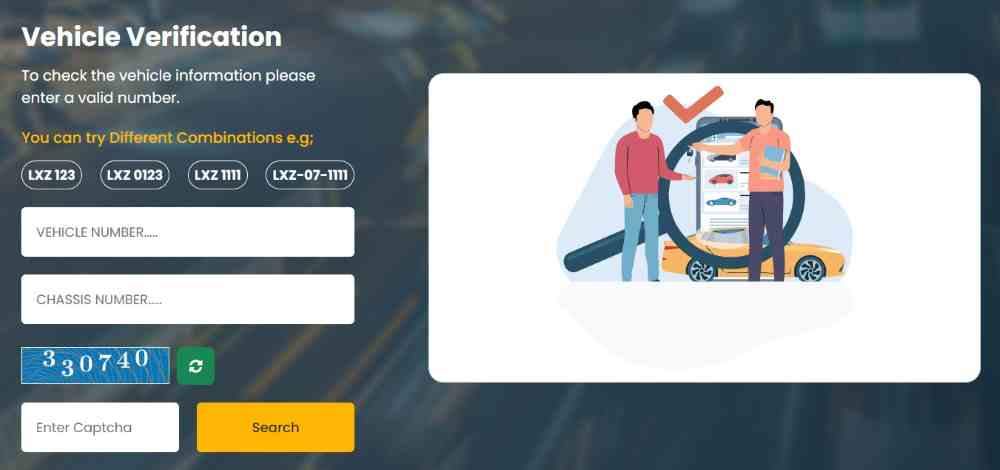
Open your browser and go to the official MTMIS Punjab website. On the homepage, locate the vehicle verification input box. Enter the full registration number exactly as it appears on the number plate, including hyphens (e.g., LEA-26-1234). Complete the captcha and click search. The system instantly displays owner name, father’s name, city, registration date, vehicle make, model, color, engine number, chassis number, token tax paid status, and smart card status.
What Is the Correct Format for Entering a Vehicle Number in MTMIS Punjab?
The format is city code (two or three letters), hyphen, two-digit registration year, hyphen, and a 3-4 digit unique number. Example: LEA-26-1234. Do not include spaces. Entering hyphens incorrectly or omitting them returns “No Record Found.” Newer number plates without hyphens still require the hyphenated format in the portal.
Why Do I Need to Enter Both Registration Number and Chassis Number for Some Verifications?
Some verification types, such as smart card tracking or duplicate document requests, require both registration and chassis number to confirm vehicle identity. This two-factor check prevents unauthorized access to sensitive records.
How Long Does It Take to Get Results After Submitting a Vehicle Number?
Results appear instantly, typically within 2-5 seconds. If the database is under maintenance, you may see a delay or temporary error message. Try again after a few minutes.
Can I Save or Download the Verification Results for My Records?
Yes, you can print the verification page using your browser’s print function or take a screenshot. The page does not offer a direct download button, but printed copies are accepted for personal records.
How to Perform Online Vehicle Verification by CNIC in Punjab
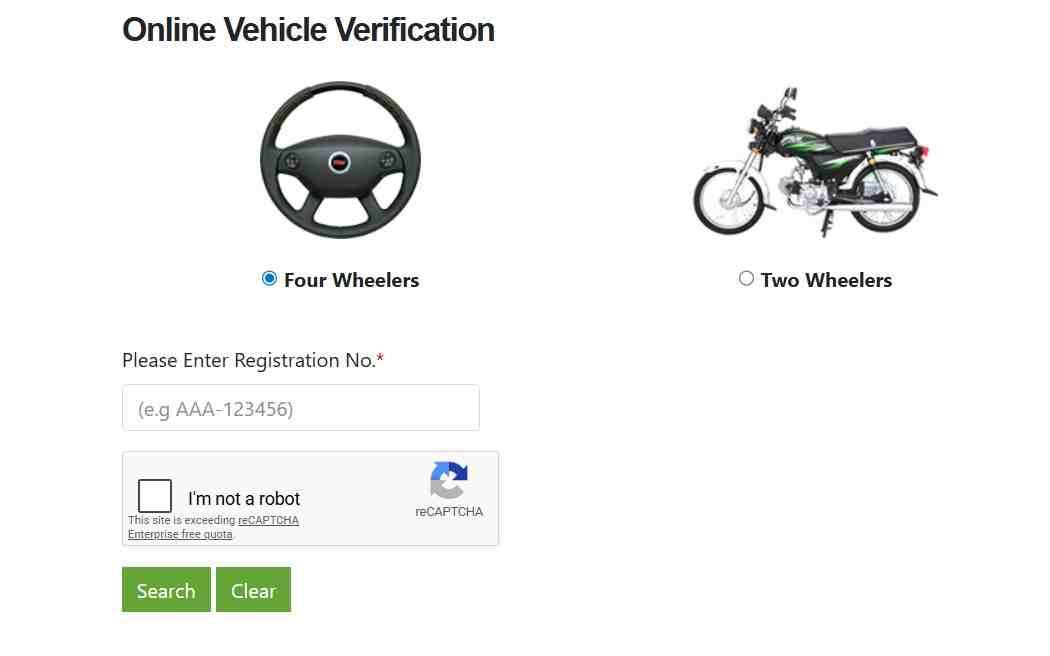
Visit the Excise and Taxation Department’s dedicated CNIC verification portal. Select vehicle type (four-wheeler or two-wheeler). Enter the complete CNIC number without hyphens. Complete the captcha and search. The system returns a list of all vehicles registered against that CNIC, including registration numbers, makes, models, and token tax status. This method is ideal for checking your own registered vehicles or verifying a seller’s claimed ownership.
Can I Verify a Vehicle in Punjab Using Only a CNIC Without the Registration Number?
Yes, the CNIC portal shows all vehicles registered to that CNIC without needing any registration number. This is the only official method to perform a CNIC-based lookup in Punjab. Note that this portal is separate from the main MTMIS site.
How Can I Check If a Vehicle Is Registered in My Name Using My CNIC?
Use the CNIC portal described above. Enter your CNIC, select vehicle type, and search. The results list every vehicle officially registered under your name. If a vehicle you own does not appear, the transfer may not have been completed or records contain an error requiring Excise Department correction.
Is There a Way to See All Vehicles Registered Against a Single CNIC in Punjab?
Yes, the CNIC portal provides exactly this functionality. This is useful for family members checking vehicles registered to a relative or buyers verifying that a seller owns the claimed vehicle.
What Information Is Provided During an Online Vehicle Verification by CNIC?
The CNIC portal provides registration number, vehicle make, model, year of manufacture, registration date, and token tax status. For full engine and chassis details, you still need to perform a registration number search on the main MTMIS portal.
Can Overseas Pakistanis Use the CNIC Verification Portal from Abroad?
Yes, the CNIC portal is accessible globally. Overseas Pakistanis can verify their vehicles registered in Punjab using their CNIC or NICOP from anywhere with internet access.
How to Verify a Motorcycle or Bike Registration Online in Punjab
Motorcycle verification follows the same process as car verification. Enter the bike’s registration number on MTMIS Punjab. The system returns owner name, engine number, chassis number, make, model, registration date, and token tax status. Motorcycle registration numbers follow the same format as cars (e.g., LEA-25-5678).
How to Verify a Commercial Vehicle’s Fitness Certificate Online
Commercial vehicles (trucks, buses, taxis) require a fitness certificate in addition to registration. MTMIS Punjab displays fitness certificate validity along with registration details. The fitness certificate status appears under the “Vehicle Status” field. Expired fitness certificates make commercial operation illegal.
How to Verify an Imported Vehicle’s Documents in Punjab
Imported vehicles require customs clearance and Excise registration. MTMIS Punjab shows the same details as locally registered vehicles. Additional fields may indicate “Imported” or “Used Imported” status. Always cross-check the chassis number with the vehicle’s physical plate and customs documents.
Mobile Apps for Vehicle Verification in Punjab (Android and iOS)
Mobile applications provide on-the-go access to vehicle verification without needing a computer. The official e-Pay Punjab app and third-party verification apps connect to the same MTMIS database, offering registration checks, tax payments, and smart card tracking from your smartphone.
What Is the Official e-Pay Punjab App and How Does It Verify Vehicles?
The e-Pay Punjab app, available on Google Play, is the official government payment application. It includes a vehicle verification feature that displays owner name, registration status, and token tax details. To verify, open the app, select “Vehicle Verification,” enter the registration number, and view results. The app also allows token tax payment and challan settlement.
Is There a Dedicated Mobile App for Vehicle Verification in Punjab from the Government?
The Punjab government primarily promotes e-Pay Punjab for verification and payments. No separate “MTMIS Punjab” app exists officially. Third-party apps like “Vehicle Verification Pakistan” provide MTMIS access but may show ads or request permissions. The PAK-ID app handles biometric verification, not basic registration lookup.
How Do I Download and Install the e-Pay Punjab App from Google Play?
Open Google Play Store on your Android device, search “e-Pay Punjab,” identify the app with the Punjab government logo, tap Install, and open after installation. The app requires internet access and storage permissions.
Can I Verify a Vehicle Using Only the e-Pay Punjab App Without Visiting the Website?
Yes, the app’s verification feature provides the same information as the MTMIS website. The app is more convenient for mobile users but offers identical data from the same database.
What Are the Best Third-Party Vehicle Verification Apps for Punjab?
“Vehicle Verification Pakistan,” “Pak Wheels Verification,” and “Car First” provide MTMIS access. These apps are not government-affiliated but query the same public database. Use caution: some third-party apps display ads or require payment for full details. The official e-Pay Punjab app remains the safest choice.
Are Third-Party Verification Apps Safe and Accurate Compared to Official Portals?
Accuracy depends on the app’s data source. Most query MTMIS directly, so results match the official portal. Safety concerns include data privacy and permissions. Official apps (e-Pay Punjab, PAK-ID) are safer than unknown third-party apps.
What Is the PAK-ID App and How Does It Handle Biometric Vehicle Verification?
PAK-ID is NADRA’s biometric authentication app, adopted by Punjab Excise for vehicle registration and transfer verification. The app uses fingerprint scanning and facial recognition to confirm identity, replacing physical visits to excise offices. After verification, the Excise Department processes ownership changes without in-person attendance.
Can I Verify a Vehicle Using the PAK-ID App Without Internet Access?
No, PAK-ID requires an active internet connection for biometric data transmission and database queries. Offline verification is not supported.
How Does the Vehicle Verification Pakistan App Work Across Multiple Provinces?
The Vehicle Verification Pakistan app queries separate provincial databases: MTMIS for Punjab, Excise Sindh portal for Sindh, and respective systems for KPK and Islamabad. The app automatically detects the province based on the registration number prefix.
SMS Vehicle Verification Service in Punjab (Method for Users Without Internet)
The SMS vehicle verification service provides instant access to basic vehicle details without internet or smartphone. This service is critical for rural areas, users without data plans, and quick on-site checks during vehicle purchases.
What Is the SMS Code for Vehicle Verification in Punjab (8785)?
The official SMS code for Punjab vehicle verification is 8785. This service works on all mobile networks in Pakistan. Users send the vehicle registration number to 8785 and receive a reply with owner name, father’s name, make, model, registration date, and token tax status.
How Do I Send an SMS to 8785 for Vehicle Verification?
Open your phone’s SMS application, compose a new message, type the complete registration number exactly as it appears on the number plate (e.g., LEA-19-1234), send the message to 8785. Within 10-30 seconds, you receive a reply containing the verification details. No message text or formatting is required beyond the registration number.
What Information Will I Receive After Sending an SMS to 8785?
The reply includes owner name, father’s name, city, vehicle make, model, registration date, token tax paid status, and in some cases, engine and chassis numbers. The SMS is limited to 160 characters, so very long details may be truncated.
Is the SMS Service Available for Motorcycles as Well as Cars?
Yes, motorcycles and all other vehicle types registered in Punjab work with SMS 8785. Use the same registration number format.
How Much Does the SMS Verification Service Cost Per Request?
Each SMS sent to 8785 costs the standard network rate, typically 50 paisa to 1 rupee. No premium charges apply. The reply SMS is free.
Can I Verify a Vehicle Using SMS if My Phone Number Is Not Registered in Pakistan?
No, the service is only available to Pakistani mobile network subscribers. International numbers cannot send SMS to 8785.
What Is the Difference Between SMS Verification (8785) and Online Portal Verification?
SMS provides basic information (owner, make, token tax status) but may omit engine/chassis numbers and detailed tax history. The online portal shows complete records including full chassis and engine numbers, smart card status, and registration certificate images. SMS is faster for basic checks; online is necessary for thorough verification.
Why Is the SMS Service Not Showing Complete Details Compared to the Website?
SMS character limits restrict the amount of data returned. The database contains full details, but the SMS gateway truncates information to fit the message format. For complete details, use the online portal.
Can I Verify a Vehicle Using SMS from Anywhere in the World?
Only if you have a Pakistani SIM card with international roaming enabled. International roaming charges apply. Overseas Pakistanis are better served by the online portal or PAK-ID app.
Troubleshooting: Why MTMIS Punjab Is Not Showing Vehicle Details
Encountering “No Record Found” or incorrect data on MTMIS Punjab is common but usually fixable. The issue often stems from incorrect input, database synchronization delays, or provincial registration mismatches.
Why Does the MTMIS System Show “No Record Found” for My Vehicle?
Common causes: registration number entered incorrectly (wrong format, missing hyphens, extra spaces), vehicle registered in a different province (Sindh, KPK, Islamabad), ownership transfer not yet processed in the database, or the vehicle has never been registered. Verify the number plate spelling and try again.
What Is the Correct Format for Entering a Punjab Vehicle Registration Number?
Punjab registration numbers follow a strict format: city code (two or three letters), hyphen, two-digit registration year, hyphen, and a 3-4 digit unique number. Example correct: LEA-26-1234. Example incorrect: LEA261234 or LEA 26 1234. Always include hyphens exactly as shown on the number plate.
Should I Include Hyphens When Entering the Registration Number?
Yes, hyphens are required for the MTMIS portal to parse the number correctly. Some older vehicles may have no hyphens on the physical plate, but the portal still requires the hyphenated format. Consult your registration book for the correct database format.
What If the Vehicle Has a New Number Plate Format Different from the Old One?
New number plates often omit hyphens or use different spacing. Use the registration book as the authoritative source for the correct database format. The physical plate may be decorative; the database follows the book.
How Do I Handle Registration Numbers with Special Characters or Spaces?
There are no special characters in Punjab registration numbers. Spaces are not allowed. Enter only letters, numbers, and hyphens. If the plate shows a space, ignore it and enter the characters consecutively with hyphens in the standard positions.
How Long Does It Take for Ownership Details to Update After a Transfer?
Ownership transfer updates typically appear in MTMIS within 7-14 working days after Excise Department processing. Delays occur during high-volume periods. If 30 days pass without update, visit your local Excise office with transfer documents.
What Should I Do If the Owner’s Name Is Incorrect on the MTMIS Portal?
An incorrect owner name indicates a data entry error in the Excise database. Visit your local Excise and Taxation office with original registration documents and CNIC to request a correction. Online correction is not available.
How Can I Update Incorrect Information in the MTMIS Database?
You cannot update MTMIS directly. All corrections require Excise Department intervention. Visit the Excise office where the vehicle was registered with supporting documents. The department issues a corrected registration book and updates the database.
What If the Vehicle Is Registered in Sindh or Another Province?
Punjab MTMIS only contains Punjab-registered vehicles. For Sindh vehicles, use the Excise Sindh portal or SMS 8147. For KPK, use SMS 9966. For Islamabad, use the Islamabad Excise portal. National database integration is not yet complete.
Who Do I Contact for Technical Issues with the MTMIS Website?
Contact the Excise and Taxation Department helpline at 0800 08786 for technical issues. Alternatively, visit the Directorate General office in Lahore or your district Excise office. Email support is not reliably available.
Biometric Verification System for Vehicles in Punjab
Biometric verification for vehicle registration and transfer has transitioned fully online with the PAK-ID app. This eliminates physical visits to excise offices, NADRA centers, or embassies for overseas Pakistanis.
Is Biometric Verification Required for Simple Online Vehicle Verification?
No, biometric verification is not required for basic online verification where you simply check ownership details using a registration number or CNIC. Biometric verification is mandatory only for vehicle registration, ownership transfer, and certain high-security verifications. Simple lookup verification remains accessible to anyone without biometric authentication.
What Is the PAK-ID App and How Does It Work for Vehicle Verification?
PAK-ID is NADRA’s biometric authentication platform adopted by Punjab Excise for vehicle transactions. The app uses fingerprint scanning (on compatible devices) and facial recognition to confirm identity. After successful authentication, the Excise Department processes registration or transfer requests without requiring physical presence. The app is available on Google Play and Apple App Store.
How Can Overseas Pakistanis Verify Their Vehicles Using PAK-ID and NICOP?
Overseas Pakistanis can now verify and transfer their Punjab-registered vehicles entirely from abroad using the PAK-ID app with their NICOP. The process involves downloading PAK-ID, logging in with NICOP credentials, completing facial recognition or fingerprint scan (using device sensors), and submitting the verification to the Excise Department. Embassy visits, affidavits, and powers of attorney are no longer required.
What Documents Do Overseas Pakistanis Need for Biometric Vehicle Verification?
Valid NICOP, vehicle registration documents (scanned or photographed), and a smartphone with camera and internet access. The PAK-ID app verifies identity against NADRA records; no additional documentation is required.
How Does Facial Recognition Work for Senior Citizens With Faded Fingerprints?
PAK-ID includes Face ID authentication specifically designed for senior citizens whose thumb impressions may have faded or changed over time. The facial recognition feature uses smartphone cameras to verify identity without fingerprints, making the system accessible to elderly users.
Is There Any Fee for Biometric Verification Through PAK-ID?
No, the PAK-ID app itself does not charge for biometric verification. Standard Excise Department transfer fees still apply and can be paid via e-Pay Punjab after biometric confirmation.
How Long Does Biometric Verification Take to Complete?
The entire PAK-ID verification process takes approximately 5-10 minutes for first-time users, including app download, account creation, and biometric capture. Subsequent verifications take 2-3 minutes. Excise Department processing after verification may take an additional 7-14 days.
Where Can I Find the Nearest NADRA e-Sahulat Center for Biometric Verification?
NADRA e-Sahulat centers are located in all major cities and many towns. Visit the NADRA website for center locations. However, PAK-ID app eliminates the need for physical center visits for most users. Only users without smartphones or biometric capture devices need e-Sahulat center assistance.
How Do I Transfer Vehicle Ownership Online Using Biometric Verification?
Both buyer and seller download PAK-ID app, complete biometric verification, submit transfer request through the Excise Department portal, pay transfer fees via e-Pay Punjab, and receive confirmation. The entire process takes 7-14 days from submission to database update.
What Happens After Biometric Verification Is Completed?
The Excise Department receives the biometric confirmation, processes the registration or transfer request, updates the MTMIS database, and issues a new smart card. Users can track progress through the Excise portal.
Can I Check If a Vehicle Has Been Biometrically Transferred?
MTMIS Punjab does not explicitly show “biometrically transferred” status. However, the owner name displayed reflects the transfer result. If the new owner’s name appears, the transfer (whether biometric or manual) is complete.
Token Tax Status Check Through Vehicle Verification in Punjab
Token tax is an annual vehicle tax in Punjab. Unpaid token tax transfers to the new owner upon sale, making verification critical for buyers. MTMIS displays the “Token Paid Up-To” date, indicating the last paid period.
How Can I Check the Token Tax Status of My Car Online in Punjab?
Perform a standard MTMIS verification using your registration number. Locate the “Token Paid Up-To” field in the results. This date shows the last period for which token tax is paid. If the date has passed, the vehicle has outstanding token tax dues that must be cleared.
How to Check Token Tax Status Using MTMIS Website
Visit MTMIS Punjab, enter your registration number, complete captcha, and search. The results page includes a section labeled “Token Tax Information” or “Token Paid Up-To.” The date indicates coverage. No separate login or additional steps are required.
How Can I Pay My Vehicle’s Token Tax Online Using the e-Pay Punjab App?
Download e-Pay Punjab app, select “Token Tax for Vehicle,” enter your registration number, generate a 17-digit PSID, and pay using any bank’s mobile app, ATM, or over-the-counter at partner banks. The system updates MTMIS instantly upon successful payment. Digital receipts are available for download within the app.
What Is the Token Tax Rate for Different Vehicle Categories in Punjab?
Token tax rates vary by engine capacity for cars: up to 1000cc (lowest), 1001-2000cc (moderate), above 2000cc (highest). Motorcycles pay a flat nominal rate. Commercial vehicles have separate rate structures. Exact rates are published annually by the Excise Department.
Can I Pay Token Tax for Someone Else’s Vehicle Using e-Pay Punjab?
Yes, you can pay token tax for any Punjab-registered vehicle if you know the registration number. The system does not restrict payments to vehicle owners. This allows buyers to clear a seller’s unpaid tax as part of the purchase negotiation.
How Do I Download or Print My Token Tax Payment Receipt?
After payment in e-Pay Punjab, a receipt screen appears with a download option. Save as PDF or take a screenshot. The receipt is also emailed if you provided an email address during account setup.
What Happens If I Drive a Vehicle With Unpaid Token Tax?
Driving with unpaid token tax results in fines during police checkpoints or Excise inspections. Fines accumulate daily. Additionally, vehicle transfer cannot be completed until all outstanding token tax is paid. Unpaid tax transfers to the new owner upon sale.
Does the Online Verification System Show Pending Traffic Challans?
Yes, MTMIS verification results include a section for pending e-challans (traffic fines) if the vehicle has any outstanding violations recorded by Punjab Safe Cities Authority (PSCA) cameras or police challans.
How Can I Verify and Pay Traffic Challans Through the Vehicle Verification System?
MTMIS shows pending challan amounts and violation dates. To pay, open e-Pay Punjab app, select “E-Challan” under Punjab Police services, enter the vehicle number, and pay using the generated PSID. Payment clears the challan from the PSCA database.
What Is the PSCA E-Challan Portal and How Does It Work with MTMIS?
The PSCA E-Challan portal records traffic violations captured by city cameras. MTMIS queries this portal and displays pending challans during vehicle verification. The two systems are integrated, so payment via e-Pay Punjab updates both databases.
Vehicle Smart Card in Punjab: Status Check and Download
The Punjab vehicle smart card is a QR-code-enabled digital registration card replacing the traditional paper registration book. It contains encrypted ownership and vehicle data. Users can check smart card application status online and download digital copies.
What Is an MTMIS Punjab Smart Card and Why Do You Need It?
The smart card is the official registration document for Punjab vehicles. It includes a QR code that police and Excise officials scan to instantly verify registration. The card is credit-card sized and more durable than paper books. All new registrations and transfers now issue smart cards.
How to Check Vehicle Smart Card Status Online in Punjab
Visit the official e-registration card portal. Enter your vehicle’s registration number and chassis number. Click search. The portal displays current status: processing, printed, dispatched, or delivered. You can also download front and back images of the smart card as a PDF.
How Long Does It Take to Receive a Smart Card After Application?
Standard processing takes 30-45 days from application date. Expedited processing (if available) takes 7-14 days. Delays occur during high-volume periods or due to data errors.
What Information Is Printed on the Punjab Vehicle Smart Card?
Owner name, father’s name, CNIC number, registration number, vehicle make, model, year of manufacture, engine number, chassis number, registration date, token tax paid status, and a QR code. The QR code encodes all this data for instant scanning.
How Do I Apply for a Vehicle Smart Card at the Excise Department?
Visit your district Excise and Taxation office with original registration book, CNIC, paid token tax voucher, and passport-sized photographs. Complete the application form, pay the fee, and receive an acknowledgment slip with tracking number.
What Is the Fee for MTMIS Smart Card in Punjab?
The standard fee is approximately 500-1000 rupees for cars and 200-300 rupees for motorcycles. Additional fees apply for expedited processing or lost card replacement. Exact fees are published at Excise offices.
Can I Download a Digital Copy of My Smart Card Without Waiting for Physical Delivery?
Yes, once the card status shows “printed” on the tracking portal, you can download front and back images as a PDF. This digital copy is acceptable for personal records and some official purposes, but physical card is required for vehicle transfers.
How to Track the Delivery Status of Your Vehicle’s Smart Card
Use the same e-registration card portal with registration and chassis numbers. The status field shows “dispatched” once the card leaves the Excise office. Delivery typically takes 7-14 days after dispatch, via Pakistan Post.
What Should I Do If My Smart Card Has Not Been Delivered Within the Expected Time?
First, check the portal status. If status shows “dispatched” but you haven’t received after 30 days, visit your local Excise office. They can confirm dispatch details and issue a duplicate card (additional fee applies). If status shows “processing” beyond 60 days, escalate to the Excise office.
Vehicle Verification by Chassis Number and Engine Number
Chassis and engine numbers are unique identifiers stamped on the vehicle. Verifying these against MTMIS records confirms the vehicle’s identity and detects tampering or theft.
Does MTMIS Punjab Show the Engine and Chassis Numbers of a Vehicle?
Yes, MTMIS Punjab verification results always display both engine and chassis numbers. These fields appear below owner information. Cross-checking these numbers with the physical vehicle is the most important fraud prevention step.
How Can I Verify a Vehicle Using Only Its Engine or Chassis Number?
Visit the Excise Department portal’s chassis number verification page. Enter the 17-digit chassis number. The system returns the registration number and basic ownership details. This method is useful for vehicles without number plates (e.g., newly imported cars).
How to Check Vehicle Registration Number by Chassis Number in Punjab
Use the chassis number verification feature on the Excise portal. After entering the chassis number, the system displays the associated registration number. This helps identify a vehicle when the number plate is missing or damaged.
How to Verify If a Vehicle Is Stolen Using Chassis Number (Police System)
Send an SMS with the chassis number in format “CNO ABCXXXXX” to 8521. The police system replies with “Stolen” or “Clear” status. This service is operated by Punjab Police Stolen Vehicle Identification System and covers all provinces.
What Is the Correct Format for Sending Chassis Number to 8521?
Type “CNO” followed by a space, then the full 17-digit chassis number. Example: CNO ABC123XYZ7890123. Send to 8521. The reply arrives within 30 seconds.
Does the Chassis Number Verification Show the Complete Ownership History?
No, chassis number verification returns only stolen status, not ownership history. For ownership details, you still need the registration number and MTMIS portal.
Can I Verify an Imported Vehicle Using Its International Chassis Number?
Yes, if the vehicle is registered in Punjab, its international chassis number is stored in MTMIS. Enter the same chassis number used in the customs documents.
Physical Vehicle Verification at Police Khidmat Markaz
Online verification confirms registration and tax status but does not guarantee the vehicle has no criminal record. Physical verification at a Police Khidmat Markaz checks the vehicle against police records for theft, involvement in crimes, or outstanding FIRs.
How Can I Verify If a Vehicle Is Stolen or Has a Police Record in Punjab?
Visit any Police Khidmat Markaz with the vehicle and required documents. Police officers physically inspect the vehicle, check chassis and engine numbers against the national stolen vehicle database, and provide a verification certificate. This is the only method to get official police clearance.
What Documents Are Needed for Physical Vehicle Verification at a Khidmat Markaz?
Original and copy of your CNIC, original registration documents of the vehicle, copy of the vehicle owner’s CNIC, copy of NOC if the vehicle is owned by a bank or company, and the vehicle itself for inspection. All documents must be original; photocopies alone are not accepted.
What Is the Processing Fee for Physical Vehicle Verification at Khidmat Markaz?
The fee is nominal, typically 100-200 rupees per vehicle. Exact fees vary by district. Payment is made at the Khidmat Markaz counter.
How Long Does Physical Vehicle Verification Take at a Khidmat Markaz?
Standard processing takes 30-60 minutes, depending on queue size. The inspection itself takes 5-10 minutes. The verification certificate is issued the same day.
Where Are the Police Khidmat Markaz Locations in Major Punjab Cities?
Lahore, Rawalpindi, Faisalabad, Multan, Gujranwala, and all district headquarters have Khidmat Markaz locations. A full list is available on the Punjab Police website.
Can I Get a Vehicle Clearance Certificate for Inter-Provincial Transfer?
Yes, physical verification at Khidmat Markaz can produce a vehicle clearance certificate required for transferring a vehicle from Punjab to another province. The certificate confirms no police record in Punjab.
What Is the Difference Between Excise Verification and Police Verification?
Excise verification (online) confirms registration, ownership, and tax status. Police verification (physical) confirms no criminal record, theft history, or FIR involvement. Both are necessary for complete due diligence before purchasing a used vehicle.
How Can I Verify a Vehicle’s Original File and Registration Book Physically?
Visit your district Excise and Taxation office. Submit the vehicle’s registration book and your CNIC. Excise officers can confirm whether the book is genuine and matches their database records. This service is free but may require an appointment.
Punjab vs. Sindh vs. Islamabad: How Vehicle Verification by CNIC Differs Across Provinces
Verification methods vary by province. Punjab requires registration number for SMS but offers CNIC search on its web portal. Sindh allows CNIC-based SMS verification (send CNIC to 8147). Islamabad uses a separate portal with both methods available.
Can I Verify a Sindh-Registered Vehicle on the Punjab MTMIS Portal?
No, Punjab MTMIS only contains data for vehicles registered in Punjab province. To verify a Sindh-registered vehicle, use the Excise Sindh portal or send the vehicle number to 8147 (Sindh SMS service). Each province maintains its own separate vehicle registration database.
What Is the Difference Between Punjab Vehicle Verification and Sindh Vehicle Verification?
Punjab primary method: registration number on MTMIS portal. Punjab CNIC method: web portal only. Sindh primary method: registration number on Excise Sindh portal. Sindh CNIC method: SMS 8147 (send CNIC) – more convenient. Punjab does not offer CNIC SMS verification.
How Does Islamabad Vehicle Verification Compare to Punjab’s System?
Islamabad vehicles are registered with the Islamabad Excise and Taxation Department. Verification is available through the Islamabad portal or SMS 8521 (send registration number). Islamabad also offers CNIC-based web verification. The system is similar to Punjab’s but separate.
Can I Check a Vehicle Registered in KPK Using Punjab MTMIS?
No. KPK vehicles require verification through the KPK Excise portal or SMS 9966 (send registration number). Provincial databases are not integrated.
What Is the National Plan for Integrating Vehicle Data Across All Provinces?
The federal government, through NADRA, is working on a national vehicle registration database. PAK-ID integration is a first step. Full integration, allowing cross-province verification from a single portal, is expected in phases.
Using Vehicle Verification Results for Used Car Buying Decisions
Verification data directly informs purchase decisions. The seller must be the registered owner. Token tax must be paid up to date. Chassis and engine numbers must match the physical vehicle. Any discrepancy is a red flag.
What Should I Check First When Verifying a Used Car Online?
First, confirm the seller’s name matches the owner name on MTMIS. Second, check the token tax paid status. Third, verify the chassis number displayed matches the car’s physical chassis number. Fourth, check for pending challans. Fifth, confirm no “blocked” or “stolen” status.
How to Match Seller’s CNIC with MTMIS Owner Name to Prevent Fraud
Ask the seller for their original CNIC. Compare the name on the CNIC with the owner name displayed on MTMIS. The names must match exactly. Any difference (spelling, order of names) indicates the seller may not be the legal owner.
What Do Red Flags Like “Duplicate Smart Card” or “Duplicate Book” Mean?
“Duplicate Smart Card” indicates the owner reported the original lost and requested a replacement. This can be legitimate but also suggests possible document fraud. Request an explanation and verify with the Excise office. Multiple duplicates over short periods are suspicious.
How to Verify That the Chassis Number on MTMIS Matches the Physical Vehicle
Locate the chassis number stamped on the vehicle (typically on the dashboard near windshield, driver’s side door frame, or under the hood). Compare it character-by-character with the chassis number displayed on MTMIS. Any mismatch means the vehicle is illegally reassembled or stolen.
What Is the Vehicle Status Field and What Does “Blocked” Mean?
The “Vehicle Status” field on MTMIS shows “Active,” “Blocked,” “Stolen,” or “Write-off.” “Blocked” means the Excise Department has restricted transfers due to unpaid taxes, legal disputes, or court orders. A blocked vehicle cannot be transferred until the issue is resolved.
Should I Trust a Vehicle That Has Multiple Recent Ownership Transfers?
Multiple transfers in a short period (e.g., 3 transfers in 6 months) suggest “car flipping” or potential odometer tampering. Investigate thoroughly. Each legitimate transfer should have a clear reason (e.g., family transfer, sale to dealer).
How Can I Use Vehicle Verification to Negotiate a Better Price?
Unpaid token tax, pending challans, or near-expiry fitness certificate all reduce vehicle value. Calculate the cost to clear these issues and deduct from the asking price. Present the MTMIS printout as evidence during negotiation.
What Documents Should I Collect from the Seller After Verification?
Original registration smart card, seller’s CNIC copy, token tax payment receipt, fitness certificate (for commercial vehicles), and a signed transfer agreement. Verify all documents against MTMIS data before handing over payment.
Can I Verify a Vehicle’s Accident History Through MTMIS Punjab?
No, MTMIS does not record accident history. Only police FIRs and insurance claims record accidents. Physical inspection by a mechanic is the only way to detect past accident damage.
How to Verify That Token Tax Is Paid Up to Date Before Purchase
Check the “Token Paid Up-To” field on MTMIS. If the date is current (e.g., current month), token tax is paid. If the date is in the past, calculate the owed amount and negotiate a deduction or require the seller to pay before purchase.
Excise Department Contact Information and Helpline for Vehicle Verification Issues
When online systems fail or corrections are needed, direct contact with the Excise Department is necessary. Multiple contact channels exist, but in-person visits are often the most effective for complex issues.
What Is the Excise and Taxation Punjab Helpline Number for Vehicle Verification?
The official helpline number is 0800 08786. This toll-free number operates during business hours (Monday to Friday, 9 AM to 5 PM). Wait times can be long during peak periods.
How Can I File a Complaint About Incorrect Vehicle Records in MTMIS?
Call the helpline or visit your district Excise office. Written complaints require your CNIC, vehicle registration number, and supporting documents (e.g., correct registration book). The department issues a complaint tracking number for follow-up.
What Is the Email Address for Excise Department Support?
No dedicated email support is available for vehicle verification complaints. All issues require phone calls or in-person visits. Some district offices accept written applications through their reception desks.
Where Are the Excise and Taxation Department Offices in Major Punjab Cities?
The Directorate General office is located at 847-A, Shadman, Lahore. District offices exist in every district headquarters including Rawalpindi, Faisalabad, Multan, Gujranwala, Sialkot, and Bahawalpur. Check the Excise website for specific addresses and timings.
Excise Office Lahore Address and Contact Details
Directorate General, Excise & Taxation, Punjab, 847-A, Shadman-1, Lahore. Helpline 0800 08786.
Excise Office Rawalpindi Address and Contact Details
District Excise Office, Rawalpindi. Located near Commercial Market. Phone number available on Excise website.
Excise Office Faisalabad Address and Contact Details
District Excise Office, Faisalabad. Located on Susan Road. Phone number available on Excise website.
Excise Office Multan Address and Contact Details
District Excise Office, Multan. Located near Multan Cantt. Phone number available on Excise website.
Excise Office Gujranwala Address and Contact Details
District Excise Office, Gujranwala. Located on G.T. Road. Phone number available on Excise website.
Can I Visit the Excise Office Without an Appointment for Vehicle Verification?
Yes, most Excise offices accept walk-ins for verification-related issues. However, processing may take longer without an appointment. For complex issues (record corrections, disputes), appointments are recommended.
What Should I Bring When Visiting the Excise Office for Verification Issues?
Original CNIC, original registration documents, printed MTMIS verification showing the error, and any supporting documents (transfer papers, payment receipts). Bring copies as well; the office may retain copies.
Common Errors and Their Solutions in Online Vehicle Verification Punjab
Understanding common errors and their fixes saves time and frustration. Most errors result from incorrect input or database delays, not system failures.
Why Does MTMIS Show Incorrect Owner Name or Outdated Information?
Incorrect names indicate data entry errors during registration. Outdated information means a transfer or correction has not been processed. Visit the Excise office with correct documents to request a database update.
How to Fix “No Record Found” Error for a Correctly Entered Registration Number
First, confirm the registration number using the registration book, not the number plate (plates can be forged). Second, ensure hyphens are correctly placed. Third, verify the vehicle is registered in Punjab. Fourth, wait 24 hours and try again (possible database maintenance). Fifth, contact helpline 0800 08786.
What to Do If the Token Tax Status Shows Unpaid Even After Recent Payment
e-Pay Punjab payments update MTMIS instantly, but bank processing delays can take 24-48 hours. Keep your payment receipt. If status unchanged after 48 hours, contact e-Pay Punjab support through the app.
Why Does the System Time Out or Show Error 500 Frequently?
High traffic during business hours causes timeouts. Try again during off-peak hours (early morning or late evening). Clear browser cache or use a different browser. The MTMIS infrastructure handles high volumes but occasional errors occur.
How to Handle Verification for Vehicles with Temporary Registration Numbers
Temporary registration numbers (e.g., TEMP-1234) are not searchable on MTMIS. Only permanent registration numbers work. Wait until the Excise Department issues the permanent number plate and updates the database.
What If the Vehicle Number Plate Format Has Changed After Re-Registration?
When a vehicle is re-registered (e.g., after import or ownership change), the registration number may change. Use the new number exactly as shown on the new registration book. The old number will no longer work.
How Long Should I Wait After Ownership Transfer Before Verification Shows Updates?
Standard processing takes 7-14 days. Some transfers take up to 30 days during peak periods. If after 30 days the seller’s name still appears, contact the Excise office where the transfer was processed.
Can I Request Manual Verification from Excise if Online System Fails?
Yes, visit your district Excise office. They can manually look up vehicle records in their internal system and provide a written verification. This is slower but reliable when the online system is down.
Future of Vehicle Verification in Punjab: What to Expect
The Punjab government continues to digitize vehicle verification services. Full national database integration, AI-powered verification, and QR-code-based instant checks are on the roadmap.
Will Vehicle Verification by CNIC Become Available Nationwide?
Yes, national integration through NADRA is planned. A single portal allowing CNIC-based verification across all provinces is expected. The PAK-ID system is a foundation for this integration.
How Will AI and Machine Learning Improve Vehicle Verification Accuracy?
AI will detect fraudulent documents, identify pattern anomalies (e.g., multiple transfers of same chassis), and automate data correction requests. AI-powered chatbots will handle basic verification queries, reducing helpline wait times.
What Is the Plan for QR Code-Based Instant Verification on Smart Cards?
Each smart card already contains a QR code. Future plans include a national scanning system where police and buyers can scan the code with any smartphone to instantly verify registration against the central database, without entering numbers manually.
Will There Be a Single National Vehicle Verification Portal for All Provinces?
The federal government has announced plans for a national portal. Technical integration between provincial databases is the main challenge. Once completed, users will verify any Pakistan-registered vehicle from one website.
How Will Blockchain Technology Impact Vehicle Verification in the Future?
Blockchain could create tamper-proof ownership records, eliminating document forgery. Each transfer would be a permanent blockchain transaction, visible to all. Several pilot projects are under consideration.
Frequently Asked Questions About Online Vehicle Verification in Punjab (Check by CNIC)
Can I verify a vehicle in Punjab using only a CNIC?
Yes, use the Excise Department’s CNIC portal. Enter the CNIC without hyphens and select vehicle type. The system displays all vehicles registered against that CNIC.
Why is MTMIS Punjab not showing my vehicle details?
Common causes: incorrect registration number format, vehicle registered in another province, or database update delay. Verify the number using your registration book, not the number plate.
How can I check if a vehicle is registered in my name using my CNIC?
Use the CNIC portal. Enter your CNIC, select vehicle type, and search. All vehicles registered under your name appear.
Is there a way to see all vehicles registered against a single CNIC in Punjab?
Yes, the CNIC portal lists all vehicles for any CNIC entered. This works for your own CNIC or any other.
Which official website is used for vehicle verification in Punjab?
MTMIS Punjab (mtmis.excise.punjab.gov.pk) for registration number search. CNIC portal (excise.gos.pk) for CNIC-based search.
What information is provided during an online vehicle verification?
Owner name, father’s name, city, registration date, vehicle make, model, color, engine number, chassis number, token tax status, and pending challans.
Does MTMIS Punjab show the engine and chassis numbers of a vehicle?
Yes, both engine and chassis numbers appear in the verification results. Always cross-check with the physical vehicle.
How can I check the token tax status of my car online in Punjab?
Perform an MTMIS verification. The “Token Paid Up-To” field shows the last paid date. Current date coverage means tax is paid.
Is there a mobile app for vehicle verification in Punjab?
Yes, e-Pay Punjab app includes verification. Third-party apps also work but official app is recommended.
How do I verify a motorcycle or bike registration online in Punjab?
Same as cars: enter the motorcycle’s registration number on MTMIS Punjab.
Why does MTMIS show “No Record Found” for my vehicle?
Check registration number format (hyphens required), ensure vehicle is Punjab-registered, and wait 24 hours for possible database maintenance.
How long does it take for ownership details to update after a transfer?
Typically 7-14 days. Up to 30 days during peak periods. Contact Excise if no update after 30 days.
Can I verify a commercial vehicle’s fitness certificate online?
Yes, MTMIS displays fitness certificate validity under “Vehicle Status.”
Is biometric verification required for simple online vehicle verification?
No. Biometric verification is only for registration and transfer, not for basic lookup.
How can I verify if a vehicle is stolen or has a police record in Punjab?
Send chassis number to 8521 for police stolen status. Or visit a Police Khidmat Markaz for full verification.
What is the correct format for entering a vehicle number in MTMIS Punjab?
City code-hyphen-two digit year-hyphen-number. Example: LEA-26-1234.
Can I check my driving license status on the MTMIS Punjab portal?
No. Driving licenses are separate. Check on the Punjab Driving License portal.
How do I track the delivery status of my vehicle’s smart card?
Visit the e-registration card portal with registration and chassis numbers.
Does the online verification system show pending traffic challans?
Yes, pending e-challans appear in MTMIS results.
Can overseas Pakistanis verify their vehicles online?
Yes, MTMIS and CNIC portals are accessible globally. PAK-ID app allows biometric verification from abroad.
How can I pay my vehicle’s token tax online using the e-Pay Punjab app?
Download e-Pay Punjab, select “Token Tax for Vehicle,” enter registration number, generate PSID, pay via bank.
What documents are needed for physical vehicle verification at a Khidmat Markaz?
Original CNIC, original vehicle documents, copy of owner’s CNIC, NOC if bank-owned.
How can I verify a vehicle’s original file and registration book?
Visit Excise office with the registration book and your CNIC. Officers confirm authenticity.
Is there an SMS service for vehicle verification in Punjab?
Yes, send registration number to 8785.
Can I verify a vehicle using only its engine or chassis number?
Yes, use the Excise portal’s chassis number verification feature.
What should I do if the owner’s name is incorrect on MTMIS?
Visit Excise office with correct documents to request a database correction.
How can I check if a vehicle has been biometrically transferred?
MTMIS does not show “biometrically transferred.” The owner name displayed is the result; if changed, transfer is complete.
Does MTMIS show the original price of the vehicle?
No, original price is not displayed. Only registration and tax information.
Where can I find the nearest NADRA e-Sahulat center for biometric verification?
Check NADRA website for locations. PAK-ID app eliminates need for physical centers for most users.

Add a Comment