
Imagine preparing to purchase your dream home in Lahore, only to discover later that the seller wasn’t the legitimate owner. This nightmare scenario plays out daily across Punjab, costing citizens billions in disputed property transactions. The Punjab Land Records Authority (PLRA) has transformed this landscape completely. Today, you can verify any property’s ownership within minutes using just your Computerized National Identity Card (CNIC). This comprehensive guide walks you through every aspect of the digital land record system, from basic Fard downloads to advanced verification techniques for overseas Pakistanis. By the end, you will possess the knowledge to protect your property rights and conduct secure transactions with confidence.
Key Takeaways
- Digital transformation complete: Punjab has fully digitized land records across all 36 districts, eliminating the traditional Patwari system.
- CNIC is your key: Your 13-digit identity number serves as the primary access tool for all property records.
- Multiple access methods: You can check records through the official ROD portal, Punjab Zameen mobile app, or physical Arazi Record Centers.
- Legal validity: Online Fard documents carry full legal weight for verification purposes, though biometric verification remains mandatory for transfers.
- Overseas access available: Non-resident Pakistanis can now check and manage their property records from anywhere in the world.
- Fees are minimal: Downloading certified copies costs between PKR 500-700, payable through multiple digital payment methods.
- Read More: Property Verification Online By CNIC (App, Fee, & Process)
- Read More: Green Property Certificate: How to Apply Online (Fee & Benefits)
- Read More: Honhaar Jawan Program (Free IT Courses, Laptops, & Solar Panels)
Green Property Certificate: How to Apply Online (Fee & Benefits)

Table Of Contents
What Is the Punjab Land Record Online Check System and How Does It Work?
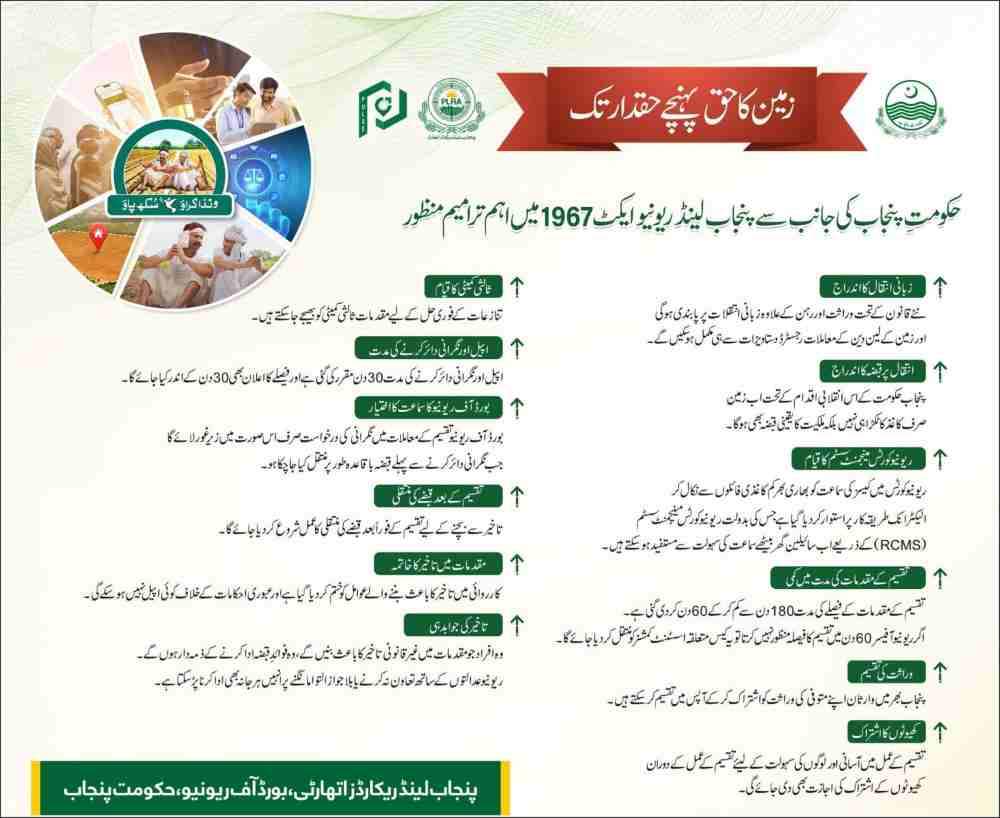
The Punjab Land Record online check system represents Pakistan’s most ambitious public sector digital transformation project. Launched by the Punjab Land Records Authority under the Punjab Land Records Act 2017, this system replaces centuries-old manual record-keeping with a centralized digital database accessible to every citizen.
Core Components of the Digital System
Centralized database architecture: The system stores all land records in a unified digital repository. This eliminates duplicate records, reduces fraud, and ensures data consistency across all access points. Every transaction updates in real-time, so you always see the current ownership status.
Biometric integration: The system links land records with NADRA’s biometric database. This creates an unbreakable chain of ownership verification. When you transfer property, both buyer and seller must provide biometric confirmation at authorized centers.
Blockchain-inspired security: While not pure blockchain, the system uses cryptographic signatures and immutable audit trails. Every document download, every record view, and every transaction logs permanently. This creates accountability and prevents unauthorized modifications.
How Your CNIC Connects to Your Land
Your CNIC serves as the primary key to access land records. When you originally registered your property, the system linked your CNIC to specific Khewat numbers and Khasra numbers. This connection enables instant retrieval of all properties registered in your name.
The linkage process works through:
- Original property registration documents
- Mutation applications during inheritance or sale
- Biometric verification at Arazi Record Centers
- Mobile number verification via SIM registration
Technical Infrastructure Supporting the System
The PLRA operates on a robust technical foundation. Multiple data centers ensure 99.9% uptime. Load balancers distribute traffic during peak hours. Regular security audits identify and patch vulnerabilities before exploitation.
Key technical specifications:
- Oracle database backend for data integrity
- AES-256 encryption for sensitive information
- Two-factor authentication for all user access
- Daily automated backups across multiple locations
Evolution from Patwari System to Digital Platform
Understanding this transition explains why the digital system matters. The old Patwari system relied on handwritten records stored in cloth bundles. Access required bribes. Errors were common and permanent. Records could be stolen or destroyed.
The digital transformation achieved:
- Elimination of middlemen and corruption
- Reduced verification time from weeks to minutes
- Complete data redundancy preventing loss
- Equal access for women and marginalized groups
- Transparent fee structure published online
Current Coverage Statistics
As of early 2026, the PLRA system covers:
- 100% of rural agricultural land in Punjab
- 85% of urban residential and commercial properties
- Over 42 million recorded landowners
- 36 district databases fully integrated
- 200+ Arazi Record Centers operational statewide
Benefits for Different User Groups
Property buyers gain the ability to verify ownership before payment. They can check for legal disputes, mortgages, or inheritance complications that might affect their purchase.
Sellers benefit from faster transaction processing. Digital records eliminate disputes about ownership history and enable quicker mutation transfers after sale completion.
Banks and financial institutions use the system for mortgage verification. They can instantly confirm property ownership and check for existing liens before approving loans.
Government departments access records for tax assessment, infrastructure planning, and dispute resolution. This coordination reduces inter-departmental conflicts.
How Can You Check Land Records in Punjab Online Using Your CNIC?
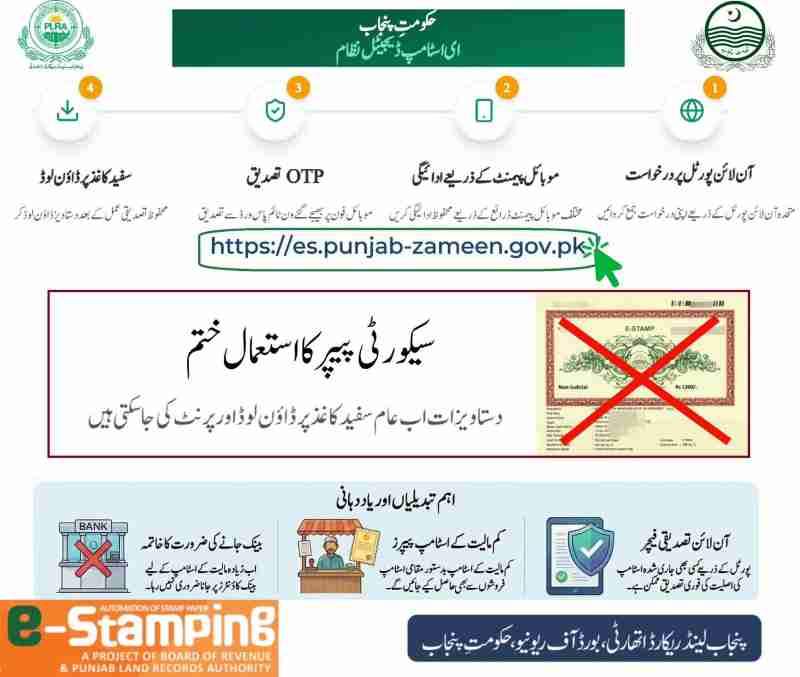
The process for checking land records online follows a straightforward path. Whether you use the web portal or mobile application, the basic steps remain consistent. Let me guide you through each method in detail.
Complete Walkthrough of the ROD Portal Method
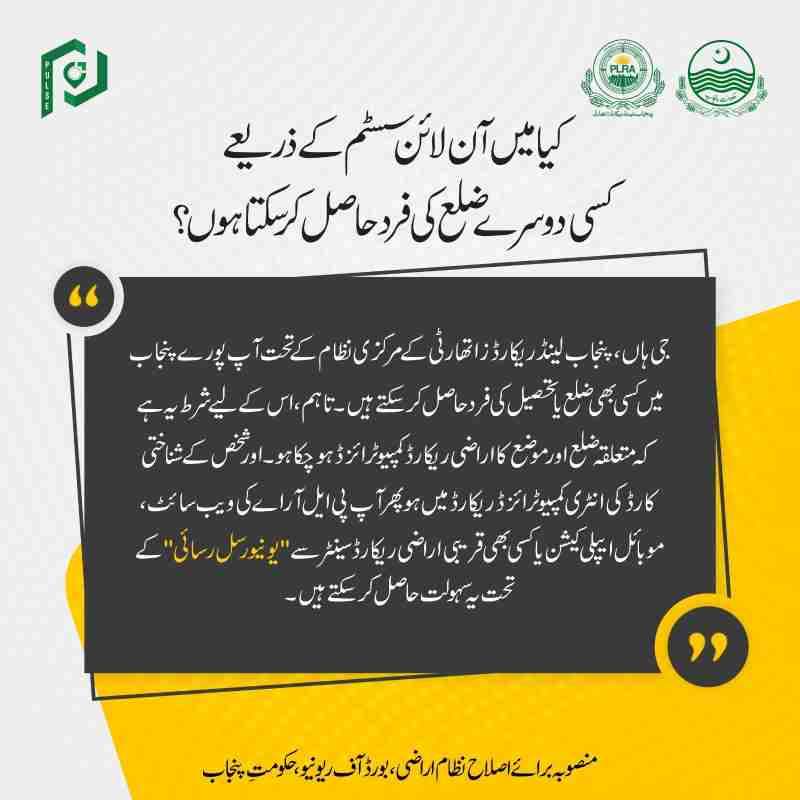
The Record of Deeds portal at rod.pulse.gop.pk serves as the primary web interface for land record access. This government platform handles millions of requests monthly with remarkable efficiency.
Step 1: Portal Access and Language Selection
Open your preferred browser and navigate to rod.pulse.gop.pk. The homepage displays clearly in both Urdu and English. Select your preferred language using the toggle button in the top right corner. English displays technical terms accurately, while Urdu may be more comfortable for casual browsing.
Step 2: CNIC Entry Without Hyphens
Locate the CNIC input field prominently displayed on the main page. Enter your 13-digit CNIC number without any hyphens or spaces. The system automatically validates the format. If you enter an incorrect number, you will receive immediate feedback.
Common entry mistakes to avoid:
- Adding hyphens between number groups
- Including spaces or special characters
- Using an expired or blocked CNIC
- Entering a NICOP incorrectly formatted
Step 3: Mobile Number Verification via OTP
After CNIC submission, the system checks if your mobile number exists in the database. If registered, it sends a 6-digit One-Time Password to that number via SMS. This OTP expires within 10 minutes for security.
Troubleshooting OTP issues:
- Wait at least 60 seconds before requesting resend
- Check spam folders if using email-based notification
- Ensure your SIM card works properly
- Verify your mobile number is registered with PLRA
Step 4: Property Location Selection
Successful OTP entry takes you to the property selection screen. Here you must identify your property’s administrative location through dropdown menus:
District selection: Choose from 36 Punjab districts including Lahore, Faisalabad, Rawalpindi, Multan, Gujranwala, and others.
Tehsil selection: Each district contains multiple tehsils. Select the specific tehsil where your property exists.
Mauza selection: Mauzas represent the smallest revenue unit, similar to villages or urban blocks. Choose your specific Mauza name from the dropdown.
Step 5: Document Type and Search Method
Now you select what information you need. The portal offers several document types:
Fard (Record of Rights): Complete ownership record showing current owner, previous transactions, and any encumbrances.
Sale Deed: The actual registered transfer document with complete terms and conditions.
Mutation Order: Record of ownership transfer after inheritance or sale completion.
Aks Shajra: Digital map showing property boundaries and location.
Search methods available:
- By CNIC: Shows all properties linked to your CNIC
- By Name: Searches by owner name (less precise)
- By Khewat Number: Direct access if you know this number
- By Khasra Number: Specific plot or field identification
Step 6: Fee Generation and Payment
After document selection, the system generates a PSID. This 24-digit number serves as your payment identifier. Copy this number carefully.
Payment methods accepted:
- JazzCash app: Select Government Payments > GOP Punjab
- EasyPaisa app: Navigate to Bill Payments > Government
- Mobile banking: Most Pakistani banks offer this option
- ATM transfer: Available at most bank ATMs
- ARC counter: Physical payment at service centers
Fee structure breakdown:
- Standard Fard download: PKR 500
- Certified copy with stamp: PKR 700
- Sale deed copy: PKR 600
- Aks Shajra map: PKR 550
- Multiple document bundle: PKR 1000-1500
Step 7: Document Download and Verification
Payment confirmation usually processes within 2-5 minutes. The portal then enables download of your selected document as a password-protected PDF. Your CNIC number serves as the password for opening the file.
Read More: Honhaar Scholarship Phase 2 (Merit List) | Apply Online
Using the Punjab Zameen Mobile Application
The Punjab Zameen app brings land records to your smartphone. Available on Google Play Store, this application offers optimized mobile access.
Download and installation process:
- Open Google Play Store on your Android device
- Search for “Punjab Zameen” (look for PLRA official logo)
- Verify the developer is Punjab Land Records Authority
- Click Install and accept required permissions
- Open app after installation completes
App registration steps:
- Accept terms and conditions
- Enter your CNIC number
- Receive and enter OTP verification
- Create a 4-digit PIN for quick access
- Enable fingerprint login if desired
Mobile app features:
- Quick Fard access with saved properties
- Push notifications for mutation updates
- Offline viewing of downloaded documents
- QR code scanner for document verification
- Location-based property search
- Appointment booking at ARCs
Alternative Access Through E-Khidmat Markaz
Some citizens prefer in-person assistance. E-Khidmat Markaz centers across Punjab offer this service with trained staff.
Required documents for physical visit:
- Original CNIC card
- Photocopy of CNIC
- Property location details
- Mobile phone for verification
Service process at centers:
- Take a token from the queue management system
- Wait for your number to display
- Submit CNIC to PLRA officer
- Provide property location details
- Pay applicable fee at integrated counter
- Receive printed Fard within 30 minutes
Advantages of physical centers:
- Immediate assistance for technical issues
- Printed documents available instantly
- Help for elderly or less tech-savvy users
- Biometric services available on-site
Checking Records by Name Instead of CNIC
Sometimes you need information about properties not linked to your CNIC. The system supports name-based searches with certain limitations.
When name search works best:
- Checking ancestral property before inheritance
- Verifying seller claims during purchase
- Researching neighborhood property values
- Locating properties of family members
Name search limitations:
- Multiple results for common names
- No guarantee of complete ownership records
- Requires exact spelling matches
- Cannot access restricted properties
Tips for effective name searches:
- Include father’s name when possible
- Try both Urdu and English spellings
- Narrow by specific Mauza location
- Cross-reference with CNIC results when available
What Documents Can You Access Through the PLRA Online System?

The PLRA digital ecosystem provides access to numerous document types beyond simple ownership verification. Understanding each document’s purpose helps you select the right one for your needs.
Complete Guide to Fard (Record of Rights)
The Fard represents the most requested document in the PLRA system. This comprehensive record contains complete property history and current status.
Information contained in a standard Fard:
- Current owner name and CNIC
- Previous owner details
- Property type and classification
- Khewat and Khasra numbers
- Total land area in kanals/marlas
- Cultivation status for agricultural land
- Any mortgages or liens
- Court stay orders if applicable
- Tax payment status
- Mutation history with dates
Legal validity of online Fard:
- Acceptable for bank loan applications
- Valid for court evidence in property disputes
- Recognized by NADRA for address verification
- Accepted by government departments
- Not sufficient alone for property transfer
Fard validity limitations:
- Requires biometric verification for sale transactions
- Must be less than 30 days old for official use
- Digital signature verification recommended
- Print quality affects acceptance
Understanding Mutation Records

Mutations document ownership changes over time. Tracking these records reveals complete property history.
Types of mutations tracked:
- Inheritance mutations after owner death
- Sale mutations after property purchase
- Gift mutations for property transfers
- Exchange mutations between owners
- Correction mutations for record errors
Mutation status tracking online:
- Enter mutation number if known
- Search by property location
- View current processing stage
- Check for any objections filed
- See approval date and officer details
Mutation processing timeline:
- Simple inheritance: 7-14 days
- Sale with clear title: 14-21 days
- Disputed mutations: 30+ days
- Corrections: 5-10 days
Sale Deed and Registry Access
The actual transfer documents provide complete transaction details beyond ownership summaries.
Sale deed contents:
- Full buyer and seller information
- Witness names and CNICs
- Exact property description
- Sale consideration amount
- Payment receipt acknowledgment
- Terms and conditions
- Date of possession transfer
- Deed registration number
Registry verification checklist:
- Verify seller name matches Fard
- Confirm property description accuracy
- Check witness CNIC validity
- Ensure proper stamp paper used
- Validate registration date
- Cross-check with mutation record
Aks Shajra: Digital Property Maps
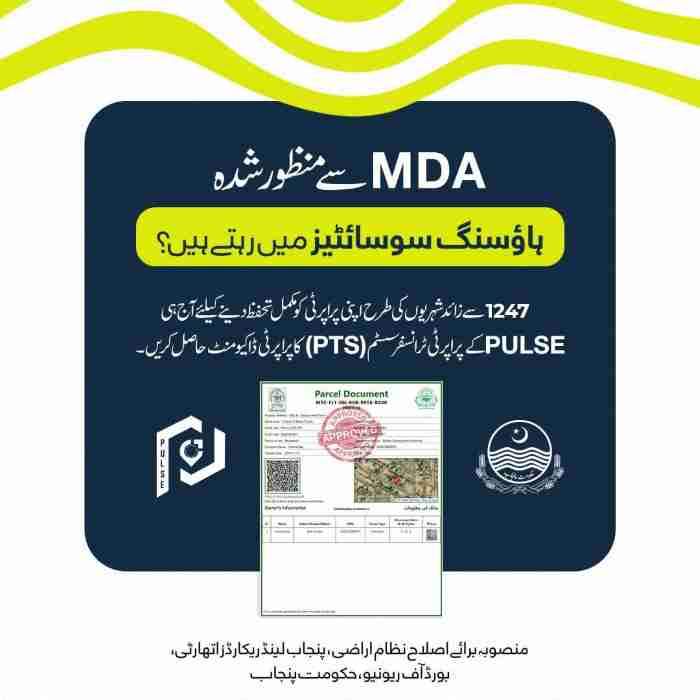
These digital maps show actual property boundaries and locations. They prove essential for physical property identification.
Map features:
- Scaled drawing of property boundaries
- Adjacent property numbers
- Roads and access paths
- Water channels if applicable
- North direction indicator
- Survey markers and benchmarks
Uses of Aks Shajra:
- Boundary dispute resolution
- Construction planning
- Land division for inheritance
- Mortgage property inspection
- Tax assessment verification
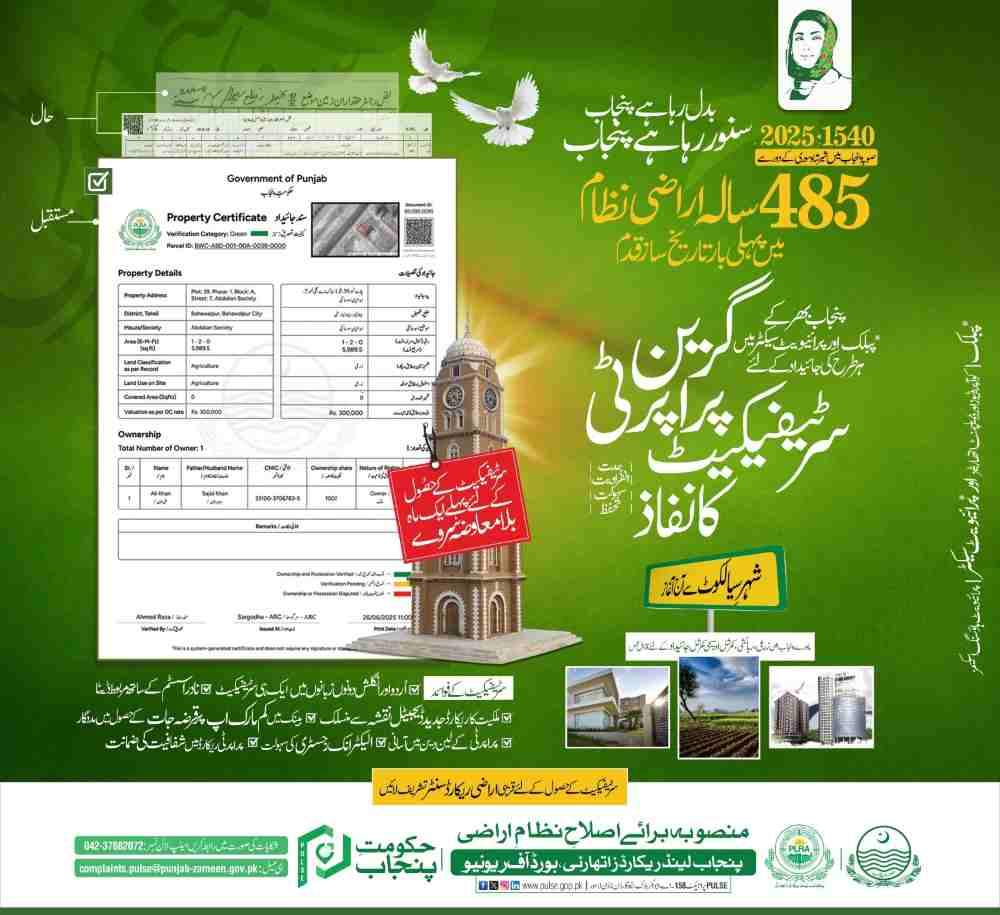
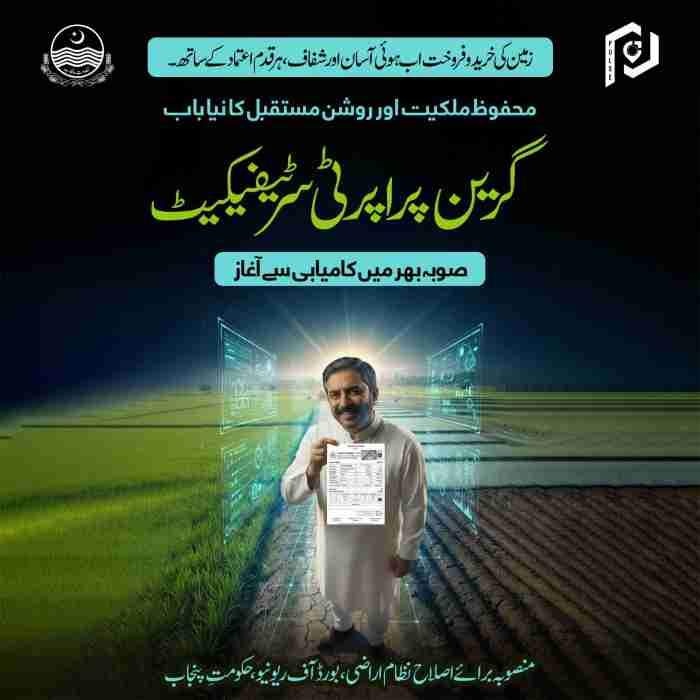
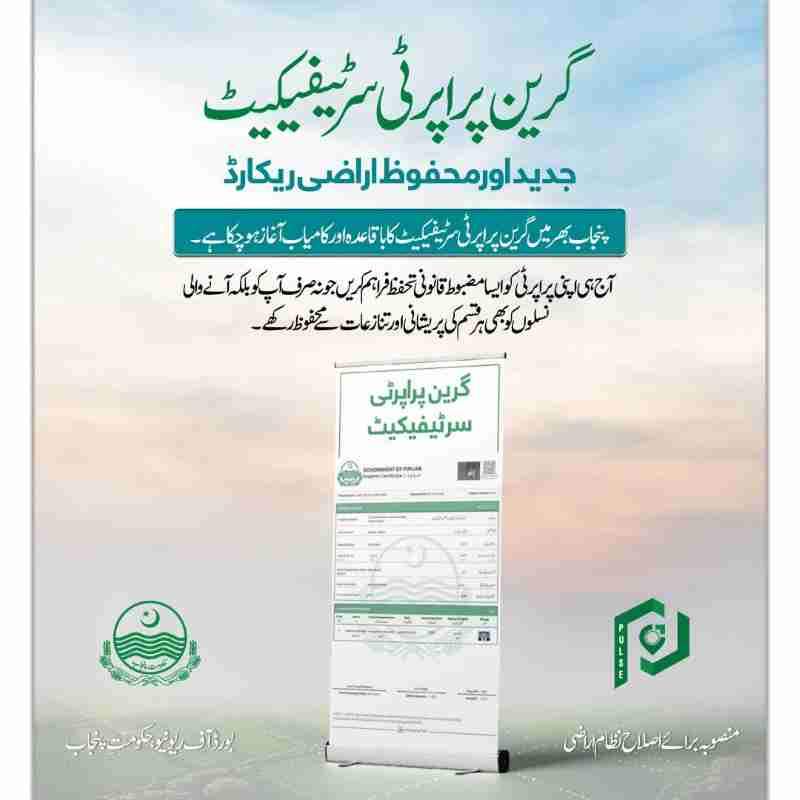
Green Property Certificate System
The Punjab government introduced Green Certificates as enhanced ownership documents with advanced security features.
Certificate features:
- Embedded QR code for instant verification
- Holographic watermark
- Digital signature of registering authority
- Tamper-evident design
- Real-time validation link
- Property photograph for urban properties
QR code verification process:
- Open Punjab Zameen app
- Select QR scanner option
- Scan code on certificate
- View real-time ownership status
- Compare with physical document
Certificate validity period:
- Standard certificate: 90 days
- Enhanced certificate: 180 days
- Lifetime certificate: For government records
What Fees Apply for Online Land Record Services?
Understanding the fee structure helps you budget appropriately and avoid overpayment. PLRA maintains transparent pricing published on the official portal.
Detailed Fee Schedule for All Services
Document download fees (certified copies):
- Single Fard: PKR 500
- Fard with stamp: PKR 700
- Sale deed copy: PKR 600
- Mutation order: PKR 550
- Aks Shajra map: PKR 550
- Complete property file: PKR 1500
- Green Certificate: PKR 1000
Service fees at physical centers:
- Fard issuance: PKR 600
- Certified copy: PKR 800
- Urgent processing: PKR 1200
- Document attestation: PKR 300
- Map printing: PKR 650
Bulk access discounts:
- 10-50 documents: 10% discount
- 51-200 documents: 15% discount
- 201+ documents: 20% discount
- Government departments: Special rates
Understanding PSID Generation
The Payment System Identifier serves as your unique transaction reference. Generating it correctly ensures smooth payment processing.
PSID generation steps:
- Complete document selection
- Verify all details are correct
- Click Generate PSID button
- Note the 24-digit number
- Save screenshot as backup
PSID validity period:
- Standard validity: 7 days
- Extended validity: 30 days with request
- Expired PSID: Generate new one
- Partially paid PSID: Contact support
Mobile Payment Methods Detailed
JazzCash payment process:
- Open JazzCash app
- Select “Pay Government” option
- Choose “Punjab Government” category
- Enter PSID number carefully
- Verify amount displayed
- Confirm payment with PIN
- Save receipt screenshot
EasyPaisa payment steps:
- Launch EasyPaisa app
- Navigate to “Bill Payments”
- Select “Government Payments”
- Choose “PLRA Fee” option
- Input PSID number
- Review payment details
- Complete with fingerprint/PIN
- Download transaction receipt
Bank Alfalah mobile banking:
- Log in to mobile banking
- Find “Government Payments” section
- Select “PLRA Services”
- Enter PSID information
- Confirm payment
- Receive confirmation SMS
ATM Payment Guide
For users preferring traditional banking:
- Insert debit card at any ATM
- Select “Bill Payments” menu
- Choose “Government Payments”
- Enter PSID number
- Verify amount on screen
- Confirm transaction
- Collect printed receipt
- Wait for SMS confirmation
Payment Confirmation and Issues
Normal confirmation time:
- Mobile apps: 1-2 minutes
- ATM transfers: 5-10 minutes
- Bank transfers: 2-4 hours
- ARC counter: Immediate
Payment failure troubleshooting:
- Check PSID number accuracy
- Verify sufficient balance
- Ensure payment method supported
- Try alternative payment method
- Contact bank customer service
- Call PLRA helpline at 0800-ZAMEEN
Fee Refund Policy
Eligible refund situations:
- Duplicate payment detected
- Service unavailable at time
- Technical error charged twice
- Document unavailable after payment
Refund process timeline:
- Submit refund request online: Day 1
- Verification by PLRA: 3-5 days
- Approval from finance: 5-7 days
- Bank transfer processing: 3-5 days
- Total time: 2-3 weeks
How Can You Verify Property Ownership and Authenticity Online?
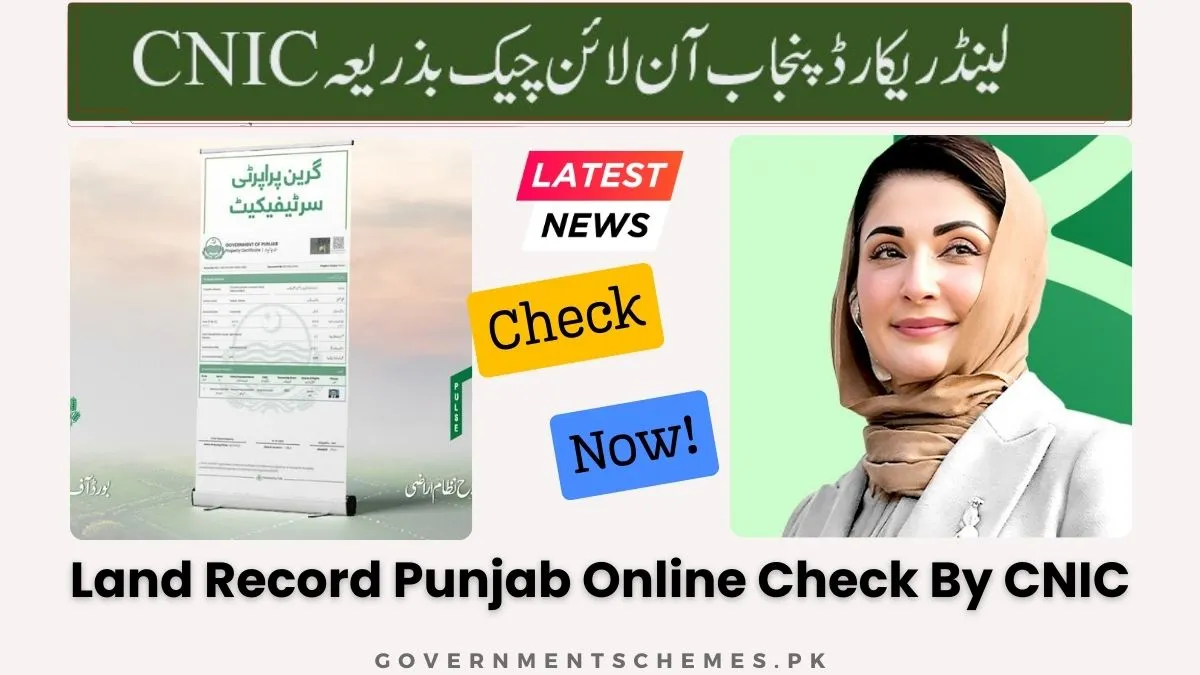
Property verification requires systematic approach combining multiple verification methods. Relying on single document invites fraud risk.
Complete CNIC Matching Protocol
Step-by-step verification process:
Step 1: Obtain seller’s CNIC copy
Request clear front and back copy of seller’s CNIC. Verify the card appears genuine with proper holograms and expiration dates.
Step 2: Access property Fard
Use PLRA portal to download current Fard for the property. Ensure the document shows today’s date or within last 7 days.
Step 3: Match names exactly
Compare owner name on Fard with seller’s CNIC. Check for spelling variations. Minor differences require explanation.
Step 4: Verify CNIC number match
The CNIC number on Fard must exactly match seller’s card. Even single digit difference indicates problem.
Step 5: Check father’s name
Many properties list father’s name. Verify this matches seller’s claimed parentage.
Common mismatches to investigate:
- Spelling variations in names
- Missing tribal or family names
- Different name order
- Old CNIC vs new CNIC numbers
- Deceased owner listed
QR Code Verification System
The Green Certificate QR code enables instant verification without portal access.
Verification steps:
- Download Punjab Zameen app
- Open QR scanner function
- Scan certificate QR code
- View real-time ownership data
- Compare with printed certificate
- Check verification timestamp
What QR code reveals:
- Current owner name
- Property description
- Certificate issue date
- Certificate expiry date
- Any active disputes
- Mortgage status
- Tax payment status
Checking for Legal Disputes and Stay Orders
Court stay order indicators on Fard:
- Red text annotation on first page
- Stay order reference number
- Court name and location
- Order date and expiry
- Judge’s name and signature reference
How to verify stay orders:
- Note the court reference number
- Visit court website if available
- Call court clerk’s office
- Consult with property lawyer
- Check for updates at hearing dates
Mortgage and Lien Verification
Mortgage indicators on Fard:
- Bank name listed as charge holder
- Mortgage registration number
- Loan amount (sometimes shown)
- Mortgage date and term
- Release conditions
Verifying mortgage status:
- Contact listed bank directly
- Request loan clearance certificate
- Check for mortgage release entry
- Verify with bank’s legal department
- Obtain NOC from bank if required
Historical Transaction Analysis
Reviewing past transactions reveals patterns indicating problems.
Red flags in transaction history:
- Multiple sales in short period
- Frequent ownership changes
- Inheritance disputes visible
- Gaps in ownership record
- Correction mutations indicating errors
Transaction verification steps:
- List all previous owners
- Check each transfer date
- Verify mutation numbers
- Compare sale consideration amounts
- Look for unusual patterns
Professional Verification Services
For high-value transactions, consider professional verification:
Services offered:
- Title search reports
- Encumbrance certificates
- Physical property inspection
- Neighbor verification
- Municipal record checks
- Tax clearance verification
Cost of professional verification:
- Basic title search: PKR 5000-10000
- Comprehensive report: PKR 15000-25000
- Commercial property: PKR 30000+
- Urgent processing: Additional 50%
What Should You Do When Your CNIC Shows No Record Found?
The “No Record Found” message frustrates many landowners. Understanding causes and solutions saves time and stress.
Complete Analysis of Common Causes
Unregistered mobile number:
The most common cause involves mobile numbers not linked to land records. When Patwaris originally digitized records, they often lacked mobile numbers. Your property exists in database but lacks contact information for OTP delivery.
Solution process:
- Visit nearest Arazi Record Center
- Carry original CNIC and copy
- Request mobile number registration
- Complete biometric verification
- Receive confirmation SMS
- Wait 24 hours for system update
Land registered under different name:
Sometimes family properties register under elder’s name while younger generations use their own CNICs for search. Your CNIC won’t show properties owned by parents or siblings.
Solution approach:
- Search using family member’s CNIC
- Check with Khewat number instead
- Visit ARC with inheritance documents
- Request CNIC linkage through mutation
- Update records after inheritance
Property not yet digitized:
While most areas now covered, some remote Mauzas await digitization. Rural areas with incomplete surveys may still use manual records.
Verification steps:
- Check PLRA coverage list online
- Contact local Patwari office
- Visit tehsil headquarters
- Request digitization status
- Access manual records temporarily
Technical database errors:
System glitches occasionally prevent access. Server overload during peak hours, maintenance periods, or temporary outages cause false “no record” messages.
Troubleshooting steps:
- Try during off-peak hours (after 8 PM)
- Clear browser cache and cookies
- Use different browser or device
- Try mobile app instead of website
- Wait 24 hours and retry
Step-by-Step CNIC Registration Process
At Arazi Record Center:
Step 1: Document preparation
Gather original CNIC, two photocopies, property documents if available, and mobile phone for verification.
Step 2: Token collection
Visit ARC during working hours (8 AM to 4 PM). Collect token from automated machine. Tokens limited daily so arrive early.
Step 3: Form submission
Complete simple registration form with:
- Your full name as on CNIC
- CNIC number
- Mobile number
- Property location details
- Relationship to property
Step 4: Biometric verification
Place thumb on biometric scanner. System verifies with NADRA database. This links your identity permanently to the request.
Step 5: Staff verification
ARC officer reviews your documents. They may ask questions about property ownership to verify legitimacy.
Step 6: Confirmation SMS
Within 24-48 hours, you receive confirmation that mobile number registered. System then recognizes your CNIC for future searches.
Mobile Number Update Options
Self-service online update:
Some users can update numbers online through:
- Login to PLRA portal
- Access profile settings
- Select “Update Mobile Number”
- Enter new number
- Verify via OTP to old number
- Complete biometric if required
Bank branch update:
Selected bank branches offer mobile update services:
- Visit partner bank branch
- Submit CNIC and property details
- Complete bank verification
- Pay nominal service fee
- Receive confirmation within 3 days
Temporary Workarounds
While resolving registration issues, use alternative access methods:
Khewat number search:
If you know your Khewat number, search directly without CNIC. This bypasses CNIC linkage requirements.
Visit Patwari office:
Traditional Patwari offices still operate alongside digital system. Request manual Fard copy while resolving digital issues.
Hire document specialist:
Professional property consultants can access records using their registered credentials and provide certified copies.
Preventing Future Issues
Regular record checks:
Check your property records quarterly. Early detection of problems enables faster resolution.
Update after life events:
After marriage, death in family, or CNIC renewal, verify records updated accordingly.
Maintain documentation:
Keep copies of all property documents, mutation orders, and registration receipts. These prove ownership during disputes.
How Can Overseas Pakistanis Access Land Records From Abroad?
Non-resident Pakistanis face unique challenges in property management. The PLRA system specifically addresses these needs through international access points.
Complete International Access Guide
Direct online access method:
Step 1: Access international portal
Visit rod.pulse.gop.pk from any country. The portal detects international access and adjusts settings automatically.
Step 2: Enter NICOP or passport details
For overseas Pakistanis, enter:
- NICOP number (with country code)
- Passport number (if NICOP unavailable)
- PNIC (Pakistan Origin Card) number
Step 3: Email verification
Since international SMS may fail, system offers email OTP option. Verify using your registered email address.
Step 4: Standard location selection
Select district, tehsil, and Mauza as usual. The interface remains identical to domestic version.
Step 5: International payment
Payment options adapt for international users:
- International credit/debit cards
- PayPal (select regions)
- Bank transfer in foreign currency
- Pakistani bank account if maintained
Step 6: Document download
Documents download as standard PDFs. These hold same legal validity as domestic versions.
Overseas Facilitation Centers
UAE centers locations:
- Dubai: Pakistani Consulate, Karama
- Abu Dhabi: Embassy of Pakistan
- Sharjah: Pakistani Association
UK centers:
- London: Pakistan High Commission
- Birmingham: Pakistani Consulate
- Manchester: Community Center
USA centers:
- Washington DC: Pakistan Embassy
- New York: Consulate General
- Houston: Honorary Consulate
- Los Angeles: Trade Mission
Saudi Arabia:
- Riyadh: Embassy of Pakistan
- Jeddah: Consulate General
- Dammam: Community Welfare Office
Services Available at Overseas Centers
Complete service menu:
- Fard issuance and attestation
- Mutation application filing
- Power of attorney registration
- Document verification
- Biometric verification (selected centers)
- Fee collection in local currency
- Notary services
Power of Attorney Management
Many overseas Pakistanis use power of attorney for property management:
POA registration process:
- Visit nearest Pakistani mission
- Complete POA forms
- Provide property details
- Verify identity with passport
- Pay applicable fees
- Receive attested POA
- Send to Pakistan representative
POA validity:
- Standard POA: 5 years
- Special POA: Specific transaction only
- General POA: All property matters
- Revocable POA: Can be cancelled
Currency and Payment Considerations
Exchange rate factors:
- Portal converts fees at daily rate
- Bank charges 2-4% conversion fee
- International cards add 1-3% foreign transaction fee
- Total cost: PKR 500 fee becomes PKR 550-600 equivalent
Recommended payment methods:
- Pakistani bank account (lowest fees)
- International debit card (medium fees)
- Credit card (highest fees)
- Third-party services (variable)
Time Zone Considerations
Portal availability:
24/7 access regardless of time zone. System maintenance occurs during Pakistan night (overseas daytime for Americas).
Support timing:
PLRA helpline: Pakistan working hours
Email support: 24-48 hour response
Overseas centers: Local working hours
Common Challenges for Overseas Users
SMS verification failure:
Pakistani SIM cards may not work abroad. Use email verification option or request alternative verification.
Payment gateway issues:
Some international cards block government payments. Contact bank before attempting large transactions.
Document attestation needs:
Pakistan authorities may require embassy attestation. Factor this into processing time.
Conclusion and Essential Recommendations
The Punjab land record digital transformation represents a milestone in citizen services. With over 42 million landowners now in the database and 200+ service centers nationwide, access to property information has never been easier. Whether you sit in Lahore or London, your property records remain just a few clicks away.
Final checklist for property transactions:
Before any property purchase:
- Download current Fard
- Verify seller CNIC matches
- Check for legal disputes
- Confirm tax payments current
- Review transaction history
- Obtain Green Certificate if available
After property purchase:
- Verify mutation completed
- Update mobile number
- Download updated Fard
- Store documents securely
- Schedule regular verification
Protecting your property rights:
- Never share OTP codes
- Verify portal URLs carefully
- Use official apps only
- Report suspicious activity immediately
- Keep documents backed up
Future developments to expect:
- Complete urban property coverage by 2027
- Blockchain integration for enhanced security
- AI-powered fraud detection
- Instant mutation approvals
- International biometric verification
For assistance, contact PLRA helpline at 0800-ZAMEEN or visit your nearest Arazi Record Center. Your property rights deserve nothing less than complete protection through informed verification.

Add a Comment