
Online FIR check by CNIC Pakistan is a digital service that allows citizens to view, track, and download First Information Reports (FIRs) registered against their Computerized National Identity Card using the official Punjab Police Pakistan mobile application, without visiting a police station.
What you will learn from this guide:
- Step-by-step process to perform an online FIR check by CNIC
- How to download and verify your identity using NADRA PakID
- Alternative methods to check FIR status without the app
- Key features of the Punjab Police app beyond FIR tracking
- What to do if you find a fake or mistaken FIR on your record
Key Takeaways
- CNIC is the key: Your 13-digit CNIC number is the primary identifier to access FIR records, criminal history, and police verification services in Punjab.
- Mandatory PakID verification: All new and existing app users must verify their CNIC through NADRA’s PakID app before accessing any service, including FIR tracking.
- App offers more than FIR checks: Beyond FIR tracking, the Punjab Police app provides character certificates, tenant registration, vehicle verification, and lost document reporting.
- Physical visits still matter: For certified physical copies of FIRs or urgent character certificates, visiting a Police Khidmat Markaz remains the most reliable method.
- Fake FIR requires legal action: If your CNIC shows a false FIR, you must file a complaint via the 1787 IGP helpline and pursue legal quashing through the High Court.
- Read More: How To Apply For Domicile Online? | Domicile Online Apply
- Read More: Digital ID Card Pakistan: How to Apply Online (Pak Identity App)
- Read More: NADRA e-Sahulat Biometric Verification (Apply CNIC, FRC, B-Form)
- Read More: NICOP Pakistan: How to Apply Online | Track NICOP
Online FIR Check By CNIC Pakistan – Punjab Police App
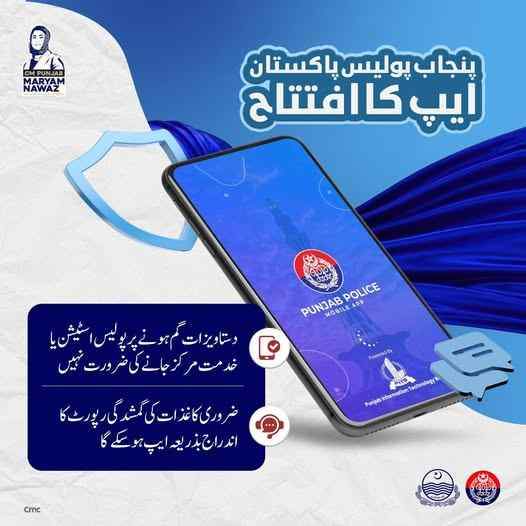
Table Of Contents
What Is an Online FIR Check by CNIC Pakistan and How Does the Punjab Police App Work?
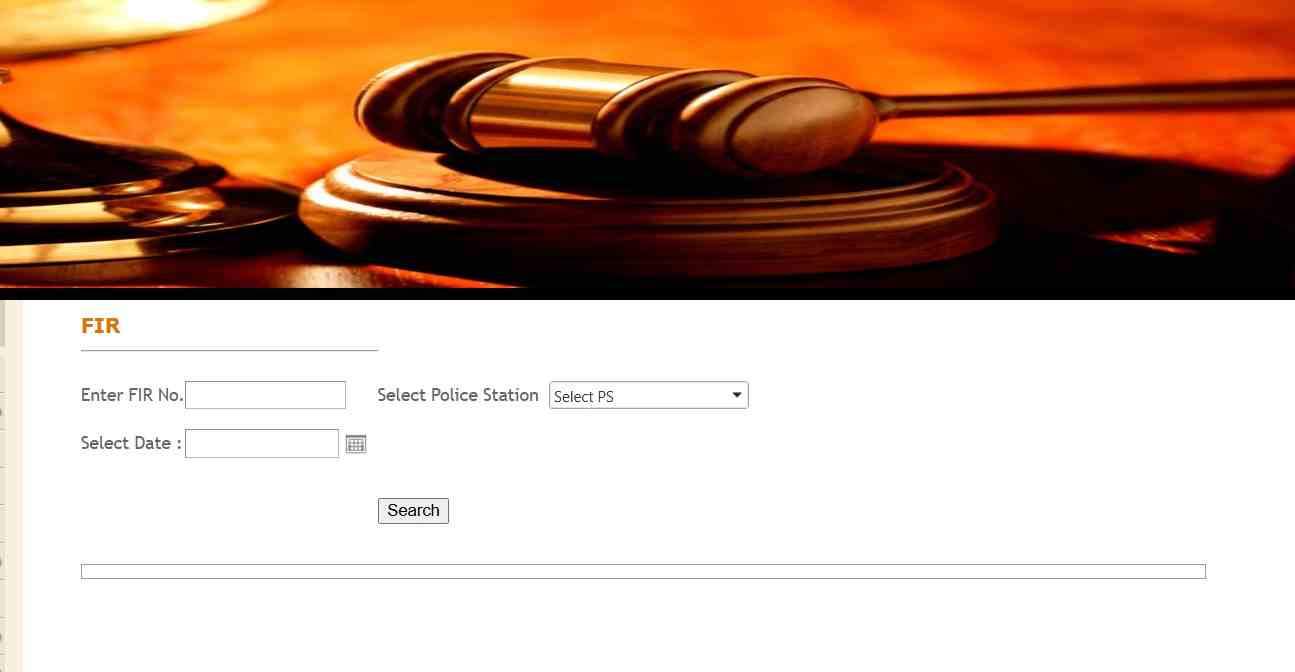
Check through this link: https://lahore.dc.lhc.gov.pk/PublicPages/Fir.aspx
Online FIR Check by CNIC Pakistan is a digital verification process that allows citizens to access and track First Information Reports (FIRs) registered against their Computerized National Identity Card (CNIC) using the official Punjab Police Pakistan mobile application. This system eliminates the need for physical visits to police stations for basic inquiries and provides a transparent window into the criminal justice process.
Official Definition of Online FIR Check and Its Legal Standing in Pakistan
An online FIR check by CNIC is a government‑approved digital inquiry that retrieves any First Information Report linked to a citizen’s identity number from the centralized police database. Legally, FIRs are recorded under Section 154 of the Code of Criminal Procedure (CrPC), and digital access through the Punjab Police app is authorized under the Punjab Information Technology Board’s (PITB) e‑governance framework.
Brief History of Police Digitization in Punjab and the Role of PITB
The Punjab Information Technology Board (PITB) has been the driving force behind police digitization in Punjab since the early 2010s. Key milestones include:
- Launch of the Criminal Record Management System (CRMS) for internal police use
- Establishment of Police Khidmat Markaz (PKM) in 36 districts
- Introduction of the Punjab Police Pakistan app as a one‑stop citizen facilitation platform
- Integration with NADRA’s PakID for biometric verification of all app users
Why the Government Mandated CNIC-Based FIR Tracking for All Citizens
CNIC-based FIR tracking was mandated to:
- Reduce corruption and harassment at police stations
- Provide transparent access to personal criminal records
- Speed up background checks for employment, visas, and immigration
- Empower citizens to verify if they have been falsely implicated in any case
The Difference Between an e‑Complaint and a Formal FIR
| Feature | e‑Complaint | Formal FIR |
|---|---|---|
| Legal status | Preliminary complaint, not yet an FIR | Legally registered First Information Report |
| Police action | May be investigated or converted to FIR | Mandatory police investigation begins |
| Visibility on CNIC | Not visible via online FIR check | Fully visible via CNIC search |
| Example use | Lost documents, minor thefts, service requests | Cognizable offenses like robbery, murder, assault |
Legal Distinction Between Cognizable and Non‑Cognizable Offenses in Online Records
Only cognizable offenses (where police can arrest without a warrant) appear as full FIRs in online CNIC checks. Non‑cognizable offenses require a magistrate’s order for police action and may not be visible through the app. Examples:
- Cognizable: Theft, murder, assault, robbery
- Non‑cognizable: Defamation, cheating, minor threats
How Digital FIR Verification Fits into Pakistan’s Broader E‑Governance Framework
Digital FIR verification is a pillar of Pakistan’s E‑Governance Strategy, alongside online driving licenses, e‑challan systems, and NADRA’s PakID for identity management. Punjab leads the way with integrated platforms that connect police, excise, and traffic departments under a single digital umbrella.
Who Can Perform an Online FIR Check Using a CNIC?
Any Pakistani citizen holding a valid CNIC issued by NADRA can perform an online FIR check for their own record. You cannot check another person’s criminal record without their explicit consent or legal authorization.
5 Key Benefits of Checking Your FIR Status Online Instead of Visiting a Station
- Time saving: No need to travel or wait in queues
- 24/7 access: Check records anytime from home
- PDF download: Obtain a digital copy instantly
- Investigation tracking: See arrests, charges, and case closures
- Dispute prevention: Verify if someone has filed a false FIR against you
What Information Appears When You Perform an Online FIR Check by CNIC?
When you perform an online FIR check by CNIC, the system displays:
- FIR number and registration date
- Police station jurisdiction
- Sections of law invoked (e.g., 302, 324, 379 PPC)
- Names of nominated accused persons
- Investigation status (under investigation, challan submitted, case closed)
- Arrest status of accused individuals
Can You See the Full FIR Document or Only the Status?
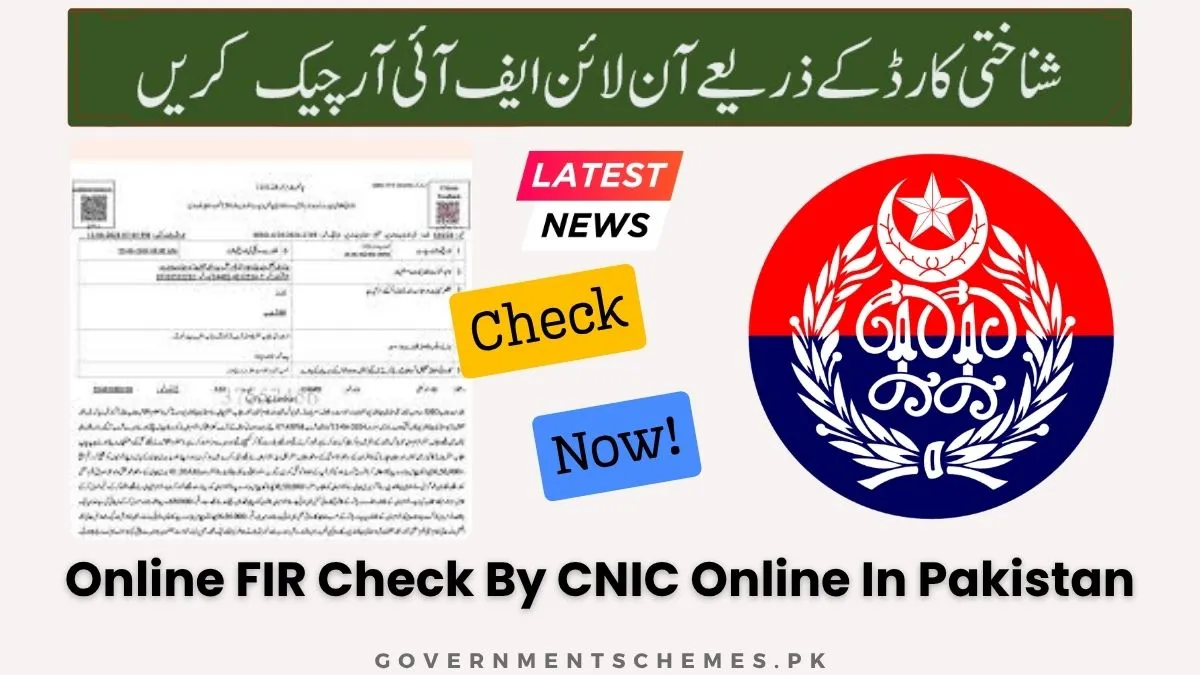
You can both view the status and download the complete FIR as a PDF file from the Punjab Police app. The PDF includes all details recorded in the original FIR, including the complainant’s statement and the police officer’s endorsement.
Does the System Show FIRs That Have Been Cancelled or Closed?
Yes, cancelled or closed FIRs remain in the police database and will appear in your online FIR check results. However, the status will clearly indicate “Cancelled” or “Closed” along with the reason and date of closure.
What Is the Difference Between an FIR Number, an E‑Tag Number, and a Tracking ID?
| Identifier | Format | Purpose |
|---|---|---|
| FIR Number | 4‑6 digits + year (e.g., 123/24) | Official registration number of the FIR |
| E‑Tag Number | Alphanumeric string | Tracking code for e‑complaints filed online |
| Tracking ID | Numeric code | Used for IGP Complaint Center or CM Complaint System |
How the Punjab Police App Compares to Other Provincial Police Apps (Sindh, KPK, Balochistan)
| Province | App/Portal | FIR Check by CNIC | Character Certificate | Tenant Registration |
|---|---|---|---|---|
| Punjab | Punjab Police Pakistan App | ✅ Full access | ✅ Online | ✅ Online |
| Sindh | PRVS Portal | ❌ Limited | ✅ Online | ❌ No |
| KPK | KPK Police App | ❌ No | ❌ No | ❌ No |
| Balochistan | No dedicated app | ❌ No | ❌ No | ❌ No |
Punjab has the most advanced and citizen‑friendly digital police system in Pakistan.
Is There a Centralized National Database for FIRs by CNIC in Pakistan?
No. Currently, there is no centralized national database for FIRs across all provinces. Each province maintains its own police records. However, NADRA’s PakID integration is gradually enabling cross‑provincial data sharing for verification purposes.
Step-by-Step Guide: How to Perform an Online FIR Check by CNIC Using the Punjab Police App
To perform an online FIR check by CNIC in Pakistan using the Punjab Police Pakistan app, you must first download the official application from a trusted store, complete the mandatory CNIC verification through the NADRA PakID app, and then navigate to the Citizen FIR Tracking section to search for your records.
Where to Download the Official Punjab Police Pakistan App for Android and iOS
The official Punjab Police Pakistan app is available on:
- Google Play Store: Search “Punjab Police Pakistan”
- Apple App Store: Search “Punjab Police Pakistan”
The app is developed by the Punjab Information Technology Board (PITB) and is completely free to download.
How to Create a New Account or Log In to the App
- Open the app and tap “Register” or “Sign Up”
- Enter your mobile number and create a password
- An OTP (One‑Time Password) will be sent via SMS
- Enter the OTP to complete mobile verification
Why the App Now Requires Mandatory CNIC Verification Using the NADRA PakID App
All new and existing users must verify their CNIC using NADRA’s PakID app to:
- Prevent identity theft and fraudulent access
- Ensure that only the genuine CNIC holder can view their records
- Comply with NADRA’s digital identity security protocols
Step-by-Step Guide to Completing PakID Verification for the Punjab Police App
- Download the NADRA PakID app from Google Play or Apple App Store
- Create an account using your CNIC, email, and mobile number
- Verify your identity using biometric data (photo and fingerprints)
- In the Punjab Police app, select “Verify via PakID”
- Approve the verification request in the PakID app
- Return to the Punjab Police app – your CNIC is now verified
How to Find and Access the Citizen FIR Tracking Section in the App Interface
- After successful login, tap on the Services column at the bottom of the screen
- Scroll down or search for Citizen FIR Tracking
- Tap on the option to open the FIR search interface
What Details Are Required to Search for an FIR: CNIC vs. FIR Number vs. E‑Tag
- Search by CNIC: Enter your 13‑digit CNIC number (without dashes)
- Search by FIR Number: Enter the FIR number, select district, police station, and year
- Search by E‑Tag: Enter the e‑tag number received after filing an online complaint
How to Enter Your CNIC Correctly (With or Without Dashes) for Accurate Results
Enter your 13‑digit CNIC number without any spaces or dashes. For example, if your CNIC is 12345‑6789012‑3, enter it as 1234567890123. Using dashes or spaces may cause a “No Record Found” error.
How to Interpret the Search Results Screen: Case Status, Arrests, and Case Closures
The search results screen displays:
- Case Status: Under investigation, Challan submitted, Case closed
- Arrests: Names of accused persons who have been arrested
- Case Closure: Date and reason if the case has been disposed of
- Investigating Officer (IO): Name and contact information of the IO
How to View and Download a Complete PDF Copy of an FIR from the App
- After searching and finding the FIR, tap on the FIR entry
- Look for the Download PDF or View Copy button
- The FIR will open as a PDF document
- Tap the download icon to save it to your device
What to Do If the App Displays “No Record Found” Against Your CNIC
Possible reasons and solutions:
- No FIR registered: No action needed; your record is clean
- CNIC entered incorrectly: Re‑enter without dashes
- Technical glitch: Try again later or use the CMS Punjab portal
- Recently registered FIR: Wait 24–48 hours for database update
How Long Does It Take for a Newly Registered FIR to Appear Online After Lodging?
A newly registered FIR typically appears in the online system within 24 to 48 hours after it has been entered into the police’s digital Criminal Record Management System (CRMS).
Can You Check the Status of an FIR Registered in Another District of Punjab?
Yes. The Punjab Police app allows you to check FIRs registered in any district of Punjab, including Lahore, Rawalpindi, Faisalabad, Multan, Gujranwala, Sargodha, and others.
Can a Blood Relative or Authorized Representative Check Your FIR Record Using Your CNIC?
No. Due to privacy and security protocols, only the CNIC holder after successful PakID verification can view their own FIR records. A blood relative cannot check on your behalf unless you share your login credentials.
Does the App Provide Notifications When an FIR Status Changes?
Yes. The Punjab Police app sends push notifications when there is an update to an FIR you are tracking, such as an arrest, challan submission, or case closure.
Step-by-Step Visual Guide: Screenshots of the FIR Tracking Process
| Step | Action |
|---|---|
| 1 | Open app → Go to Services → Tap Citizen FIR Tracking |
| 2 | Select search method: CNIC / FIR Number / E‑Tag |
| 3 | Enter details and tap Search |
| 4 | View case summary including status, IO, and arrests |
| 5 | Tap Download PDF to save a copy of the FIR |
Alternative Methods for Online FIR Check by CNIC in Punjab (Without the App)
If you cannot use the Punjab Police Pakistan app, you can still perform an online FIR check by CNIC using the official CMS Punjab web portal or by visiting a Police Khidmat Markaz in person with your original CNIC.
How to Check FIR Status and Complaints Using the CMS Punjab Web Portal
The CMS (Complaint Management System) Punjab web portal allows citizens to:
- Track FIR status using CNIC or FIR number
- Monitor complaints filed through IGP or CM Complaint Centers
- View investigation progress without downloading the app
How to Track an FIR Using Only Your CNIC on the CMS Punjab System
- Visit the official CMS Punjab website
- Click on “Track Complaint” or “FIR Status”
- Select “Search by CNIC”
- Enter your 13‑digit CNIC number
- Click Search to view all linked FIRs and complaints
What to Do If You Have Lost Your E‑Tag Number or FIR Reference Number
If you have lost your e‑tag number or FIR reference number, you can still search using:
- Your CNIC number (for complaints filed under your identity)
- The police station name and approximate date of registration
- Your mobile number used during complaint filing
How to Track IGP Complaints or CM Complaint System FIRs by CNIC
- Visit the IGP Complaint Center portal (1787)
- Enter your CNIC or the tracking number provided after complaint submission
- View the current status, assigned officer, and resolution timeline
How to Visit a Police Khidmat Markaz (PKM) for a Certified Copy of an FIR
A Police Khidmat Markaz (PKM) is a one‑stop citizen facilitation center operated by Punjab Police. To obtain a certified physical copy of an FIR:
- Visit the PKM in your district
- Submit a written application requesting a copy of FIR
- Provide your original CNIC for verification
- Pay the prescribed fee (if applicable)
- Receive the certified copy within 1–3 working days
List of All 36 PKM Locations in Punjab (Lahore, Rawalpindi, Faisalabad, Multan, Gujranwala, Sargodha)
PKM centers are available in all districts of Punjab, including:
- Lahore (multiple locations: Township, Iqbal Town, Model Town)
- Rawalpindi (Saddar, Civil Lines, Westridge)
- Faisalabad (Millat Town, Jaranwala Road)
- Multan (Gulgasht, Shah Rukan-e-Alam)
- Gujranwala (Civil Lines, Satellite Town)
- Sargodha (Canal Road, University Road)
- Plus centers in Bahawalpur, Rahim Yar Khan, Sialkot, Sheikhupura, and all other districts
Documents Required at a PKM for an FIR Copy: Original CNIC and Copies
- Original CNIC of the applicant
- Two photocopies of the CNIC
- FIR number (if known)
- Name of the police station where FIR was registered
- Written application (available at the PKM counter)
What Is the Difference Between an Online FIR Copy and a Certified Physical Copy?
| Feature | Online FIR Copy (PDF) | Certified Physical Copy |
|---|---|---|
| Cost | Free | Nominal fee (varies by district) |
| Legal validity | For personal reference only | Legally admissible in court |
| Stamp/seal | No official stamp | Official police stamp and signature |
| Delivery | Instant download | 1–3 working days |
How to Use the Punjab Police Helpline 1787 to Check FIR Status by CNIC
- Dial 1787 from any phone
- Select the option for “FIR Status” or “Complaint Tracking”
- Provide your CNIC number when prompted
- The automated system will recite the status of any FIR linked to your CNIC
How to Use the 8787 Helpline and SMS Service for FIR and Complaint Status
- Send an SMS with your CNIC number to 8787
- You will receive a reply with the status of any registered FIR or complaint
- You can also call 8787 for a live agent to assist you
Can Overseas Pakistanis Perform an Online FIR Check by CNIC from Abroad?
Yes. Overseas Pakistanis can use the Punjab Police Pakistan app from anywhere in the world. However, some users have reported that the app does not work outside Pakistan unless a VPN is used. NADRA’s PakID verification can be completed remotely using biometric data.
Key Features of the Punjab Police App Beyond FIR Checking
The Punjab Police Pakistan app serves as a one-stop citizen facilitation platform that extends far beyond FIR checking, offering services including online crime reporting, character certificate applications, tenant and employee registration, vehicle verification, lost document reporting, and traffic services.
How to Report a Crime or File an Online Complaint Using the App
- Open the app and tap on “Report a Crime” or “Online Complaint”
- Select the type of crime (theft, harassment, fraud, etc.)
- Enter the details, location, and any evidence (photos/documents)
- Submit the complaint – you will receive an e‑tag number for tracking
Complete Guide to Applying for a Police Character Certificate (PCC) Online via the App
- Log in to the Punjab Police app
- Select “Character Certificate” from the services menu
- Enter your personal details and upload a recent photograph
- Generate a PSID (Payment Slip ID)
- Pay the fee online via JazzCash, EasyPaisa, or bank transfer
- Submit the application – the certificate will be delivered via courier
Fee Structure for Character Certificate: Rs. 1022 and Payment via PSID, JazzCash
- Online application through app: Rs. 1,022 (includes courier delivery)
- In‑person at PKM: Rs. 500 (pickup from center)
- Payment methods: PSID generation, JazzCash, EasyPaisa, bank transfer
How to Track the Status of Your Character Certificate Application
- Open the app and go to “Character Certificate” section
- Click on “Track Application”
- Enter your application ID or CNIC
- View the current status (pending, under verification, issued, dispatched)
How to Register as a Tenant Using the Punjab Police App: CNIC and Documents Required
Landlords can register tenants online to avoid police verification issues:
- Open the app and select “Tenant Registration”
- Enter the tenant’s CNIC number and personal details
- Upload a copy of the tenant’s CNIC
- Submit the form – a verification request is sent to the tenant
How to Register a Private Employee for Police Verification Online
- Select “Private Employee Registration” from the app menu
- Enter the employee’s CNIC, name, father’s name, and address
- Provide employer details (company name, address)
- Submit for police verification – results are sent to the employer
How to Perform Vehicle Verification by CNIC and Registration Number Using the App
- Tap on “Vehicle Verification” in the app
- Enter the vehicle registration number or the owner’s CNIC
- The system displays:
- Owner name and CNIC
- Vehicle make, model, and color
- Registration status (clear, stolen, or blocked)
- Fitness certificate validity
- Route permit (for commercial vehicles)
How to Use the App’s Lost Document Report Feature for CNIC, Passport, and Driving License
Citizens can now report lost documents directly from home without visiting a police station.
- Open the app and select “Lost Report”
- Choose the document type: CNIC, Passport, Driving License, or other
- Enter the document number (if known) and your CNIC
- Submit the report – a digitally signed loss report is generated
- Download and print the report for use with NADRA or passport offices
How to Download a Digitally Signed Lost Report PDF from the App
After submitting a lost document report:
- Go to “My Reports” or “Lost Reports” section
- Select the relevant report
- Tap “Download PDF” to save the digitally signed loss report
- The report can be printed and submitted to relevant authorities
How to Locate Your Nearest Police Station Using the App’s Find My Police Station Feature
- Tap on “Find My Police Station”
- The app uses your GPS location to display the nearest police station
- You can also search by district or police station name
- Contact details (phone number, address) are provided
How to Use the App for Driving License Verification via DLIMS Integration
- Select “Driving License Verification” from the traffic services menu
- Enter the driving license number or CNIC of the license holder
- The system displays:
- License validity (valid/expired)
- License category (LTV, HTV, etc.)
- Issue and expiry dates
- Any suspensions or fines
How to Check E‑Challan (Traffic Fines) Using CNIC or Vehicle Registration Number
- Tap on “E‑Challan” or “Traffic Challan” in the app
- Search by CNIC (owner’s CNIC) or vehicle registration number
- View all unpaid challans with violation details, date, location, and fine amount
- Pay e‑challans directly through integrated payment gateways
How to Use the IGP Complaint Center Feature Within the App
- Tap on “IGP Complaints” from the main menu
- File a complaint against any police officer, station, or service
- Enter your CNIC, complaint details, and any supporting evidence
- Track the complaint status using the provided tracking ID
Can You Use the App to Check the Criminal Record of a Domestic Worker by Their CNIC?
Yes. Employers can use the app’s “Police Verification” feature to check the criminal record of a domestic worker or private employee. The worker’s consent and CNIC are required. The verification result is sent to the employer within a few working days.
Can You Check the Criminal History of a Vehicle Using Its Registration Number on the App?
Yes. The vehicle verification feature displays whether a vehicle has been reported as stolen, involved in any criminal case, or has outstanding e‑challans. This is useful when purchasing a used vehicle.
How to Verify the Authenticity of an FIR or Character Certificate Online
To verify the authenticity of an FIR or Character Certificate obtained through the Punjab Police Pakistan app or Khidmat Markaz, you can use the QR code printed on the document or cross‑check the details on the official Punjab Police verification portal.
What Is a QR‑Coded Police Certificate and How Does It Work for Global Verification?
A QR‑coded police certificate contains a unique digital signature that links directly to the police database. When scanned with any smartphone, the QR code displays the original certificate data, confirming that the document has not been tampered with. This feature is widely accepted by foreign embassies and employers.
How to Verify a Character Certificate Online Using the PKM Tracking Portal
- Visit the official PKM tracking portal
- Enter the certificate number or CNIC
- The portal will display the original certificate details
- Match the displayed information with the physical certificate
How to Confirm That a Downloaded FIR PDF Is Officially Valid and Not Tampered
- Open the PDF on your device
- Look for digital signatures or watermarking
- Cross‑check the FIR number and details with the police station
- Use the app’s “Verify FIR” feature if available
Can Employers or Foreign Embassies Verify Your Police Record by CNIC Online?
Yes. Employers and embassies can request police verification through the official Punjab Police system. However, they cannot directly search by CNIC without your consent. You must authorize the verification by submitting a formal application or providing a consent letter.
How to Request a General Police Verification for Employment or Immigration Purposes
- Open the Punjab Police app
- Select “General Police Verification”
- Enter your CNIC and the purpose (employment, immigration, visa)
- Provide the name and address of the requesting organization
- Pay the prescribed fee (if applicable)
- The verification report is sent directly to the requesting organization
What Is the Difference Between a Police Character Certificate and a General Police Verification?
| Feature | Police Character Certificate | General Police Verification |
|---|---|---|
| Purpose | For individuals, typically for immigration or study abroad | For employers, banks, or organizations |
| Scope | Confirms clean criminal record or lists convictions | Verifies identity and basic background |
| Recipient | Sent to the applicant | Sent directly to the requesting organization |
| Validity | No expiry, but often required fresh for each application | Single‑use for specific purpose |
What to Do If You Find a Fake, False, or Mistaken FIR on Your CNIC Record
If an online FIR check by CNIC reveals a fake, false, or mistaken FIR registered against your name, you should immediately lodge a formal complaint with the IGP Punjab through the 1787 helpline, file a writ petition in the High Court to quash the FIR, and then apply to the SSP or DPO for record removal.
How to File a Complaint Against a False FIR Using the 1787 IGP Complaint Center
- Dial 1787 from any phone
- Explain that you have discovered a false FIR on your CNIC
- Provide your CNIC, the FIR number, and the police station
- Obtain a complaint reference number for tracking
What Information to Provide When Reporting a Fake FIR by Phone, SMS, or Email
- Your full name and CNIC number
- The FIR number and the police station where it was registered
- The date of registration (if known)
- Explanation of why the FIR is false (e.g., mistaken identity, malicious intent)
- Your contact information for follow‑up
Legal Remedies: How to File a Writ Petition in the High Court Under Article 199 to Quash an FIR
If the police do not remove the false FIR after your complaint, you can file a writ petition under Article 199 of the Constitution of Pakistan in the Lahore High Court (or relevant High Court). A lawyer can help you:
- Draft the petition stating that the FIR is false and malicious
- Request the court to quash the FIR and direct police to remove it from records
- Obtain a stay order preventing any arrest related to the false FIR
Step‑by‑Step Legal Process for FIR Removal from Police Records
- File a complaint with the SHO of the police station
- If not resolved, escalate to the SP or DPO
- File a complaint with the IGP through 1787
- Engage a lawyer to file a writ petition in the High Court
- Obtain a court order quashing the FIR
- Present the court order to the police for record removal
What Is the Role of the Superintendent of Police (SP) in FIR Cancellation?
The SP (Superintendent of Police) has the authority to order the cancellation of an FIR if it is found to be false, mistaken, or lacking evidence. The SP can direct the SHO to update the police database and remove the FIR from the citizen’s record.
How to Obtain a Certified Court Order for FIR Quashment
- File a writ petition in the High Court
- Present evidence proving the FIR is false
- The court will hear both parties (you and the police)
- If convinced, the court issues a written order quashing the FIR
- Obtain certified copies of the order for submission to police
How to Apply for a Fresh Character Certificate After FIR Removal
Once the false FIR has been quashed and removed from police records:
- Wait 7–10 days for the database to update
- Apply for a fresh Police Character Certificate through the app or PKM
- The new certificate will not show the quashed FIR
What Are the Consequences of a Fake FIR on Travel, Employment, and Visa Applications?
A fake or false FIR on your CNIC can:
- Result in visa rejection by countries like UAE, Canada, UK, and Australia
- Cause employment background check failures
- Lead to denial of police character certificate
- Trigger police inquiries or even arrest if the FIR is active
Privacy, Security, and Data Protection When Using the Punjab Police App
The Punjab Police Pakistan app is developed by the Punjab Information Technology Board (PITB) and integrates with NADRA’s PakID for secure biometric verification, ensuring that your personal data and CNIC information are protected according to government security protocols.
How the App Protects Your CNIC Data from Unauthorized Access
- Data is encrypted in transit between your device and police servers
- Access requires two‑factor authentication (password + PakID verification)
- No third parties can access your records without your explicit consent
What Is the PakID Integration and How Does It Enhance Security?
PakID is NADRA’s official digital identity app that uses biometric verification (photo and fingerprints) to confirm your identity. By integrating PakID, the Punjab Police app ensures that only the genuine CNIC holder can access their records, preventing identity fraud.
Is Your Personal Data Shared with Third Parties or Other Government Agencies?
The app’s privacy policy states that no personal data is collected or shared with third parties. However, data may be shared with other government agencies for law enforcement purposes as required by law.
How to Safely Log Out of the App and Clear Your Session on Shared Devices
- After using the app on a shared device, always tap “Log Out”
- Close the app completely (swipe it away from recent apps)
- Clear the app cache from device settings if available
What to Do If You Suspect Your CNIC Is Being Misused in the System
- Perform an online FIR check by CNIC to see if any unknown FIRs appear
- File a complaint with the IGP through 1787
- Contact NADRA to check for any unauthorized ID verification requests
- File a police report for identity theft
Can Someone Else Check Your Criminal Record Without Your Consent?
No. Due to PakID biometric verification, no one can access your records without your biometric consent. Employers and organizations must request verification through official channels with your authorization.
How to Recover Your Login Credentials or Reset Your Password If You Forget Them
- On the login screen, tap “Forgot Password”
- Enter your registered mobile number or email
- An OTP will be sent to reset your password
- Follow the prompts to create a new password
Common Login and Technical Issues with the Punjab Police App and How to Fix Them
| Issue | Solution |
|---|---|
| OTP code must be 4 digits error | The app sends a 6‑digit code but expects 4 digits. Update the app to the latest version or contact support. |
| App not opening or crashing | Restart your phone, clear app cache, or reinstall the app. |
| Registration fails repeatedly | Ensure your mobile number is correct and has network coverage. Try registering at a different time. |
| PakID verification not working | Update PakID app, ensure biometric data is enrolled with NADRA, and try again. |
How to Report a Technical Issue or Bug to the Punjab Police App Support Team
- Email: pitb.mobileapps@gmail.com
- Phone: +92 42 99000296
- Visit the PITB office at Arfa Software Technology Park, Lahore
- Use the “Feedback” or “Report an Issue” feature within the app
How a Criminal Record or FIR on Your CNIC Affects Travel, Employment, and Visas
An active FIR or criminal record linked to your CNIC can significantly impact international travel, overseas employment, visa applications for countries such as the UAE, Canada, the UK, and Australia, and local job background checks.
Does an FIR on Your CNIC Automatically Prevent You from Traveling Abroad?
Not automatically. An FIR alone does not trigger a travel ban unless:
- The FIR is for a serious offense (terrorism, murder, fraud)
- The court has issued a travel restriction order
- Your name appears on the Exit Control List (ECL)
How Immigration Authorities in the UAE, Canada, and the UK Verify Pakistani Police Records
Many countries have bilateral agreements with Pakistan to verify criminal records:
- UAE: Requires a Police Character Certificate for work visas
- Canada: May request a police clearance certificate from Pakistan
- UK: Often requires a Police Character Certificate for settlement and work visas
Embassies can verify certificates using the QR code or through direct liaison with Pakistani authorities.
What Is a Police Clearance Certificate (PCC) and Why Is It Required for Visa Applications?
A Police Clearance Certificate (PCC) is an official document confirming whether an applicant has any criminal record. It is required for:
- Work visas (UAE, Saudi Arabia, Qatar)
- Immigration visas (Canada, Australia, UK)
- Study abroad visas
- Permanent residency applications
How to Obtain a Police Clearance Certificate for Immigration Purposes Using the App
- Apply for a Police Character Certificate through the app (fee: Rs. 1,022)
- The certificate serves as a Police Clearance Certificate for immigration purposes
- Ensure the certificate includes a QR code for international verification
How Employers in Pakistan and Overseas Verify Criminal Records by CNIC
Employers can request a General Police Verification through the Punjab Police app or PKM. The verification report is sent directly to the employer and confirms whether the candidate has any criminal record.
Can a Pending FIR Affect Your Character Certificate Application?
Yes. If you have a pending FIR (under investigation) against your name, your Police Character Certificate application may be delayed or denied until the case is resolved. The certificate will reflect that a case is pending.
How to Explain a Closed or Resolved FIR on Visa and Job Applications
- Be transparent: disclose the FIR and its resolution (e.g., acquitted, quashed, settled)
- Attach copies of the court order or police closure report
- Obtain a fresh Police Character Certificate showing the case as “Closed” or “Cancelled”
- Most employers and embassies accept resolved cases as long as there is no active investigation
Frequently Asked Questions (FAQs)
How can I check if there is an FIR registered against my CNIC?
Download the Punjab Police Pakistan app, verify your CNIC through NADRA PakID, and navigate to Citizen FIR Tracking. Enter your CNIC to view all registered FIRs.
Is the Punjab Police Pakistan app free to download?
Yes, the app is completely free to download from Google Play Store and Apple App Store. There is no charge for FIR checking or complaint filing.
Can I download a PDF copy of an FIR from the Punjab Police app?
Yes. After searching for an FIR, tap on the entry and select “Download PDF” to save a complete copy of the FIR to your device.
How do I verify my identity on the Punjab Police app using NADRA PakID?
Download the PakID app, create an account, complete biometric verification, then return to the Punjab Police app and approve the verification request when prompted.
What information is required to track an FIR online?
You can track an FIR using your CNIC number, the FIR number along with district and police station, or the e‑tag number received after filing a complaint.
Can I check the criminal record of a domestic worker using their CNIC?
Yes, employers can use the “Private Employee Registration” or “Police Verification” feature, provided they have the worker’s consent and CNIC number.
Is there a way to check FIR status in Punjab without using the app?
Yes. You can use the CMS Punjab web portal, call the 1787 helpline, send an SMS to 8787, or visit a Police Khidmat Markaz in person.
How long does it take for a newly registered FIR to appear online?
A newly registered FIR typically appears in the online system within 24 to 48 hours after being entered into the police database.
Can I check the status of an FIR registered in another district of Punjab?
Yes. The Punjab Police app allows you to check FIRs from any district in Punjab, including Lahore, Rawalpindi, Faisalabad, Multan, and others.
What should I do if my CNIC is showing a fake FIR record?
File a complaint with the IGP via 1787, escalate to the SP or DPO, and if unresolved, file a writ petition in the High Court to quash the false FIR.
How can I track the progress of a police investigation through the app?
Use the Citizen FIR Tracking feature. The app displays the investigation status, including whether the case is under investigation, challan submitted, or closed.
Is the online FIR check service available for all cities in Punjab?
Yes. The service is available for all cities and districts across Punjab province.
Can I apply for a Police Character Certificate through the Punjab Police app?
Yes. The app has a dedicated “Character Certificate” section where you can apply online, pay the fee via PSID, and receive the certificate by courier.
How do I recover my login credentials for the Punjab Police Pakistan app?
Tap “Forgot Password” on the login screen, enter your registered mobile number, and follow the OTP instructions to reset your password.
What is the difference between an e‑Complaint and a formal FIR?
An e‑Complaint is a preliminary report that may be investigated or converted into an FIR. A formal FIR is a legally registered First Information Report that triggers mandatory police investigation.
Can I check if an FIR has been cancelled or closed?
Yes. The app displays the current status of each FIR, including “Cancelled” or “Closed” along with the date and reason.
How can I find my nearest Punjab Police Khidmat Markaz?
Use the “Find My Police Station” feature in the app, or visit the official PKM portal for a list of all 36 district centers.
Is the Punjab Police app available for both Android and iPhone?
Yes. The app is available on Google Play Store for Android devices and on the Apple App Store for iPhones.
Can I see the name of the Investigating Officer (IO) on the app?
Yes. The FIR tracking results display the name and sometimes the contact information of the Investigating Officer assigned to the case.
What is the 1787 IGP Complaint Center and how does it help with FIRs?
1787 is the Inspector General of Police complaint helpline. Citizens can call to file complaints against false FIRs, report police misconduct, or track existing complaints.
How do I report a technical issue with the Punjab Police app?
Email pitb.mobileapps@gmail.com, call +92 42 99000296, or use the feedback feature within the app.
Can I check the criminal history of a vehicle using its registration number on the app?
Yes. The vehicle verification feature shows if a vehicle has been reported stolen, involved in criminal cases, or has outstanding e‑challans.
Is my personal data safe when using the Punjab Police Pakistan app?
Yes. The app uses encrypted data transmission, requires PakID biometric verification, and does not share data with third parties.
How can I verify a Character Certificate online?
Scan the QR code on the certificate or visit the PKM tracking portal and enter the certificate number or CNIC to verify authenticity.
Can a blood relative check my FIR record on my behalf?
No. Only the CNIC holder after PakID verification can access their own records. Sharing login credentials is not recommended.
Are all types of crimes (cognizable and non‑cognizable) visible online?
Only cognizable offenses (where police can arrest without a warrant) appear as full FIRs. Non‑cognizable offenses may not be visible.
How do I register as a tenant on the app to avoid police verification issues?
Landlords can use the “Tenant Registration” feature to submit tenant CNIC and details. The tenant receives a verification request through the app.
Can I see the physical description of a nominated culprit in an FIR?
Yes. The downloaded PDF of the FIR includes the complete description of nominated accused persons as recorded by the police.
Does the app show FIRs from other provinces like Sindh or KPK?
No. The Punjab Police app only shows FIRs registered within Punjab province. There is no centralized national database.

Add a Comment