
Waiting for a national identity card, NICOP, or family certificate can feel like an endless process, but tracking your NADRA application is straightforward once you know the right steps. This comprehensive guide explains every official method SMS, online portal, and Pak-ID mobile app to check your NADRA Tracking ID status for CNIC, NICOP, POC, FRC, and B-Form applications, ensuring you stay informed from submission to delivery.
What you will learn from this guide:
- The exact SMS code and format for checking your application status
- Step-by-step online tracking instructions for all document types
- How overseas Pakistanis can track NICOP and POC applications
- What each tracking status means and how to respond to delays
- Troubleshooting solutions for common tracking errors
Key Takeaways
- SMS to 8400 works: Send your 10-digit Tracking ID to 8400 for instant status updates on applications submitted within Pakistan.
- Online tracking offers detail: The NADRA website and Pak-ID app provide comprehensive status information including processing stage and dispatch updates.
- Overseas applicants use web/app: NICOP and POC applicants outside Pakistan must track online or via Pak-ID app as SMS service is domestic-only.
- Tracking ID is essential: Your application receipt contains the unique Tracking ID—keep it safe as SMS and online tracking both require this number.
- Status meanings matter: Understanding terms like “In Process,” “Printed,” and “Deferred” helps you take timely action if issues arise.
- Read More: NADRA Birth Certificate: How To Apply Online (Fee & Home Delivery)
- Read More: NADRA B Form Fee Update (Track & Apply Online)
- Read More: B Form Registration Process (NADRA Pak Identity App)
NADRA Tracking ID Check SMS | CNIC Tracking | NICOP, POC, FRC
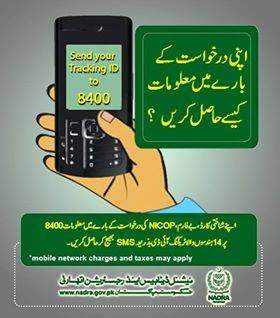
Table Of Contents
What is a NADRA Tracking ID and Why is It Essential for Your Application?
A NADRA Tracking ID is a unique reference number assigned to every application submitted to the National Database and Registration Authority, serving as the primary key to access your application status through any tracking channel. This identifier links your personal data, documents, and payment to a specific application in NADRA’s central database, allowing the system to retrieve and display your current processing stage instantly.
What exactly is a NADRA Tracking ID?
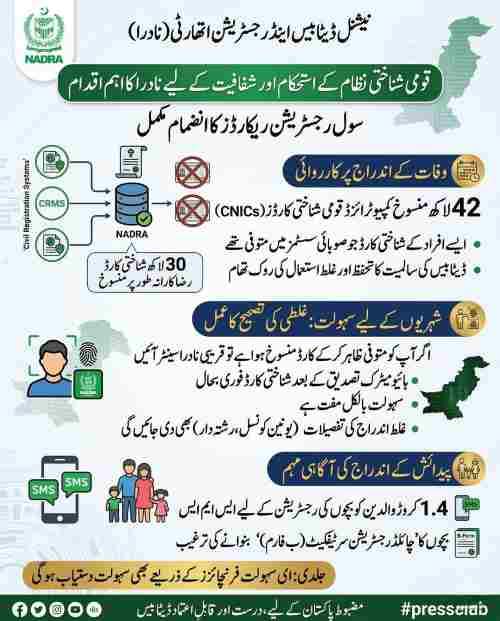
The NADRA Tracking ID functions as your application’s digital fingerprint within the authority’s nationwide network. When you submit an application at any NADRA Registration Center or through the online portal, the system generates this unique number and prints it on your receipt. The Tracking ID typically appears as a 10-digit number for SMS tracking purposes, but the same application may have a 13-digit version printed on your receipt specifically for online portal access. This dual-format system ensures compatibility across different tracking platforms while maintaining security through number variation.
Where can I find my NADRA Tracking ID on my application receipt?
Your NADRA application receipt contains the Tracking ID printed prominently, usually positioned at the top right corner immediately after submission. The receipt itself is a computer-generated document that includes your photograph, basic personal information, applied service type, fee payment details, and the all-important Tracking ID highlighted in bold text.
Below the Tracking ID, you will find the date of application, the center code where you applied, and the expected completion timeline printed for your reference. Keep this receipt in a safe place, preferably taking a photograph with your mobile phone as a digital backup, because without this number, tracking becomes significantly more difficult.
How can I find my NADRA tracking ID if I lost my receipt?
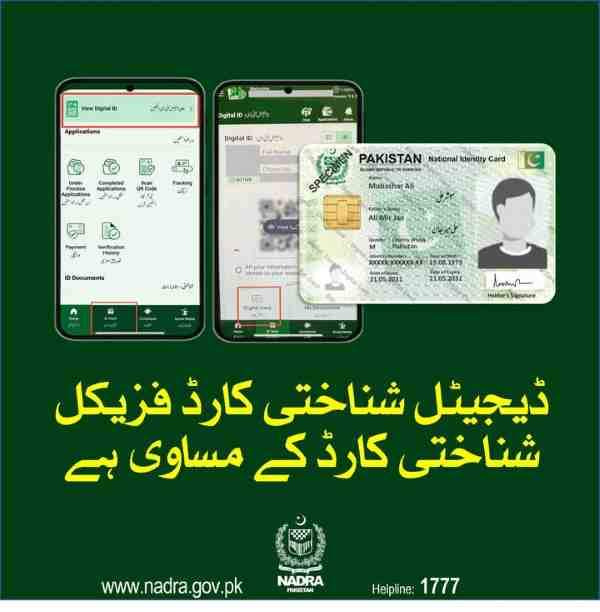
Losing your application receipt does not mean losing all hope of tracking your NADRA application status. First, check your SMS inbox because NADRA sends a confirmation message containing your Tracking ID shortly after application submission—search for messages from “NADRA” or “8400” in your chat history. Second, examine your email inbox if you applied online or provided an email address during application, as the system often sends a digital receipt with the Tracking ID attached.
Third, open the Pak-ID mobile app and navigate to your application history section, where previously submitted applications and their Tracking IDs remain stored in your profile. Fourth, contact the NADRA helpline at 1777 from a mobile phone or 051-111-786-100 from a landline, and after verifying your identity through security questions, request assistance in retrieving your Tracking ID. Fifth, as a final resort, visit the NADRA Registration Center where you originally applied, bringing your original documents and any identification proof, and request a duplicate receipt or Tracking ID retrieval through the center manager.
Method 1: How to Perform a NADRA Tracking ID Check SMS (The 8400 Service)
The NADRA Tracking ID check SMS service through short code 8400 remains the fastest and most accessible method for millions of Pakistanis to verify their application status without internet access. This service operates 24 hours a day, seven days a week, and provides real-time updates directly from NADRA’s central database to your mobile phone screen within seconds.
How can I check my NADRA tracking status via SMS?
To check your NADRA tracking status via SMS, open your mobile phone’s messaging application, compose a new message, type your 10-digit Tracking ID exactly as it appears on your receipt, and send it to 8400. The message must contain only the Tracking ID number without any spaces, dashes, words, or additional characters—any deviation from this format will result in an error response.
Within a few seconds, you will receive an automated reply from NADRA containing your current application status, such as “Under Process,” “Printed,” or “Dispatched,” along with the date of the last update. This service works exclusively for applications submitted within Pakistan and requires that the mobile number you are using is active on a Pakistani cellular network.
What is the SMS code for CNIC tracking?
The SMS code for CNIC tracking is the short code 8400, which serves as NADRA’s dedicated number for all application status inquiries regardless of document type. You do not need to include any keywords like “CNIC” or “track” in your message—simply input your 10-digit Tracking ID and send. The system automatically recognizes your application type based on the Tracking ID and returns the appropriate status information for your CNIC, NICOP, POC, FRC, or B-Form application.
Is the NADRA 8400 SMS service free?
The NADRA 8400 SMS service is not free; it is a paid service with a standard charge of Rs. 10 plus tax per SMS sent to the short code. This charge applies regardless of whether you receive a successful status update or an error message, so ensure you have sufficient mobile balance before sending your query. The fee covers the cost of automated database queries and response generation, and it is deducted by your mobile network operator, not by NADRA directly. Some mobile networks may offer package deals that include SMS to short codes, but generally, users should expect this nominal charge for each tracking attempt.
What information will I receive after sending my Tracking ID to 8400?
After sending your Tracking ID to 8400, you will receive a concise SMS reply containing your application’s current status and the date of the last update. The response typically follows a standardized format: “Your application [Tracking ID] is currently [status] as of [date].”
For example, “Your application 1234567890 is currently In Process as of 15-03-2025.” If your application has been printed and dispatched, the message may include additional information such as the courier service name and tracking number for delivery monitoring. In cases where the system cannot locate your application, you will receive a message stating “No record found” or “Invalid Tracking ID,” prompting you to verify the number and try again.
Can I track my CNIC by CNIC number using the 8400 SMS service?
No, you cannot track your CNIC by CNIC number using the 8400 SMS service because this short code is specifically designed to process Tracking IDs, not identity card numbers. The Tracking ID is a temporary identifier tied to your specific application instance, while your CNIC number represents your permanent identity record. Attempting to send your CNIC number to 8400 will result in an error message, as the system expects a valid 10-digit Tracking ID format. For CNIC verification purposes, NADRA provides a separate service through short code 7000, where sending your CNIC number (without dashes) returns information about the card’s validity and basic details.
How do I check my CNIC verification status through SMS (using 7000)?
To check your CNIC verification status through SMS, open your messaging app, type your 13-digit CNIC number without any dashes or spaces, and send it to 7000. This service confirms whether your CNIC is valid, active, and genuine within NADRA’s database, returning information such as the cardholder’s name and family tree details. The charge for this service is also approximately Rs. 10 plus tax, and it works for both verifying your own CNIC and checking the validity of others’ CNICs for business or security purposes. This differs fundamentally from application tracking, which monitors the progress of a new application rather than verifying an existing card.
NADRA Tracking ID check SMS not working on 8400: What are the common reasons?
When your NADRA Tracking ID check SMS fails on 8400, several common issues could be causing the problem. First, verify that you are sending exactly the 10-digit Tracking ID from your receipt, as sending a 13-digit ID meant for online tracking will not work on the SMS platform. Second, allow 24 to 48 hours after application submission before attempting to track, because NADRA’s system requires this time to upload your data from the local center to the central database.
Third, confirm that you have sufficient mobile balance, as insufficient credit prevents the SMS from being processed even if it appears to send from your phone. Fourth, check that you are sending the SMS from within Pakistan, as international roaming or foreign SIM cards cannot access the 8400 short code. Fifth, temporary technical issues with NADRA’s servers or your mobile network operator can cause delays or errors—wait an hour and try again before assuming a permanent problem. Sixth, ensure you are not including any text before or after the Tracking ID, as extra characters invalidate the query format.
Method 2: How to Track Your NADRA Application Online (Step-by-Step Guide)
Online tracking through the NADRA website provides the most detailed view of your application status, including visual progress bars, estimated completion dates, and comprehensive history logs. This method works for all application types and is particularly useful for users who want more information than the brief SMS response provides.
How do I track my CNIC application status online?
To track your CNIC application status online, visit the official NADRA website and navigate to the tracking section, usually labeled “Track Your Application” or “Application Status” on the homepage. Enter your 13-digit Tracking ID exactly as printed on your receipt into the designated field, then type the captcha code displayed on screen to verify you are a human user.
Click the “Submit” or “Check Status” button, and the system will display your complete application details including current stage, processing center location, date of each status change, and estimated remaining time. The online portal updates in real-time and shows additional information such as whether photographs have been approved, biometric verification status, and any notes from the processing officer.
Www NADRA gov pk Tracking ID number check: Where is the exact link on the website?
On the NADRA website at www.nadra.gov.pk, the Tracking ID number check feature is typically accessible through a dedicated menu option. Hover your cursor over the “Services” tab in the main navigation bar, then look for and click on “Track Application” from the dropdown menu.
Alternatively, scroll to the bottom of the homepage where quick links are displayed, and you will find “Track Your Application” under the “Online Services” section. For NICOP and POC applicants, a separate tracking portal exists specifically for overseas applications, accessible through the “NICOP” or “Overseas Pakistanis” section of the website. Bookmark the direct tracking page after your first visit to save time on subsequent checks.
What does my NADRA online tracking status mean? (e.g., “In Process,” “Printed”)
Understanding your NADRA online tracking status terminology helps you interpret exactly where your application stands in the processing pipeline. “Received” or “Submitted” indicates that your application has entered the NADRA system but initial verification has not yet begun. “Under Process” or “In Process” means your documents, photograph, and biometrics are actively being reviewed by NADRA officials at various verification stages.
“Sent for Verification” shows that your application has been forwarded to concerned authorities for additional checks, such as with the National Database or provincial departments. “Printed” or “Ready” confirms that your card has been successfully manufactured and is awaiting dispatch. “Dispatched” means the card has been handed to the courier service, and you may receive a separate tracking number for delivery monitoring.
“Delivered” confirms that the card has been signed for and received at your address. “Deferred” or “On Hold” indicates a problem requiring your attention, such as mismatched biometrics or incomplete documentation. “Rejected” means the application did not meet NADRA’s requirements and cannot be processed further without a fresh submission.
What does “In Process” mean in NADRA tracking?
“In Process” in NADRA tracking means your application has passed the initial data entry stage and is now undergoing active verification by NADRA officials at multiple levels. During this phase, your photograph is being compared with previous records, your fingerprints are being matched against the national database, and your supporting documents are being scrutinized for authenticity.
The “In Process” status can last from a few days to several weeks depending on application type, with normal CNIC applications typically spending 8 to 12 days in this stage while NICOP applications may remain “In Process” for several months due to additional verification requirements. This status does not indicate a problem—it simply means your application is in the queue for processing alongside thousands of others nationwide.
How do I check my CNIC by CNIC number online?
Checking your CNIC by CNIC number online differs from application tracking and is accomplished through NADRA’s verification portal rather than the tracking system. Visit the “Verification” section of the NADRA website, enter the 13-digit CNIC number you wish to verify, complete the captcha challenge, and submit the query.
The system returns basic information about the cardholder including name, father’s name, and current address, confirming whether the CNIC is valid and active. This service is useful for employers verifying potential employees, landlords checking tenant identities, or individuals confirming the authenticity of someone’s identification. Note that this verifies an existing CNIC, not the status of a new application.
Method 3: The Ultimate Guide to Pak ID Tracking (Mobile App)
The Pak-ID mobile app represents NADRA’s most advanced tracking platform, bringing all verification and application monitoring services directly to your smartphone with enhanced features unavailable on other channels. This official application is available for both Android and iOS devices and integrates seamlessly with your NADRA profile.
How can I check my NADRA application through the Pak-ID mobile app?
To check your NADRA application through the Pak-ID mobile app, first download and install the application from Google Play Store or Apple App Store, then register using your CNIC number and the mobile number currently registered with NADRA.
After successful login, look for the “Track Application” or “Application Status” option on the main dashboard, which may be located under the “Services” menu or as a prominent tile on the home screen. Tap this option, enter your Tracking ID when prompted, and the app will display your complete application status with more detail than either SMS or website tracking provides. The app also stores your application history, allowing you to switch between multiple applications if you have submitted more than one request.
What are the benefits of using the Pak-ID app for tracking?
Using the Pak-ID app for tracking offers numerous advantages over other methods, starting with push notifications that alert you instantly when your application status changes. The app displays your status in a visual timeline format, showing exactly when your application moved from one stage to the next with dates and timestamps for each transition. You can access your complete application history even without an internet connection after the initial load, making it convenient to check status in areas with poor connectivity.
The app integrates with NADRA’s token booking system, allowing you to schedule appointments at registration centers directly from the same interface. For overseas Pakistanis, the app provides the same functionality as the website but with optimized mobile performance and the ability to upload documents through your phone’s camera. The app also includes video guides and tutorials explaining each tracking status and what actions you should take at different stages.
Can I book a NADRA token online through the Pak-ID app?
Yes, you can book a NADRA token online through the Pak-ID app using the integrated appointment scheduling feature that eliminates the need for long queues at registration centers. Open the app, navigate to the “Appointments” or “Token Booking” section, and select the type of service you require, such as CNIC renewal, NICOP application, or B-Form registration.
Choose your preferred NADRA Registration Center from the list of available locations, then select an available date and time slot that fits your schedule. The app will generate a digital token with a QR code that you will display at the center upon arrival, ensuring you are served promptly at your scheduled time. This system has significantly reduced waiting times at major NADRA centers and is highly recommended for anyone planning to visit for new applications or corrections.
Specialized Tracking: NICOP, POC, FRC, and B-Form
Different NADRA documents follow slightly different tracking procedures, and understanding these nuances ensures you use the correct channel for your specific application type. Whether you are applying from within Pakistan or overseas, each document category has optimized tracking methods.
How can overseas Pakistanis track their NICOP application?
Overseas Pakistanis can track their NICOP application primarily through the NADRA website’s dedicated NICOP tracking portal or through the Pak-ID mobile app, as the SMS service to 8400 is not accessible from outside Pakistan. Visit the NADRA website, select the “NICOP” section, and click on “Track Your NICOP Application” to access the overseas tracking interface.
Enter your 13-digit Tracking ID and the captcha code, and the system will display your application status along with estimated processing times specific to the country from which you applied. The Pak-ID app provides identical functionality and may offer better performance on international mobile networks. NICOP applications typically take longer than domestic CNIC applications due to additional security clearances and document verification with Pakistani embassies or consulates in your country of residence. The tracking system for NICOP also shows when your application has been forwarded to the relevant embassy for attestation and when it returns to NADRA for final printing.
Can I track my NICOP status using my tracking ID?
Yes, you can track your NICOP status using your tracking ID through any of NADRA’s tracking channels, provided you use the correct method for your location. Within Pakistan, you can use SMS to 8400, the NADRA website, or the Pak-ID app. Outside Pakistan, you must use the NADRA website’s NICOP tracking portal or the Pak-ID app, as SMS services do not work internationally. The tracking ID for NICOP applications follows the same format as domestic applications, typically a 10-digit number for SMS and a 13-digit number for online tracking printed on your overseas application receipt. Keep this receipt safe, as it contains the only reference number linking you to your application across international borders.
How can I track my Pakistan Origin Card (POC) application status?
Tracking your Pakistan Origin Card (POC) application status follows the exact same procedure as NICOP tracking, as both documents are processed through NADRA’s overseas directorate. Use the NADRA website’s overseas tracking portal or the Pak-ID app, entering your POC application Tracking ID in the designated field.
The POC is issued to foreign nationals of Pakistani origin, and its processing involves coordination with Pakistani missions abroad, which the tracking system reflects through status updates like “Documents Sent to Embassy” or “Embassy Verification Complete.” POC applicants should expect longer processing times than domestic applicants due to these international verification steps, and the tracking system provides estimated completion dates based on the country of application.
How do I track my Family Registration Certificate (FRC) status?
Tracking your Family Registration Certificate (FRC) status is identical to tracking any other NADRA document—use the same Tracking ID provided on your FRC application receipt through SMS to 8400, the NADRA website, or the Pak-ID app. The FRC consolidates family information into a single certificate, and its processing involves verifying relationships between family members against NADRA’s central database.
When you track an FRC application, the status updates reflect whether all family members’ records have been successfully retrieved and matched. If any family member has discrepancies in their individual record, the FRC application may show “On Hold” until those issues are resolved. The FRC is typically processed faster than individual identity cards because it does not require new biometric capture or photograph printing.
How can I track my FRC application status without a tracking ID?
Tracking an FRC application without a tracking ID is extremely difficult because the tracking ID serves as the unique identifier linking your specific request to NADRA’s processing system. If you have lost your FRC application receipt, first check your SMS messages for any confirmation from NADRA containing the Tracking ID. Next, search your email inbox if you provided an email address during application.
If these methods fail, contact the NADRA helpline at 1777 and after identity verification, request assistance in retrieving your Tracking ID. You will need to provide your CNIC number, date of application, and approximate submission date to help the representative locate your record. Visiting the NADRA center where you applied with your original CNIC may also allow the staff to look up your application in their local system and provide a duplicate Tracking ID.
Can I track my child’s B-Form application online?
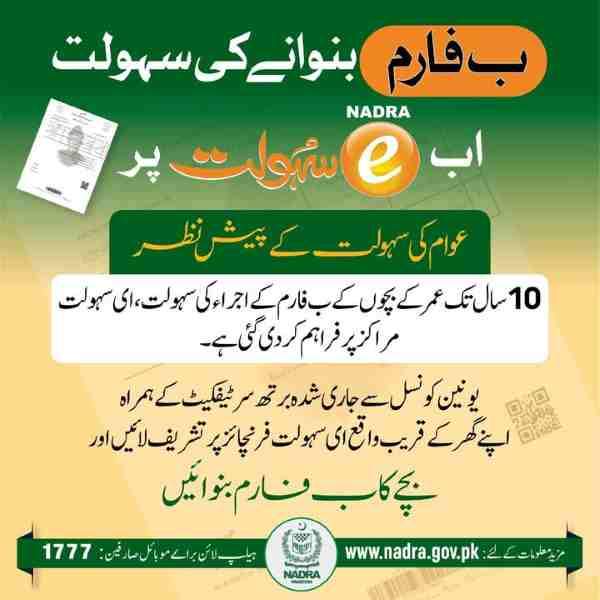
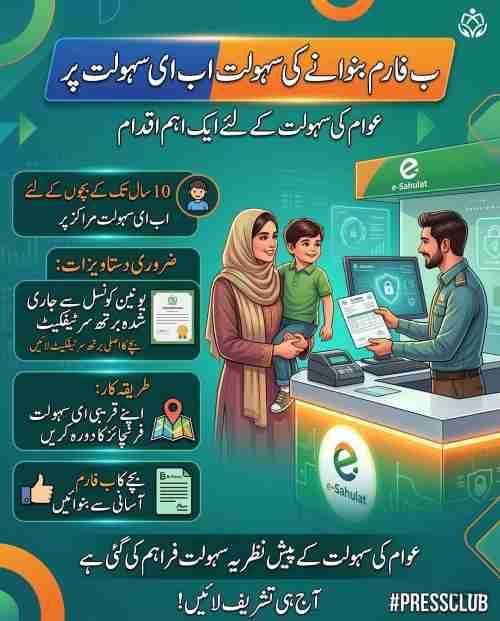
Yes, you can track your child’s B-Form application online using the same NADRA tracking systems that monitor adult CNIC applications. When you apply for a child’s B-Form (birth registration certificate) at a NADRA center, you receive a receipt containing a unique Tracking ID specifically for that application.
Enter this ID on the NADRA website tracking portal or in the Pak-ID app to see whether the B-Form has been processed, printed, and is ready for collection. B-Form applications typically process faster than CNIC applications because they involve simpler verification, often completing within 7 to 10 working days. The tracking status for B-Form will indicate when the certificate has been printed and at which center it can be collected, as these documents are usually not mailed but must be picked up in person by a parent or guardian.
Advanced Tracking, Troubleshooting, and Security
Even with clear procedures, users occasionally encounter problems with their NADRA tracking, and understanding how to resolve these issues saves time and frustration. Security considerations are equally important, as your Tracking ID provides access to sensitive personal information.
Why is my NADRA tracking ID not working on 8400 or the website?
Your NADRA tracking ID may not work on 8400 or the website for several distinct reasons that require different solutions. System delay is the most common cause—new applications take 24 to 48 hours to appear in the central tracking database, so trying immediately after submission will yield “No Record Found” responses. Data entry errors at the NADRA center can result in your Tracking ID being incorrectly recorded; if your receipt shows a number but the system rejects it, return to the application center for correction.
Technical glitches on NADRA’s servers or your internet connection can temporarily prevent access, so try again after an hour or switch between mobile data and WiFi. Using the wrong Tracking ID format—sending a 13-digit ID to SMS or entering a 10-digit ID on the website—will always fail, so match your input method to your receipt’s number length. Expired Tracking IDs, typically those older than six months for unprocessed applications, may be removed from the active tracking database, requiring helpline assistance.
How long is a NADRA tracking ID valid?
A NADRA tracking ID remains valid for the entire duration of your application processing and for a limited period after completion, typically up to six months from the date of submission. During active processing, the ID provides real-time status updates through all tracking channels.
After your document is delivered, the Tracking ID remains in the system for approximately three to six months for historical reference, after which it may be archived and no longer accessible through public tracking portals. If you need to access information about an older application, contact the NADRA helpline or visit a center where staff can retrieve archived records using your CNIC number and application date.
What should I do if my CNIC delivery is delayed?
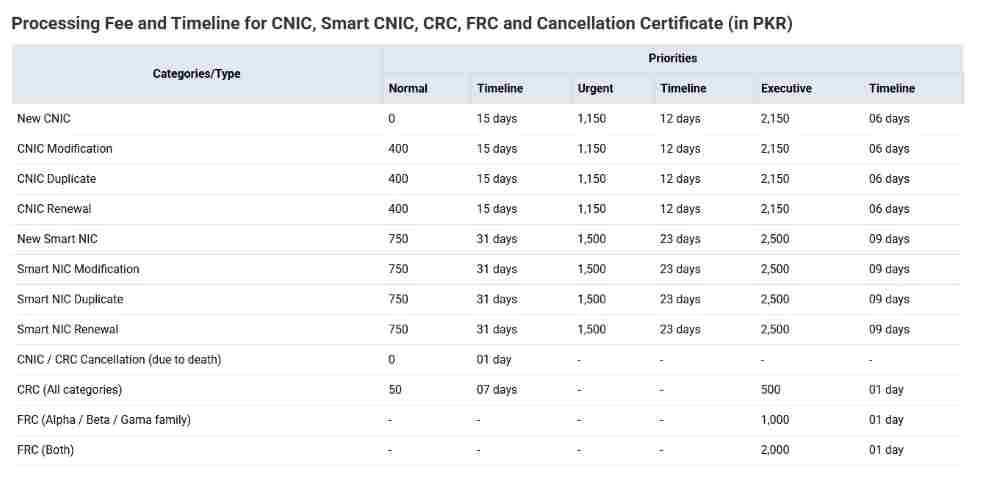
If your CNIC delivery is delayed beyond the standard processing time of 15 working days for normal applications or 6 days for executive applications, take proactive steps to resolve the issue. First, verify through online tracking that your status has not changed to “Deferred” or “On Hold,” which would indicate a problem requiring your attention. If status shows “Printed” or “Dispatched” but delivery has not occurred, check with your local post office or courier service as the card may be awaiting collection.
Contact the NADRA helpline at 1777 with your Tracking ID and ask them to investigate the delay, providing any courier tracking numbers if available. If the helpline cannot resolve the issue, visit the NADRA center where you applied with your original receipt and request that they escalate the matter to their dispatch department. In cases of extreme delay beyond 30 days, file a formal complaint through NADRA’s online complaint management system, which guarantees a response within 48 hours.
What does “Deferred” mean in NADRA tracking?
“Deferred” in NADRA tracking indicates that your application has been temporarily paused due to an issue requiring your intervention before processing can continue. Common reasons for deferral include poor photograph quality that does not meet NADRA standards, unclear fingerprints that could not be verified, mismatched information between your application and existing database records, or missing supporting documents.
When your application shows “Deferred,” the tracking system may include a brief note explaining the reason, such as “Photograph rejected” or “Biometric mismatch.” You must visit the NADRA center where you applied to address the issue—do not submit a new application, as this will only cause confusion and duplicate fees. At the center, staff will explain exactly what correction is needed, update your application, and return it to the processing queue, at which point the status will change back to “In Process.”
How can I verify my CNIC through the 7000 SMS service?
To verify your CNIC through the 7000 SMS service, open your messaging app, type the 13-digit CNIC number without dashes, and send it to 7000. Within seconds, you will receive a reply containing the name associated with that CNIC, the father’s name, and the current status of the card (valid, blocked, or expired).
This service costs approximately Rs. 10 plus tax per query and works for both verifying your own CNIC and checking others’ cards. The 7000 service is particularly useful for businesses conducting background checks, landlords verifying tenant identities, and individuals confirming the authenticity of someone claiming to be a Pakistani citizen. Unlike the 8400 tracking service which monitors application progress, 7000 confirms the validity of already-issued identity cards.
Does NADRA send an SMS when the CNIC is dispatched?
Yes, NADRA typically sends an SMS notification to the mobile number provided during application when your CNIC is dispatched from the printing facility to the courier service for delivery. This message confirms that your card has left NADRA’s possession and includes the courier company name and a tracking number you can use to monitor delivery progress.
The dispatch SMS arrives within 24 hours of the status changing to “Dispatched” in the online tracking system. If you do not receive this SMS within two days of seeing “Dispatched” online, check your spam folder or blocked messages, and ensure your mobile number is still active and correctly registered. You can also track delivery through the courier company’s website using the tracking number provided in your NADRA online status.
Is there a helpline number for NADRA tracking issues?
The primary helpline number for NADRA tracking issues is 1777, which can be dialed from any mobile phone within Pakistan to reach NADRA’s customer support center. For landline callers or overseas Pakistanis, the helpline number is 051-111-786-100.
These helplines operate during business hours and connect you with trained representatives who can access your application record, explain status meanings, resolve technical issues, and guide you through the tracking process. When calling, have your Tracking ID and CNIC number ready, as representatives will need these to locate your application. For complex issues requiring documentation, the helpline staff may direct you to file an online complaint or visit a physical NADRA center for in-person assistance.
How can I lodge a complaint about my application status?
To lodge a formal complaint about your NADRA application status, visit NADRA’s online Complaint Management System (CMS) at complaints.nadra.gov.pk and complete the complaint form with your personal details and application information. Select the appropriate complaint category, such as “Delay in Delivery” or “Tracking ID Not Working,” and provide a clear description of your issue.
Upload any supporting documents, such as screenshots of tracking errors or photographs of your receipt, to strengthen your case. After submission, you will receive a complaint tracking number to monitor your case’s progress, and NADRA guarantees a response within 48 hours. The CMS is the most effective channel for unresolved tracking issues because it creates an official record and escalates your case to supervisors who can override system errors.
Why is my CNIC application showing “Deferred”?
Your CNIC application shows “Deferred” when NADRA’s verification system has identified an inconsistency or deficiency that prevents automatic processing. The most frequent causes are biometric mismatch, where your fingerprints do not match previous records or are too faint to read, requiring you to provide fresh prints at a center. Photograph rejection occurs when your image does not meet specifications regarding lighting, background, or facial expression.
Document verification failure happens when scanned documents are unclear or when supporting papers like birth certificates cannot be verified with issuing authorities. Data discrepancy between your application and NADRA’s existing records, such as name spelling variations or birth date conflicts, also triggers deferral. Address the issue promptly by visiting your application center, as deferred applications left unresolved for over 30 days may be automatically cancelled.
How do I track my CNIC reprint application?
Tracking a CNIC reprint application follows the same procedure as tracking a new application, using the unique Tracking ID provided when you submitted the reprint request. Reprint applications typically process faster than new applications because your biometrics and photograph are already on file, requiring only printing and dispatch rather than full verification. Send your Tracking ID to 8400 for SMS updates, or check online through the NADRA website or Pak-ID app.
The status for reprint applications will show “Printing” much sooner than new applications, often within 2 to 3 days of submission, and “Dispatched” status appears shortly thereafter. If your reprint application shows “Deferred,” it usually indicates a problem with your payment rather than identity verification, so check your payment confirmation and visit the center if needed.
Can I track my POC delivery status online?
Yes, you can track your Pakistan Origin Card (POC) delivery status online through the NADRA website’s overseas tracking portal or the Pak-ID app, just as you track NICOP applications. After your POC status changes to “Dispatched,” the tracking system may provide additional information about the courier service handling delivery in your country of residence. International delivery times vary significantly based on your location, with cards to Middle Eastern countries typically arriving within 2 weeks of dispatch while deliveries to Europe or North America may take 3 to 4 weeks.
The online tracking system updates with customs clearance information and local courier partner details once the card enters your country. If delivery takes longer than expected based on the dispatch date, contact the NADRA helpline with your Tracking ID for international delivery assistance.
How do I track my FRC application status without a tracking ID?
Tracking an FRC application without a tracking ID requires using alternative identification methods because the tracking system fundamentally relies on this unique number. First, attempt to retrieve your Tracking ID by checking SMS history for any message from NADRA containing the application number. Second, search email inboxes for digital receipts if you applied online or provided an email address.
Third, contact the NADRA helpline at 1777, provide your CNIC number and approximate application date, and request that they look up your FRC application in their system and provide the Tracking ID verbally. Fourth, visit the NADRA center where you applied, bringing your original CNIC, and ask the staff to retrieve your FRC application record and provide a duplicate Tracking ID or print a new receipt. Without the Tracking ID, you cannot use SMS or online self-service tracking, so obtaining it through these methods is essential.
What should I do if my CNIC delivery is delayed?
If your CNIC delivery is delayed beyond the advertised processing times, begin by verifying your current status online to ensure your application has not been deferred or placed on hold. If status shows “Printed” but delivery has not occurred for more than 5 working days, contact the courier service directly using any tracking number provided in your NADRA status. If no courier information exists, call the NADRA helpline at 1777, provide your Tracking ID, and ask them to investigate the dispatch status. For delays exceeding 15 working days from the “Printed” date, file a formal complaint through NADRA’s online Complaint Management System, attaching screenshots of your tracking status and copies of your receipt.
If you need the CNIC urgently, visit the NADRA center where you applied and request that they check their local records and potentially arrange for center collection rather than home delivery. In extreme cases of delay beyond 30 days, consider requesting a status update through NADRA’s official social media channels, which sometimes escalates cases faster than standard channels.
How can I verify my CNIC through the 7000 SMS service?
To verify a CNIC using the 7000 SMS service, type the 13-digit CNIC number without hyphens or spaces and send it to 7000 from any mobile phone in Pakistan. The system processes your request and returns a message containing the name associated with that CNIC, the father’s or husband’s name, and the card’s validity status. This service costs approximately Rs. 10 plus tax and works for both active and expired cards, though expired cards will be identified as such in the response.
The 7000 service is distinct from the 8400 tracking service and serves a different purpose—verification confirms an existing card’s authenticity while tracking monitors new application progress. Use 7000 when you need to confirm someone’s identity for business transactions, rental agreements, or employment verification.
How do I track the status of an executive CNIC application?
Tracking an executive CNIC application follows the exact same procedures as tracking normal applications, using the Tracking ID provided at the time of submission through the executive processing channel. Executive applications receive priority processing and typically complete within 6 working days compared to 15 days for normal applications. Send your Tracking ID to 8400 for SMS updates, or check online through the NADRA website or Pak-ID app.
The status updates for executive applications move faster through each stage, with “In Process” often changing to “Printed” within 3 to 4 days. If your executive application shows “In Process” beyond 7 working days, it may indicate an issue requiring attention, so contact the helpline with your Tracking ID to inquire about the delay. Executive status tracking shows the same status terminology as normal applications, just accelerated timelines.
How do I check if my NICOP has been printed?
To check if your NICOP has been printed, access your application status through the NADRA website’s NICOP tracking portal or the Pak-ID app, as SMS to 8400 does not work internationally. When your NICOP status displays “Printed” or “Ready,” it confirms that your card has been successfully manufactured and is awaiting dispatch. The printed status typically appears 2 to 3 weeks after submission for standard NICOP applications, and within 1 week for urgent processing.
After printing, the status will change to “Dispatched” once the card leaves NADRA’s facility and enters the international courier system. If your NICOP has been printed but shows this status for more than 10 working days without moving to “Dispatched,” contact the NADRA helpline for overseas applicants to investigate potential printing or quality control issues.
What information is required to track a CNIC status on the NADRA website?
To track a CNIC status on the NADRA website, you need only two pieces of information: your 13-digit Tracking ID from the application receipt and the ability to read and enter the captcha code displayed on screen. No additional personal information such as CNIC number, name, or date of birth is required, as the Tracking ID uniquely identifies your application within the system.
The captcha verification ensures that automated bots cannot query the system, protecting your privacy and preventing mass data scraping. When entering your Tracking ID, type it exactly as printed on your receipt, including any leading zeros, as the system distinguishes between numbers based on exact character matching. After successful submission, the website displays your complete application status without requiring further authentication.
NADRA’s Digital Ecosystem: More Than Just Tracking
NADRA’s digital services extend far beyond application tracking, encompassing payment solutions, verification services, and integration with other government departments. Understanding this ecosystem helps you manage all your identity-related needs through a single platform.
How to pay for NADRA services online?
Paying for NADRA services online has become increasingly convenient through multiple digital payment channels integrated with the Pak-ID app and NADRA website. Within the Pak-ID app, you can pay application fees directly using JazzCash, EasyPaisa, or by scanning a QR code through any banking app that supports QR payments.
The NADRA website offers similar payment options, redirecting you to a secure payment gateway where you can use credit cards, debit cards, or internet banking from major Pakistani banks. For those who prefer cash, NADRA centers accept payments through E-Sahulat outlets, where you receive a payment slip with a unique code to present at the center. Online payments generate instant receipts that are linked to your application automatically, reducing the need for manual receipt handling at NADRA centers.
What other useful NADRA SMS codes should I know?
NADRA operates several SMS short codes besides 8400 for tracking, each serving a distinct purpose in Pakistan’s digital identity ecosystem. Send your CNIC number to 7000 for identity verification, receiving the cardholder’s name and father’s name in response. Send your CNIC number to 668 to check how many active mobile SIMs are registered against your identity, helping prevent fraudulent SIM issuance.
Send your CNIC number to 8300 to verify your voter registration status and find your polling station location. Send your CNIC number to 8009 to request your family tree information from NADRA’s database. Send your CNIC number to 8171 to check eligibility for Ehsaas program financial assistance. Each of these services carries a nominal charge, typically Rs. 10 plus tax per query, and provides instant automated responses.
NADRA’s Amnesty Scheme: How to correct errors on your CNIC?
NADRA periodically announces amnesty schemes allowing citizens to voluntarily correct errors in their CNIC data without facing legal consequences for previous incorrect information. During these windows, individuals can visit NADRA centers and apply for corrections to name spellings, dates of birth, family relationships, and other personal details that were previously recorded incorrectly.
The amnesty scheme waives the usual penalties and additional verification fees associated with data corrections, making it the ideal time to fix long-standing errors. To apply, visit any NADRA Registration Center during the amnesty period, bring original supporting documents such as birth certificates, educational certificates, and parent’s CNICs, and submit a correction application. The processing time for amnesty corrections is typically faster than standard applications, and the corrected information is automatically updated in all government databases linked to NADRA.
Conclusion
Tracking your NADRA application through SMS to 8400, the official website, or the Pak-ID mobile app provides complete visibility into your document’s journey from submission to delivery. Each method serves different needs—SMS for quick checks without internet, website for detailed status viewing, and the app for comprehensive management including push notifications and appointment booking. Keep your application receipt safe, understand what each status means, and know how to respond when issues like deferral or delay occur. By mastering these tracking methods, you eliminate uncertainty and gain peace of mind while waiting for your essential NADRA documents.
Frequently Asked Questions
How can I check my NADRA card status?
Send your 10-digit Tracking ID to 8400 via SMS, visit the NADRA website tracking portal and enter your 13-digit Tracking ID, or use the Pak-ID mobile app’s Track Application feature. All methods provide real-time status updates from NADRA’s central database.
What is the number to check NADRA tracking ID via SMS?
The short code for NADRA tracking ID check via SMS is 8400. Send only your 10-digit Tracking ID in the message body, without any additional text or characters, to receive your application status.
Can I track my NICOP from the UK with my tracking ID?
Yes, you can track your NICOP from the UK using your tracking ID through the NADRA website’s NICOP tracking portal or the Pak-ID mobile app. The SMS service to 8400 does not work internationally.
How much does it cost to send an SMS to 8400?
Sending an SMS to 8400 costs approximately Rs. 10 plus tax per message, deducted from your mobile balance by your network operator. This fee applies whether your tracking query succeeds or returns an error.
My NADRA tracking ID is 13 digits. Can I send it to 8400?
No, the 8400 SMS service accepts only 10-digit Tracking IDs. If your receipt shows a 13-digit number, use the NADRA website or Pak-ID app for tracking instead of SMS.
How do I know if my CNIC is ready for collection?
When your CNIC status shows “Printed” or “Ready” in online tracking, and you receive a dispatch SMS from NADRA, your card is ready. For collection from a NADRA center rather than delivery, the status will specify “Ready for Collection” along with the center location.

Add a Comment