
NADRA ID card tracking Pakistan is the official system that allows citizens to monitor their Computerized National Identity Card (CNIC), Child Registration Certificate (B-Form), National Identity Card for Overseas Pakistanis (NICOP), and Family Registration Certificate (FRC) applications from submission to delivery. Whether you applied at a NADRA registration center or through the Pak-ID app, your application generates a unique tracking identifier that serves as your digital key to access real-time status updates.
What you will learn in this guide:
- The exact methods to track your NADRA application via SMS to 8400
- How to use the upgraded Pak-ID app with real-time tracking features
- Step-by-step instructions for online tracking through the official portal
- How to decode every status message you receive from NADRA
- Troubleshooting solutions for common tracking issues
- Special tracking procedures for overseas Pakistanis
- Security best practices to protect your tracking ID
Key Takeaways
- SMS Tracking to 8400: Send your ten-digit tracking ID to 8400 for instant status updates without internet access, though each message costs approximately Rs. 10 plus tax.
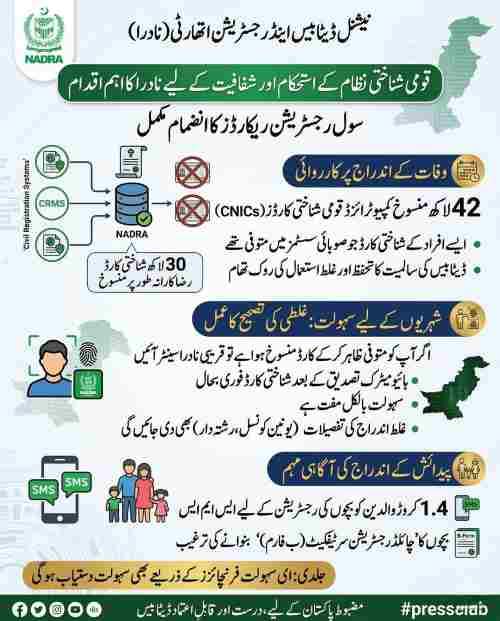
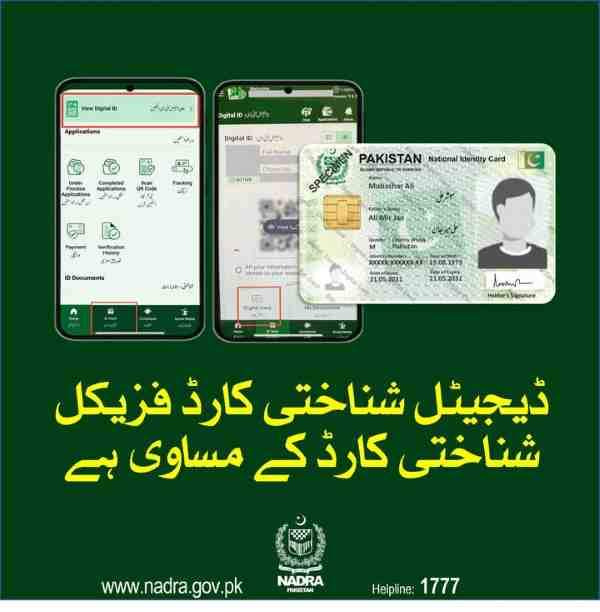
- Pak-ID App Version 5.0.0: The upgraded app now offers real-time application tracking through your inbox, facial biometric verification, and bilingual interface in English and Urdu.
- Tracking ID Confidentiality: Never share your tracking ID on social media as NADRA explicitly warns against this practice and will not provide status updates through social media comments.
- Multiple Document Tracking: Beyond CNIC applications, you can track B-Form, NICOP, FRC, and Smart National ID Card applications using identical tracking procedures.
- Read More: NADRA FRC Fee Update | FRC Online Apply (Normal+Urgent)
- Read More: NADRA Office Timing | NADRA Working Hours (All Cities Today)
- Read More: NADRA Tracking ID Check SMS | CNIC Tracking | NICOP, POC, FRC
NADRA ID Card Tracking Pakistan (Track Application Via SMS)
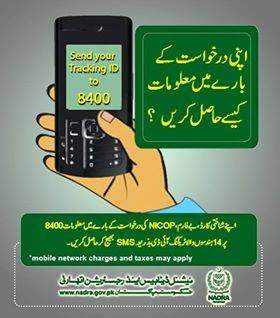
Table Of Contents
Understanding the NADRA ID Card Tracking System in Pakistan
The NADRA ID card tracking system functions as Pakistan’s centralized digital framework for monitoring identity document applications from the moment of submission until final delivery. When you submit any application to NADRA, your information enters a sophisticated database that tracks every verification, processing, printing, and dispatch step. The system generates a unique tracking identifier specifically linked to your application, enabling you to retrieve status information through multiple channels including SMS, mobile app, and web portal.
This digital tracking eliminates the need for frequent visits to NADRA registration centers by providing complete transparency throughout your document’s journey. After biometric verification at a NADRA Registration Center or through the Pak-ID app’s facial recognition system, you receive an official receipt containing your tracking ID. For online applications, the tracking ID appears on your confirmation screen and is simultaneously sent to your registered email address and mobile phone number.
What Is the Official Name of the NADRA Tracking Service?
The NADRA tracking service operates under several recognized names that all refer to the same centralized system:
- NADRA ID Card Tracking Pakistan: The full official name used in government communications
- Pak ID tracking: The simplified name referencing the Pak-ID platform
- NADRA tracking ID check SMS: The specific term for SMS-based tracking
- www.nadra.gov.pk tracking ID number: The web portal access method
- NICOP Tracking ID check online: The specialized term for overseas Pakistani tracking
All these names connect to the same database accessible through the official NADRA website and the Pak-ID portal at id.nadra.gov.pk.
Why Has NADRA Implemented a Digital Tracking System for Identity Documents?
NADRA implemented the digital tracking system to address three critical challenges faced by Pakistani citizens:
- Reduces physical burden on NADRA centers: Millions of status inquiries are diverted from in-person visits to digital channels, allowing staff to focus on core processing activities rather than answering repetitive “where is my card” questions
- Provides unprecedented transparency: Citizens can verify application progress independently without relying on third-party information or making phone calls during business hours
- Supports Pakistan’s digital transformation: The system makes identity services more accessible, transparent, and citizen-friendly for both domestic and overseas Pakistanis while modernizing government operations
Which Types of NADRA Applications Can Be Tracked Through the System?
The NADRA tracking system accommodates virtually all document application types with identical tracking procedures:
| Application Type | Description | Tracking Method |
|---|---|---|
| New CNIC | First identity card for individuals reaching eighteen years | SMS to 8400, Pak-ID app, online portal |
| Smart National ID Card (SNIC) | Enhanced security card with biometric chip | SMS to 8400, Pak-ID app, online portal |
| CNIC Renewal | Replacement for expired or expiring cards | SMS to 8400, Pak-ID app, online portal |
| Modification Applications | Name changes, address updates, photograph changes | SMS to 8400, Pak-ID app, online portal |
| Lost Card Replacement | Duplicate issuance for lost or damaged cards | SMS to 8400, Pak-ID app, online portal |
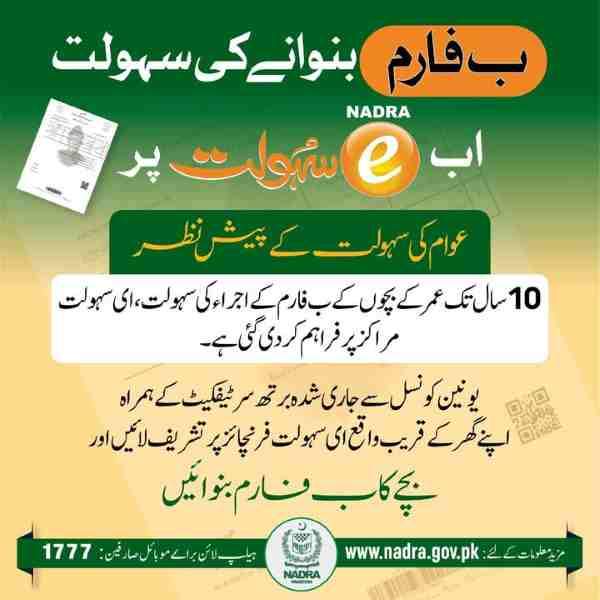
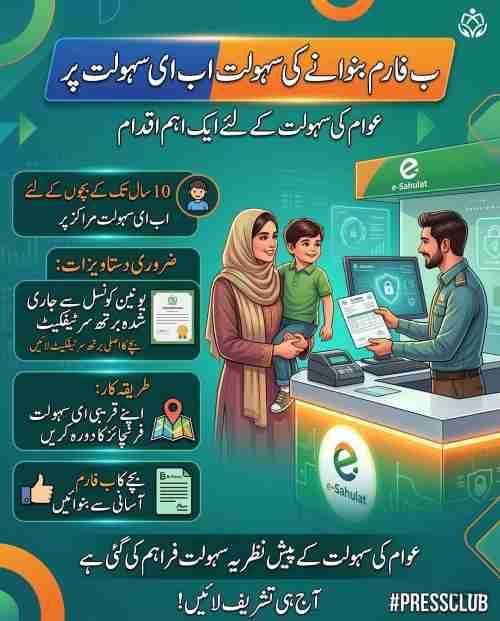
| B-Form | Child Registration Certificate for under-eighteen | SMS to 8400, Pak-ID app, online portal |
| NICOP | National Identity Card for Overseas Pakistanis | Pak-ID app, online portal, helpline |
| FRC | Family Registration Certificate | SMS to 8400, Pak-ID app, online portal |
How to Track Your NADRA ID Card Application Via SMS to 8400
SMS tracking to 8400 is the simplest method for monitoring your NADRA application status without requiring internet access or smartphone capabilities. The process follows a straightforward sequence that works on any mobile phone with SMS functionality.
Follow these exact steps to track your application via SMS:
- Open your mobile phone’s messaging application and create a new message
- In the message body, type your ten-digit tracking ID number exactly as it appears on your application receipt
- Do not add any additional text, spaces, hyphens, or explanatory words—just the ten-digit number
- Send this message to the official NADRA short code 8400
- Within seconds, you will receive a reply message containing your current application status
- Status responses include messages such as “Under Process,” “Printed,” or “Dispatched”
The entire process takes less than one minute and provides immediate access to your application’s current position in the processing queue.
What Information Do You Need to Send to 8400 for Successful Tracking?
The only information required for successful SMS tracking is your ten-digit tracking ID. No other personal information should be included in your message:
- Do not send your CNIC number: The system is designed to work exclusively with the tracking ID
- Do not include your name or father’s name: Adding extra information confuses the automated system
- Do not add spaces or hyphens: Send the number as a continuous ten-digit string
- Do not include explanatory text: Words like “status” or “track” are unnecessary and may cause errors
The tracking ID appears on your application receipt and typically contains only digits without alphabetic characters, ensuring compatibility with the automated SMS response system.
Is the NADRA Tracking SMS Service Available 24/7 for All Mobile Users?
Yes, the SMS tracking service operates around the clock without interruption:
- Twenty-four hour availability: Send queries at any time, including weekends and public holidays
- Instant automated responses: The system processes queries immediately regardless of when you send your message
- No business hour restrictions: Unlike physical NADRA offices, the SMS service never closes
- All mobile networks accepted: Jazz, Telenor, Zong, and Ufone subscribers can all use 8400
This round-the-clock availability ensures that citizens can check application status at their convenience, whether early morning, late night, or during holiday periods when NADRA physical offices may be closed.
What Is the Cost of Sending a Tracking SMS to 8400?
The SMS tracking service carries a nominal fee that is deducted from your mobile balance:
- Base fee: Each message sent to 8400 costs approximately Rs. 10
- Additional taxes: Applicable government taxes are added to the base fee
- Balance requirement: Ensure sufficient balance before sending, otherwise the message may not be delivered
- No refunds: The fee is charged regardless of whether you receive a successful reply
The service is not free, but the nominal cost provides instant access to your application status without requiring internet connectivity or smartphone capabilities.
Do You Need to Include Spaces or Hyphens When Sending the Tracking ID to 8400?
Never include spaces, hyphens, or any special characters when sending your tracking ID to 8400:
- Continuous digits only: Type the number as a continuous ten-digit string exactly as shown on your receipt
- Omit separators: If your receipt displays hyphens for readability, simply ignore them and type only the digits
- Avoid formatting: Do not add dashes between number groups or spaces for visual separation
- Invalid ID errors: Including extra characters triggers an “invalid tracking ID” error response
The automated system expects a pure numeric string and cannot interpret formatting characters, making correct formatting essential for successful tracking.
Can You Track Your NADRA Application Without a Tracking ID?
It is not possible to check your application status through any NADRA channel without a valid tracking ID. The tracking ID serves as the unique key that unlocks access to your specific application record in NADRA’s database. Without this identifier, the system cannot distinguish your application from millions of others being processed.
If you have lost your tracking ID, several recovery options are available:
- Check your email inbox: Look for NADRA confirmation messages that may contain the tracking ID
- Review SMS history: Search through your phone for any text messages from NADRA
- Return to the NADRA center: Visit the center where you applied with identification to request a duplicate receipt
- Log into Pak-ID app: Check application history which typically displays tracking IDs for all submitted applications
- Contact NADRA helpline: Call 1777 or +92 51 111 786 100 with your CNIC number for assistance
Alternative Methods for NADRA ID Card Tracking Pakistan
Beyond SMS tracking, NADRA offers several alternative methods that provide additional features and more detailed status information. These alternatives cater to different user preferences and technological capabilities while accessing the same centralized database.
How Can You Track Your NADRA Application Online Through the Official Pak-ID Portal?
The online tracking method through the Pak-Identity portal provides a more detailed view of your application status compared to SMS. Follow these steps to access the web-based tracking system:
- Visit the official NADRA Pak-Identity portal at id.nadra.gov.pk using any internet-connected device
- If you have previously created an account, log in using your credentials
- New users must complete simple registration using their email address and mobile phone number for verification
- Navigate to the tracking section, labeled as “TID Tracking,” “Track Application,” or “Check Status”
- Enter your ten-digit tracking ID in the designated field
- Complete any required security verification such as captcha code entry
- Click the submit button to view your current application status
- The display includes additional details about which processing stage your application has reached
Online tracking offers advantages over SMS including more detailed status information, application history, and the ability to view multiple applications from a single account.
What Makes the Pak-ID Mobile App the Most Comprehensive Tracking Option?
The Pak-ID mobile app represents NADRA’s most advanced digital service platform, offering features unavailable through other tracking methods. Version 5.0.0 of the app introduces significant enhancements that revolutionize application tracking:
- Real-time application tracking: Status updates appear directly through the app’s inbox without manual queries
- Push notifications: The app proactively notifies you when your application moves between processing stages
- Facial biometric verification: Secure login without remembering passwords
- Bilingual interface: Full functionality in both English and Urdu
- Online fee payment: Pay application fees via debit or credit card
- Document upload: Submit required documents directly through the app
To use the Pak-ID app for tracking:
- Download from Google Play Store or Apple App Store
- Install and open the app
- Register using your CNIC number and mobile phone number
- Complete biometric verification through facial recognition
- Navigate to the tracking section after successful login
- Enter your tracking ID and PIN code if required
- Access comprehensive status information that updates in real-time
How Can You Track NADRA Application Status by Calling the Helpline?
For citizens who prefer speaking with a human representative or encounter issues with digital tracking methods, the NADRA helpline provides an alternative tracking channel:
Domestic callers:
- Dial 1777 from any mobile network within Pakistan
- Follow the automated voice prompts
- Have your ten-digit tracking ID ready
- Speak with a representative who can access your status
International and landline callers:
- Dial +92 51 111 786 100
- Note that international call charges apply
- Provide your tracking ID when connected to a representative
- Receive detailed information about application status and any issues
Helpline representatives can access the same database as online systems and provide detailed information about your application’s current stage, any issues causing delays, and estimated completion timeframes.
Is It Possible to Track NADRA Applications Through the Official Website?
Yes, the NADRA official website at www.nadra.gov.pk offers a dedicated tracking portal accessible to all citizens:
- Navigate to the NADRA homepage
- Look for tracking options such as “NICOP/POC Tracking” or “Track Application”
- The specific link varies depending on your document type
- For NICOP applications, a specialized tracking interface requires your ten-digit tracking ID
- For domestic CNIC and B-Form tracking, you may be redirected to the Pak-Identity portal
- Enter your tracking ID and any required verification information
- View your complete application status
The website serves as a central hub connecting to all NADRA digital services, including application tracking for all document types.
Understanding Your NADRA Tracking ID Number
The NADRA tracking ID serves as your application’s unique identifier throughout the entire processing lifecycle. Understanding what this number represents and how to use it correctly ensures successful tracking across all available methods.
A NADRA tracking ID is a unique reference number assigned to every application submitted to the National Database and Registration Authority. This number links your specific application to NADRA’s centralized database, allowing you to retrieve status information at any time through any authorized channel. The tracking ID appears on the receipt or confirmation slip you receive immediately after submitting your application, whether at a physical NADRA registration center or through the online Pak-ID portal.
For applications submitted at NADRA centers, this receipt is provided after you complete biometric verification and fee payment. For online applications through the Pak-ID app or website, the tracking ID is displayed on the confirmation screen and simultaneously sent to your registered email address and mobile number.
How Many Digits Are in the NADRA Tracking ID for SMS and Online Tracking?
The standard NADRA tracking ID consists of ten digits for current applications processed through modern systems. However, applicants should be aware of potential variations:
- Standard format: Ten digits for most current applications
- Application receipt location: The tracking ID is clearly labeled and typically formatted for easy identification
- SMS requirements: When using the 8400 service, send exactly the number shown on your receipt
- Older applications: Some older systems may have used different formats
- Verify your receipt: Always check your specific receipt rather than assuming format
The most reliable approach is to examine your application receipt carefully and use the number exactly as it appears, regardless of length.
Why Is Your Tracking ID Considered Confidential Information?
NADRA has issued explicit warnings advising citizens not to share their tracking ID publicly on social media platforms or with unauthorized individuals. This caution reflects legitimate privacy concerns:
- Application visibility: Tracking IDs provide access to your application status and confirm active NADRA applications
- Social engineering risk: Information about your identity document status could be used in fraudulent attempts
- NADRA’s official stance: The authority states they will not provide tracking ID status through social media comments
- Limited exposure: While tracking IDs alone cannot modify applications or access complete personal data, they reveal information best kept private
- Best practice: Share tracking IDs only with trusted family members who may need to check your status
Protecting your tracking ID aligns with general data privacy best practices and prevents potential misuse by unauthorized individuals.
What Should You Do Immediately After Receiving Your Tracking ID?
Upon receiving your tracking ID, take immediate steps to preserve it safely for future reference:
- Write it down: Record the number in a secure location such as a dedicated notebook for important documents
- Take a photograph: Use your smartphone to capture the receipt and store it in a password-protected folder
- Save digital copies: Preserve any email or SMS containing the tracking ID that NADRA may have sent
- Share with trusted family: Inform a family member who may need to check status on your behalf
- Avoid memory reliance: Ten-digit numbers are easily forgotten, and losing your tracking ID creates significant inconvenience
Proper documentation of your tracking ID from the moment of receipt ensures smooth tracking throughout your application’s processing period.
Decoding NADRA SMS Tracking Status Messages
Understanding what each status message means helps you interpret your application’s progress accurately and take appropriate action when necessary. NADRA’s status messages follow standardized terminology that indicates your document’s exact position in the processing pipeline.
What Does the “Under Process” Status Mean in an SMS Reply?
The “Under Process” status indicates that your application has been successfully entered into NADRA’s system and is actively moving through initial verification and processing stages:
- Document review: NADRA officials are reviewing your submitted documents for completeness and accuracy
- Information verification: Your personal information is being verified against existing database records
- Background checks: Standard verification procedures ensure no duplicate or fraudulent applications exist
- Biometric confirmation: For CNIC applications, biometric data is being verified
- Parental verification: For B-Form applications, parental information and supporting documentation undergo review
The “Under Process” status may persist for several days or weeks depending on application type, completeness of submitted documents, and current NADRA workload. This is a normal status for applications that have not yet reached printing or dispatch stages.
How Can You Tell If Your ID Card Has Been Printed from an SMS Reply?
When your application reaches the printing stage, the SMS status updates to reflect this significant milestone:
| Status Message | Meaning | Next Step |
|---|---|---|
| “Card Printed” | Physical production complete | Prepare for collection or delivery |
| “Printed” | Document has been manufactured | Monitor for dispatch status |
| “SNIC Printed” | Smart card with chip is complete | Card contains biometric data |
For Smart National ID Cards, the printing process incorporates your photograph, signature, and biometric data into the card’s chip and physical surface. Once printing is complete, the card moves to the dispatch queue for delivery either to your home address or to the NADRA center where you applied.
Will the SMS Status Update Show If Your ID Card Has Been Dispatched?
Yes, the SMS tracking system provides dispatch updates when your card leaves NADRA facilities for delivery:
- “Dispatched” status: Indicates your card has been handed to the courier service or postal system
- “Sent for Delivery”: Confirms the card is in transit to your location
- “Out for Delivery”: Signals that delivery personnel have the card for final delivery
This update is particularly valuable because it tells you to begin watching for delivery personnel and ensures you or an authorized family member is available to receive the card. For home delivery, dispatch status helps estimate arrival time based on standard courier timelines in your area.
What Does the “Deferred” Status Mean in NADRA SMS Tracking?
Receiving a “Deferred” status indicates that your application has encountered an issue requiring additional attention or correction:
Common reasons for deferred status:
- Incomplete or invalid information submitted with your application
- Missing supporting documents required for verification
- Verification problems where submitted data cannot be confirmed against existing records
- Discrepancies between application information and NADRA’s database
- Biometric verification failures requiring re-submission
Required actions:
- Contact NADRA through the helpline at 1777
- Visit your nearest registration center with original documents
- Understand the specific issue causing deferral
- Take corrective action as instructed by NADRA officials
Delays in addressing deferred applications can significantly extend overall processing time, making prompt action essential.
Can You Track Your Application History Through SMS Responses?
The SMS tracking service provides current status information but does not offer comprehensive application history through standard text replies:
- Current status only: Each SMS query returns the application’s status at that moment
- No chronological history: The system does not provide a timeline of status changes via SMS
- Detailed history elsewhere: For comprehensive application history showing when your application moved between stages, use the Pak-ID mobile app or online portal
- Digital platform advantage: Apps and websites often maintain records of significant milestones
For applicants needing detailed historical information, digital platforms provide superior visibility compared to SMS tracking.
Troubleshooting NADRA SMS Tracking Issues
When SMS tracking fails to provide expected results, systematic troubleshooting can identify and resolve the underlying problem. Understanding common issues and their solutions ensures you can access your application status reliably.
Why Is Your NADRA Tracking SMS Not Receiving a Reply After Sending to 8400?
Several factors can cause the common issue of no reply after sending your tracking query:
Insufficient mobile balance:
- Service charges approximately Rs. 10 plus tax per SMS
- Insufficient balance prevents message processing
- Reply delivery may fail even if query was sent
Incorrect recipient number:
- Verify you sent to 8400, not a similar number
- Even single-digit errors route your message elsewhere
Network issues:
- Check mobile signal strength
- Confirm your network is functioning normally
- Network congestion can occasionally cause delays
Service disruptions:
- Temporary technical issues may affect response times
- Wait several minutes as responses are typically instantaneous
If you have verified all these factors and still receive no reply, try sending the message again after several hours. Contact your mobile network operator to confirm there are no service disruptions affecting messages to 8400.
What Should You Do When 8400 Responds That Your Tracking ID Is Invalid?
An “invalid tracking ID” response can be frustrating but usually indicates a simple data entry error or misunderstanding:
Immediate verification steps:
- Double-check your tracking ID against your original application receipt
- Digits can be easily misread or transposed when typing on a mobile phone
- Verify you are using the correct ten-digit format
- Ensure you are not adding spaces, hyphens, or additional text
Application-specific considerations:
- Confirm you are tracking a current application
- Older applications may have different tracking formats
- NICOP applications through specific channels may have different procedures
Escalation options:
- If problems persist, contact NADRA helpline at 1777
- For international callers, dial +92 51 111 786 100
- Representatives can verify your tracking ID after identity confirmation
Is There an Alternative SMS Code If 8400 Is Not Working?
While 8400 is the officially designated short code for NADRA application tracking, alternative methods exist if you experience issues:
Verify 8400 functionality first:
- Check with your mobile network operator
- Confirm the code remains active for your subscription
- Test with a different mobile phone if available
Alternative tracking methods:
- Use the Pak-ID mobile app for comprehensive tracking without SMS
- Access the online portal at id.nadra.gov.pk from any internet-connected device
- Call the NADRA helpline at 1777 for direct assistance
- Visit a NADRA registration center for in-person status checks
These alternatives ensure you can access your application information even if the SMS service experiences temporary technical difficulties.
Special Scenarios in NADRA ID Card Tracking Pakistan
Different application types and applicant circumstances require specialized tracking approaches. Understanding how tracking works for specific scenarios ensures successful status monitoring regardless of your situation.
Can You Track Your NADRA Application Without a Tracking ID?
It is not possible to check your application status through any NADRA channel without a valid tracking ID. The tracking ID serves as the unique key that unlocks access to your specific application record in NADRA’s database. Without this identifier, the system cannot distinguish your application from the millions of others being processed.
If you have lost your tracking ID, several recovery options are available:
- Check email inbox: Search for NADRA confirmation messages containing the tracking ID
- Review SMS history: Look through text messages from NADRA
- Return to NADRA center: Visit the application center with identification for a duplicate receipt
- Log into Pak-ID app: Check application history which displays tracking IDs
- Contact NADRA helpline: Call with your CNIC number for retrieval assistance
How Can Overseas Pakistanis Track Their NICOP Application Status Via 8400 From Abroad?
Overseas Pakistanis face certain limitations when using SMS tracking from international locations:
SMS accessibility considerations:
- 8400 is a domestic short code designed for Pakistani mobile networks
- May not be accessible from international SIM cards
- If using a Pakistani number with international roaming, SMS to 8400 works
- International roaming charges apply in addition to service fee
Recommended tracking methods for overseas Pakistanis:
- Pak-ID mobile app: Works globally and provides comprehensive NICOP tracking
- NADRA website tracking portal: Accessible from anywhere with internet connectivity at id.nadra.gov.pk
- International helpline: Call +92 51 111 786 100 for direct assistance
- Pakistan embassies and consulates: In-person assistance available in many countries
These alternatives provide reliable tracking without depending on SMS accessibility from international locations.
Is SMS Tracking Available for NICOP Applications Submitted Overseas?
SMS tracking availability for NICOP applications depends on submission method and location:
Applications through Pakistan offices:
- NICOP applications processed through NADRA offices in Pakistan generate tracking IDs
- These IDs work with SMS service to 8400
- Standard tracking procedures apply
Applications through overseas channels:
- Submissions through Pakistan embassies and consulates may have different tracking arrangements
- Applications via NADRA Mobile Registration Teams abroad may not be SMS-trackable
- Check your application receipt for specific tracking instructions
Verification approach:
- Refer to your application receipt for tracking method information
- Contact the NADRA helpline for application-specific guidance
- Use online portal as the most reliable tracking method for overseas applications
Can You Track Child B-Form Applications Through SMS to 8400?
Yes, parents can track their children’s B-Form applications using the identical SMS tracking system:
Standard tracking procedure:
- Receive tracking ID on receipt after B-Form application submission
- Send ten-digit tracking ID to 8400
- Receive status updates as application progresses
Application stages:
- Initial verification of child’s information
- Parental document verification
- Database entry completion
- Final approval and certificate generation
This tracking capability is particularly valuable for parents needing B-Form for school admissions, passport applications for children, or other time-sensitive purposes.
Does the SMS Service Work for Family Registration Certificate Applications?
Family Registration Certificate applications are fully trackable through the SMS service to 8400:
FRC tracking specifics:
- Receive dedicated tracking ID upon FRC application submission
- Send ten-digit number to 8400 for status updates
- Monitor progress through verification and processing stages
Common FRC tracking scenarios:
- Family composition verification
- Individual member record confirmation
- Certificate generation and dispatch
This is particularly useful for families needing certified documentation for inheritance matters, visa applications, or official records requiring proof of family composition.
Is There a Difference in SMS Tracking for Urgent Versus Normal Applications?
The SMS tracking service itself does not distinguish between urgent and normal applications, but the status messages reflect different processing timelines:
Tracking similarity:
- Both application types generate status updates through identical mechanism
- Same status messages appear for all processing tiers
- Tracking frequency and method remain unchanged
Processing timeline differences:
- Urgent applications move through stages more quickly
- Status updates reflect accelerated progress
- Normal applications show correspondingly longer intervals between stages
The advantage of urgent processing is faster movement through each stage, which you can monitor through regular SMS queries.
Can You Track Modified CNIC Applications Through SMS?
Modification applications for changes to existing CNIC information are fully trackable through the SMS service:
Modification application tracking:
- Receive new tracking ID specific to your modification request
- Send ID to 8400 to monitor progress
- Status reflects additional verification steps
Modification stages visible through tracking:
- Document verification for requested changes
- Database update processing
- New card printing if applicable
- Final dispatch for physical card delivery
The modification process involves extra verification compared to simple renewals, and SMS status updates reflect these additional stages.
NADRA’s Digital Transformation and Future of Application Tracking
NADRA continues to evolve its digital services, introducing innovations that make application tracking more accessible and informative for Pakistani citizens.
How Has the Pak-ID Mobile App Revolutionized NADRA Application Tracking?
The Pak-ID mobile app represents a fundamental shift in how Pakistanis interact with NADRA services:
Version 5.0.0 innovations:
- Real-time application tracking directly through app inbox
- Proactive notifications eliminate separate tracking queries
- Redesigned dashboard for intuitive navigation
- Enhanced search functions for finding applications
- Bilingual interface in English and Urdu
- Facial biometric verification for secure login
- Online fee payments via debit or credit card
Citizen benefits:
- No need to actively check status—app notifies you of changes
- Secure access without password memorization
- End-to-end digital experience from application to delivery
- Accessibility across rural and urban areas
This transformation makes identity services more transparent and citizen-friendly while reducing the administrative burden on NADRA offices.
How Does Biometric Verification Integrate with Application Tracking?
Biometric verification plays a crucial role in the NADRA application process and directly affects tracking updates:
Application submission biometrics:
- Facial biometric verification through smartphone
- Fingerprint capture through guided tutorials
- Data becomes part of your application package
Tracking status implications:
- Successful verification moves application forward
- Status reflects biometric verification completion
- Failed verification triggers “Deferred” status
- Re-submission instructions appear through tracking updates
Overseas applicant considerations:
- Biometric verification at embassies
- Completion reflected in NICOP tracking updates
- Mobile methods available in some locations
What Role Does Real-Time Tracking Play in NADRA’s Service Delivery Model?
Real-time tracking serves as a cornerstone of NADRA’s citizen-centric service delivery approach:
Citizen benefits:
- Immediate visibility into application progress
- Reduced anxiety about document readiness
- Elimination of uncertainty about processing timelines
- Trust building through government transparency
NADRA operational benefits:
- Reduced administrative burden on registration centers
- Staff focus on core processing rather than status inquiries
- Deflection of millions of inquiries to digital channels
- Improved efficiency in identity document delivery
For citizens, real-time tracking represents a significant convenience improvement over traditional systems requiring physical visits or phone calls during business hours.
NADRA Tracking for Overseas Pakistanis
Overseas Pakistanis face unique considerations when tracking identity documents, requiring specialized approaches and awareness of specific services.
Why Has NADRA Issued an Alert for Overseas Pakistanis Regarding Identity Records?
NADRA issued a significant alert urging overseas Pakistanis to check and update their identity records:
Common record issues identified:
- Expired NICOP or CNIC requiring renewal
- Unverified family members in database
- Incorrect marital status information
- Wrong dates of birth on records
- Old photographs no longer matching current appearance
- Missing fingerprints or outdated biometrics
- Dual records due to old applications
- Missing or unlinked overseas addresses
Consequences of inaccuracies:
- Blocked bank accounts in Pakistan
- Suspended SIM cards
- Invalid NICOP status
- Delays in property transactions
- Difficulties with visa applications
Regular tracking and record verification helps overseas Pakistanis maintain valid documentation and avoid these serious consequences.
How Can Overseas Pakistanis Check Their NADRA Record Status From Abroad?
Overseas citizens have multiple options for checking and updating NADRA records from international locations:
Digital options:
- Pak-Identity Portal at id.nadra.gov.pk for comprehensive online access
- NICOP renewal, modification, and tracking through the portal
- Document upload capabilities
- Online fingerprint submission using mobile devices
- Fee payment through international payment methods
In-person assistance:
- Pakistan embassies and consulates in countries including Saudi Arabia, UAE, UK, USA, and Canada
- NADRA service desks at diplomatic missions
- Biometric verification completion at embassy facilities
- Application submission through consular channels
Mobile registration teams:
- NADRA Mobile Registration Teams conduct surgeries internationally
- Schedules available through embassy websites
- Comprehensive services including biometric capture
- Application acceptance and tracking ID generation
What Is the Processing Time for NICOP Applications Tracked Online?
NICOP processing times vary based on the service category selected during application:
| Service Category | Processing Time | Tracking Indicators |
|---|---|---|
| Normal Processing | 25 to 30 days | Standard status updates |
| Urgent Processing | 15 to 18 days | Accelerated stage progression |
| Executive Processing | 7 to 10 days | Rapid status changes |
These timeframes apply to properly completed applications with all required documentation and successful biometric verification. Your tracking status reflects which processing tier you selected and shows corresponding progress through the accelerated or standard timeline.
Can Overseas Pakistanis Track Family Registration Certificate Applications?
Yes, overseas Pakistanis can track Family Registration Certificate applications through the same channels available for NICOP tracking:
FRC tracking options for overseas citizens:
- Pak-Identity portal at id.nadra.gov.pk
- Pak-ID mobile app from anywhere globally
- International helpline at +92 51 111 786 100
Common overseas FRC scenarios:
- Children born abroad requiring family documentation
- Inheritance matters involving Pakistani property
- Visa applications requiring proof of family relationships
- Dual citizenship documentation needs
The FRC tracking process works identically to NICOP tracking, with tracking ID generation upon application submission and status monitoring through all processing stages.
NADRA Tracking Fees, Payment Methods, and Processing Times
Understanding the financial aspects of NADRA applications and how they relate to tracking helps citizens plan accordingly and interpret status updates correctly.
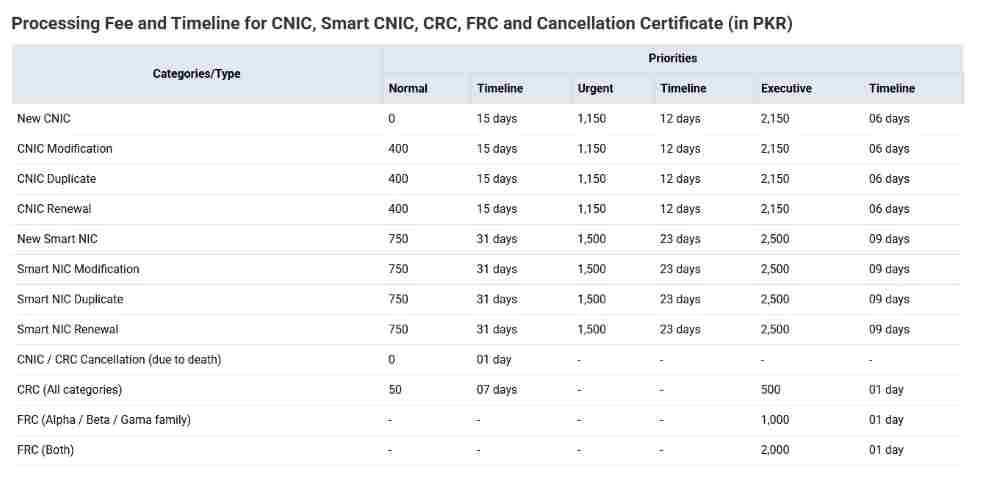
What Are the Current Fees for NADRA Application Processing?
NADRA application fees vary based on document type, processing speed, and delivery method:
Fee variations:
- New CNIC issuances versus renewals
- Smart National ID Cards command higher fees than standard CNICs
- Enhanced security features and chip technology increase costs
- Urgent and Executive processing options carry premium fees
- Home delivery versus center collection affects final cost
Processing tier correlation:
- Normal processing: Standard fees, longer timelines
- Urgent processing: Higher fees, faster processing
- Executive processing: Premium fees, expedited service
Your tracking status reflects the processing tier you selected, with expected timeline alignment based on your chosen service level.
What Payment Methods Does NADRA Accept for Application Fees?
NADRA has significantly expanded payment options to accommodate citizen preferences and digital transformation goals:
Online payment methods:
- Debit cards through secure online payment gateways
- Credit cards for immediate processing
- Digital wallets including JazzCash and Easypaisa
- QR code payment at NADRA centers
In-person payment options:
- Cash at designated NADRA center counters
- E-Sahulat center payments across Pakistan
- Bank drafts for specific application types
Payment confirmation importance:
- Payment confirmation activates your tracking ID
- Applications cannot begin processing until fees are paid
- Tracking status reflects pending payment until confirmed
- Delayed payment extends overall processing time
How Long Does NADRA Tracking Show “Under Process” Before Updates?
The duration of the “Under Process” status varies significantly based on multiple factors:
Processing time variations by service tier:
- Normal processing: Two to three weeks in “Under Process”
- Urgent processing: One to two weeks in “Under Process”
- Executive processing: Days rather than weeks
Factors affecting duration:
- Application type and complexity
- NADRA center workload
- Document verification requirements
- Biometric confirmation success
- Database verification speed
When to investigate:
- If “Under Process” extends significantly beyond expected timeframe
- Contact NADRA helpline to ensure no issues causing delays
- Check for any “Deferred” status that may have been missed
NADRA Tracking Security and Privacy Considerations
Protecting your personal information while using tracking services requires awareness of security best practices and NADRA’s official guidelines.
Why Has NADRA Warned Citizens Not to Share Their Tracking ID on Social Media?
NADRA issued a specific advisory cautioning citizens against posting their tracking IDs in comments on social media platforms:
Privacy risks:
- Tracking IDs provide visibility into your application status
- Confirmation of active NADRA applications becomes public
- Information could be used in social engineering attempts
NADRA’s official position:
- The authority will not provide tracking ID status through social media comments
- Any requests made through these channels are unofficial
- Potentially fraudulent activities may target social media posts
- Official tracking occurs only through authorized channels
Protect your tracking ID as you would protect other personal identifiers, sharing only with trusted family members who may need to check your application status.
Is NADRA Tracking Information Encrypted and Secure?
NADRA employs multiple security layers to protect tracking information and associated personal data:
SMS security:
- Automated responses reveal only application status
- No sensitive personal details exposed in replies
- Limited information prevents data harvesting
App security:
- Biometric verification for login access
- End-to-end encryption for data transmission
- Secure storage of application information
Web portal security:
- HTTPS encryption for all data transmission
- Secure session management
- Automatic logout after inactivity
When using any tracking method, ensure you are on official NADRA platforms. Look for the official website at nadra.gov.pk, the Pak-ID app from official app stores, and the verified 8400 short code for SMS.
Frequently Asked Questions About NADRA ID Card Tracking Pakistan
Can I track my NADRA ID card application via SMS from any mobile phone?
Yes, the SMS tracking service works from any mobile phone with SMS capability, regardless of whether it is a basic feature phone or a smartphone. You do not need internet access, smartphone apps, or any special configuration. Simply open your messaging app, type your ten-digit tracking ID, and send to 8400.
What is the official SMS number for NADRA ID tracking in Pakistan?
The official NADRA short code for application tracking is 8400. This number is used exclusively for sending your tracking ID to receive application status updates. Do not send messages to any other number claiming to offer NADRA tracking services, as these may be fraudulent.
How many digits are in the NADRA tracking ID for SMS tracking?
The standard tracking ID consists of ten digits, printed on your application receipt. Always use the number exactly as shown on your receipt. When using the SMS service to 8400, send exactly the number shown without adding or omitting any digits.
Is there a fee for sending an SMS to 8400 for tracking?
Yes, each SMS sent to 8400 costs approximately Rs. 10 plus applicable taxes. The fee is deducted from your mobile balance regardless of whether you receive a successful reply. Ensure you have sufficient balance before sending your query.
What should I do if I lost my tracking ID for SMS tracking?
If you have lost your tracking ID, check your email for NADRA confirmation messages, look through SMS history on your phone, log into the Pak-ID app to view application history, or visit the NADRA center where you applied with identification to request a duplicate receipt. You can also call the NADRA helpline at 1777 or +92 51 111 786 100 for assistance.
Can I track my child’s B-Form status via 8400?
Yes, B-Form applications are fully trackable through the SMS service. Send the ten-digit tracking ID from your child’s application receipt to 8400 to receive status updates throughout the verification and processing stages.
Why does 8400 say my tracking ID is invalid?
An invalid ID response typically indicates incorrect entry, such as typing errors, missing digits, or adding spaces or hyphens. Double-check your receipt and resend the number exactly as shown. If problems persist, contact the NADRA helpline for assistance.

Add a Comment