
A domicile certificate is the legal proof of your permanent residence in a specific district or province of Pakistan, required for government jobs, educational quotas, property transactions, and NADRA-related procedures. This comprehensive guide walks you through how to apply for domicile online across all Pakistani provinces, covering the Domicile Management System, e-Khidmat Markaz, Maryam Ki Dastak app, KP Citizen Portal, and Islamabad digital services.
What you will learn from this guide:
- The exact step-by-step process for domicile online apply in Punjab, Sindh, KP, and Islamabad
- Complete document checklist with scanning specifications and attestation requirements
- PSID generation and fee payment methods including EasyPaisa and JazzCash
- How to track, verify, and download your e-domicile certificate
- Solutions for application rejection, corrections, and urgent processing
Key Takeaways
- Digital Transformation: Punjab, KP, and Islamabad have fully functional online domicile systems, while Sindh is transitioning with hybrid digital-manual processes.
- PSID Payment Standard: All provinces require generating a PSID (Payment Slip ID) for online fee payment through mobile wallets, ATMs, or internet banking.
- Doorstep Delivery Available: Punjab residents can use the Maryam Ki Dastak app for facilitator-assisted document collection and home delivery of certificates.
- Verification is Crucial: Employers can verify domicile authenticity online via CNIC, eliminating fake certificate risks and ensuring quota compliance.
- Processing Time Standard: Standard processing takes 15-16 working days; urgent processing options are available in select districts for additional fees.
- Read More: Digital ID Card Pakistan: How to Apply Online (Pak Identity App)
- Read More: NADRA e-Sahulat Biometric Verification (Apply CNIC, FRC, B-Form)
- Read More: NICOP Pakistan: How to Apply Online | Track NICOP
- Read More: Pakistan Origin Card (POC): How To Apply, Fee, & Tracking
How To Apply For Domicile Online? | Domicile Online Apply

Table Of Contents
Understanding the Domicile Certificate: Definition, Purpose, and Eligibility
A domicile certificate is an official legal document issued by the provincial district administration that certifies an individual’s permanent residency within a specific district of Pakistan. This document is governed by the Pakistan Citizenship Act 1951 and serves as the primary evidence for claiming provincial quotas in government employment, educational admissions, and various legal proceedings.
Why Government Jobs Require a Domicile Certificate
Government job postings in Pakistan explicitly state provincial or district quotas. Your domicile certificate determines which quota category you belong to. Without a valid domicile from the correct province, your job application is automatically rejected during document verification, regardless of your qualifications or test scores.
Example: A candidate with a Punjab domicile cannot apply for a Sindh quota position. The system verifies this through NADRA integration before shortlisting.
Breaking Down the Provincial Quota System
Each province reserves a fixed percentage of federal government jobs and public university seats for its permanent residents. The breakdown works as follows:
- Punjab quota: Approximately 50% of federal seats
- Sindh quota: Approximately 19% of federal seats (urban and rural combined)
- Khyber Pakhtunkhwa quota: Approximately 11.5% of federal seats
- Balochistan quota: Approximately 6% of federal seats
- Ex-FATA (now merged) and other regions: Remaining percentages
Your domicile certificate alone determines which quota you can access. Even if you have lived in another province for decades, your official domicile governs your quota eligibility.
Domicile Versus CNIC: Clearing the Confusion
| Document | Purpose | Issuing Authority | Determines Quota? |
|---|---|---|---|
| CNIC | National identity and citizenship proof | NADRA | No |
| Domicile Certificate | Provincial permanent residence proof | District Administration | Yes |
You can hold a CNIC issued from any province where you currently reside. However, your domicile certificate remains tied to your ancestral or permanent residence district. These two documents often show different addresses, and that is legally acceptable.
Who Qualifies to Apply for a Domicile Certificate?
You qualify for a domicile certificate under any of these conditions:
- You have permanently resided in a district for at least three consecutive years
- You own property (residential or agricultural) in that district
- Your parents hold a domicile from that district
- Your spouse holds a domicile from that district (applicable for married women)
Minor Applicants: Applying Under 18 Years
Yes, minors can apply for a domicile certificate. The process requires:
- Valid B-Form of the minor applicant
- CNIC of the parent (father or mother) serving as guardian
- Proof of residence showing the family’s permanent address
- Parent’s domicile certificate (if already issued)
The issued domicile will be in the minor’s name with the parent listed as the guardian reference.
B-Form Acceptance for Minor Online Applications
The computerized B-Form issued by NADRA is fully accepted for applicants under 18 years. Paper-based manual B-Forms are no longer accepted. Ensure your child’s B-Form shows the correct permanent address before starting the application.
Overseas Pakistanis: Remote Application Process
Overseas Pakistanis can apply for a domicile certificate online using their NICOP (National Identity Card for Overseas Pakistanis) or valid Pakistani passport. The requirements include:
- NICOP or passport scan
- Proof of property ownership in the domicile district
- Affidavit from a family member residing at the permanent address
- Family member’s CNIC for verification
The OTP verification can be sent to a family member’s local mobile number who then forwards it to you.
NADRA’s Role in Domicile Issuance
NADRA does not issue domicile certificates. However, NADRA’s database is integrated with all provincial domicile systems. When you apply online, the system automatically:
- Verifies your CNIC/B-Form authenticity
- Checks for duplicate applications under the same CNIC
- Confirms your family tree data against NADRA records
- Flags any discrepancies for manual review
This integration has eliminated most fraudulent duplicate domicile issuances across Punjab and KP.
The Universal Online Domicile Application Process Across Pakistan

To apply for domicile online, you must access your province’s official digital portal (such as domicile.punjab.gov.pk for Punjab), create an account using your CNIC, complete Form “P” with your personal and residential details, upload scanned copies of required documents, generate a PSID for fee payment, and submit the application for processing. The system then provides a unique tracking ID for status monitoring.
What Is the Domicile Management System (DMS)?
The Domicile Management System is a centralized digital infrastructure developed by provincial IT boards (PITB for Punjab, KPITB for Khyber Pakhtunkhwa). This system manages the complete lifecycle of a domicile certificate:
Lifecycle stages within DMS:
- Application intake – Online form submission with document uploads
- Automated verification – NADRA integration for CNIC/B-Form validation
- Assignment – Digital routing to the relevant Assistant Commissioner
- Scrutiny – Manual document review by district officials
- Approval – Digital signing and QR code generation
- Storage – Permanent archiving in government database
- Verification – Public-facing portal for authenticity checks
The system has processed millions of domiciles across 34 districts in Punjab alone.
Step 1: Locating Your Province’s Official Application Portal
| Province | Official Portal / App | Digital Readiness Level |
|---|---|---|
| Punjab | domicile.punjab.gov.pk or DMS App | Fully digital |
| Khyber Pakhtunkhwa | cfc.kp.gov.pk | Fully digital |
| Islamabad | City Islamabad App | Digital + physical biometrics |
| Sindh | District-specific portals (hybrid) | Partially digital |
| Balochistan | Manual / Assistant Commissioner office | Mostly manual |
Always verify you are on a government domain ending with .gov.pk. Avoid third-party services that charge extra fees for form filling.
Step 2: Account Registration Using CNIC or B-Form
Registration requires:
- Your 13-digit CNIC number (without dashes) or B-Form number
- Active mobile SIM registered in your name (for OTP)
- Valid email address (optional but recommended)
Registration process:
Enter your CNIC number on the portal’s registration page. The system sends a one-time password (OTP) via SMS to your registered mobile number. Enter this OTP within 5 minutes to verify your identity. Create a password following the portal’s security requirements (usually 8+ characters with numbers and symbols).
Critical tip: The mobile number you use must be registered with NADRA under your name. If you recently changed your SIM, wait 30 days for the new registration to reflect in NADRA’s database.
Step 3: Completing Form “P” – The Official Application
Form “P” is the standardized domicile application document used across all provinces. It captures:
Personal information section:
- Full name as printed on CNIC (no abbreviations)
- Father’s or husband’s name exactly as on their CNIC
- Date of birth in DD/MM/YYYY format
- CNIC number (applicant)
- CNIC number (father or spouse)
Residential information section:
- Complete permanent address with house number, street, mohalla, union council
- Duration of residence in the district (years and months)
- Previous district of residence (if moved within last 10 years)
Property information section:
- Type of residence (owned, rented, inherited, or family property)
- Property ownership document number (if available)
- Utility bill reference number for the property
Accuracy warning: Any mismatch between Form “P” data and your CNIC will trigger automatic rejection. Double-check every field before proceeding.
Step 4: Uploading Scanned Documents – Format and Size Rules
All uploaded documents must meet these technical specifications:
| Requirement | Specification |
|---|---|
| File format | JPEG, JPG, or PDF only |
| Maximum file size | 2 MB per document |
| Resolution | Minimum 300 DPI |
| Color | Color scan required (black and white rejected) |
| Orientation | Upright, not rotated or skewed |
Documents to upload:
- Front and back of your CNIC (or full B-Form for minors)
- Father’s or spouse’s CNIC (front and back)
- Proof of residence (utility bill, property deed, or rent agreement)
- Two passport-sized photographs with blue background
- Affidavit on stamp paper (unless exempted by your district)
Pro tip: Use a mobile scanning app like CamScanner or Microsoft Lens to capture clear images. Photographs taken with phone cameras without proper lighting often result in rejection for being blurry.
Step 5: PSID Generation – Your Payment Identifier
After document upload, the system generates a unique 17-digit PSID (Payment Slip ID). This number is the only way to route your payment to your specific application.
What the PSID contains:
- First 3 digits: Province and district code
- Next 6 digits: Application reference number
- Next 4 digits: Fee amount code
- Last 4 digits: Checksum for verification
Where to find your PSID:
- Displayed on screen after clicking “Generate PSID”
- Sent via SMS to your registered mobile number
- Available in the “My Applications” section of your account
Validity period: Your PSID expires after 48 hours. If you do not pay within this window, you must generate a new PSID by restarting the payment step. No data is lost; your application remains saved.
Step 6: Submission and Tracking ID Retrieval
After successful payment confirmation (usually within 5-15 minutes), return to the portal and click “Submit Application”. The system then generates a unique tracking ID.
Tracking ID format:
- Punjab: PB-TRACK-XXXXXXXXXX (10 digits)
- KP: KP-TRACK-XXXXXXXXXX (10 digits)
- Islamabad: ICT-TRACK-XXXXXXXXXX (10 digits)
Save this information immediately:
- Screenshot the tracking ID page
- Copy the ID to a notes app
- Send the ID via WhatsApp or email to a trusted contact
- Write it down in a physical notebook
Without this tracking ID, you cannot check your application status or download your certificate after approval.
Booking a Verification Appointment (When Required)
Some districts require biometric verification or original document inspection. The portal will display an “Appointment” button if your case needs this. Click it, select a date and time slot from available options, and download the appointment slip. Bring original documents to the Assistant Commissioner’s office at your scheduled time.
Physical Visit Requirements by Province
| Province | Physical Visit Required? | When Required |
|---|---|---|
| Punjab | No (except flagged cases) | First-time applicants or address disputes |
| KP | No (biometrics integrated) | Fingerprint mismatch with NADRA |
| Islamabad | Yes, mandatory | Biometric verification at G-11/4 Center |
| Sindh | Yes, mandatory | Document verification at AC office |
| Balochistan | Yes, mandatory | Complete manual processing |
Punjab Province: Complete Digital Domicile Application Guide
In Punjab, you can apply for domicile online through the Domicile Management System at domicile.punjab.gov.pk or via the Maryam Ki Dastak mobile app for doorstep service. The Punjab Information Technology Board (PITB) manages this fully automated system, which has processed over 3.9 million domiciles across 34 districts since its launch.
Applying for Domicile in Lahore Using the DMS Portal
Detailed walkthrough for Lahore residents:
Open your browser and navigate to domicile.punjab.gov.pk. The website works on both desktop and mobile browsers. Click the “Apply for Domicile” button on the homepage.
Select your district from the dropdown menu – “Lahore” appears under Punjab province. Enter your CNIC number exactly as printed on your physical card. Click “Verify CNIC”. The system checks NADRA’s database in real time.
An OTP arrives via SMS within 30 seconds. Enter this code in the verification field. Create a password (minimum 8 characters with one uppercase, one lowercase, one number). Your account is now created.
Fill Form “P” section by section. For Lahore residents, the “Property Type” field offers options: Owned (residential), Owned (commercial), Rented, Inherited, Government Allotment. Select the correct option.
For “Proof of Residence”, Lahore accepts:
- Electricity bill (LESCO) from last 2 months
- Sui Gas bill (SNGPL) from last 2 months
- Property registry deed (Fard) from Punjab Land Records Authority
- Rent agreement registered at sub-registrar’s office
Upload each document as a separate file. Use the “Preview” feature to ensure all text is readable. After upload, click “Save & Continue”.
The system displays the fee amount – Rs. 200 for Lahore district. Click “Generate PSID”. Copy the 17-digit number. Open EasyPaisa or JazzCash (or your bank’s app). Navigate to “Government Fees” or “Punjab e-Challan”. Paste the PSID. Confirm payment.
Return to the DMS portal. Click “I have paid” then “Submit Application”. The system shows your tracking ID. Save it. You receive an SMS confirming submission.
E-Khidmat Markaz: Assisted Online Application
If you lack internet access or digital literacy, visit any e-Khidmat Markaz in Punjab. These centers have trained facilitators who:
- Log into the DMS portal using government credentials
- Enter your CNIC and capture your photograph
- Scan your documents using high-resolution scanners
- Fill Form “P” based on your verbal information
- Generate the PSID and guide you through payment
- Provide a printed copy of your tracking ID
E-Khidmat Markaz service fee: The government charges no extra fee for this assistance. You only pay the standard Rs. 200 domicile fee.
Maryam Ki Dastak App: Doorstep Document Collection Service
The Maryam Ki Dastak app (available on Google Play Store) provides complete doorstep service for domicile applications across 40 districts of Punjab.
How to use Dastak for domicile:
Download the Dastak app from Google Play Store. Register using your CNIC and mobile number. The app verifies your identity through NADRA. Select “Domicile Certificate” from the list of 15+ government services.
Enter your district and tehsil. The app shows available appointment slots for the next 7 days. Choose a date and time. A Dastak facilitator calls you within 2 hours to confirm.
On the appointment day, the facilitator arrives at your home with a government ID card. You hand over your original documents (CNIC, proof of residence, photographs). The facilitator scans them on the spot using a portable scanner. You receive a receipt listing all documents collected.
The facilitator submits your digital application to the Assistant Commissioner’s office. You receive SMS updates at each stage. After approval (typically 16 working days), the same facilitator delivers the printed domicile certificate to your home.
Dastak coverage: The service is available in all major cities including Lahore, Rawalpindi, Faisalabad, Multan, Gujranwala, Sialkot, and Sargodha. Rural areas are gradually being added.
Rawalpindi District Specific Process
Rawalpindi follows the same DMS portal process as Lahore. However, Rawalpindi has additional verification requirements due to its high number of temporary residents (military personnel, government employees, and daily commuters from other districts).
Rawalpindi extra steps:
After online submission, the system may require you to visit the Assistant Commissioner’s office in your tehsil (Rawalpindi Cantt, Rawal Town, or Potohar Town). This happens if:
- Your CNIC shows a different district (e.g., Attock, Jhelum)
- Your utility bill is less than 6 months old
- You declared “rented accommodation” as your residence
During this visit, the AC office staff interview you briefly to confirm your residence duration. Bring original documents for verification. This visit adds 2-3 working days to processing time.
E-Pay Punjab App for Fee Payment
The e-Pay Punjab app is the official government payment gateway for all Punjab government services. It accepts PSID payments through:
- All Pakistani bank accounts (via internet banking)
- Credit cards (Visa, Mastercard)
- Debit cards from any bank
- EasyPaisa and JazzCash wallets (integrated)
E-Pay Punjab steps:
Download e-Pay Punjab from Google Play Store or Apple App Store. Open the app and select “Pay Government Fees”. Enter your 17-digit PSID. The app fetches the amount automatically (Rs. 200 for most districts). Select your payment method. Complete the transaction. Save the confirmation screen as a screenshot.
PSID Generation for Punjab Domicile Fee
On the DMS portal, the PSID generation button appears after you upload all documents and click “Proceed to Fee Payment”. The system creates the PSID instantly. You can also generate PSID from the “My Applications” section later if you want to pay at a different time.
Important: Each PSID is unique to your application. You cannot use someone else’s PSID to pay your fee.
Punjab Domicile Fee Structure
| District | Standard Fee | Urgent Fee (where available) |
|---|---|---|
| Lahore | Rs. 200 | Rs. 1,000 |
| Faisalabad | Rs. 300 | Rs. 1,500 |
| Rawalpindi | Rs. 200 | Rs. 1,000 |
| Multan | Rs. 200 | Rs. 800 |
| All other districts | Rs. 200 | Varies (Rs. 500-2,000) |
Faisalabad exception: The affidavit requirement was exempted by the competent authority effective October 2019. Instead of providing an affidavit on stamp paper, Faisalabad applicants pay Rs. 300 (Rs. 200 standard + Rs. 100 affidavit exemption fee).
Processing Timeline for Punjab
Standard processing requires 16 working days from the date of successful payment confirmation. Working days exclude Fridays, Sundays, and public holidays.
Weekly breakdown:
- Week 1 (Days 1-5): Application assigned to Assistant Commissioner, initial document review
- Week 2 (Days 6-10): NADRA verification, property record check, Patwari report (rural areas)
- Week 3 (Days 11-15): Final approval by AC, digital signing, QR code generation
- Day 16: Certificate available for download and delivery
Urgent processing: In select districts, paying the urgent fee (Rs. 500-2,000) reduces processing to 5-7 working days. Urgent applications are prioritized at every stage. Check with your local Assistant Commissioner’s office to confirm urgent service availability.
Downloading Your Approved E-Domicile Certificate
Log into the DMS portal using your CNIC and password. Click “My Applications”. Find your approved application (status shows “Approved” in green). Click the “Download Certificate” button. The system generates a digitally signed PDF. Save this file to your device and cloud storage.
E-domicile features:
- Digital signature from the Assistant Commissioner
- QR code that links to the verification portal
- Unique certificate number (different from tracking ID)
- Tamper-evident design (any alteration breaks the digital signature)
E-Domicile Versus Manual Domicile: Key Differences
| Feature | E-Domicile | Manual Domicile |
|---|---|---|
| Issuance method | Downloaded from portal | Physically stamped at AC office |
| Signature | Digital signature | Physical ink stamp |
| Verification | Instant via QR code or CNIC | Requires office visit |
| Forgery risk | Very low (digital encryption) | High (can be copied) |
| Acceptance | Valid for all purposes | Valid for all purposes |
Both certificates hold equal legal weight. The government actively encourages e-domiciles to reduce forgery.
Sindh Province: Navigating the Hybrid Online-Manual System
Sindh currently operates a hybrid system. You must visit the Assistant Commissioner’s office or e-Khidmat Markaz for document verification after completing the online form. The Sindh government has announced plans to integrate domicile services into the Civil Registration Management System (CRMS) mobile app, but full digitization is still underway.
Finding the Correct Portal for Sindh Domicile
Sindh does not have a single unified domicile portal like Punjab. Each of the 29 districts in Sindh maintains its own application process. Your starting point is the official website of your district’s Deputy Commissioner office.
For Karachi residents: Karachi is divided into six districts. Determine your district from your CNIC address:
- District East
- District West
- District South
- District Central
- District Korangi
- District Malir
Search for “[Your District Name] Deputy Commissioner website” (e.g., “District East Karachi DC office”). Look for a “Citizen Services” or “E-Services” section. Some districts have online application forms; others only provide downloadable PDF forms.
Locating Your Assistant Commissioner’s Office
After completing any available online form or downloading the PDF, you must submit physically to the Assistant Commissioner’s office of your sub-division (tehsil). Each district has multiple AC offices.
How to find your AC office:
Check your CNIC address. It includes a sector, block, or area name. Visit the district’s DC website and find the “AC Office Jurisdiction” map or list. Match your area to the responsible AC office.
Example for Karachi East: Residents of Gulshan-e-Iqbal, Gulzar-e-Hijri, and Jamshed Quarters fall under AC Saddar Town. Residents of Faisal Cantonment fall under AC Faisal Cantonment.
Document Requirements for Sindh Domicile
Sindh requires additional documentation compared to other provinces:
Core documents (mandatory for all):
- CNIC or B-Form (original and two photocopies)
- Father’s or spouse’s CNIC (original and two photocopies)
- Passport-sized photographs (4 copies, blue background)
- Affidavit on judicial stamp paper (Rs. 50-100 value)
Proof of residence (provide one of these):
- Electricity bill (KE or HESCO/SEPCO depending on district) – last 6 months
- Gas bill (SSGC) – last 6 months
- Property ownership deed registered at sub-registrar
- Rent agreement with landlord’s CNIC copy and property documents
Additional for Karachi residents:
- Computerized National Identity Card of the landlord (if rented)
- Building approval plan (if owned apartment)
- Society membership certificate (if living in a cooperative housing society)
Fee Payment in Sindh – Challan System
Sindh largely relies on the 32-A challan form for fee payment rather than PSID.
Steps for 32-A challan payment:
Visit the Assistant Commissioner’s office. Request a 32-A challan form. Fill your name, CNIC, and “Domicile Application Fee” as purpose. The AC office staff stamps the form with the fee amount (typically Rs. 200-300). Take the challan to any National Bank of Pakistan branch. Pay the amount in cash. The bank returns a paid copy of the challan. Attach this paid challan with your application documents.
Online payment options: Some districts in Karachi (Central, Korangi) have started accepting PSID payments. Check with your AC office. If PSID is available, you can pay through EasyPaisa or JazzCash using the same process as Punjab.
Rural Versus Urban Requirements in Sindh
Urban applicants (Karachi, Hyderabad, Sukkur, Larkana):
- Utility bills are accepted as primary proof
- Rent agreements require landlord verification
- Society membership certificates add credibility
Rural applicants (all other districts):
- Utility bills may not be available or may be in landlord’s name
- Property ownership records (Fard) from the Patwari are mandatory
- Certificate from the village Numberdar (headman) confirming residence duration
- Land revenue receipt showing your name as cultivator or landowner
Rural applications typically take longer (20-25 working days) due to manual Patwari verification.
Applying from a Different City Within Sindh
You cannot apply for a domicile from a city different from your permanent address. The system flags address mismatches. For example, if your CNIC shows an address in Sukkur but you apply in Karachi, the AC office will reject your application and may refer the case for fraud investigation.
Legitimate exception: If you have permanently moved to a new city, first update your CNIC address through NADRA. After receiving the updated CNIC (minimum 30 days later), apply for a domicile in your new district.
Khyber Pakhtunkhwa and Islamabad: Digital Portals with Biometric Integration
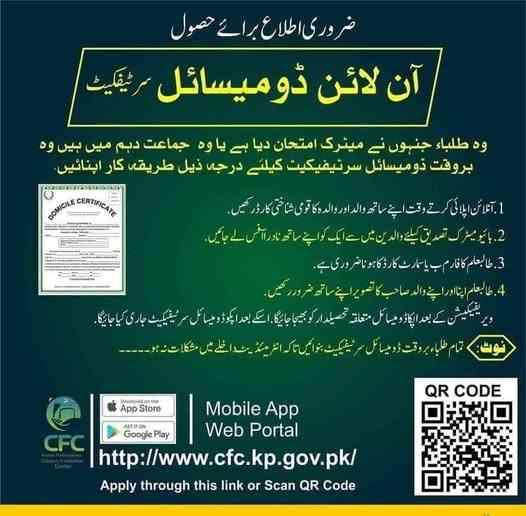
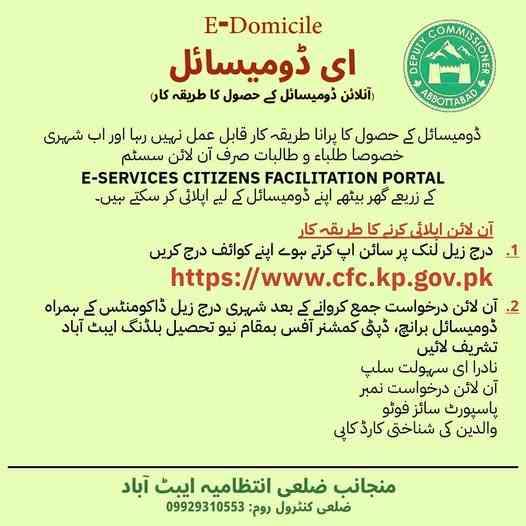
For Khyber Pakhtunkhwa domicile online registration, use the KP Citizen Portal or the e-domicile platform at cfc.kp.gov.pk. For Islamabad, download the City Islamabad App to start your application, but a physical visit to the G-11/4 Citizen Facilitation Center is mandatory for biometric verification.
KP Citizen Portal – Complete Digital Process
The KP Citizen Portal (cfc.kp.gov.pk) offers fully digital domicile application with integrated biometric verification through NADRA.
Registration steps:
Visit cfc.kp.gov.pk on any browser. Click “Sign Up” and enter your CNIC. The system sends an OTP to your registered mobile number. Enter the OTP. Create a password. Complete your profile with name, father’s name, and date of birth.
Application process:
After login, click “Apply for Domicile” from the dashboard. Select your district from the dropdown (all 34 KP districts available). Fill Form “P” with personal and residential details.
For proof of residence, KP accepts:
- Electricity bill (PESCO) from last 3 months
- Gas bill (SNGPL) from last 3 months
- Property Fard from Patwari
- Rent agreement registered at the tehsil office
Biometric verification: KP has integrated fingerprint verification through NADRA’s database. When you submit your application, the system checks your CNIC’s fingerprint data. If the fingerprints on record are of poor quality, you receive a notification to visit the nearest NADRA center for biometric update. No physical visit to the AC office is required in most cases.
Fee payment: Generate PSID on the portal. Pay through EasyPaisa, JazzCash, or any bank. Fee is Rs. 200 for all KP districts.
Processing time: Standard 16 working days. Urgent processing not widely available in KP.
Tracking Your KP Domicile Application
Log into the KP Citizen Portal. Click “Track Applications”. Enter your transaction ID (provided after submission). The system shows real-time status:
| Status Code | Meaning |
|---|---|
| PND | Pending – Not yet assigned |
| ASN | Assigned to Assistant Commissioner |
| VFC | Verification from Patwari requested |
| VRV | Verification received, under review |
| APV | Approved – Certificate ready |
| REJ | Rejected – Check remarks |
Islamabad (ICT) – City Islamabad App Process
The City Islamabad App is the official mobile application for all Islamabad Capital Territory citizen services.
Download and registration:
Download the City Islamabad App from Google Play Store or Apple App Store. Open the app and select “Register”. Enter your CNIC and mobile number. The app sends an OTP. Enter the OTP and create a 4-digit PIN for quick access.
Domicile application within the app:
After login, tap “Domicile Services” from the main menu. Select “Apply for New Domicile”. The app auto-fills your name and CNIC details from NADRA. Enter your complete address in Islamabad (sector, street, house number). Upload photos of your CNIC, proof of residence (utility bill or property document), and passport-sized photograph.
Fee payment: The app generates a PSID. Pay through the app’s integrated payment gateway (supports all major banks and mobile wallets). Fee ranges from Rs. 200 to Rs. 500 depending on processing speed selected.
Mandatory physical visit: After online submission and payment, the app displays a message: “Visit Citizen Facilitation Center, G-11/4 for biometric verification”. You cannot skip this step.
Booking the physical appointment: Within the app, tap “Book Appointment”. Select a date and time. The system sends a confirmation SMS. On the appointment day, bring:
- Original CNIC
- Printed copy of your online application (download from app)
- Original proof of residence documents
At the CFC G-11/4, staff verify your documents, capture your fingerprints, and take a fresh photograph. After this visit, your application moves to “Under Scrutiny” status.
Processing timeline for Islamabad: 10-15 working days after biometric verification. Total time including appointment wait can be 3-4 weeks.
Required Documents – Complete Technical Specifications
The mandatory documents for an online domicile include a scanned CNIC or B-Form, father’s CNIC, proof of residence (utility bill), two passport-sized photos, and an affidavit on stamp paper where required.
CNIC or B-Form Scanning Specifications
| Requirement | Specification |
|---|---|
| Resolution | 300 DPI minimum |
| File size | 500 KB to 2 MB |
| Format | JPEG or PDF |
| Color | Color (black and white rejected) |
| Orientation | Front and back in separate files |
| Visibility | All text, numbers, and the hologram must be visible |
Common rejection reasons: Blurry text, cut-off edges, reflection from lamination, missing reverse side of CNIC.
Father’s or Spouse’s CNIC Requirements
If applying as a dependent (unmarried child), provide father’s CNIC. If applying as a married woman changing domicile to husband’s district, provide spouse’s CNIC. The CNIC must be valid (not expired). Expired CNICs are not accepted even if renewal is in process.
Form “P” – Understanding Each Field
Form “P” is the legal declaration of your permanent residence. It contains:
Section A – Applicant Information:
- Full name (as per CNIC)
- CNIC number
- Date of birth
- Place of birth (city/town and district)
- Gender
- Marital status
Section B – Parent/Spouse Information:
- Father’s full name and CNIC
- Mother’s full name (optional in some districts)
- Spouse’s name and CNIC (if applicable)
Section C – Residence Information:
- Current complete address
- Duration of stay at current address (years/months)
- Previous address within the same district (if moved)
- Total years of residence in the district
Section D – Property Information:
- Property ownership status (owned/rented/inherited/government allotment)
- Property document number (if available)
- Name on property document
Section E – Declaration:
- Statement that all information is true and correct
- Understanding that false information is a criminal offense
- Signature (digital or physical)
Affidavit on Stamp Paper – District by District
| District | Affidavit Required? | Stamp Paper Value |
|---|---|---|
| Lahore | Yes | Rs. 50 |
| Faisalabad | No (exempted since Oct 2019) | N/A |
| Rawalpindi | Yes | Rs. 100 |
| Multan | Yes | Rs. 50 |
| All KP districts | Yes | Rs. 50 |
| Islamabad | Yes | Rs. 100 |
| All Sindh districts | Yes | Rs. 50-100 |
Affidavit content: I, [Your Name], son/daughter/wife of [Parent/Spouse Name], resident of [Complete Address], do hereby solemnly declare that I have been permanently residing in [District Name] for the past [Number] years. I possess [property document/utility bill] as proof. I understand that providing false information is punishable under Pakistan Penal Code Section 182.
The affidavit must be signed before a notary public or oath commissioner.
Proof of Residence – Ranking by Strength
| Document Type | Strength Level | Acceptance Rate |
|---|---|---|
| Property ownership deed (Fard/Registry) | Highest | 100% |
| Utility bill (electricity/gas) in applicant’s name | High | 95% |
| Rent agreement registered at sub-registrar | Medium | 80% |
| Rent agreement unregistered (with landlord affidavit) | Low | 60% |
| Resident certificate from Numberdar (rural) | Medium | 85% |
| Voter list entry showing address | Medium | 70% |
Utility Bill Requirements
The utility bill (electricity or gas) must meet these criteria:
- Issued within the last 3 months
- In the applicant’s name exactly as on CNIC
- Showing the complete address matching Form “P”
- Bill amount can be any value (no minimum)
If the utility bill is in a family member’s name (father, mother, spouse), attach a family registration certificate or CNIC of that family member to prove relationship.
Photograph Specifications
| Parameter | Requirement |
|---|---|
| Quantity | 2 (standard) or 4 (Sindh) |
| Background | Solid blue (no shadows, no patterns) |
| Head size | 70-80% of frame |
| Expression | Neutral, mouth closed, eyes open |
| Glasses | Not allowed (causes reflection) |
| Head covering | Allowed only for religious reasons (face fully visible) |
| Resolution | 300 DPI minimum |
| Age of photo | Less than 6 months |
Rejection reason: Selfies, photos with red-eye, photos cropped from group pictures, photos with busy backgrounds.
Fee Payment Methods: PSID, EasyPaisa, JazzCash, and Bank Challan
The standard service fee for an online domicile application is Rs. 200 across most districts. You can pay via EasyPaisa, JazzCash, or any bank using a PSID. Payment must be completed online through the government payment gateway.
PSID Payment – The Standard Method
PSID (Payment Slip ID) is a 17-digit unique identifier that links your payment to your specific domicile application. The system generates this ID after you complete Form “P” and upload documents.
PSID structure explained:
Digits 1-3: Province and district code (e.g., 101 for Lahore)
Digits 4-9: Application reference number
Digits 10-13: Fee amount code (e.g., 0200 for Rs. 200)
Digits 14-17: Checksum for error detection
Where PSID works:
- All Pakistani banks’ internet banking portals
- 1Link member banks’ mobile apps
- EasyPaisa app (under “Government Fees”)
- JazzCash app (under “Pay Bills”)
- ATMs of all major banks (select “Government Payments”)
- Over-the-counter at any bank branch
EasyPaisa Payment – Step by Step
Open the EasyPaisa app on your smartphone. Log in using your MPIN or fingerprint. Tap “Bill Payment” from the home screen. Select “Punjab e-Challan” or “Government Fees” (depending on your province). Enter your 17-digit PSID in the field. The app automatically displays the amount due (Rs. 200 or applicable fee). Tap “Pay Now”. Confirm using your MPIN. A confirmation screen appears with a transaction ID. Screenshot this screen. You also receive an SMS from EasyPaisa confirming the payment.
Troubleshooting EasyPaisa: If “Government Fees” option is missing, update your app. If PSID shows “Invalid”, check that you entered all 17 digits correctly (no spaces or dashes). If payment fails but amount is deducted, contact EasyPaisa customer support (3738) – the amount is refunded within 24-48 hours.
JazzCash Payment – Step by Step
Open the JazzCash app. Enter your MPIN. Tap “Pay Bills” from the dashboard. Select “Government Fees” or “Punjab e-Challan”. Enter your PSID. The amount appears automatically. Tap “Pay”. Confirm with your MPIN. Save the confirmation message.
Bank Internet Banking Payment
Log into your bank’s internet banking portal (e.g., HBL NetBanking, UBL Digital, MCB Lite, BOP Online). Navigate to “Bill Payments” or “Government Payments”. Look for “Punjab e-Challan” or “e-Pay Punjab”. Enter your PSID. The bank fetches the amount. Authorize the payment using your transaction PIN or OTP.
ATM Payment for PSID
Insert your bank card into any ATM (HBL, UBL, MCB, ABL, NBP, BOP). Enter your PIN. Select “Government Payments” or “e-Challan” from the menu. Enter your PSID using the ATM keypad. The screen displays the amount. Confirm payment. Collect the receipt. The receipt serves as your payment proof.
Challan Payment (for Sindh and some rural areas)
If your district does not support PSID, you must use the 32-A challan form.
Steps for challan payment:
Visit the Assistant Commissioner’s office. Request a 32-A challan form (white and yellow copies). Fill your name, father’s name, CNIC, and address. The AC office staff enters the fee amount (Rs. 200-300). Take the challan to any National Bank of Pakistan branch. Pay the amount in cash. The bank stamps both copies, returns the white copy to you, and keeps the yellow copy. Attach the stamped white copy to your domicile application.
Fee Refund Policy
The service fee is non-refundable under all circumstances. Even if your application is rejected, the fee covers:
- NADRA verification charges (paid by the government to NADRA)
- Document storage and scanning costs
- Administrative processing
However, if you resubmit a corrected application within 30 days of rejection, you do not pay again. The original payment remains valid for one resubmission.
Tracking Your Domicile Application Status Online
You can track your domicile application status online by visiting the same portal you applied on and entering your CNIC or the tracking ID provided after fee submission.
Punjab Tracking Process
Visit domicile.punjab.gov.pk. Click “Track Application” on the homepage. Enter your CNIC number (without dashes) OR your tracking ID. Click “Search”. The system displays:
- Application submission date
- Current status (color-coded: yellow for pending, blue for processing, green for approved, red for rejected)
- Assigned officer name
- Last update date and time
Status Message Definitions
| Status | Meaning | Expected Duration |
|---|---|---|
| Pending | Application received but not yet assigned to AC | 1-2 days |
| Under Scrutiny | AC officer reviewing documents | 3-5 days |
| Verification in Process | NADRA or Patwari verification requested | 5-7 days |
| Approved | Certificate issued and digitally signed | Download available |
| Rejected | One or more documents failed verification | Check remarks |
| Hold | Additional information required from applicant | Check instructions |
Tracking Without a Tracking ID
If you lost your tracking ID, use the “Recover Tracking ID” feature on the portal:
Enter your CNIC number. Enter your registered mobile number. Click “Send”. The system sends your tracking ID via SMS within 1 minute.
If your mobile number has changed, visit the Assistant Commissioner’s office with your CNIC. The staff can look up your application using your CNIC and provide the tracking ID in writing.
Processing Timeline Breakdown
Week 1 (Days 1-5):
Day 1: Application submitted and PSID paid
Day 2: Payment confirmed by system
Day 3: Application assigned to Assistant Commissioner
Days 4-5: Initial document review by AC staff
Week 2 (Days 6-10):
Days 6-7: NADRA verification (CNIC authenticity, family tree)
Days 8-10: For rural areas – Patwari visits property to confirm residence
Week 3 (Days 11-15):
Day 11-12: Assistant Commissioner’s final review
Day 13-14: Digital signing and QR code generation
Day 15: Certificate uploaded to portal
Day 16: Certificate available for download. SMS notification sent to applicant.
Urgent Processing Options
Select districts offer urgent processing for an additional fee:
| District | Urgent Fee | Processing Time |
|---|---|---|
| Lahore | Rs. 1,000 | 5 working days |
| Rawalpindi | Rs. 1,000 | 5 working days |
| Faisalabad | Rs. 1,500 | 5-7 working days |
| Multan | Rs. 800 | 7 working days |
| Islamabad | Rs. 500 | 7-10 working days |
How to request urgent processing: During online application, select “Urgent” from the processing speed dropdown. The system adds the urgent fee to your PSID automatically. Pay the total amount (standard fee + urgent fee). Your application is tagged as “Urgent” and prioritized at every stage.
Verifying a Domicile Certificate Online by CNIC
To verify a domicile certificate online by CNIC, visit the official Domicile Verification portal of your province, enter the CNIC number, and the system will display the holder’s domicile details if authentic.
Punjab Verification Portal
Visit verification.punjab.gov.pk. Enter the CNIC number of the person whose domicile you want to verify. Complete the captcha. Click “Verify”. The system displays:
- Full name of the domicile holder
- District of domicile
- Certificate issuance date
- Certificate status (Valid / Invalid / Suspended)
If the CNIC has no associated domicile, the system shows “No Record Found”.
Why Verification Matters for Employers
Government hiring departments must verify every candidate’s domicile before issuing an appointment letter. The verification step prevents:
- Candidates using fake domicile certificates
- Candidates claiming quotas they do not qualify for
- Duplicate certificates for the same person
Employers should always verify online rather than relying on physical stamps, which can be forged.
Detecting Fake or Duplicate Certificates
The Domicile Management System’s database is the single source of truth. Any certificate not in this database is fake. Signs of a fake certificate include:
- The verification portal shows “No Record Found”
- The QR code on the certificate does not link to the official portal
- The certificate number format does not match the official pattern (e.g., extra digits, wrong prefix)
- The Assistant Commissioner’s signature is printed rather than digitally embedded
NADRA’s Role in Verification
NADRA does not maintain a domicile database. However, NADRA’s Pak-ID app can verify the CNIC of the domicile holder. If the CNIC is invalid or expired, the domicile is considered invalid even if the verification portal shows a record. Always check both: domicile verification portal AND CNIC validity.
Downloading and Printing Your E-Domicile Certificate
After approval, you can download your e-domicile certificate by logging into your account on the provincial portal, navigating to “My Applications,” and clicking the “Download PDF” button.
Step-by-Step Download Process
Log into the portal (Punjab DMS, KP Citizen Portal, or City Islamabad App). Navigate to “My Applications” or “Approved Applications”. Find your application – the status should show “Approved” in green. Click the “View” or “Details” button. Look for a button labeled “Download Certificate”, “Get PDF”, or “Print”. Click it. The system generates a PDF. Save the file to your device. Email a copy to yourself for backup.
Features of the E-Domicile PDF
The downloaded PDF contains:
- Digital signature: Visible as a stamp icon. Clicking it (in Adobe Acrobat) shows the certificate’s digital signature chain.
- QR code: Scans to the verification portal with the certificate details pre-loaded.
- Unique certificate number: Different from your tracking ID. Format: PROV-DIST-YEAR-SERIAL (e.g., PB-LHR-2023-123456).
- Issue date and expiry: Domicile certificates do not expire, but the “issue date” is shown for reference.
- Assistant Commissioner’s name and designation: Printed digitally.
Legal Validity of E-Domicile
The e-domicile downloaded from the official portal is legally valid for all purposes including:
- Government job applications (federal and provincial)
- Educational admissions (all public and private universities)
- NADRA document renewal (if address verification needed)
- Property registration and transfer
- Passport applications (as proof of permanent address)
- Court proceedings (as evidence of residence)
No physical stamp or signature is required. The digital signature carries the same legal weight as a physical signature under the Electronic Transactions Ordinance 2002.
Printing on Stamp Paper – When Required
Some government departments (especially in Sindh and smaller districts) still request domicile on stamp paper. To comply:
Download the e-domicile PDF. Purchase judicial stamp paper of the required value (typically Rs. 50-100). Print the e-domicile directly onto the stamp paper using a laser printer. Do not glue a plain paper printout onto stamp paper – this is not accepted.
If you cannot print directly onto stamp paper, take the e-domicile PDF and the blank stamp paper to a printer who can feed stamp paper through a laser printer.
Handling Rejections, Corrections, and Application Errors
If your online domicile application is rejected, log back into the portal, check the “Remarks” section for the specific reason, correct the error, and resubmit without paying a new fee.
Common Rejection Reasons and Solutions
| Rejection Reason | Solution |
|---|---|
| Blurry CNIC scan | Scan again at 300 DPI, ensure no reflection |
| Mismatch between CNIC and Form “P” name | Correct Form “P” to exactly match CNIC |
| Proof of residence older than 3 months | Upload a new utility bill within last 2 months |
| Affidavit not notarized | Get affidavit stamped by notary public or oath commissioner |
| Photograph with wrong background | Retake photo with solid blue background |
| PSID payment not confirmed | Wait 1 hour, check payment status; if still unpaid, pay again (first payment auto-refunds) |
Reading the Remarks Section
After logging in, click on the rejected application. Look for a field labeled “Remarks”, “Officer Comments”, or “Rejection Reason”. The officer writes a brief code or sentence explaining the issue:
Common remark codes (Punjab DMS):
- R01 – CNIC not readable
- R02 – Address mismatch with NADRA
- R03 – Proof of residence invalid
- R04 – Affidavit missing or incorrect
- R05 – Photograph不符合规格
- R06 – Fee not paid
If the remark is unclear, contact the Assistant Commissioner’s office by phone. Provide your tracking ID and ask for clarification.
Resubmitting a Corrected Application
After fixing the error, log into the portal. The rejected application now has a “Resubmit” button. Click it. The system loads your previously entered data. Make the required corrections. Upload any new or improved document scans. Click “Submit”. The system does not ask for payment again. Your original payment remains attached to the application.
Resubmission deadline: You have 30 days from the rejection date to resubmit. After 30 days, the application is permanently closed, and you must start over (paying the fee again).
Correcting Mistakes Before Approval
If you notice a mistake in your application before any decision is made, you cannot edit it yourself. Contact the Assistant Commissioner’s office immediately. Provide your tracking ID and explain the error. The AC office can recall the application to “Draft” status, allowing you to edit. This request takes 1-2 working days.
Applying for a Duplicate Certificate (Lost Original)
If you lose your printed e-domicile, you do not need a “duplicate” – simply download the PDF again from the portal. Your account and the portal’s archive never expire.
If you lose access to your portal account (forgotten password and registered mobile number changed), visit the Assistant Commissioner’s office. Provide your CNIC. The staff can print a certified copy of your domicile for a nominal fee (Rs. 100-200).
Domicile Renewal – Is It Required?
Domicile certificates do not expire. They remain valid for the lifetime of the holder. No renewal is required. However, if you need a domicile showing a different address (because you moved), you must apply for a new domicile in your new district. The old domicile becomes invalid once the new one is issued.
Updating Address on an Existing Domicile
You cannot update the address on an existing domicile. The certificate is a historical record of your permanent residence at the time of issuance. If you move permanently, apply for a new domicile in your new district. You will then have two domiciles – one old (inactive) and one new (active). For all official purposes, use the new one.
Mobile Applications for Domicile Services
The official mobile apps for online domicile application include the Domicile Management System app (Punjab), e-Pay Punjab for fee payment, Maryam Ki Dastak for doorstep service, and the City Islamabad App for ICT residents.
Domicile Management System App (Punjab)
Available on Google Play Store. Search “Domicile Management System” or “DMS Punjab”. The app is developed by PITB.
App features:
- Full domicile application (same as web portal)
- Built-in document scanning using phone camera
- PSID generation and payment (redirects to e-Pay Punjab)
- Application tracking with push notifications
- Certificate download to phone storage
App requirements: Android 8.0 or higher. 50 MB free space. Camera permission for scanning.
E-Pay Punjab App
This is the official payment app for all Punjab government services. Use it to pay your domicile PSID without needing a bank account.
Payment steps within e-Pay Punjab:
Open app. Tap “Government Fees”. Enter PSID. Select payment method (EasyPaisa, JazzCash, credit card, or bank account). Complete payment. The app stores payment receipts for 12 months.
Maryam Ki Dastak App – Doorstep Service
The Dastak app is the most convenient option for citizens who cannot visit offices or navigate digital portals.
Complete Dastak process:
Download Dastak app. Register with CNIC. Select “Domicile Certificate”. Enter your address. Choose a date and time. A facilitator calls to confirm. On appointment day, facilitator arrives with a government ID. Hand over original documents. Facilitator scans documents using a portable scanner. You receive a receipt. Facilitator submits application digitally. You receive SMS updates. After approval (16 days), facilitator delivers printed domicile to your home.
Dastak fees: You pay only the standard Rs. 200 domicile fee. The doorstep service is free (subsidized by the Punjab government).
City Islamabad App
The official app for all ICT citizen services. Download from Google Play Store or Apple App Store.
App features for domicile:
- New domicile application
- Appointment booking for biometric verification at CFC G-11/4
- Application tracking
- Certificate download
- Fee payment through integrated gateway
The app requires camera permission for document upload and location permission for address verification.
Special Application Scenarios
Applying for Minor Children
Parents can apply for their children’s domicile using their own portal account. Select “Apply for Minor” instead of “Apply for Self”. Enter the child’s B-Form number. The system fetches the child’s name, date of birth, and parent names from NADRA. Upload the child’s B-Form scan and the parent’s CNIC. The parent’s address automatically becomes the child’s domicile address. Fee is the same Rs. 200.
Required for minors: No photograph needed for children under 5 years. Children 5-18 require a passport-sized photograph.
Father Deceased – Using Mother’s CNIC
If your father is deceased, you can apply using your mother’s CNIC as the parent document. Additionally, upload your father’s death certificate (issued by union council or NADRA). The application is processed under maternal guardianship. The domicile will show your mother’s name in the parent field.
Rented Accommodation
If you live in rented accommodation, provide:
- Rent agreement (preferably registered at sub-registrar’s office)
- Landlord’s CNIC copy
- Utility bill in landlord’s name (showing the same address)
- Affidavit from landlord confirming your tenancy duration
Without a registered rent agreement, acceptance is not guaranteed. Some districts reject unregistered agreements.
Overseas Pakistanis Without Local Mobile Number
Overseas applicants face the OTP challenge because their international numbers may not work with Pakistani portals.
Solution: Use a family member’s local mobile number for OTP verification. Register with your CNIC. When the system sends OTP, call your family member. They read the OTP to you. Enter it. After account creation, you can change the mobile number to your international number (optional). All future communication (status updates, approval notifications) goes to the family member’s number, so keep them informed.
Final Application Checklist and Expert Tips
Pre-submission checklist – verify all items:
- CNIC scan: Front and back, readable, color, under 2MB
- Father/spouse CNIC: Same specifications
- Proof of residence: Utility bill less than 3 months old OR property document
- Photographs: 2 copies, blue background, recent (less than 6 months)
- Affidavit: On stamp paper, notarized (unless district exempted)
- Form “P”: All fields match CNIC exactly
- PSID: Generated and paid (check payment status on portal)
- Tracking ID: Saved in two locations
- Expert tip 1 – Scan in color, not black and white: Black and white scans often obscure official stamps and signatures. Color scans show the red/blue stamps clearly, reducing rejection risk.
- Expert tip 2 – Save PSID and tracking ID in three places: Screenshot on phone. Write in notebook. Send to a family member’s WhatsApp. Losing these numbers requires a physical visit to the AC office to recover.
- Expert tip 3 – Apply 30 days before job deadlines: Standard processing takes 16 working days (3+ calendar weeks). Add buffer time for holidays, postal delays (for physical delivery), and potential corrections. Last-minute applications frequently miss deadlines.
- Expert tip 4 – Check NADRA mobile number registration before applying: If your mobile number is not registered with NADRA under your name, OTP will not arrive. Visit any NADRA office to update your mobile number on your CNIC record. This takes 2-3 days to reflect across all systems.
- Expert tip 5 – For urgent needs, select urgent processing at the time of application: You cannot upgrade to urgent processing after submission. If you need the certificate quickly, pay the urgent fee upfront.
Future of Domicile: Blockchain and Digital Identity Integration
The government is actively exploring blockchain technology for domicile issuance. A blockchain-based domicile would be:
- Tamper-proof: Any alteration breaks the blockchain record
- Instantly verifiable worldwide: No need for government portals
- Portable: Stored in a digital wallet app on your phone
- Integrated with NADRA’s digital identity: One app for CNIC, passport, and domicile
Several pilot projects are underway in Punjab and Islamabad. Within the next few years, physical domicile certificates may be completely replaced by blockchain-based digital credentials accessible through a single national digital identity app.
Disclaimer
The processes, fees, and requirements described in this guide are based on official government portals and may change without prior notice. Always verify current information with your province’s domicile portal or local Assistant Commissioner’s office before submitting an application.
Frequently Asked Questions (FAQs)
1. Can I apply for a domicile certificate online if my CNIC address is from a different province?
Yes, you can apply for a domicile in the province where you permanently reside, even if your CNIC shows a different address. However, you must provide strong proof of residence (property documents, long-term utility bills) to establish your current permanent residence.
2. How do I check if my mobile number is registered with NADRA for OTP verification?
Visit any NADRA registration center with your CNIC. Request a “Mobile Number Verification” check. You can also try registering on the domicile portal – if OTP does not arrive within 2 minutes, your number is not registered correctly.
3. What should I do if my online domicile application shows “Pending” for more than 10 days?
Contact the Assistant Commissioner’s office of your district. Provide your tracking ID. Ask if any additional verification is required. In some cases, the application is stuck due to a missing Patwari report. The AC office can manually push the application to the next stage.
4. Can I apply for a domicile for my deceased father to claim inheritance?
No. Domicile certificates are issued only to living persons. For inheritance claims, you need your father’s existing domicile certificate (if he had one) or his CNIC along with his death certificate. Consult a civil lawyer for inheritance documentation.
5. Is there any difference in fees for first-time applicants versus replacements?
No. The fee is the same (Rs. 200 standard) for first-time applications and for duplicate/replacement certificates. Urgent processing fees are additional and optional.
6. How can I appeal a rejected domicile application?
Within 30 days of rejection, resubmit with corrections – this is the only appeal process. If you believe the rejection was erroneous after corrections, file a complaint with the District Ombudsman or the Provincial Ombudsman (Mohtasib) online. Provide your tracking ID, rejection remarks, and corrected documents.
7. Can I use my domicile certificate for NADRA’s Family Registration Certificate (FRC) update?
Yes. If you need to update your FRC to show your domicile district, provide a copy of your e-domicile at any NADRA center. The FRC will then display your domicile district in the permanent address field.

Add a Comment