
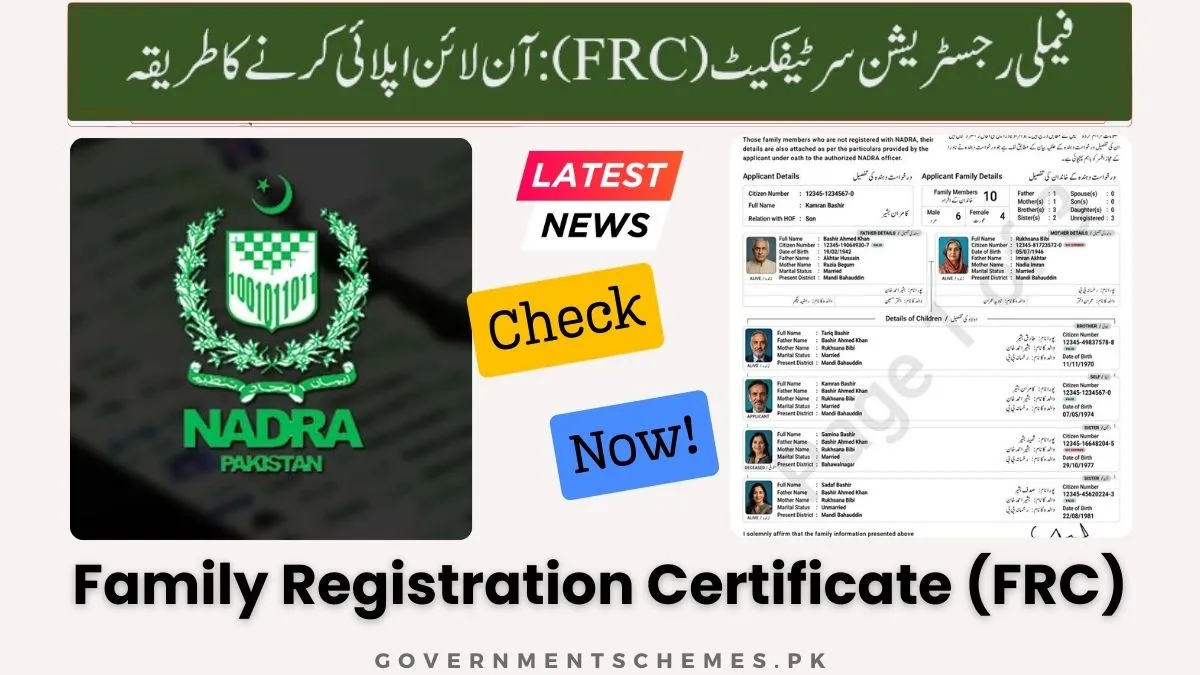
A Family Registration Certificate (FRC) is an official document issued by the National Database and Registration Authority (NADRA) that verifies your family composition, including parents, siblings, spouse, and children, based on the government’s secure database records.
This comprehensive guide will teach you everything about obtaining your FRC:
- What an FRC is and the four available categories
- Step-by-step online application process through the Pak Identity app
- Fee structure, payment methods, and processing timelines
- Troubleshooting common application issues
- MOFA attestation requirements for international use
- How to track your application and download the digital certificate
Key Takeaways
- Digital Delivery Only: Your FRC is delivered as a PDF within 24 hours exclusively through the Pak Identity app—no physical copy is mailed.
- Data Accuracy Matters: Names and ID numbers on your FRC must exactly match passports and CNICs; errors lead to visa rejections and require separate correction applications.
- By All Category Advantage: Selecting “By All” combines both birth and marriage details in one certificate for Rs. 2000, saving time and money compared to applying separately.
- Biometric Verification Required: You must complete fingerprint verification through the app to authenticate your identity before application processing begins.
- MOFA Attestation Essential: Your FRC requires attestation from the Ministry of Foreign Affairs for any international use, including family visas and immigration.
- Read More: NADRA Office Timing And Working Days (All Pakistan)
- Read More: NADRA Pakistan Timing | Is Nadra Helpline 24 Hours
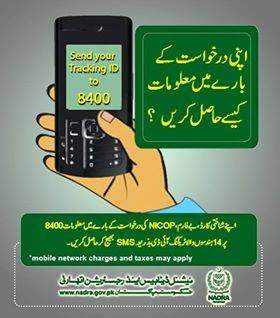
- Read More: NADRA ID Card Tracking Pakistan (Track Application Via SMS)
NADRA FRC Fee Update | Family Registration Certificate Online Apply (Normal+Urgent)
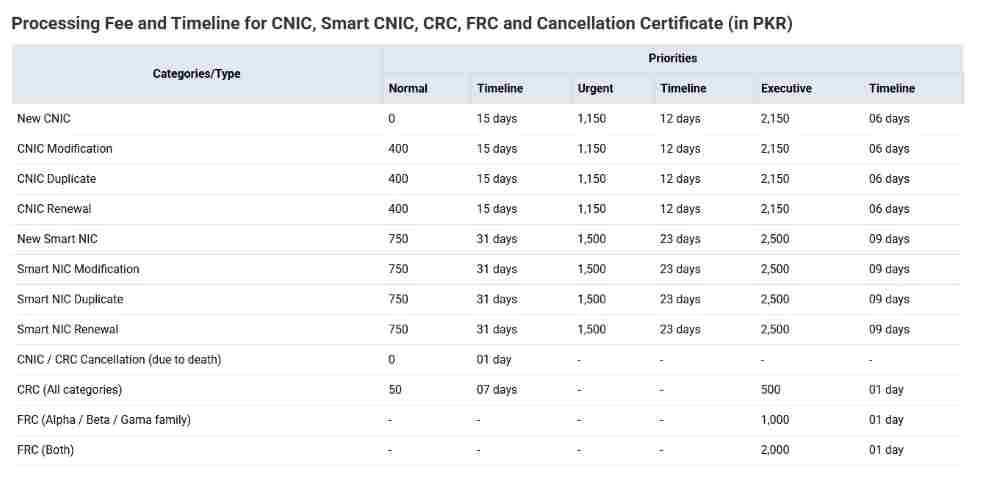
Table Of Contents
What is a Family Registration Certificate (FRC) and Why Do You Need It?
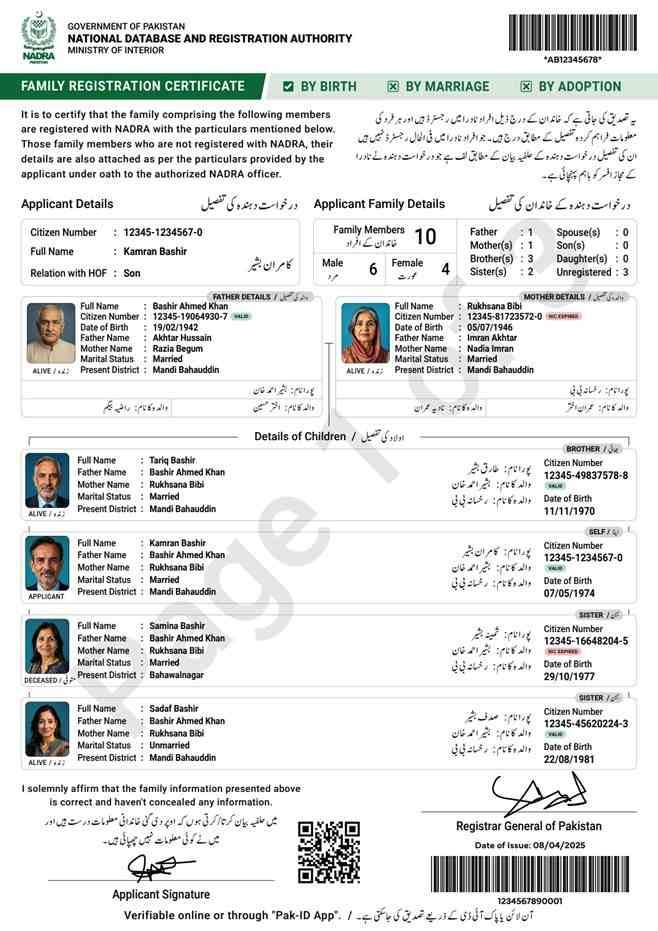
A Family Registration Certificate (FRC) serves as your family’s official identity document, providing authenticated proof of your family relationships as recorded in NADRA’s central database.
What is the official definition of a Family Registration Certificate (FRC) according to NADRA?
NADRA defines the FRC as an official document issued under Schedule XI of Rule 19 of the NADRA (NIC) Rules, 2002. It reflects, verifies, and provides record of the family composition data of a registered person, serving as valid proof on the date of its issuance.
How is an FRC different from a simple family tree document?
Unlike a hand-drawn or self-attested family tree, an FRC carries legal weight as a government-verified document. It pulls data directly from NADRA’s secure database, ensuring each family member’s information matches their official CNIC, NICOP, or POC records.
What are the primary use cases for an FRC in Pakistan and abroad?
FRCs serve multiple essential purposes across different scenarios:
- Embassy and visa applications: Primary document for family sponsorship visas
- Immigration processing: Required for residency applications in foreign countries
- Legal proceedings: Used in inheritance cases and family law matters
- Educational institutions: Required for children’s school admissions abroad
- Government departments: Needed for official record verification
- Banking and financial services: Sometimes requested for joint accounts or nominations
Can a Family Registration Certificate be used for international visa processing?
Yes, FRCs are fundamentally required for family or dependent visa applications worldwide. Embassies and immigration authorities use this document to verify genuine family relationships before granting visas for spouse, children, or parents.
What is the legal status of an FRC under NADRA Rules 2002?
The FRC holds full legal status as an official government document under NADRA’s enabling legislation. Any falsification or misuse triggers legal proceedings under Section 30 of the NADRA Ordinance 2000 and relevant provisions of the Pakistan Penal Code.
Why has the FRC become essential for overseas Pakistanis sponsoring their families?
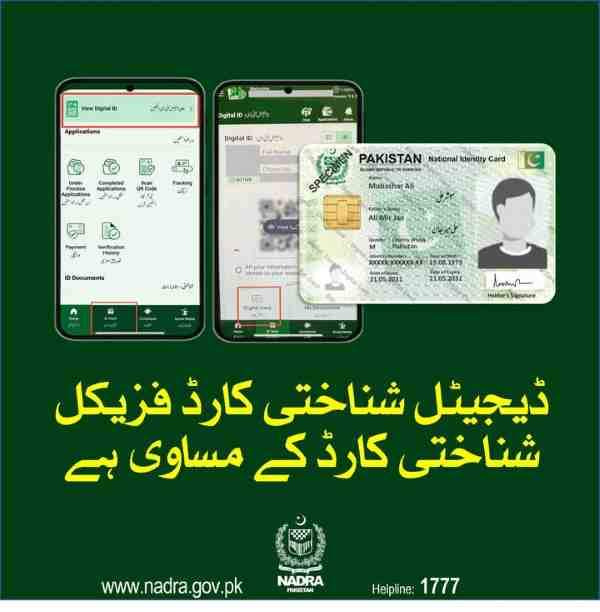
Overseas Pakistanis must submit attested FRCs to foreign immigration authorities to prove family ties. Host countries require this verification before allowing family reunification, dependent visas, or residency for spouse and children.
How does the new FRC system address previous uncertainties in family records?
The current FRC system includes comprehensive information such as details of males with multiple marriages, eliminating ambiguity about family composition. This transparency helps prevent disputes and ensures accurate representation of complete family units.
What is the difference between a Family Registration Certificate and a B-Form?
A B-Form (Child Registration Certificate) registers an individual child with NADRA. An FRC compiles multiple registered individuals into a single family document. Think of the B-Form as an individual building block and the FRC as the complete family structure.
Who is Eligible to Apply for an FRC?
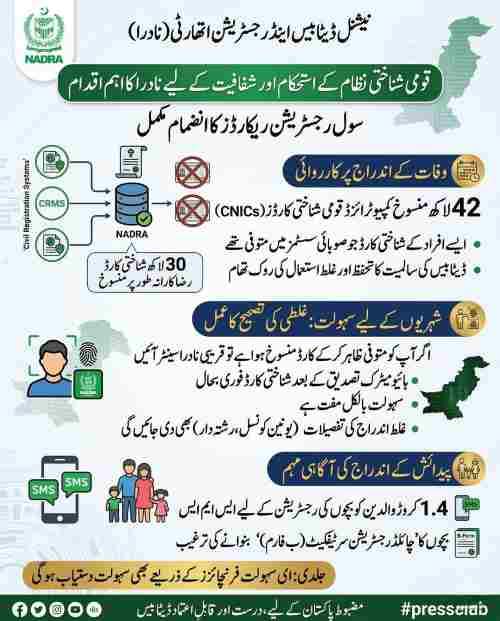
Understanding eligibility requirements prevents application delays and rejections. NADRA has established clear criteria for who can apply and what conditions must be met.
What are the CNIC/NICOP/POC requirements for the applicant and family members?
Every living family member included in your FRC must possess a valid 13-digit identification number:
- CNIC: For Pakistani citizens residing in Pakistan
- NICOP: For overseas Pakistanis
- POC: For foreign nationals of Pakistani origin
- CRC/B-Form: For children under 18
Can I include unregistered family members, such as deceased relatives, in my FRC?
Yes, unregistered deceased individuals can be included in your FRC. You must provide their complete particulars during application. However, their CNIC must first be canceled by submitting their Death Certificate issued by Union Council, Municipal Corporation, or Cantonment to NADRA.
What happens if a family member’s record is incomplete or missing in the NADRA database?
Incomplete records will not appear in your FRC automatically. You must first update those records by visiting a NADRA center or applying for corrections through the appropriate modification channels. Only after database updates will these family members appear in future FRC applications.
Are POC holders eligible to apply for an FRC, and how does the process work for them?
POC holders are fully eligible to apply for FRCs. If a POC holder does not exist in the family tree within NADRA’s system, they must apply and manually include other family members as relatives during the application process. This ensures accurate family composition despite database limitations.
Do all family members need to be present for an FRC application?
Physical presence requirements vary by application method:
- Online via Pak Identity app: No physical presence needed for adults
- NADRA center visit: Children below 18 whose CRC was issued without photo must be physically present
- Biometric verification: Adults must complete fingerprint verification through the app or at center
What are the Different Categories of FRC You Can Apply For?
NADRA offers four distinct FRC categories designed to meet different documentation needs. Selecting the correct category ensures your certificate contains exactly the family members required for your specific purpose.
What is an FRC “By Birth” and who does it include?
An FRC By Birth contains details of your parents and siblings. This category proves your lineage and relationship to your immediate paternal and maternal family. It is commonly required for:
- Inheritance claims
- Educational records
- Employment background checks
- Family history verification
What is an FRC “By Marriage” and who does it include?
An FRC By Marriage includes your spouse and children. This represents the most frequently requested category for:
- Spouse and children visa applications
- Family immigration sponsorship
- Residency permits abroad
- Joint family banking and insurance
What is an FRC “By Adoption” and who does it include?
An FRC By Adoption documents legally recognized adoptive relationships. It includes your guardian and adopted family members, providing official verification for:
- Adoption legalization
- Inheritance rights for adopted children
- School admissions
- Travel documentation for adopted minors
What is an FRC “By All” and what family members are included in it?
An FRC By All provides comprehensive family documentation by combining both alpha (parents and siblings) and beta (spouse and children) family members. This complete certificate shows your entire family unit on a single document.
Which FRC category should I select for a spouse and children visa application?
Select the By Marriage category for spouse and children visa applications. This certificate specifically focuses on your nuclear family unit, which is exactly what embassies and immigration authorities need to verify.
Can I apply for FRC By Birth and By Marriage at the same time online?
Yes, you can apply for both simultaneously by selecting the By All category. This combined approach costs Rs. 2000 compared to Rs. 1000 each if applied separately, saving both money and processing time.
How to Apply for an FRC Online Through the Pak Identity App: A Step-by-Step Guide
The Pak Identity mobile app provides the most convenient method for FRC application, accessible from anywhere in the world with internet connectivity.
What is the official website or portal for the FRC online application?
The Pak Identity mobile app serves as the primary platform for online FRC applications. Download it from:
- Google Play Store: For Android devices
- Apple App Store: For iOS devices
The web-based system at id.nadra.gov.pk exists for other services, but FRC applications now process exclusively through the mobile app for enhanced security and biometric verification.
How do I download and create an account on the Pak Identity mobile app?
Follow these steps to set up your Pak Identity account:
- Download the app from your device’s official app store
- Open the app and select “Create New Account”
- Provide your email address and mobile number
- Create a strong password
- Verify your identity through biometric authentication
- Complete the registration process
Step-by-Step: How to navigate to the FRC application within the app?
Once logged into your account:
- Navigate to the “Home” page
- Tap on the “Family” section
- Select “FRC” from the available service options
- Review the information and instructions displayed
How to select the correct FRC category (By Birth, Marriage, Adoption, All) in the app?
After your family details load on screen, you will see category selection options. Choose based on your documentation needs:
- By Birth: For parental family only
- By Marriage: For spouse and children only
- By Adoption: For adoptive family relationships
- By All: For complete family including both sides
What should I do if I see family records highlighted in red during the application?
Red highlighting indicates data errors or inconsistencies requiring correction. Common issues include:
- Name spelling discrepancies
- Missing relationship links
- Outdated marital status
- Duplicate records
You must resolve these issues before proceeding. Contact NADRA support or visit a center to correct the underlying database records.
How to review and submit the FRC application form for errors?
Before final submission:
- Verify every family member’s name spelling
- Confirm all 13-digit ID numbers are correct
- Check relationship links between members
- Ensure deceased members show correct status
- Review category selection matches your needs
Remember: You can only correct English name spellings during this process. Actual name changes require separate modification applications.
Do I need to upload photos for an online FRC application?
No, you do not need to upload new photos specifically for the FRC. The certificate pulls existing photographs from each family member’s CNIC or CRC record. However, the app may require you to capture your photograph and fingerprints as part of identity verification.
Can I apply for an FRC using the Pak Identity mobile app from anywhere in the world?
Yes, the Pak Identity app works globally for both inland and overseas Pakistanis. The app’s design specifically accommodates international users, with features supporting:
- International payment methods
- Overseas address entry
- Remote biometric verification
- Digital certificate delivery
How do Overseas Pakistanis apply for an FRC online through NADRA?
Overseas Pakistanis follow the same app-based process as domestic applicants. Additionally, NADRA has established Pak Identity counters in 22 Pakistani missions worldwide where applicants can receive in-person assistance if needed.
What are the Fees and Payment Methods for an Online FRC Application?
Understanding the complete fee structure and available payment options helps you budget appropriately and complete your transaction smoothly.
What is the current NADRA FRC fee for 2024-2025?
The standard NADRA FRC fee structure remains:
- By Birth category: Rs. 1000
- By Marriage category: Rs. 1000
- By Adoption category: Rs. 1000
- By All category: Rs. 2000
How much does an FRC “By All” cost?
An FRC By All costs Rs. 2000, which represents a saving compared to applying for By Birth and By Marriage separately at Rs. 1000 each.
Is there an extra charge for fast-track online FRC processing?
No, the standard online processing through Pak Identity app delivers your certificate within 24 hours at no additional cost. Unlike physical card processing which offers tiered pricing for different speeds, digital FRCs follow a single fast-track timeline.
How can I pay the FRC fee online through the app?
The Pak Identity app offers multiple integrated payment options:
| Payment Method | Processing Time | Availability |
|---|---|---|
| Credit/Debit Card (Visa/Mastercard) | Instant | 24/7 |
| Raast | Instant | 24/7 |
| Easypaisa | 1-2 hours | 24/7 |
| JazzCash | 1-2 hours | 24/7 |
| E-Sahulat franchise | 24 hours | Business hours |
Can I use a credit card from a foreign bank to pay the FRC fee?
Yes, the payment gateway accepts international Visa and Mastercard credit and debit cards. This feature specifically benefits overseas Pakistanis who may not have access to local Pakistani payment methods.
What should I do if my payment fails during the online FRC application?
If payment failure occurs:
- Check your bank balance and card limits
- Verify your card details were entered correctly
- Ensure your card is enabled for international online transactions
- Wait 30 minutes and retry
- Contact your bank to confirm no hold was placed
- If problems persist, email NADRA support at mobile.support@nadra.gov.pk with screenshots
Is the online FRC fee refundable if the application is rejected?
FRC fees are generally non-refundable as they represent processing costs. If rejection occurs due to data issues, you must resolve the underlying database problems and submit a new application with fresh fee payment.
How to Track Your FRC Application Status and Download the Certificate Online
NADRA’s enhanced digital system provides real-time tracking and immediate certificate access once processing completes.
How do I track the status of my online FRC application by CNIC?
The Pak Identity app now includes a dedicated tracking feature:
- Log into your Pak Identity account
- Navigate to “My Applications” or “Application History”
- Locate your FRC application using Tracking ID
- View real-time status updates at each processing stage
- Receive notifications when status changes
Can I check my FRC application status via SMS or online portal?
While SMS verification of family members exists (send CNIC to 8008), application status tracking requires the Pak Identity app. The consolidated app platform provides the most comprehensive and up-to-date status information.
How long does it take to receive an FRC after applying online?
Online applications through Pak Identity app process within 24 hours of fee submission. Processing time starts only after successful payment confirmation, not from application initiation.
Is the online FRC sent via email, or is it available for download?
The FRC is delivered exclusively through the Pak Identity app’s ID Vault. You will receive an in-app notification when your certificate is ready. While some users may receive email notifications, the actual PDF certificate resides within your secure app account.
How do I download my FRC PDF from the Pak Identity app or portal?
To access your FRC:
- Open Pak Identity app
- Go to your profile or ID Vault section
- Locate the approved FRC application
- Tap “Download PDF” or “View Certificate”
- Save the file to your device
- Print copies as needed
Can I download my FRC PDF multiple times from the portal?
Yes, your FRC remains available for unlimited downloads from your Pak Identity account. You can access and print copies anytime, anywhere, without additional fees or requests.
What should I do if my FRC is not showing up in the online portal after 24 hours?
If your certificate exceeds the 24-hour processing window:
- Check application status in the app
- Verify payment was successfully processed
- Check spam/junk email folders for communications
- Ensure no data discrepancies triggered additional review
- Contact NADRA support through NCCMS with your Tracking ID
Troubleshooting and Common Issues with Online FRC Applications
Even with streamlined digital processes, applicants occasionally encounter challenges. Understanding common issues helps you resolve them quickly.
Why is my family record not showing up in the online FRC portal?
Missing family records typically indicate one of these situations:
- Family member not registered with NADRA
- Registered but records incomplete
- Relationship links missing in database
- Recent changes not yet updated
- Deceased member’s CNIC not canceled
Solution: Update records through NADRA centers before reapplying.
How do I correct an error in my family details (like a misspelled name) while applying online?
During FRC application, you can only correct English name spellings. For any other data errors:
- Note the specific error
- Apply for modification of the affected family member’s CNIC/CRC
- Wait for database update confirmation
- Submit fresh FRC application
What happens if a family member is deceased? How do I include them in the FRC?
To include deceased family members:
- Obtain official Death Certificate from Union Council, Municipal Corporation, or Cantonment
- Submit death certificate to NADRA for CNIC cancellation
- Wait for cancellation confirmation in database
- Apply for FRC including deceased member’s particulars
- System will show them with “deceased” status
What are the system requirements for using the Pak Identity app for FRC?
Your device should meet these specifications:
- Operating System: Android 8.0 or later / iOS 13.0 or later
- Camera: Minimum 8MP with autofocus
- Storage: At least 100MB free space
- Internet: Stable 4G or WiFi connection
- Permissions: Camera, storage, and location access enabled
Do I need to verify my biometrics for an online FRC application?
Yes, biometric verification is mandatory. The app uses:
- Fingerprint scanning (10 attempts allowed)
- Facial recognition as backup
- Live capture to prevent spoofing
If all 10 fingerprint attempts fail, you must download a verifier form, get fingerprints attested at a NADRA center, and upload the scanned form.
How can I reset my Pak Identity account password if I forget it?
Password reset process:
- On login screen, tap “Forgot Password”
- Enter registered email address
- Check email for reset link
- Click link and create new password
- Use biometric login for future convenience
How to Get Your FRC Attested by MOFA for International Use
For international recognition, your NADRA-issued FRC requires attestation by Pakistan’s Ministry of Foreign Affairs (MOFA).
What is MOFA attestation and why is it required for an FRC?
MOFA attestation is the official process that validates your NADRA-issued FRC for use outside Pakistan. The MOFA stamp certifies that the document is authentic and can be legally submitted to foreign governments, embassies, and immigration authorities worldwide.
What is the step-by-step process for FRC MOFA attestation in 2026?
Complete MOFA attestation through these stages:
Stage 1: Obtain Current FRC
- Apply through Pak Identity app
- Ensure all family details are accurate
- Download and print multiple copies
Stage 2: Document Review
- Verify all names match passports exactly
- Confirm ID numbers match CNICs
- Check for any spelling discrepancies
- Ensure document is clean and undamaged
Stage 3: MOFA Submission
- Submit original FRC to MOFA department
- Complete required application forms
- Pay attestation fees
- Provide identification proof
Stage 4: Receive Attestation
- MOFA verifies NADRA signature
- Official stamp applied to document
- Certificate legalized for international use
- Collect attested document or receive by courier
Which countries and embassies require MOFA-attested FRCs?
Most countries require MOFA-attested FRCs, particularly:
- Gulf countries: UAE, Saudi Arabia, Qatar, Kuwait, Bahrain, Oman
- European nations: United Kingdom, Germany, France, Italy, Spain
- North America: United States, Canada
- Asia Pacific: Australia, New Zealand, Malaysia, Singapore
- Other regions: South Africa, Turkey, China
How long does the FRC attestation process take?
Processing times vary based on application volume and public holidays:
- Normal processing: 3-7 working days
- Peak seasons: Up to 2 weeks
- Urgent cases: 1-2 working days with additional fees
What are the common reasons for FRC attestation rejection by MOFA?
Understanding rejection causes helps you avoid delays:
- Names not matching passport exactly
- ID numbers inconsistent with CNIC
- Document damage or illegibility
- Outdated FRC (issued more than 6 months ago)
- Missing or incorrect family members
- Physical document alterations
- Incomplete application forms
Comparing Application Methods: Online vs. NADRA Center vs. E-Sahulat
Each FRC application channel offers distinct advantages. Choose based on your location, urgency, and comfort with technology.
What is the difference between applying at an NRC and applying online?
| Feature | Online (Pak Identity App) | NADRA Registration Center |
|---|---|---|
| Location | Anywhere with internet | Physical visit required |
| Queue time | None | Variable, may be lengthy |
| Processing | 24 hours | Real-time |
| Delivery | Digital PDF | Physical printed copy |
| Biometric | App-based | In-person |
| Overseas access | Yes | No |
What are the pros and cons of applying for an FRC through the Pak Identity app?
Pros:
- Apply from anywhere globally
- No travel or waiting time
- 24-hour digital delivery
- Lower cost (no travel expenses)
- Download copies anytime
- Environmentally friendly
Cons:
- Requires smartphone and internet
- Dependent on accurate database records
- Digital copy needs printing
- Technical issues possible
- Limited in-person support
What are the pros and cons of visiting a NADRA Registration Center (NRC)?
Pros:
- Immediate certificate issuance
- In-person assistance available
- Physical copy received immediately
- Data issues resolved on the spot
- No technology requirements
Cons:
- Must visit during business hours
- Potential long queues
- Travel time and cost
- Not feasible for overseas applicants
- Limited center locations
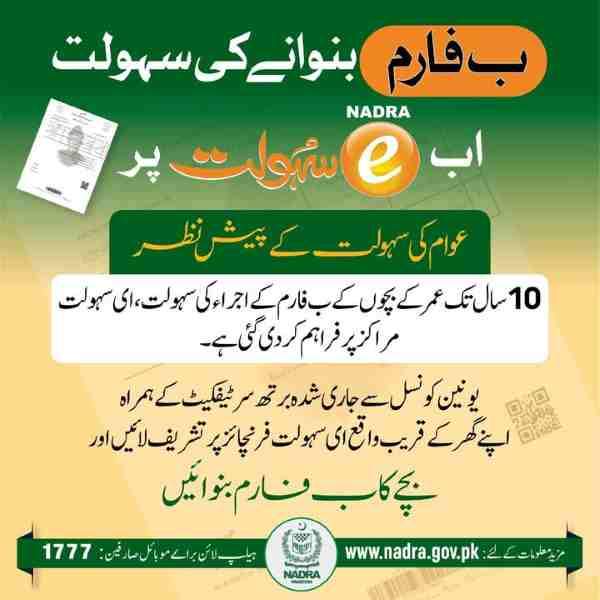
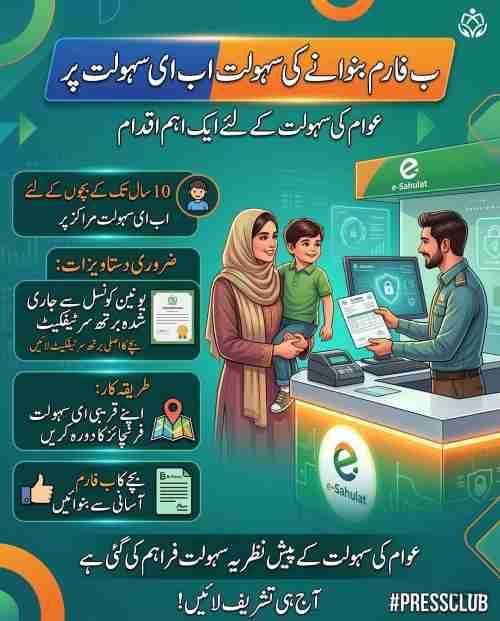
Can I apply for an FRC at an E-Sahulat or Khidmat Markaz?
Some E-Sahulat and Khidmat Markaz centers offer NADRA services, including FRC applications. However, capabilities vary by location. Contact your local center beforehand to confirm FRC processing availability.
FRC Validity, Digital Copy Legality, and Important Precautions
Understanding document validity and legal standing ensures proper use and acceptance by authorities.
What is the validity period of an FRC issued online?
An FRC represents your family composition on the date of issuance. While NADRA does not assign an expiration date, most institutions require FRCs issued within:
- Embassies: Last 3-6 months
- Immigration authorities: Last 6 months
- Legal proceedings: As specified by court
- General use: Within reasonable timeframe
Is a digital copy of the FRC (PDF) valid for visa processing?
The digital PDF is official but most embassies require physical copies. Recommended approach:
- Download PDF from Pak Identity app
- Print multiple color copies
- Get printed copies attested by MOFA
- Submit physical attested copies to authorities
What are the most important things to check before submitting my FRC application?
Critical verification points:
- Every family member’s name spelling matches their passport
- All 13-digit ID numbers are correct
- Relationship statuses are accurate
- Deceased members show correct status
- Children under 18 are properly listed
- Category selected matches your needs
Can I correct my name or other details through the FRC application?
No, FRC applications only allow spelling corrections. Any substantive changes require:
- Separate modification application for affected CNIC/CRC
- Database update confirmation
- Fresh FRC application after changes reflect
What does it mean if a family member’s CRC was issued without a photo?
A CRC issued without photo means the child was registered without photograph capture. For any document including this child (including FRC), they must be physically present at a NADRA center for photograph capture before processing.
Is it safe to provide my personal information on the Pak Identity app?
Yes, the Pak Identity app implements multiple security measures:
- End-to-end encryption for all data transmission
- Biometric authentication requirements
- Secure government servers
- Compliance with NADRA Ordinance 2000
- Protection under Prevention of Electronic Crimes Act 2016
- Regular security audits and updates
Conclusion and Final Checklist for a Successful FRC Application
Following this systematic approach ensures smooth FRC application and acceptance.
Final Step-by-Step Checklist for an Online FRC Application
Pre-Application Phase
- Verify all family members have valid CNICs/CRCs
- Confirm all names are spelled correctly in NADRA database
- Cancel CNICs of deceased members with death certificates
- Update any incomplete records before applying
- Download Pak Identity app and create account
Application Phase
- Log into Pak Identity app
- Navigate to Family > FRC
- Review displayed family members carefully
- Select appropriate category (Birth/Marriage/Adoption/All)
- Verify all details one final time
- Submit application
- Complete biometric verification
- Pay applicable fee through preferred method
Post-Application Phase
- Note Tracking ID for future reference
- Monitor application status in app
- Download PDF when notified of completion
- Print multiple copies
- Review printed copy for accuracy
- Submit for MOFA attestation if international use needed
Where can I find the latest official information on FRC?
Always refer to official NADRA channels:
- Official website: www.nadra.gov.pk
- Pak Identity app: Download from official app stores
- NADRA helpline: 051-111-786-100
- Email support: mobile.support@nadra.gov.pk
Who do I contact for help with my online FRC application?
For technical support and application assistance:
- Technical issues: Email mobile.support@nadra.gov.pk with screenshots
- General inquiries: Call 051-111-786-100
- Complaints: Use NADRA Centralized Complaint Management System (NCCMS)
- International callers: Dial +92 51 111 786 100
- Mobile users: Dial 1777 within Pakistan
Important: Always include your Tracking ID, Citizen Number, and relevant screenshots when seeking assistance for fastest resolution.
Disclaimer
This guide provides general information about the Family Registration Certificate application process. Rules, fees, and procedures may change without notice. Always verify current requirements through official NADRA channels before applying.
Frequently Asked Questions
How can I apply for an FRC online through NADRA?
Download the Pak Identity mobile app from Google Play or Apple App Store, create an account, complete biometric verification, navigate to Family > FRC, select your category, verify family details, submit application, and pay the fee. Your digital FRC will be available within 24 hours.
What is the official website for an online FRC application?
The Pak Identity mobile app is the official platform for online FRC applications. While id.nadra.gov.pk exists for other services, FRC applications now process exclusively through the mobile app for enhanced security and biometric verification.
Can I apply for an FRC using the Pak Identity mobile app?
Yes, the Pak Identity mobile app is the primary method for online FRC applications. The app supports both Android and iOS devices and works for applicants worldwide, including overseas Pakistanis.
What documents are required for an online FRC application?
You need valid 13-digit ID numbers (CNIC/NICOP/POC/CRC) for all family members you wish to include. No additional document uploads are required as the FRC pulls existing data from NADRA’s database.
How much is the fee for an online Family Registration Certificate?
FRC fees are Rs. 1000 each for By Birth, By Marriage, and By Adoption categories. The comprehensive By All category costs Rs. 2000. These fees cover processing and digital delivery.
How can I pay the FRC fee online?
Pay through the Pak Identity app using credit/debit cards (Visa/Mastercard), Raast, Easypaisa, JazzCash, or by visiting an E-Sahulat franchise with your Tracking ID.
How long does it take to receive an FRC after applying online?
Your digital FRC PDF will be available for download in the Pak Identity app within 24 hours of successful fee submission and application approval.
Is the online FRC sent via email or physical mail?
The FRC is delivered digitally through the Pak Identity app’s ID Vault. No physical copy is mailed, and it is not typically sent via email, though you may receive notification emails.
Can Overseas Pakistanis apply for an FRC online?
Yes, overseas Pakistanis can apply through the Pak Identity app from anywhere in the world. NADRA has also established Pak Identity counters in 22 Pakistani missions for additional assistance.
What is the difference between applying at an NRC and applying online?
NRC applications provide immediate physical copies but require travel and queuing. Online applications through Pak Identity app deliver digital copies within 24 hours from anywhere, without queues.
Do I need to upload photos for an online FRC application?
No, the FRC uses existing photographs from each family member’s CNIC or CRC. However, you must complete biometric verification through the app during application.
How do I verify my biometrics for an online FRC?
The Pak Identity app guides you through fingerprint capture using your phone’s camera. You have 10 attempts. If all fail, download a verifier form and get fingerprints attested at a NADRA center.
Can I apply for FRC By Birth and By Marriage at the same time online?
Yes, select the By All category to combine both birth and marriage details in a single certificate for Rs. 2000, saving compared to separate applications.
What should I do if my payment fails during the online application?
Check your card details and bank limits, wait 30 minutes and retry. If problems persist, contact your bank and then email mobile.support@nadra.gov.pk with screenshots of the error.
Is a digital copy of the FRC valid for visa processing?
The digital PDF is official but most embassies require physical copies. Print the PDF and get it attested by MOFA before submitting to foreign authorities.
How do I track the status of my online FRC application?
Log into your Pak Identity app, navigate to My Applications or Application History, and view real-time status updates for your FRC application using your Tracking ID.
Can I add a newborn baby to my FRC online?
First register the newborn with NADRA to obtain a CRC/B-Form. Once registered and the record appears in the database, you can include them in your next FRC application.
Why is my family record not showing up in the online portal?
Missing records indicate family members are not registered with NADRA, have incomplete records, or lack proper relationship links. Update records before reapplying.
Do I need to visit a NADRA office if I apply online?
Generally no, unless your biometric verification fails all 10 attempts or if children under 18 have CRCs issued without photos, requiring in-person photograph capture.
What are the system requirements for using the Pak Identity app for FRC?
You need an Android 8.0+ or iOS 13.0+ device with a working camera, stable internet connection, and at least 100MB free storage space.
Can I download my FRC PDF multiple times from the portal?
Yes, your FRC remains available for unlimited downloads from your Pak Identity account anytime after issuance.
Is the online FRC fee refundable if the application is rejected?
FRC fees are non-refundable as they cover processing costs. Resolve underlying data issues and submit a new application with fresh fee payment.
How do I correct an error in my family details while applying online?
Only English name spellings can be corrected during application. For other errors, modify the affected family member’s CNIC/CRC first, then reapply for FRC.
What is the validity period of an FRC issued online?
NADRA does not assign an expiry date, but most embassies require FRCs issued within the last 3-6 months for visa and immigration purposes.
Can I apply for a deceased family member’s FRC online?
Yes, after canceling the deceased member’s CNIC with their death certificate, you can include them in FRC applications. Their status will show as deceased.
Do all family members need to be present for the online application?
No, only the applicant needs to complete biometric verification through the app. Physical presence is not required for other family members.
How can I reset my Pak Identity account password to apply for an FRC?
Use the “Forgot Password” option on the login screen, enter your registered email, follow the reset link sent to your inbox, and create a new password.
Are there extra charges for fast-track online FRC processing?
No, standard online processing already delivers within 24 hours at no additional cost. Digital FRCs do not offer tiered pricing like physical cards.
Can I use a credit card from a foreign bank for the online fee?
Yes, the payment gateway accepts international Visa and Mastercard credit and debit cards, making it convenient for overseas Pakistanis.
What happens if I provide incorrect information in the online FRC form?
Incorrect information may cause application rejection or delays. NADRA may require corrections through modification applications, and repeated false information could trigger legal proceedings.

Add a Comment