
Imagine unboxing a brand new iPhone or Samsung flagship, inserting your SIM card with excitement, and getting full signal bars. Then, 60 days later, you wake up to a dead phone—no calls, no texts, no data. This nightmare scenario plays out for thousands of Pakistani mobile users every year who fail to understand or pay their PTA tax on time.
Knowing how to check PTA tax on mobile before you buy or bring a device into the country is the single most important step to protect your investment and ensure uninterrupted connectivity. This comprehensive guide walks you through every method, rate, and legal strategy to navigate Pakistan’s Device Identification, Registration and Blocking System (DIRBS) with confidence in 2026.
Key Takeaways
- Immediate Verification Required: Always check PTA tax status by IMEI before purchasing any imported phone—if it’s already blocked, you’ll lose service permanently.
- 60-Day Rule Is Strict: The moment your phone connects to a Pakistani network, a 60-day countdown begins; it cannot be reset or paused.
- Passport Registration Saves Money: Overseas Pakistanis and travelers can register devices on their passport for 15-20% lower taxes than CNIC-based registration.
- Temporary 120-Day Facility Exists: Expatriates and foreign nationals can now use their personal phones tax-free for up to 120 days per visit through the TMRS portal.
- Tax Rates Dropped in 2026: Recent FBR valuation rulings have reduced customs values on used phones, making flagship devices more affordable to register legally.
- Read More: How To Check Imei Number (For Free All Mobiles)
- Read More: PTA Approved Check | PTA Tax Calculator
- Read More: PTA Mobile Tax List | PTA Mobile Tax Check Online
Understanding PTA Tax and the DIRBS System
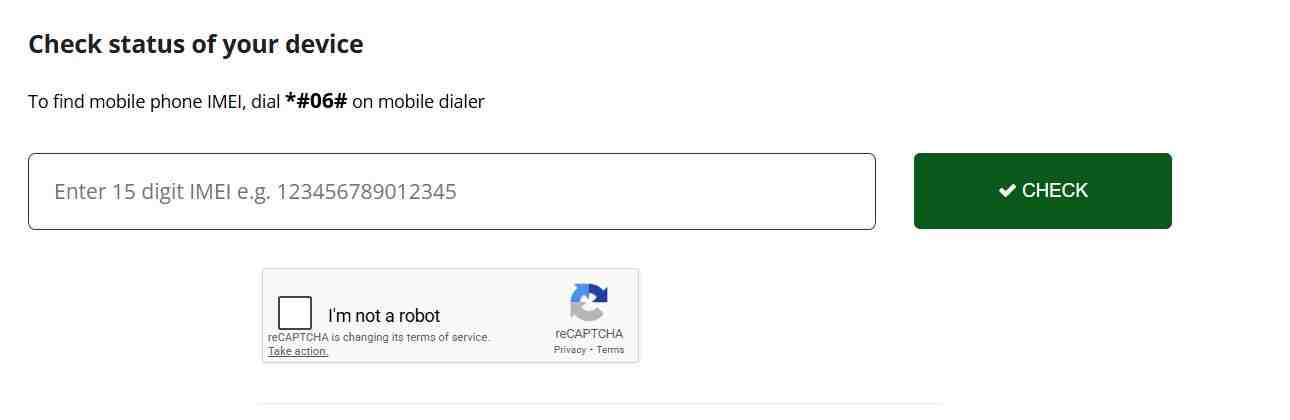
Table Of Contents
What exactly is PTA tax on a mobile phone and what does it cover?
PTA tax is not a single fee but a combination of government levies imposed on all imported mobile devices to make them legal for use on Pakistani cellular networks. When you check PTA tax on mobile, you’re actually looking at the total customs duty and taxes calculated by the Federal Board of Revenue (FBR), which includes customs duty at 20% on values above $30, regulatory duty at 25% primarily for devices valued over $350, sales tax at 18% applied on the cumulative value plus duties, withholding tax ranging from 10% to 15% depending on your filer status with FBR, and a flat PTA DIRBS fee between Rs.
250 to Rs. 5,000. This comprehensive tax structure ensures that all mobile devices entering Pakistan comply with national import regulations and contribute to the national exchequer.
How does the DIRBS system differentiate between compliant, non-compliant, and blocked devices?
The Device Identification, Registration and Blocking System (DIRBS) operates on a simple whitelist principle that continuously monitors every phone connected to Pakistani networks. A compliant or PTA approved device shows a status that indicates all taxes are paid and the IMEI is whitelisted for lifetime use on any local operator. A valid non-compliant status means the device has a genuine GSMA-allocated IMEI but FBR taxes remain unpaid, triggering the 60-day grace period.
Non-compliant status without the “valid” prefix indicates the IMEI is invalid, not allocated by GSMA, or a duplicate of another device, which suggests a fake, cloned, or tampered phone. Blocked status means the 60-day limit has expired or the phone was reported lost or stolen, resulting in complete suspension of all cellular services.
What is the “60-Day Rule” and why does it matter?
The 60-day rule is the most critical concept to understand when you check PTA tax on mobile. The moment you insert a Pakistani SIM card into a non-approved phone and it successfully connects to a network tower, DIRBS records this as the “First Latch Date” and initiates a strict 60-day countdown. A widespread misconception is that changing SIM cards, performing a factory reset, or leaving the country and returning will reset this timer.
In reality, the timer is permanently tied to the physical hardware of your IMEI slot and cannot be manipulated. On day 61, the network automatically rejects your IMEI, rendering your SIM slots completely dead for calls, SMS, and mobile data. You can still use Wi-Fi for WhatsApp and browsing, but your phone becomes essentially a mini-tablet until you pay the full tax.
What types of devices other than phones fall under PTA regulations?
PTA regulations extend far beyond smartphones to include any device that connects to cellular networks using a SIM card. This includes tablets like iPads and Samsung Tabs with cellular capability, smartwatches with eSIM or physical SIM slots, portable WiFi devices and MiFi routers, vehicle tracking devices, and even some IoT equipment. When you check PTA tax on mobile, the same rules apply to all these device categories. However, laptops and standard WiFi-only tablets do not require PTA registration as they lack cellular connectivity.
Why did the Government of Pakistan implement the DIRBS system?
The DIRBS system was launched primarily to address three critical national concerns. First, it curbs the smuggling of mobile phones into Pakistan, which previously cost the national exchequer billions in lost revenue. Second, it helps law enforcement agencies track criminal activity by ensuring every active device has a verifiable identity, making it harder for terrorists and criminals to use untraceable phones.
Third, it protects consumers from purchasing stolen devices by creating a centralized blacklist that all mobile operators must enforce. When you check PTA tax on mobile through the official channels, you’re participating in a system designed to create a more secure and regulated telecommunications environment for all Pakistanis.
Step-by-Step: How to Check PTA Tax on Mobile via SMS
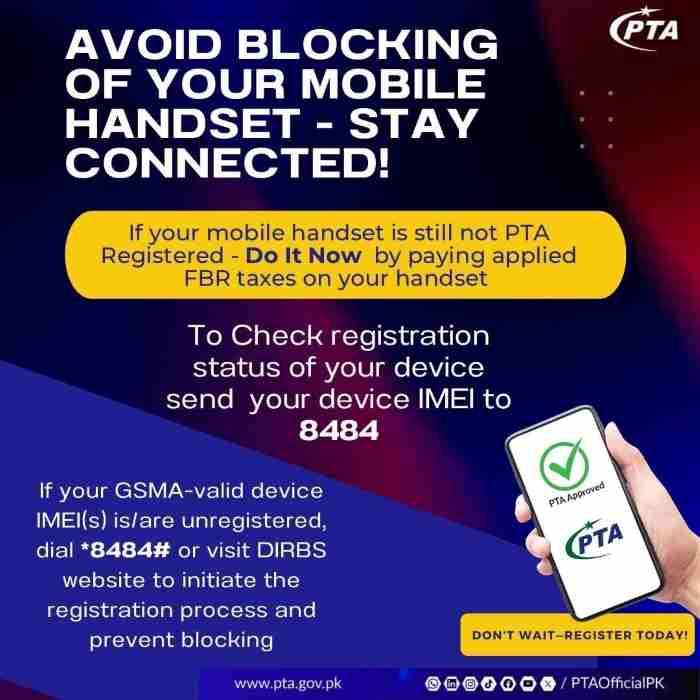
How can I check PTA tax on mobile using the SMS method to 8484?
The SMS method remains the fastest and most accessible way to check PTA tax on mobile for anyone with a basic phone and cellular connection. To perform this check, you need your device’s 15-digit International Mobile Equipment Identity (IMEI) number. Simply type that 15-digit number into a new SMS message with no additional text, spaces, or characters, and send it to 8484.
Within seconds, you will receive an automated reply from PTA containing the current status of your device. This method works on all Pakistani networks including Jazz, Telenor, Zong, and Ufone, and typically costs the standard SMS rate as per your mobile package.
What is the official PTA code to check tax and registration status?
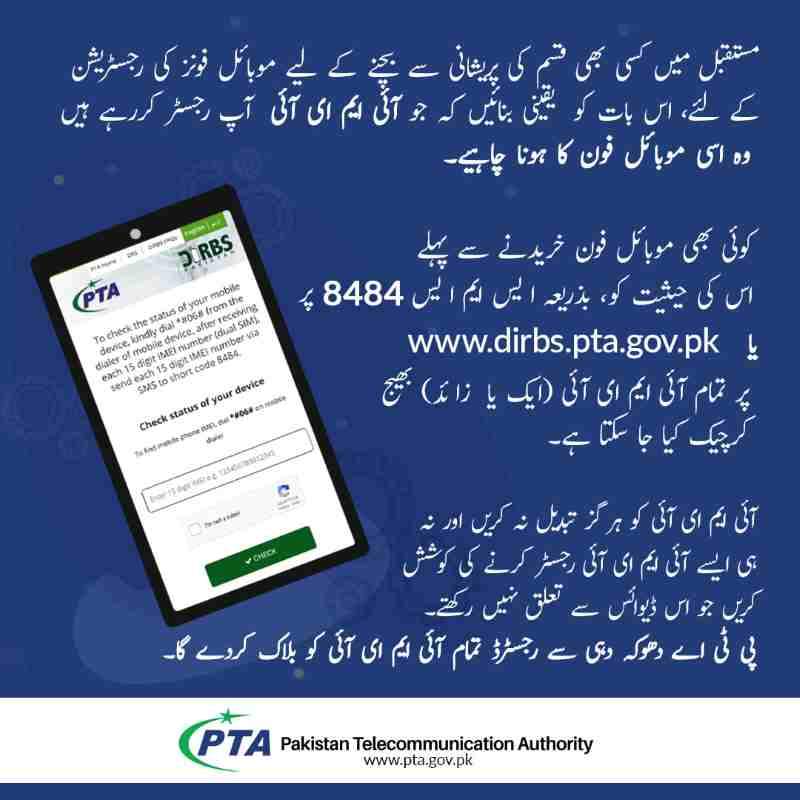
The official PTA short code for all mobile registration and verification services is 8484. This three-pronged service operates through SMS by sending your IMEI number to 8484, through USSD by dialing *8484# and following the interactive menu, and through the DVS mobile application which also interfaces with the same backend system. When telecom consumers verify the status of their mobile device by sending the IMEI number via SMS to 8484 or checking on the website, they are accessing the same centralized DIRBS database maintained by PTA.
How do you find the 15-digit IMEI number on any phone?

Every mobile phone has a universal code to reveal its IMEI number regardless of brand, model, or operating system. Open your phone’s dialer as if you were going to make a call and dial *#06#. The screen will immediately display one or two 15-digit numbers depending on whether your phone is single SIM or dual SIM. For dual SIM phones, you will see IMEI 1 and IMEI 2 separately, and both must be checked. This method is preferred over checking the sticker on the back of the phone or the box packaging, as those can be counterfeited or swapped. The number displayed by the phone itself is the hardware’s true identity.
What does the PTA SMS reply mean: Compliant, Non-Compliant, or Blocked?
When you check PTA tax on mobile via SMS, the reply contains specific terminology that directly indicates your device’s fate. A “Compliant” or “PTA Approved” message confirms your device is legally imported with all taxes paid and will work indefinitely on all Pakistani networks. A “Valid (Non-Compliant)” response means your device has a legitimate IMEI but taxes are unpaid, and the 60-day countdown is active.
A “Non-Compliant” response without the word “Valid” indicates a counterfeit, duplicated, or invalid IMEI that may be blocked immediately. A “Blocked” response confirms your device has already been disconnected from all networks and requires tax payment for reactivation.
How to check PTA tax on mobile for a dual-SIM phone using SMS?
Dual SIM phones require special attention because each SIM slot has its own unique IMEI number that must be registered separately. When you dial *#06#, your screen will show IMEI 1 (usually for SIM slot 1) and IMEI 2 (for SIM slot 2). You must send both numbers to 8484 in separate SMS messages to check the status of each slot independently.
A common scam in the grey market involves sellers paying tax on only one IMEI to save money, leaving the second slot unregistered. If you use a SIM in the unregistered slot after 60 days, that slot will be blocked even if the first slot remains active. Always verify both IMEIs receive “Compliant” status before purchasing.
What should you do if you don’t receive any reply after sending the IMEI to 8484?
If your SMS to 8484 goes unanswered after several minutes, first confirm you sent only the 15-digit number without any extra words, spaces, or characters. Check that you have sufficient balance or an active SMS package, as the service deducts standard SMS charges. Try restarting your phone to refresh network registration. If the issue persists, the IMEI itself may be invalid or not recognized in the GSMA database, which often indicates a counterfeit or cloned device. In this case, try the online DIRBS portal as an alternative verification method before proceeding with any purchase.
How to Check PTA Tax Online via the Official PTA and FBR Portals
How to check PTA tax online using the official DIRBS website?
The DIRBS website at dirbs.pta.gov.pk provides the most comprehensive view of your device’s status without requiring any registration for basic queries. Navigate to the “Verify Device” section, enter your 15-digit IMEI number in the provided field, complete the captcha verification, and click submit. The system will display your device’s current status along with additional details such as the model name, brand, and compliance date if applicable. This web-based method is particularly useful for checking phones before purchase when you have internet access but may not have the phone’s SIM inserted yet.
What is the correct URL for the PTA online check system?
The official and only authorized PTA portal for device verification is dirbs.pta.gov.pk. Any other website claiming to offer PTA tax checking services may be phishing for your IMEI and personal information. The Pakistan Telecommunication Authority does not operate through third-party websites for device verification. Always ensure you are on the government domain before entering sensitive information like IMEI numbers or CNIC details.
What do the color-coded statuses mean on the DIRBS portal?
The DIRBS web portal uses a visual color system to make status identification immediate and intuitive. A green status indicates a Compliant device with all taxes paid and full network access granted. A yellow status represents Valid Non-Compliant, meaning the device has a genuine IMEI but taxes are due and the 60-day period is active. A red status means Non-Compliant or Blocked, indicating either an invalid IMEI or a device that has exceeded its grace period and been disconnected. When you check PTA tax on mobile through the portal, these colors help you instantly assess whether a device is safe to purchase or requires immediate action.
How to check PTA tax for an iPhone 15 Pro Max or Samsung S24 Ultra online?
Premium flagship devices like the iPhone 15 Pro Max or Samsung Galaxy S24 Ultra require the same verification process as any other phone, but their tax amounts will be significantly higher due to their value. To check the exact tax amount rather than just status, you need to use the WeBOC Mobile Device Duty Information page or generate a PSID through the DIRBS portal. After entering the IMEI on the DIRBS site, if the device is non-compliant, the system will provide an option to “Calculate Tax” or “Generate PSID,” which will display the precise amount owed based on current FBR valuation and exchange rates.
Can I check PTA tax online using my passport number instead of a CNIC?
Yes, overseas Pakistanis and foreign nationals can check PTA tax using their passport information through the DIRBS portal. The system offers a toggle option between CNIC and Passport when generating tax estimates or applying for registration. Passport-based registration typically results in 15-20% lower tax amounts compared to CNIC-based registration, making it the preferred option for travelers and expatriates. However, this passport-linked status is temporary and tied to your visit duration, whereas CNIC registration provides permanent approval.
How to check PTA tax for a used phone brought from abroad on the portal?
Used phones brought from abroad benefit from significantly reduced customs valuations following FBR’s recent rulings. When you check PTA tax on mobile for a used device, the system applies depreciation based on the phone’s age and model rather than its original retail price. For example, a used iPhone 15 Pro Max may be valued at $450 instead of its original $1,200+ price tag, resulting in taxes around Rs. 45,000 to Rs. 55,000 instead of potentially double that amount. The portal automatically applies these depreciated values when you enter the IMEI, as the valuation is tied to the specific model and its manufacturing date.
Mobile Apps and USSD: Alternative Ways for PTA Tax Check
How to check PTA tax on mobile using the official DVS Android app?
The Device Verification System (DVS) app, available on the Google Play Store, offers the convenience of scanning your IMEI instead of typing it manually. After downloading and installing the official PTA DVS app, open it and grant camera permissions. The app’s scan feature can read the IMEI barcode typically found on the phone box, or you can use the manual entry option. Once the IMEI is entered, the app queries the DIRBS database and displays your device’s current status along with any tax obligations. This app is particularly useful for retailers and individuals who frequently verify multiple devices.
Can iPhone users download a PTA-approved app to check tax from the App Store?
iPhone users have access to the same DVS functionality through the official PTA app available on the Apple App Store. Search for “PTA DVS” or “Device Verification System” to find the authorized application. The iOS version offers identical features to its Android counterpart, including IMEI scanning and status checking. However, due to Apple’s stricter app policies, some features may be limited compared to the Android version. iPhone users can also rely on the mobile web version of DIRBS, which works seamlessly on Safari.
What is the USSD code *8484# and how to use it for PTA mobile registration check?
The USSD code *8484# provides an interactive menu-based service accessible from any phone without requiring internet connectivity. Dial *8484# and press send to launch the PTA mobile registration menu. Follow the on-screen prompts to select options such as “Register Mobile Device” or “Check Status.” You will be asked to enter your CNIC or passport number and the IMEI number of your phone. The system processes this information and returns a response within seconds, often including a PSID and exact tax amount if applicable. This method combines the speed of SMS with the interactivity of a menu system.
How to check PTA tax on a mobile number using the USSD method?
To check PTA tax specifically for a mobile number that is already in use, the USSD method offers a convenient shortcut. Dial *8484# and select the option for “Check Registration Status” or similar wording. The system may automatically detect the IMEI of the phone you are using and display its status along with any outstanding tax. This is particularly useful for long-time residents who want to confirm their existing phones are compliant before the 60-day deadline expires on newly acquired devices.
How to check PTA tax on a feature phone that doesn’t support apps?
Feature phones and basic mobile devices without smartphone capabilities can still easily check PTA tax using the SMS method to 8484 or the USSD code *8484#. These universal methods work on any GSM phone regardless of its age or operating system. Simply dial *#06# to get your IMEI, note it down, and send it to 8484 via SMS. Within moments, you’ll receive a reply with your device’s status. This accessibility ensures that all mobile users in Pakistan, regardless of their phone type, can verify their device compliance.
How to Calculate PTA Tax for Your Specific Phone Model
How to calculate PTA tax for iPhone 15 Pro Max, 14, and 13 models?
iPhone models have specific tax calculations based on their depreciated customs values as determined by FBR’s latest valuation rulings. For the iPhone 15 Pro Max, with a customs value around $460, estimated passport tax is approximately Rs. 41,960 while CNIC tax reaches Rs. 50,352. The iPhone 15 Pro at $390 valuation also falls in the same higher tax bracket.
The iPhone 15 and 14 series, valued between $210 and $320, attract taxes around Rs. 31,640 for passport and Rs. 37,968 for CNIC. Older models like the iPhone 13 at $170 valuation see significantly lower taxes around Rs. 13,000 for passport and Rs. 15,600 for CNIC. When you check PTA tax on mobile for any iPhone, these slab-based calculations determine your final payment.
How much is the PTA tax on a $500 mobile phone in Pakistan?
A mobile phone valued at $500 falls into the highest tax bracket and attracts substantial duties. Using the current exchange rate and tax structure, a $500 device would have a customs value of approximately Rs. 140,000. The calculation proceeds as customs duty at 20% on the amount above $30, regulatory duty at 25% for devices over $350, sales tax at 18% on the cumulative value, withholding tax based on filer status, and the PTA flat fee.
The final tax amount for a $500 phone typically ranges from Rs. 60,000 to Rs. 75,000 depending on whether you register on passport or CNIC and your filer status. This explains why flagship phones like the Samsung S24 Ultra or iPhone 16 Pro Max command such high registration costs.
What are the current PTA tax slabs based on customs value in USD?
PTA tax operates on a slab system where the customs value in US dollars determines your applicable tax bracket. The entry slab covers devices valued up to $30, with minimal tax around Rs. 1,500. The low slab from $30 to $100 attracts taxes approximately Rs. 4,500. The mid slab covering $100 to $200 results in taxes around Rs. 13,000. The high slab from $200 to $350 commands taxes near Rs. 31,640. The premium slab for devices above $350 sees taxes starting from Rs. 41,960 and increasing with value. These slabs apply to the depreciated value of used phones, not their original retail prices, making registration more affordable than many expect.
How to calculate PTA tax for Samsung Galaxy S23, S22, and S21 Ultra?
Samsung’s flagship models have seen dramatic tax reductions following FBR’s January 2026 valuation updates. The Samsung S23 Ultra, now valued at $255, falls in the $200-$350 slab with estimated passport tax around Rs. 31,640. The Samsung S22 Ultra at $160 valuation sits comfortably in the $100-$200 slab with tax approximately Rs. 13,000. The Samsung S21 Ultra and S21 Plus, valued between $69 and $80, attract only Rs. 4,500 in tax. When you check PTA tax on mobile for any Samsung device, these reduced valuations apply automatically, making premium Android phones much more accessible to Pakistani consumers.
What is the difference in tax calculation for filers vs. non-filers of income tax?
Your status on the Active Taxpayers List (ATL) maintained by FBR significantly impacts your final PTA tax amount. Filers, who are active income tax return filers, benefit from a reduced withholding tax rate of approximately 10% on the total duty calculation. Non-filers face a higher withholding tax rate of around 15%, which can add thousands of rupees to the final bill. When you check PTA tax on mobile through the official portal, the system asks for your CNIC and automatically determines your filer status, applying the correct withholding tax rate to your calculation. This difference can amount to 5-10% of your total tax bill.
How to check PTA tax for iPads, tablets, and other non-phone devices?
Tablets and cellular-enabled devices follow the same verification and tax calculation process as mobile phones. For an iPad with cellular capability, dial *#06# to obtain its IMEI just as you would on a phone. Send this IMEI to 8484 or enter it on the DIRBS portal to check status and calculate tax. The tax slabs apply identically based on the device’s customs value. However, WiFi-only tablets without cellular capability do not require any PTA registration as they cannot connect to mobile networks. Always verify whether your tablet actually has a SIM slot before assuming it needs PTA approval.
Step-by-Step Guide to Paying PTA Tax and Registering Your Mobile
How to generate a PSID (Payment Slip ID) for PTA tax payment?
The Payment Slip ID (PSID) is a unique 16-digit number that identifies your specific tax liability and allows you to pay through various banking channels. To generate a PSID for your non-compliant device, visit the DIRBS portal or dial *8484# and select the option for mobile registration. Enter your CNIC or passport number along with the IMEI of your device. The system calculates the exact tax amount based on current valuation and generates a PSID valid for seven days. This PSID is your key to completing the payment process and must be used before expiration to avoid generating a new one.
How to pay PTA tax online using JazzCash, Easypaisa, or mobile banking apps?
Once you have generated your PSID, payment can be completed through various digital channels without visiting a bank. In JazzCash, open the app and navigate to “Payments” then “Taxes” and select “FBR” or “PTA.” Enter your 16-digit PSID, verify the amount displayed, and complete the payment using your JazzCash balance. Easypaisa offers a similar process under “Payments” then “Tax Collection.” Most mobile banking apps like HBL NayaPay, UBL Digital, and Meezan Bank have dedicated sections for “Tax Payments” or “FBR Payments” where you can enter the PSID and pay directly from your account. Always save the transaction receipt or confirmation message as proof of payment.
What is the complete process for PTA mobile registration online check and payment?
The end-to-end process for PTA mobile registration involves several coordinated steps. First, check your device status via SMS, USSD, or online to confirm it is “Valid Non-Compliant.” Second, generate a PSID through the DIRBS portal or *8484# by providing your CNIC and IMEI. Third, pay the exact amount shown using any of the approved banking channels within seven days. Fourth, wait for confirmation, which typically arrives via SMS from 8484 within 24 to 48 hours confirming your device is now “Compliant” or “PTA Approved.” Finally, verify the status again by sending your IMEI to 8484 to ensure the system has updated your device to compliant status.
How long does it take for a phone to be approved after paying the tax?
After successful payment of PTA tax, the approval process is largely automated but may take varying amounts of time to complete. In most cases, the DIRBS system detects the payment within a few hours and automatically updates the device status to “Compliant.” Users typically receive confirmation via SMS from 8484 within 24 hours. However, during peak periods or if there are technical issues, it may take up to 48 to 72 hours for the status to update. If your device remains non-compliant after 72 hours with payment confirmed, contact PTA support through their official channels with your PSID and transaction receipt.
What should you do if your PSID for PTA tax is not generating?
If you encounter errors while trying to generate a PSID, several factors could be causing the issue. First, verify that your IMEI shows as “Valid Non-Compliant” rather than “Non-Compliant” or “Blocked,” as invalid IMEIs cannot generate PSIDs. Check that you entered your CNIC or passport number correctly without any typos. Ensure your device is not already registered to another person’s CNIC. If the system shows a valuation error, the FBR database may be temporarily unavailable. Try again after a few hours or use an alternative method like *8484# instead of the web portal. If problems persist, the IMEI itself may be problematic, suggesting a counterfeit or duplicated device.
Special Cases: Overseas Pakistanis, Visitors, and Used Phones
How to check PTA tax for overseas Pakistanis bringing phones from abroad?
Overseas Pakistanis enjoy special privileges when bringing personal phones into the country, including one phone per calendar year that can be registered completely tax-free with proper documentation. To check your tax liability as an overseas Pakistani, use the DIRBS portal and select the “Overseas Pakistani” or “Passport” option when generating a PSID. The system will apply preferential rates that are typically 15-20% lower than standard CNIC rates. For the tax-free allowance, you must apply through the DIRBS portal with your passport, NICOP, proof of overseas residence, and arrival documentation. When you check PTA tax on mobile through this channel, the system will automatically apply any exemptions you qualify for based on your submitted documents.
Is PTA tax free for one phone for overseas Pakistanis under the baggage rules?
Yes, overseas Pakistanis can bring one personal mobile phone duty-free per calendar year under the baggage rules, provided they follow the proper registration process. This exemption applies to used phones intended for personal use, not new phones for resale. To claim this exemption, you must apply through the DIRBS portal within the temporary registration period, upload your passport, NICOP, boarding pass, and sometimes proof of overseas remittance or residence. The system verifies your eligibility and, if approved, marks your device as compliant without any tax payment. This valuable concession saves overseas Pakistanis thousands of rupees on phone registration.
How can a foreign tourist or overseas Pakistani use their phone for free for 120 days?
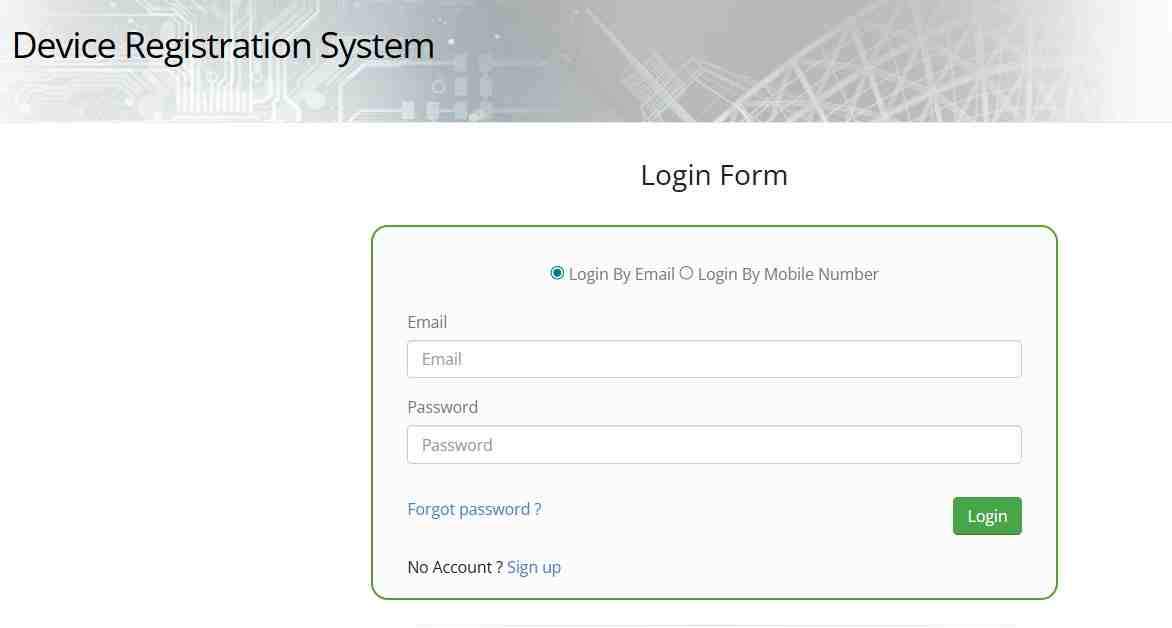
The Temporary Mobile Registration System (TMRS) launched by PTA allows foreign nationals and overseas Pakistanis to use their personal phones tax-free for up to 120 days per visit. This facility can be availed multiple times, with a fresh application required for each visit to Pakistan. To register, visit dirbs.pta.gov.pk/drs and create an account by signing up with your email and phone number. After verification, select “Temporary Registration for Overseas Pakistanis/Foreign Nationals,” enter your passport number, arrival date, departure date, and the IMEI of your device. Once approved, your phone is whitelisted for the duration of your stay. This free registration ensures visitors stay connected without the burden of paying full import duties.
How to check PTA tax on used phones from abroad (like Dubai, UK, or USA)?
Used phones imported from popular destinations like Dubai, UK, or USA follow the same verification process but benefit from depreciated customs values. When you check PTA tax on mobile for a used phone, the system automatically applies valuation based on the model’s age and condition rather than its original purchase price. For example, an iPhone brought from Dubai that was originally purchased for $1,200 may be valued at only $400 for tax purposes if it’s a year old. This depreciation makes legal registration far more affordable than many expect. Always check the tax before purchasing a used phone from international sellers to factor this cost into your total budget.
What is the difference between passport and CNIC registration tax?
Passport-based registration differs from CNIC-based registration in several critical ways. Passport registration is available to overseas Pakistanis and foreign nationals and typically offers 15-20% lower tax rates than CNIC registration. However, passport registration is temporary, tied to the validity of your visit, and may require reapplication on subsequent trips. CNIC registration provides permanent approval that lasts indefinitely and transfers with the device if you sell it within Pakistan. CNIC rates are higher because they confer permanent status and are available to all Pakistani residents. When you check PTA tax on mobile, always select the appropriate identification type to see your accurate tax amount.
Understanding Tax Rates, Timelines, and Penalties
How much is the PTA tax on a $300 phone? (Breakdown by slab)
A phone valued at $300 falls squarely in the $200-$350 tax slab, which carries specific duty calculations. For a $300 device, the estimated passport tax is approximately Rs. 31,640 while CNIC tax reaches around Rs. 37,968. This amount includes all components: customs duty on the value above $30, regulatory duty since the device exceeds $350 threshold, sales tax on the cumulative amount, withholding tax based on filer status, and the PTA flat fee. When you check PTA tax on mobile for a mid-range flagship like the iPhone 15 or Samsung S23, this $300 valuation category applies to many popular models.
Why is the PTA tax so high in previous years, and how did it change recently?
PTA tax was historically high due to valuation methods that assessed used phones based on their original retail prices rather than depreciated market values. This created situations where a two-year-old phone attracted taxes nearly as high as a new model. Following industry feedback and concerns about rampant smuggling, FBR issued Valuation Ruling No. 2035/2026 in January 2026, which significantly reduced customs values for 62 popular used smartphone models. This resulted in 15-30% lower taxes on many flagship devices, making legal registration more affordable and reducing the incentive for black market purchases. When you check PTA tax on mobile today, you benefit from these reduced valuations.
What happens if I don’t pay PTA tax within the 60-day deadline?
Failure to pay PTA tax within the 60-day grace period results in automatic and permanent blocking of your device on all Pakistani cellular networks. On day 61, the DIRBS system sends a signal to all mobile operators to deny service to your IMEI. Your phone will display “No Service” or an emergency calls only message, and you will be unable to make calls, send SMS, or use mobile data. The only way to restore service is to pay the full tax amount plus any applicable late fees through the standard PSID generation process. The device remains usable on Wi-Fi, but cellular functionality is completely suspended until payment is confirmed.
Can a blocked phone be unblocked by paying the tax late?
Yes, a blocked phone can be reactivated by paying the full PTA tax even after the 60-day deadline has passed. The process is identical to registering a non-compliant device: generate a PSID using your IMEI and CNIC on the DIRBS portal or via *8484#, pay the amount shown, and wait for system confirmation. Once payment is processed, DIRBS automatically updates your device status from “Blocked” to “Compliant” and sends an activation signal to all networks. Reactivation typically occurs within 24 to 48 hours of payment. However, any period of blockage means you were without cellular service, so it’s always better to pay within the grace period.
What is the time limit for registering a mobile device after its arrival in Pakistan?
The 60-day countdown begins automatically the moment your device first connects to a Pakistani cellular network, not necessarily on the date you arrived in the country. If you arrive with a phone but keep it in airplane mode or use only Wi-Fi, the timer does not start. However, the moment you insert a local SIM and the phone registers with a tower, day one begins. For overseas Pakistanis using the temporary 120-day facility, the extended period applies from the date of approval, not first connection. Always check PTA tax on mobile as soon as you arrive to understand your remaining time and plan accordingly.
Troubleshooting: Why Your PTA Tax Check or Payment Might Fail
What does it mean if my IMEI shows as “Blocked” on the PTA site?
A “Blocked” status on the PTA site indicates that your device has been permanently blacklisted from all Pakistani cellular networks. This occurs for three primary reasons: the 60-day grace period expired without tax payment, the phone was reported lost or stolen by its original owner, or the IMEI was found to be duplicated across multiple devices. If your device is blocked due to non-payment, you can still unblock it by paying the tax. If blocked due to theft or duplication, reactivation requires additional documentation and approval from PTA, which may not always be granted.
Why is my PSID for PTA tax not generating or showing an error?
PSID generation failures typically stem from data mismatches or system flags. Common causes include entering an IMEI that is already registered to a different CNIC, attempting to generate a PSID for an IMEI that shows “Compliant” status, input errors in your CNIC or passport number, or system downtime on the FBR side. If you receive a valuation error, the specific model may not be in the current FBR database, requiring manual intervention. Try the USSD method *8484# as an alternative, or wait 24 hours and attempt again. Persistent errors may require contacting PTA support with your IMEI and personal details.
How to fix “IMEI duplication” or “counterfeit IMEI” errors?
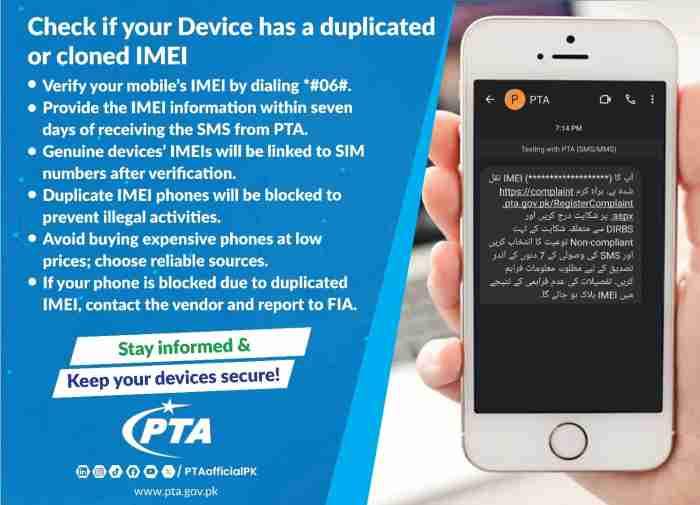
IMEI duplication errors occur when the DIRBS system detects multiple phones using the same IMEI number, which indicates cloning or counterfeit manufacturing. This is common with cheaply made phones or devices that have undergone unauthorized repairs. If your device shows this error, first verify the IMEI by dialing *#06# and comparing it to the sticker on the back or box. If they match but the error persists, the IMEI may be genuinely duplicated. In some cases, you can apply for “pairing” through PTA by submitting proof of purchase and a detailed explanation. If approved, PTA may whitelist your specific device despite the duplication.
What to do if you have paid the tax but your phone is still showing non-compliant?
Payment confirmation delays can occur due to bank processing times, system synchronization issues, or technical glitches. If you have paid the tax but your status remains non-compliant after 48 hours, first verify that your payment was credited to the correct PSID by checking your bank transaction history. Save your payment receipt or confirmation SMS.
Then, visit the DIRBS portal and use the “Check Payment Status” feature by entering your PSID. If the system shows payment received but status not updated, contact PTA support through their official helpline or email with your PSID, IMEI, and payment proof attached. Manual resolution typically occurs within 1-2 business days.
Frequently Asked Questions
How can I check PTA tax on my phone by IMEI instantly?
The fastest method to check PTA tax by IMEI is to dial *#06# to get your 15-digit number, then send that number via SMS to 8484. You will receive an automated reply within seconds showing your device’s compliance status. For tax amount specifically, you need to generate a PSID through the DIRBS website or *8484# which will display the exact figure owed.
What is the code to check PTA tax in Pakistan via mobile?
The official PTA code for all mobile registration services is 8484. You can send your IMEI number to 8484 via SMS, or dial *8484# to access an interactive USSD menu. Both methods are free apart from standard SMS charges and work on all Pakistani networks.
How to check if my mobile is PTA approved or not before buying?
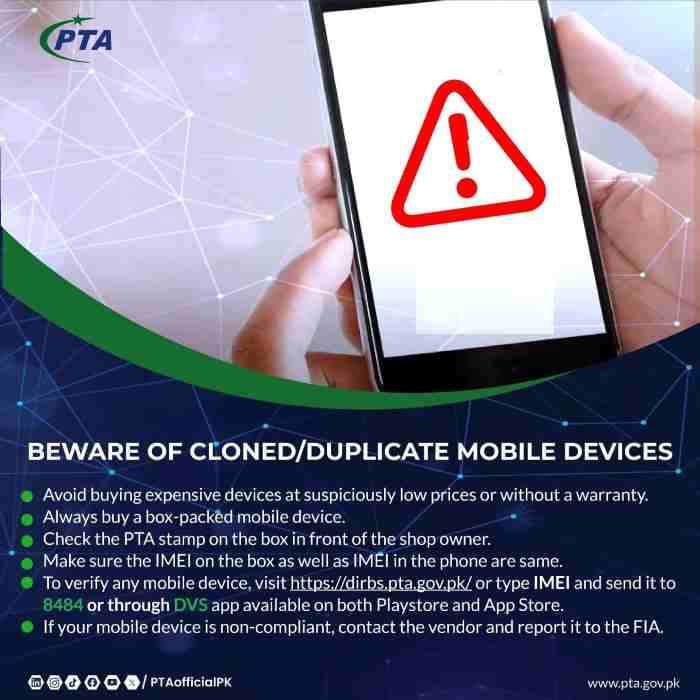
Before purchasing any imported phone, ask the seller to dial *#06# on the device and read you the IMEI numbers. Then send those numbers via SMS to 8484 yourself, or use the DIRBS website on your own phone. Match the response to ensure the device model name matches what you’re buying and that status shows “Compliant” or “PTA Approved.” Never rely on the seller’s word or a screenshot.
Is there any way to avoid paying PTA tax on a personal phone?
The only legal way to avoid PTA tax is through the Temporary Mobile Registration System for overseas Pakistanis and foreign nationals, which allows 120 days of tax-free use per visit. Overseas Pakistanis can also claim one tax-free phone per calendar year under baggage rules with proper documentation. All other methods claiming tax avoidance, such as CPID patches or JV phones, are illegal and risk permanent device blocking.
How to check PTA tax for a dual SIM phone where both IMEIs are different?
For dual SIM phones, you must check both IMEIs separately by sending each 15-digit number to 8484 in individual SMS messages. The system treats each IMEI as a separate device for registration purposes. Both must show “Compliant” status for full functionality. If only one IMEI is compliant, the corresponding SIM slot will work while the other may be blocked.
Does PTA tax vary for 5G phones compared to 4G phones?
PTA tax is based on the device’s customs value, not its technology generation. A 5G phone will generally have higher tax than a 4G phone because 5G devices are typically newer and more expensive, placing them in higher value slabs. However, a budget 5G phone may have lower tax than a premium 4G flagship depending on their respective customs valuations.
Can I check PTA tax for a friend or family member using my phone?
Yes, you can check PTA tax for any device using your phone by entering the IMEI number provided to you. The SMS method to 8484 works regardless of whose phone you use. However, when generating a PSID for payment, you will need the owner’s CNIC or passport number as the tax liability is tied to their identity.
How to download the PTA tax paid certificate or receipt online?
After successful tax payment, you can download an official receipt from the DIRBS portal by logging into your account and navigating to “Payment History” or “My Devices.” Select the relevant IMEI and choose “Download Receipt.” This certificate serves as proof of registration and may be required when selling the phone or dealing with customs authorities.
What is the difference between PTA approved and PTA compliant?
PTA approved and PTA compliant are identical terms used interchangeably to indicate a device that has cleared all customs duties and is legally registered in the DIRBS database. Both mean the phone will work permanently on all Pakistani networks without restrictions. You may see either term in SMS replies or portal status messages.
How to check PTA tax for a phone that was bought in Pakistan but has no proof?
Locally purchased phones from authorized retailers are typically pre-registered and should show “Compliant” status when you check by IMEI. If you bought a phone within Pakistan but it shows non-compliant, it was likely smuggled or imported unofficially. In this case, you are responsible for paying the tax to make it compliant, as the seller did not handle registration.

Add a Comment